Author: bryt

  • Updated: How To Make Free Calls On MTN Ghana For Six Months

    Updated: How To Make Free Calls On MTN Ghana For Six Months

    Are you looking for how to make free calls on MTN Ghana? Or have you ever asked yourself if it is possible to make free calls on MTN without airtime? or what is the MTN free after 1 code?

    Yes, it is possible to make free calls on MTN for 6 good months without airtime, and that is what this article will take you through in addition to the step-by-step guide on how to register the MTN 6 months free calls, which is also known as MTN magic number code.

    Also, you will get to know the other exciting MTN codes for free calls and not only the MTN Akwaaba offer which will benefit you if you like making free calls on MTN.

    Over the past years, MTN has been the most used network in Ghana, with its motto as “Everywhere You Go” with comprehensive coverage all over the country.

    MTN Group Limited was established in 1994 as M-Cell, with backing from the South African authorities.

    mtn

    They were the first to introduce GSM technology to Ghana in 1996 with services like; caller ID, call waiting, call forwarding, barren, holding and transfer, SMS, and conference calls.

    In 1997, they were the first to introduce billing. From then, in 1998, the name of the company changed to Spacefone and then to MTN.

    MTN Group Limited became the first to introduce electronic recharges in 2005 and the first telecommunications coverage in all ten regions in Ghana in 2006.

    They keep pushing harder, and in 2007, MTN Group became the first telecom to set a foundation in Ghana.

    In 2008, they were the first telecom to launch a blackberry service in Ghana; they did it again to introduce dynamic tariffing, popularly known as MTN zone.

    The most exciting part is that in 2009, they were also the first telecom to launch mobile money in Ghana.

    Given the above-mentioned and many more, MTN has the upper hand among the telecommunication networks in Ghana.

    This article is a step-by-step guide on how to make free calls on MTN for 6 whole months by using the MTN magic number offer.

    If you find yourself not qualified for this incredible offer, this article also channels your focus on their amazing offers like MTN free after one, pay for me, and other offers.

    MTN Akwaaba Offer

    mtn akwaaba offer

    Are you searching for how to make free calls on mtn without airtime? The Akwaaba, also known as the MTN magic number is an incredible offer that allows you to make a free call with a particular MTN number for a whole 6 months.

    This is a free offer when you register for this service, and it has no limit or duration.

    You can talk for the entire day if you have the time to do so with your magic number chosen, here are the steps taking you through how to activate the MTN magic number and make free calls for six months in Ghana by dialling the MTN magic number code.

    I know you want to know the MTN magic number code so that you start making fee calls, let’s get to it.

    These are the steps taking you through how to make free calls on MTN without airtime because MTN Akwaaba was launched to make new users make free calls on the MTN network.

    How To Make Free Calls On MTN For 6 Months With MTN Akwaaba Offer

    mtn sim card
    1. Get a registered MTN sim card and insert it into your phone and on the phone.
    2. Dial *550# and send.
    3. Select/type 7 to choose the Magic number option and send.
    4. Select 1 for the MTN Free Call Offer and send.
    5. Now type in your Magic number or your friend’s number and send

    NB; this offer is only available to MTN-registered SIM cards less than three months old.

    Frequently Asked Questions When It Comes To Making Free Calls On MTN

    MTN Free After One Offer (Nkomod3)

    making free calls on mtn

    MTN free after one is one of the most exciting offers. I enjoy using MTN. This offer allows you to talk for a whole hour on MTN to MTN number by paying for only the first minute of your call, this call offer is as low as 30ps, and also you get to enjoy free 50MB data to chat, browse or download anything of your choice.

    The only secret people don’t know about this offer is that when you subscribe, you can also call other telecom networks like AirtelTigo, Vodafone, Glo, etc., for five minutes and also pay for just the first minute of your call.

    How To Access MTN Free After One (Nkomod3)

    1. Get a registered MTN sim card.
    2. Insert it into your phone and on the phone.
    3. Dial *315#, which is the activation code, and send. A pop-up menu will appear.
    4. Select one (1), which stands for activating and send. A pop-up will appear again.
    5. Type one (1), which stands for confirming and send.
    6. You made it. Now you are entitled to enjoy all the benefits of this offer.

    MTN Pay4Me Offer

    mtn pay4me call

    MTN Pay4me offer is a great offer that helps you most in terms of need. It is an offer that allows the receiver of the call to pay for it.

    You can sometimes get stuck and need to talk to someone, but you checked your phone, and there was no or not enough call credit. With the help of this offer, you can still talk to the person without recharging your account.

    How To Activate MTN Pay4Me Offer

    To make this MTN Pay4Me offer, dial 154 before dialing the receiver’s number. For example, 02444444444 is the number you want to call.

    Just dial 1540244444444 and press send to make your call. All that matters in this fantastic offer is that the receiver must have enough airtime balance.

    Talking of free calls, you can also read our article on how to extend your MTN bonus if it is yet to expire.

    How To Make Free Calls To Ghana

    Many people that are outside the country would want to make calls to Ghana for free, there are so many ways to go about it.

    There are so some websites that will allow you to make free calls to Ghana and in addition, you will be asked to perform some simple tasks like watching video ads 

    Some of the sites: https://ievaphone.com/ghana and reversephonenumberlookup.com 

    What you need to remember is that these websites use credits so if you visit the website and there are no credits it means you have to wait for some time. 

    Also, this website will ask you to share their website on social media channels in return to get free calls that you can use to call your family and friends in Ghana.

    So what if you visit this website and decide to make free calls and then find out there is no credit for making these free courses? what will you do? There are alternatives to help you make free calls to Ghana. 

    Here are some of the apps that will help you make free phone calls to ghana using the internet

    •  WhatsApp
    • Telegram
    • Facebook Messenger

    Conclusion

    MTN has been the leading telecom network in Ghana, and up to date, they still have the upper hand among all the telecom competitors in Ghana.

    Their call offers like MTN Akwaaba (also known as MTN magic number), MTN Free after one, Pay4me as explained above, and many more in due course attract many peoples and not forget their comprehensive coverage.

    In this article, we went through how to register MTN 6 months free calls, the code for MTN magic number (which other people also refer to as the MTN free after one code), and the steps involved to enjoy these free calls offer.

    Also, we went through other MTN codes for free calls like MTN Free After One (also known as MTN Nkomode) and MTN Pay 4 Me.

    We knew people would also be looking for how to register for the MTN 6-month free call so we made sure it is included in this article, now start making free calls on MTN without airtime.

    We saw people searching for how to make free calls to Ghana so we also included a step-by-step guide on making free calls to Ghana.

    According to analysis, MTN is the only telecom that provides the best mobile money services to its customers in Ghana.

    And through this mobile money service, we have MTN Quickloan which is helping many Ghanaians when they need money quickly.

    Talking about MTN mobile money, do you know there are ways to withdraw your money from MTN mobile money even without an ID card? read this article taking you through how to withdraw money from your MTN mobile money account if you don’t have an ID card with you.

    We also have a Vodafone call packages article right here, read this article to know the best Vodafone call deals.
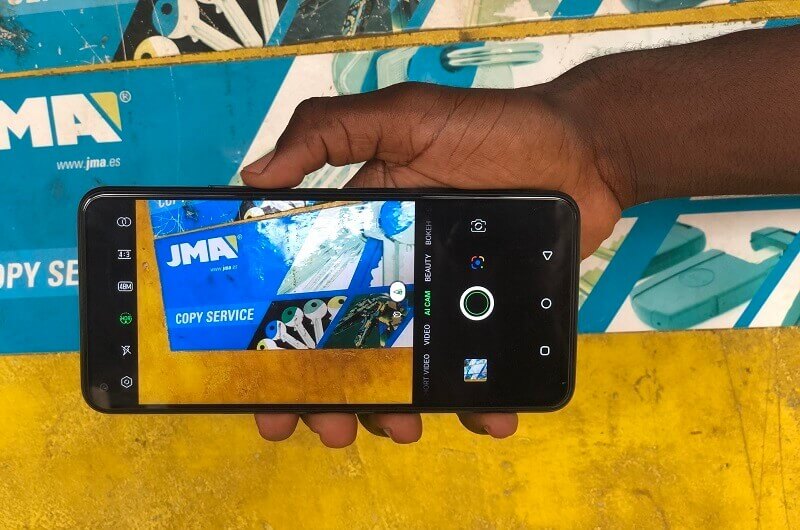
  • List Of Best Camera Apps For Andriod

    List Of Best Camera Apps For Andriod


    In the olden days, all pictures have a black and white filter. It wasn’t easy to even have a mobile phone on your own not to talk about the best camera apps.

    But due to the technological enhancement or changes in this early 21st century, mobile phones are more common. They are one rugged device that makes it easier and faster to communicate with each other.

    Smartphone cameras are essential on mobile device these days since many will base on the camera strength in their purchase decision.

    As a result, mobile phone firms are all focusing heavily on making their cameras more dependable, adding clever editing tools and intriguing features, and improving their low-light performance.

    This post will introduce the top third-party camera applications for Android.

    Although every phone has a camera, you can still add any of these applications for extra filters, photo quality, and other retouching effects. Once installed, all you have to do is open the camera app and start making magic.
    Here are the top camera applications for Android:

    Pixtica

    Pixtica is a recently released photography app. Among the features are live filters, manual settings, exposure control, a GIF recorder, slow motion mode, raw file compatibility, and a QR code scanner.

    It is used for shooting and editing photos and videos. To enjoy this photo app, all you have to do is visit the Google play store, download and start using it.

    Google Camera and Gcam Ports

    Is Googles Official Camera App mostly found on google devices. Feature include; slow motion, a lens blur mode, video stabilization, photospheres, and more.
    It is used for shooting and editing, or retouching photos and videos. It can be downloaded on Google Playstore.

    Cymera

    Cymera is one of my favorite apps for editing, and it has many features, including beauty mode and many more.
    This app is popularly used for streaming and editing pictures. Cymera app can download on Google Playstore.

    VSCO

    When you want a camera app that is simple to use and comes with so many features, then VSCO is the one you should try.
    The app comes with a variety of filters that you can use to change the mood of any picture.

    Bacon Camera

    Bacon Camera is a legitimate, decent camera App that boosts manual control, GIF support, panorama mode, and timed shot.
    This app is used to boosts manual controls such as focus, white balance, exposure compensation, ISO, and more. It can be downloaded on Google Playstore.

    Camera Mx

    Camera FV-5 stands out as a top choice for photographers seeking a powerful tool. Its array of features includes a diverse range of editing colors, exposure bracketing, and a built-in intervalometer. These functionalities make it an essential companion for photographers looking to enhance their skills and capture stunning moments.

    SayCheese

    We have been talking about awesome cameras, but this particular camera is one of the best cameras in the market that we can’t mention.

    The name of the app is SayCheese. We all have come across phone cameras that capture when you smile or say Cheese.
    Well, I believe that is why the developers named it that way.

    SayCheese is a remote camera app that lets you control someone’s camera.

    Yes, you heard it right. SayCheese allows you to let someone take a pic of you while sitting at home. All you have to do is take a pose, the connected user call to see your camera, and then the person you have given access to can take the shot for you remotely.

    This awesome app will be much needed when you go out with friends and decide to take a group picture.

    Open Camera

    Popular camera app. Features include; timer, external microphone support, HDR, exposure bracketing, and more.
    It is used to enhance manual Camera Controls for shooting and editing photos and videosYou can canvdownload this app on Google Playstore.

    Filmic Pro

    Filmic Pro is one of the latest expensive camera apps. It has a white balance adjustment matrix, a dual slider for exposure, and a gamma curve control.
    Filmic Pro enhances specific manual control and its use for shooting pictures and videos. It can be downloaded at Google Playstore.

    HedgeCam 2

    HedgeCam2 is one of the apps that comes with so many features you can think of. It is a fork of the Open Camera App, meaning the source code of the Open Camera App was taken and modified to bring out the HedgeCam2.

    The app comes with manual HDR and DRO photo modes. Also, it comes with extra cool features like face detecting, turning off camera sound.
    The app is free, and if you want more extra features, you can buy the pro version.

    A Better Camera

    Surprisingly robust camera app. Features include; HDR, 360-degree panoramas, various multi-shot modes, and many more.

    A better camera app is used for shooting and editing photos and videos. Also, the app can be downloaded on Google Playstore and the Apple store.

    ProCam X

    ProCam X is one of the latest camera apps. The app comes with more professional-oriented features.
    Such features include;

    burst mode, face recognition, 4K video recording, and raw file support.
    The software is mostly used for taking high-quality photos and movies. ProCam X may be downloaded from the Google Play Store.

    Snap Camera HR

    Snap Camera is one of the popular camera apps. Features include; raw file support, fun shooting mode, 4k video recording, HDR file size option, and many more.
    It enhances manual camera control for shooting and editing pictures and videos. You can download the app on Google Playstore.

    Camera FV-5

    Camera FV-5 is one of the best cameras every photographer should be using.
    It comes with a different variety of editing colors, exposure bracketing, and also it comes with a built-in intervalometer.

    The app is priced at $3.95 because of the awesome features that come with it, plus it gets regular updates making you edit like a pro.

    One thing you should note when using this app is that some phones can not handle this app correctly because of the features that come with it, so if you want to use this app, you first need to test it to see if it works correctly on your phone during the time refund is available.

    Simple Camera

    A simple well-known camera app. It also functions just like the regular phone camera, but this app gives you room for minor changes.
    It is used for shooting pictures and videos. This fantastic camera can be found on Google Playstore

    Open Camera

    Open Camera is an open-source camera app that provides a wide range of features and customization options.

    It offers manual controls for focus, exposure, ISO, and white balance. You can also use it for burst mode, time-lapse, and even support for external microphones, making it a versatile choice for photography enthusiasts.

    Moment Pro Camera

    This app is designed for photography enthusiasts and professionals. It offers manual control over focus, exposure, and white balance, allowing users to capture images in RAW format.

    It’s an excellent choice for those who want to take their mobile photography to the next level.

    Adobe Lightroom

    Adobe Lightroom is renowned for its photo editing capabilities, but it also provides a camera function with manual controls.

    Users can adjust settings like exposure, ISO, and white balance while capturing photos. It’s a great choice for those who want to edit their photos within the same app.

    Manual Camera

    True to its name, Manual Camera offers manual control over photography settings. It allows users to adjust focus, exposure, ISO, and shutter speed, providing full creative control over their shots.

    Conclusion And Recommendations

    The above listed are the few best camera apps you can use on an Android phone. To be able to access these apps, make sure your Android version is rated 7.0 and above.

    Since you like these best apps for Android, I will also recommend Adobe Lightroom and Photoshop.

    While not originally designed as a built-in camera app, Camera FV-5 proves itself as an exceptional tool for editing and enhancing your photos, bringing out the beauty of your scenes, and preserving precious memories.

    Its versatility makes it one of the standout applications for refining and retouching your photographic masterpieces.

    Last but not least Inshot app is also one of a kind that works great when editing a video. Its features include; speed, bunch filters, background, volume extension, recording or inserting audio, and many more.

    And when you are done with taking pictures and videos, we also have an article on the best mobile app to reduce the size of a video without looking at its quality so you might also want to check it out.