Blog

  • How To Know If Someone Has Saved Your Number?

    How To Know If Someone Has Saved Your Number?

    This article will take you through how to know if someone has saved your number on their contact/phone lists or how to know if someone has deleted your number.

    The fact is we all sometimes want to know if the person we have just met or have been chatting with every day has saved our number on their contact list or not.

    Or maybe you might be chatting with someone every day, and suddenly, the person starts ignoring your messages, and you want to find out if they have your number stored.

    You can use a simple trick on WhatsApp to find out if someone has saved your number to their contact list.

    Getting to know who saved your number is one thing everybody wishes they would understand, and this article will let you know if your crush has your number saved. If you are a Telegram user, you can check out this article which takes you through how to know if someone has saved your number using Telegram.

    WhatsApp is the most popular messaging app on the planet currently (I think).

    And it has so many features aside from chatting and making calls. One of the secret features is what I am about to take you through, which is, that you can use WhatsApp to tell if someone has stored your number or not.

    This trick works on both Android and iPhone, so you don’t need to worry about the type of phone you are using. This tutorial also works on both phones.

    So without wasting much time, let’s dive right in.

    How To Know If Someone Has Saved Your Number 

    1. To know who has your number in their contact list 
    2. Open WhatsApp and click on the vertical three lines located at the top right
    3. Select New Broadcast and add the contact you suspect hasn’t saved your number together with one contact who already has your number stored.
    4. Now send a message to the two contacts selected.
    5. After the message has been sent, press and hold the message you sent, click on the three vertical lines, and select Info.
    6. You will then see Read by and Delivered. Here is the trick, if you don’t see the person/your friend’s name on either tab, it means that person has not stored your number on their phone address book, but if you do, then it means your number is still stored on that person’s phone.

    This article covered how to know if WhatsApp has saved your number on WhatsApp because, with WhatsApp, you can’t send a message through broadcast to contacts that have not saved your number.

    WhatsApp made this feature so that you won’t be receiving random messages from someone you don’t know.

    And you can use this same feature to your advantage to know if someone has saved your number on their contact lists or not. Do you want another trick? Here is how to make your name invisible on Twitter.


    Is WhatsApp The Only Way To Know If Someone Has Stored Your Number?

    The answer is no, you can also use Telegram to know if someone has saved your number, and we have a link in this article taking you through the Telegram article, you can also click here to read this if you missed it.

    Although some apps claim to let you know if someone has saved your number, I will advise you to stick to the WhatsApp and Telegram methods because those other apps might sometimes require you to pay money, and in the end, you might even get scammed.

    Is It Possible To Know By Which Name Someone Has Saved Your Number?

    You can only know if someone has your contact stored in their phonebook. You can not see the name they have stored on their phone.

    But you can trick them into sending you a screenshot of your chat or ask them to send you your contact. (you have to be smart to convince that person to do that for you).

    Conclusion 

    Now you don’t have to guess or google how to know if someone has saved your number on their phone or not.

    You can use the WhatsApp broadcast feature to find out if the person you have been chatting with has stored your number or not. These simple steps will also help you to know if someone has deleted your number or not.

    Doing this will also help you not get blocked by WhatsApp if you constantly chat with new people. 
    And about talking with people on WhatsApp, we have an article covering how to message someone on WhatsApp without saving the number first.
    Also, if you are the kind of person who always wants to make new friends, then there is a way to do that using WhatsApp. You can read our article taking you through how to find someone on WhatsApp without a phone number, and with these simple steps, you can make new friends from any country you want.

    Frequently Asked Questions When It Comes To Messaging Someone On WhatsApp

    How To Tell If Someone Has Saved Your Number?

    You can do this by using the WhatsApp broadcast feature. This feature allows you to send messages to contacts that only have your number stored.

    So when you send a message to someone through Broadcast and you don’t see it on Delivered Tab, it means that person hasn’t stored your number.

    You can do this by using the WhatsApp broadcast feature. This feature allows you to send messages to contacts that only have your number stored.

    Can I See Someone On WhatsApp If They Don’t Have My Number?

    Yes, you can see someone’s profile on WhatsApp even if they haven’t stored your number; however, when that person changes their Privacy to Only My Contacts, there is no way you can see anything about that person.

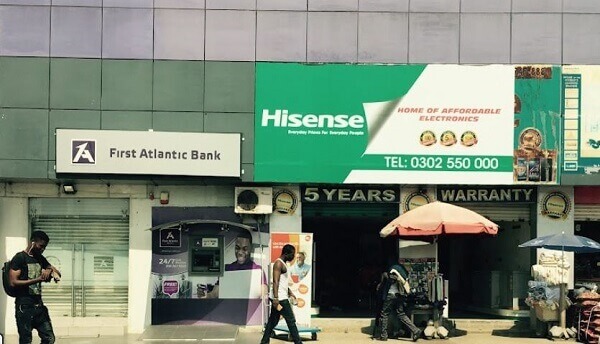
  • Discover Hisense Broadcasting Showroom Contact Information, Location, Working Hours, And More

    Discover Hisense Broadcasting Showroom Contact Information, Location, Working Hours, And More

    Hisense showrooms provide an opportunity to experience the brand and products up close before making a purchase.

    You can get a feel for the design, display quality, ease of use, and overall performance capabilities of Hisense appliances.

    The showrooms create an engaging space where customers can learn about the latest innovations and find the perfect Hisense products for their needs.

    About Hisense 

    hisense gas cooker showroom

    Hisense, a prominent Chinese electronics and appliance conglomerate headquartered in Qingdao, China, has a rich history dating back to its establishment in 1969.

    The company embarked on its journey by venturing into the manufacturing of radios as a nascent startup.

    As of the year 2020, Hisense has ascended to an impressive valuation, estimated at USD 1.4 billion, attesting to its growth and influence in the global market.

    With a robust workforce exceeding 80,000 employees worldwide, Hisense operates from 14 industrial parks strategically located in key regions such as Qingdao, Shunde, Huzhou, the Czech Republic, South Africa, and Mexico.

    Hisense has solidified its presence in the international market, and its products have gained widespread popularity in Ghana.

    Among Ghanaian consumers, the brand enjoys significant patronage, with a preference for Hisense over other competing brands.

    In the Ghanaian market, Hisense Ghana has played a pivotal role since its entry in 2010, dedicating efforts to establish a sterling reputation.

    The brand’s commitment to delivering quality electronic and appliance solutions has contributed to its success and the widespread endorsement it receives from netizens and consumers alike in Ghana.

    taking note of the current hisense air conditioner prices in ghana

    Why Choose Hisense?

    • Long-Term Warranty
    • Energy Efficiency
    • Affordability Of Products
    • Awesome Customer Support

    Hisense Broadcasting Showroom Details

    Hisense Broadcasting Showroom Working Hours

    Here are Hisense working hours:

    • Monday: 8:00 AM – 8:00 PM
    • Tuesday: 8:00 AM – 8:00 PM
    • Wednesday: 8:00 AM – 8:00 PM
    • Thursday: 8:00 AM – 8:00 PM
    • Friday: 8:00 AM – 8:00 PM
    • Saturday: 8:00 AM – 8:00 PM
    • Sunday: 8:00 AM – 8:00 PM
  • 5 Easy Ways To Withdraw From MTN Mobile Money Without ID Card

    5 Easy Ways To Withdraw From MTN Mobile Money Without ID Card

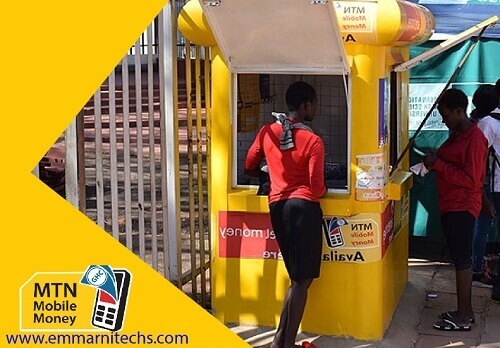
    Seeking guidance on withdrawing MTN mobile money without presenting an ID card? MTN Ghana has recently implemented a requirement for mobile money customers to furnish an identification card at mobile money agent locations for cash withdrawals.

    Originally slated for implementation in February, MTN deferred the rollout to April 2nd to ensure comprehensive public awareness and engagement. As of now, the policy is fully operational.

    mtn no id, no momo

    The implementation of this new policy has understandably caused unease among many individuals, particularly those who may have misplaced their ID cards used for mobile money registration.

    Consequently, some MTN customers have opted to transition to mobile money services provided by alternative telecom companies within the country.

    This shift has inevitably impacted the regular withdrawal practices associated with the MTN mobile money platform.

    In response to the requirement for identification during cash withdrawals, it’s imperative to note that six types of valid ID cards are accepted for such transactions: a voter’s ID card, Passport, National identification card, Driver’s License, SSNIT ID, and NHIS ID.

    While some individuals may still possess their ID cards, the pressing concern arises when faced with situations requiring urgent access to funds without immediate access to one’s ID card.

    Nevertheless, for those committed to remaining loyal to MTN, there has been a concerted effort to navigate the directive in instances where ID cards are unavailable.

    To address this challenge, we’ve compiled a list of alternative methods for withdrawing MTN mobile money without the necessity of presenting a valid ID card.

    It’s important to understand that MTN Ghana has implemented this directive in response to the proliferation of fraudulent activities observed within their mobile money network, prioritizing security measures to safeguard both customers and the integrity of their services.

    Updated steps for merchants when initiation a CashOut
    Updated steps for merchants when initiation a CashOut

    Adhering to the directive is paramount to safeguarding your funds and mitigating the risk of falling victim to mobile money fraud.

    In the unfortunate event of encountering such fraudulent activities, it is essential to know how to effectively report MTN mobile money fraud cases in Ghana.

    We have prepared a comprehensive guide outlining six straightforward methods for reporting such incidents.

    This article specifically caters to individuals who may find themselves without an ID card, as MTN has been known to enforce strict adherence to this requirement, even in circumstances where legitimate claims are involved.

    Let’s delve into the various alternatives available for withdrawing funds from your MTN MoMo account in situations where presenting an ID card is not feasible.

    Withdraw From ATM Machine

    One convenient method for withdrawing funds from your mobile money account without an ID card is through cardless transactions at compatible ATMs.

    While initially limited to select ATMs, the availability of this feature has significantly expanded in recent years, offering more accessibility and convenience to users.

    To initiate a cardless withdrawal, you’ll need to generate a token from your mobile money account, which serves as the authorization for the transaction.

    It’s worth noting that most ATMs may only dispense cash in GHS 10 denominations or higher, necessitating withdrawal planning accordingly.

    This method provides a rapid and hassle-free means of accessing your mobile money funds at any time of the day, offering flexibility and convenience to users.

    How To Withdraw MTN Mobile Money From ATM If You Don’t Have ID Card

    Visit the nearest bank that has an ATM Machine that supports Cashless withdrawal.

    Read on as I share with you how to withdraw the MTN mobile money token

    withdrawing money from ATM
    1. Dial *170# on your mobile phone.
    2. Select Financial Service.
    3. Choose Bank Service.
    4. Opt for ATM CashOut (Option 3).
    5. Press 1 to generate a Token.
    6. Input your Four Digit Secret Code.
    7. Specify the Amount you wish to withdraw.
    8. Confirm the transaction with your Mobile Money PIN.
    9. Wait for the message containing your Mobile Money token.
    10. At the ATM, select Cardless Withdrawal.
    11. Pick MTN Mobile Money from the options.
    12. Enter the provided Token Code.
    13. Input your MoMo PIN.
    14. Indicate the Amount to receive your money.

    Send To A Friend With An ID Card 

    Another viable option for accessing your mobile money funds without presenting an ID card is to transfer the money to a trusted friend who possesses a valid ID card. Your friend can then visit a mobile money vendor on your behalf to withdraw the funds.

    Additionally, if your friend happens to have the necessary amount on hand but no immediate need for it, they can provide you with the cash immediately upon receiving the transferred amount.

    Subsequently, when the need arises, they can proceed to withdraw the funds from their account.

    While this method offers convenience, it’s important to consider that transaction charges may apply. You will likely incur fees for sending the money, and your friend may also face charges when withdrawing the funds for you.

    It’s advisable to discuss and agree upon how these charges will be handled to avoid any misunderstandings.

    Despite this consideration, leveraging the assistance of a trusted friend remains a recommended and practical solution for accessing mobile money funds without an ID card.

    Sending To The Merchant

    While another option for accessing your mobile money funds without an ID card is to send the money directly to a trusted merchant, this method is generally discouraged due to potential safety concerns.

    The safety of this method is uncertain, as not all mobile money agents can be considered trustworthy.

    It’s crucial to recognize that some mobile money agents may be involved in fraudulent activities themselves, and in some cases, they may collude with fraudsters to exploit unsuspecting individuals. Therefore, exercising caution is paramount when considering this method.

    If you have a pre-existing relationship with a mobile money agent whom you trust implicitly, you may opt to make payments to them via their phone and receive the corresponding cash.

    However, it’s essential to be mindful of potential deductions for transaction charges when sending money to the agent’s phone.

    It’s important to reiterate the importance of exercising discretion and only engaging in such transactions with mobile money agents whom you know personally and trust implicitly.

    Remaining vigilant and cautious can help mitigate the risk of falling victim to fraudulent schemes perpetrated by unscrupulous agents.

    Using 3rd Party Apps 

    Another alternative for accessing your mobile money funds without presenting an ID card is to utilize third-party applications that facilitate transfers to your bank account or other desired locations.

    These applications, such as Palmpay, Slydepay, Expresspay, and numerous others, offer a convenient means of transferring funds securely.

    Once the funds are transferred to your bank account via these apps, you can easily access them by using the ATM services provided by your bank.

    This method provides flexibility and accessibility, allowing you to withdraw your funds conveniently from any compatible ATM.

    Utilizing third-party apps for fund transfers offers versatility and convenience, enabling you to manage your finances effectively without the need for an ID card.

    Send To Other Mobile Money Networks

    If you find the new directive from MTN Ghana to be restrictive, a practical solution is to transfer your funds from your MTN MoMo wallet to alternative mobile money networks such as Vodafone Cash or AirtelTigo Cash.

    By doing so, you can circumvent the need for presenting an ID card during transactions.

    Should you encounter difficulties in executing this transfer, another viable option is to transition to the mobile money platform of a different network service provider.

    Presently, MTN is the sole network implementing the ID card requirement as a measure to combat fraud.

    Switching to an alternative network’s mobile money platform can effectively alleviate the constraints imposed by this directive, offering you greater flexibility and convenience in managing your funds.

    Conclusion

    These are the methods you can utilize to access your funds without presenting an ID card. It’s important to adhere to the directive if you possess a valid ID card, as compliance aids MTN in combatting mobile money fraud and fortifies the security of the Mobile Money platform.

    Speaking of MTN, did you know that you can make free calls on the MTN network? Be sure to check out our article detailing how to make free calls on MTN.

    Additionally, if you have bonus credit on your MTN phone that is about to expire, learn how to extend it by reading our comprehensive guide.

    If you’ve been attempting to secure an MTN Quickloan without success, discover why you may not qualify for the loan by delving into our article on the subject.

    Furthermore, if you’re unsure what to input in the reference tab when sending mobile money, our article explains the significance of the reference and provides guidance on what to input.

    Additionally, learn how to update your MTN SIM card details and locate AirtelTigo offices for your convenience. Stay informed and make the most of your mobile network services with our insightful articles.

  • Infinix Smart 6 Plus Price In Ghana, Specs, And Where To Buy

    Infinix Smart 6 Plus Price In Ghana, Specs, And Where To Buy

    Let’s delve into the details and explore everything about the Infinix Smart 6 Plus. This smartphone, released just over a month after the Infinix Smart 6, introduces a Plus model to the Smart series, boasting similar features and specifications with some notable enhancements.

    One key distinction is the larger screen size of the Infinix Smart 6 Plus, offering an immersive viewing experience.

    Additionally, it runs on the latest Android 12 (Go Edition) OS, incorporating more advanced features compared to its predecessor.

    As we navigate through this article, we will uncover the features, functionality, and specifications of the Infinix Smart 6 Plus, providing you with a comprehensive understanding of this newly introduced budget smartphone.

    Feel free to ask if you have any specific questions or if there’s anything else you’d like to know during our exploration of the Infinix Smart 6 Plus. Let’s begin!

    Network Connectivity

    The Infinix Smart 6 Plus brings reliable connectivity with support for 2G, 3G, and 4G networks. While the current standard is impressive 4G speed, the anticipation of 5G advancements looms shortly.

    With HSPA and LTE download speeds, this phone ensures seamless video streaming, file downloads, and glitch-free internet surfing.

    Basic Yet Decent Design

    Infinix Smart 6 Plus Phone

    Designed with simplicity in mind, the Infinix Smart 6 Plus features a glass front, a plastic back, and a frame.

    It offers a variety of color variants like Tranquil Sea Blue, Crystal Violet, and Miracle Black, each presenting a chrome-like appearance.

    Display and Camera Quality: The 6.82-inch IPS LCD with 440 nits brightness and 720 x 1600 pixels resolution provides an immersive experience for video streaming and gaming.

    The teardrop notch houses a 5 MP selfie camera and an LED flash, while the rear features an 8 MP main camera and a 0.3 MP depth sensor. While not a photography powerhouse, the camera setup delivers decent results.

    Efficient Security and Controls

    A fingerprint scanner on the back ensures effective security, and the placement of the power and volume buttons on the right side adds to the phone’s ease of use. The dual SIM card and micro SD card tray on the left side provide convenient access.

    Impressive Battery Life

    Boasting a 5,000mAh lithium battery, the Smart 6 Plus ensures a full day of normal usage and around 11 hours of intense activities like gaming or video streaming. Despite the slow 10W charging rate, taking approximately 3 hours for a full charge, the reliable battery compensates for the wait.

    Unboxing Experience: Inside the Infinix Smart 6 Plus box, you’ll find:

    • Infinix Smart 6 Plus
    • Sim Ejector Tool
    • Infinix XClub Dollar Invitation Card
    • Transparent Plastic Phone Case
    • 10W Charger Head
    • Micro USB Charger Cable
    • Pair of Earphones

    Smooth Performance with Android 11 Go Edition

    Under the hood, the phone boasts a MediaTek Helio G25 chipset and an Octa-Core processor, delivering good processing speed.

    With RAM options of 2GB and 3GB, the phone handles basic tasks smoothly. Its 64GB internal storage, expandable up to 512GB via a micro SD card, offers ample space for files and media.

    Running on Android 11 Go Edition OS, the Smart 6 Plus brings forth many on-screen features. Despite limitations in handling high-end games, the device excels in providing an overall smooth experience for its budget-friendly nature.

    Infinix Smart 6 Plus stands out as an affordable option for users seeking reliable connectivity, decent performance, and a long-lasting battery, making it suitable for a variety of users, including those in remote areas.

    What Is The Price Of Infinix Smart 6 Plus In Ghana?

    The Infinix Smart 6 Plus boasts a compelling affordability factor, with a starting price of GHS 1,000 in Ghana. For a comprehensive overview of the precise pricing details at different retail establishments nationwide, refer to the table below.

    Price Of The Infinix Smart 6 Plus In All The Accredited Retail And Online Shops

    Type Of PhoneFranko Trading EnterpriseTelefonika Ghana
    Infinix Smart 6 PlusGHS 1,200GHS 1,320

    Specifications Of Infinix Smart 6 Plus

    SpecsInfinix Smart 6 Plus
    ProcessorOcta-core (4×2.0 GHz Cortex-A53 & 4×1.5 GHz Cortex-A53)
    ChipsetMediaTek MT6762G Helio G25
    GPUPowerVR GE8320
    NetworkGSM/HSPA/LTE
    RAM2GB/3GB
    Internal Storage64GB
    Rear CameraDual 8 MP main lens, 0.3 MP depth, and dual-LED flash
    Selfie CameraSingle 5 MP and LED flash
    Display6.82 inches IPS LCD, 440 nits brightness, and 720 x 1600 pixels resolution
    Dimensions172.6 x 77.7 x 8.7 mm
    Weight202 g
    BatteryLi-Po 5000 mAh, non-removable
    ColorsTranquil Sea Blue, Miracle Black
    OSAndroid 11 (Go edition)
    Sim CardsDual SIM (Nano-SIM, dual stand-by)
    SensorsFingerprint (rear-mounted), accelerometer, proximity

    Difference Between Infinix Smart 6 And Infinix Smart 6 Plus

    DIFFERENCE BETWEEN INFINIX SMART 6 AND INFINIX SMART 6 PLUS
    SpecsInfinix Smart 6 PlusInfinix Smart 6
    ProcessorOcta-core (4×2.0 GHz Cortex-A53 & 4×1.5 GHz Cortex-A53)Octa-core (4×1.6 GHz Cortex-A55 & 4×1.2 GHz Cortex-A55)
    ChipsetMediaTek MT6762G Helio G25Unisoc SC9863A
    GPUPowerVR GE8320IMG8322
    NetworkGSM/HSPA/LTEGSM/HSPA/LTE
    RAM2GB/3GB2GB/3GB
    Internal Storage64GB32GB/64GB
    Rear CameraDual 8 MP main lens, 0.8 MP depth, and dual-LED flashDual 8 MP, 0.8 MP depth, and Dual-LED flash
    Selfie CameraSingle 5 MP and LED flashSingle 5 MP and LED flash
    Display6.82 inches IPS LCD, 500 nits brightness, and 720 x 1600 pixels resolution6.6 inches IPS LCD, 440 nits brightness, and 720 x 1600 pixels resolution.
    Dimensions172.6 x 77.7 x 8.7 mm169.6 x 76.7 x 8.7 mm
    Weight202 g202g
    BatteryLi-Po 5000 mAh, non-removableLi-Po 5000 mAh, non-removable
    ColorsTranquil Sea Blue, Miracle BlackPurple, Ocean Blue, Light Sea Green, Polar Black
    OSAndroid 12 (Go edition)Android 11 (Go edition)
    Sim CardsDual SIM (Nano-SIM, dual stand-by)Dual SIM (Nano-SIM, dual stand-by)
    SensorsFingerprint (rear-mounted), accelerometer, proximityFingerprint (rear-mounted), accelerometer, proximity

    Frequently Asked Questions (FAQs)

    How many cameras does it have?

    The phone features a dual 8 MP rear camera and a 5 MP selfie camera at the front.

    How big is the screen?

    The screen of the Infinix Smartphone measured diagonally from corner to corner is about 6.82 inches and has 500 nits peak brightness.

    Does it have fast charging?

    No, the Infinix Smart 6 Plus does not have a fast charging capability. Meanwhile, it has a standard 10W charging rate.

    Conclusion

    The Infinix Smart 6 presents an array of impressive features within an economically attractive price range.

    Positioned as one of the foremost entry-level smartphones in the current Ghanaian market, this device holds considerable value for the average user.

    This article primarily provides a concise overview of the Infinix Smart 6, encompassing its features, pricing details in Ghana, and specifications.

    We trust that this article has proven beneficial and worthwhile to you. Thank you for dedicating your time to read through to the conclusion.

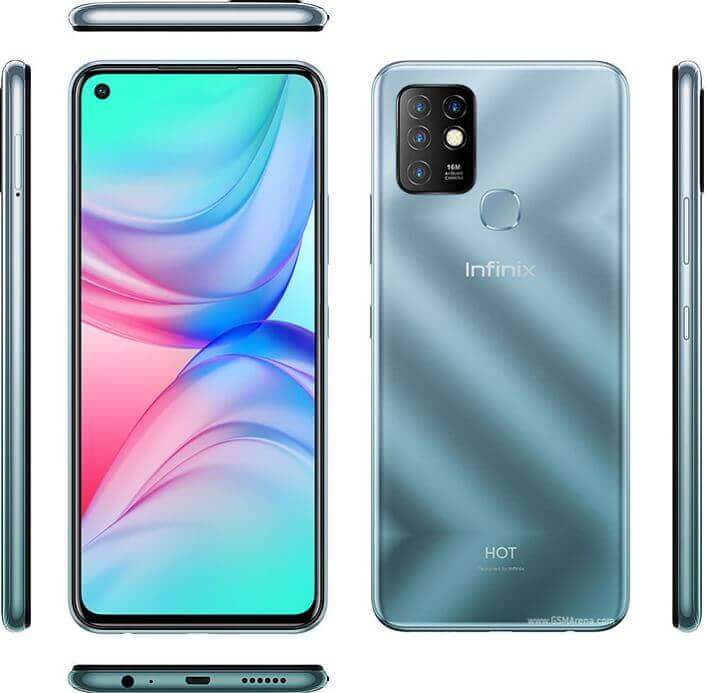
  • Infinix Hot 10 Price In Ghana, Specs, And Where To Buy

    Infinix Hot 10 Price In Ghana, Specs, And Where To Buy

    The Infinix Hot 10, unveiled in the latter part of 2020 following the release of its predecessor, the Hot 9, earlier in the same year, made a significant impact in the Ghanaian smartphone market.

    Its launch coincided with the introduction of the Infinix Note 7, further adding to the dynamic landscape of available options.

    Choosing a mid-range smartphone has become increasingly challenging due to the escalating competition among major smartphone brands.

    However, the Infinix Hot 10 stands out in its price range, setting a new standard compared to its counterparts.

    Powered by a Mediatek Helio G70 processor and offering RAM configurations of up to 6GB, this smartphone delivers exceptional performance, leaving users astonished.

    The device also boasts an enhanced camera system, featuring a 16 MP main lens. Recognizing the significance of camera quality, Infinix has prioritized improvement in this area, catering to users who seek remarkable photos for their social media platforms.

    As we delve further into this article, we will explore additional features of the Infinix Hot 10, providing a comprehensive understanding of its capabilities. Keep reading for an in-depth exploration of this impressive smartphone.

    Infinix Hot 10 Network

    The Infinix Hot 10, falling within the budget-friendly segment, comes equipped with standard 2G, 3G, and 4G network bands, catering to the needs of most smartphone users.

    The inclusion of the 4G network ensures swift internet experiences, making tasks like browsing and scrolling through social media seamless.

    With the impressive speed of the 4G network, waiting times for webpage loading are significantly reduced, enhancing the overall user experience.

    Infinix Hot 10 Body

    Despite being a budget smartphone, the Infinix Hot 10 boasts a satisfying design that surpasses expectations.

    Comprising a plastic back panel, a plastic frame, and the customary glass front, the device exhibits an attractive glittering effect on the back panel when exposed to light.

    The gradient-like painting adds to its visual appeal, and users can choose from various colors, including Obsidian Black, Amber Red, Moonlight Jade, and Ocean Wave.

    Featuring a 6.78-inch IPS LCD with a resolution of 720 x 1640 pixels, the screen is tailored for an immersive experience.

    The split-screen function enhances gaming and multitasking, while the display’s vibrant colors and high contrast captivate users during social media browsing and other touchscreen activities.

    At the rear, a quad-camera setup comprises a 16 MP main lens, a 2 MP macro lens, a 2 MP depth sensor, and a QVGA sensor.

    While excelling in well-lit conditions, the night vision camera may not be as impressive. The front hosts an 8 MP selfie camera, ideal for capturing moments and video calls.

    The phone’s sides house a dual nano SIM card and micro SD card slot on the left, while the right side accommodates volume and power buttons.

    The bottom section reveals a 3.5mm headphone jack, a microphone, a speaker, and a micro USB charging port, deviating from the anticipated USB Type-C port. A rear-mounted fingerprint scanner adds a reliable layer of security, despite the older placement style.

    Infinix Hot 10 Battery

    A substantial 5,200mAh lithium battery powers the Infinix Hot 10, upholding the brand’s reputation for impressive battery life. With a capacity to endure a day of light use and approximately 10 to 15 hours for constant smartphone users, the device excels in longevity.

    The 10W charging rate, though not swift, takes about 3 hours for a full charge. Despite the leisurely charging speed, the enduring battery life compensates for this drawback.

    Inside The Infinix Hot 10 Box

    Opening the Infinix Hot 10 box reveals a comprehensive set of items:

    • The Infinix Hot 10
    • Sim Ejector Tool
    • Transparent TPU Case
    • A Pair of Earphones
    • USB 2.0 Cable
    • 10W USB Charger Head
    • Warranty Card
    • Glass Screen Protector

    Inside Infinix Hot 10 Phone

    Powering the Infinix Hot 10 is a MediaTek Helio G70 Octa-Core processor paired with either 3GB or 4GB of RAM. The processor, known for its gaming capabilities, ensures smooth gameplay, even with demanding games like Call of Duty.

    Storage options include 64GB and 128GB variants, expandable as needed. The device runs on Android 10 OS, featuring an XOS 7 skin with additional features like a dedicated “Gaming Mode” to enhance the gaming experience.

    While some pre-installed apps are present, they can be uninstalled to tailor the phone to the user’s preferences. The overall performance of the smartphone is remarkable, providing users with a smooth and responsive experience.

    What Is The Price Of Infinix Hot 10 In Ghana?

    On average, the Infinix Hot 10 is priced at GHS 800, a consistent and reasonable cost observed in nearly all retail shops across the country.

    This consistent pricing ensures accessibility for a wide range of consumers, reinforcing the Hot 10’s position as an attractive option in the mid-range smartphone market in Ghana.

    Price Of The Infinix Hot 10 In All The Accredited Retail And Online Shops

    Type Of PhoneFranko Trading EnterpriseJumia GhanaTelefonika GhanaJiji Ghana
    Infinix Hot 10 (3GB, 64GB)GHS 859GHS 860GHS 900GHS 870
    Infinix Hot 10 (4GB, 128GB)GHS 900GHS 920GHS 940GHS 920
    Infinix Hot 10 (6GB, 128GB)GHS 950GHS 970GHS 990GHS 1,000

    Specifications Of Infinix Hot 10

    SpecsInifnix Hot 10
    ProcessorOcta-core (2×2.0 GHz Cortex-A75 & 6×1.7 GHz Cortex-A55)
    ChipsetMediatek Helio G70
    GPUMali-G52 2EEMC2
    Network2G/3G/4G
    RAM3GB/4GB/6GB
    Internal Storage64GB/128GB
    Rear Camera16 MP, (wide), PDAF and Quad-LED flash 2 MP, (macro) 2 MP, (depth) QVGA (Low light sensor)
    Selfie Camera8 MP with Dual-LED flash
    Display6.78 inches, IPS LCD, 720 x 1640 pixels
    Dimensions171.1 x 77.6 x 8.9 mm
    Weight195 g
    BatteryLi-Po 5200 mAh, non-removable
    ColorsObsidian Black, Amber Red, Moonlight Jade, Ocean Wave
    OSAndroid 10, XOS 6.0
    Sim CardsDual SIM (Nano-SIM, dual stand-by
    SensorsFingerprint (Rear-mounted), accelerometer, gyro, proximity, compass

    Difference Between Infinix Hot 9 And Infinix Hot 10

    Difference Between Infinix Hot 9 And Infinix Hot 10
    SpecsInfinix Hot 9Inifnix Hot 10
    ProcessorOcta-core (4×1.8 GHz Cortex-A53 & 4×1.5 GHz Cortex-A53)Octa-core (2×2.0 GHz Cortex-A75 & 6×1.7 GHz Cortex-A55)
    ChipsetMediatek Helio A25Mediatek Helio G70
    GPUPowerVR GE8320Mali-G52 2EEMC2
    Network2G/3G/4G 
    RAM3GB/4GB3GB/4GB/6GB
    Internal Storage32GB/64GB64GB/128GB
    Rear CameraQuad 13 MP, (wide), 2 MP, (macro) 2 MP, (depth) QVGA (Low light sensor)16 MP, (wide), PDAF and Quad-LED flash 2 MP, (macro) 2 MP, (depth) QVGA (Low light sensor)
    Selfie Camera8 MP, (wide)8 MP with Dual-LED flash
    Display6.6 inches, IPS LCD, 720 x 1600 pixels,6.78 inches, IPS LCD, 720 x 1640 pixels
    Dimensions165.4 x 76.8 x 8.8 mm171.1 x 77.6 x 8.9 mm
    Weight185 g195 g
    BatteryLi-Po 5000 mAh, non-removableLi-Po 5200 mAh, non-removable
    ColorsMidnight Black, Quetzal Cyan, Violet, Ocean WaveObsidian Black, Amber Red, Moonlight Jade, Ocean Wave
    OSAndroid 10, XOS 6.0Android 10, XOS 6.0
    Sim CardsDual SIM (Nano-SIM, dual stand-by)Dual SIM (Nano-SIM, dual stand-by
    SensorsFingerprint (rear-mounted), accelerometer, gyro, proximity, compassFingerprint (Rear-mounted), accelerometer, gyro, proximity, compass

    Frequently Asked Questions (FAQs)

    What is the price of Infinix Hot 10 at Franko Trading Enterprise?

    The Infinix Hot 9 comes in 3 variants which include Infinix Hot 10 (3GB, 64GB), Infinix Hot 10 (4GB, 128GB), and Infinix Hot 10 (6GB, 128GB), and they are all priced at GHS 859, GHS 900, and GHS 950 respectively at all Franko Trading Enterprise shops across Ghana and their e-commerce store.

    What is the starting price of Infinix Hot 10 on Jumia?

    Infinix Hot 10 has a starting price of GHS 860, which is the price of the lowest variant on Jumia.

    When was the Infinix Hot 10 released?

    The Infinix Hot 10 handset was released on 17th September 2020 and not long after it was available in Ghana.

    Conclusion

    The Infinix Hot 10 stands out as one of the top recommendations for individuals seeking a daily-use smartphone at an exceptionally low price point.

    Boasting numerous incredible features and delivering impressive performance, this handset is designed to capture the admiration of every user.

    The primary objective of this article is to furnish our esteemed readers with firsthand information about the Infinix Hot 10 handset, a device that has generated considerable buzz among Ghanaians since its release.

    By exploring its features, performance, and overall capabilities, we aim to provide a comprehensive understanding of why this smartphone has become a noteworthy choice for many in their daily mobile experiences.

    Infinix has recently released the new Hot 30 series which also comes with extraordinary features, you might want to click here and check this new phone out.

  • Ways To Buy Bitcoin In Ghana

    Ways To Buy Bitcoin In Ghana

    The adoption of Bitcoin cryptocurrency in Ghana, while not as widespread as in Western countries, is steadily increasing.

    Investors in Ghana are now actively participating in the purchase of bitcoins, reflecting the growing interest in digital currencies.

    In the contemporary internet-driven era, having knowledge about where and how to purchase Bitcoin is crucial.

    For individuals seeking to acquire bitcoins in Ghana with minimal fees and heightened security, Binance P2P stands out as a viable option.

    Binance P2P allows for the direct purchase of Bitcoin with Ghanaian Cedis (GHS) without incurring additional fees.

    If you are interested in understanding the process of purchasing Bitcoin through Binance in Ghana, the following information provides a guide for your reference.

    Buying Cryptocurrency On Binance

    To initiate the process of purchasing Bitcoin on Binance P2P in Ghana, follow these steps:

    1. Registration:Visit the Binance website at http://Binance.com or download the Binance desktop client. Alternatively, you can install the Binance app on your Android or iOS mobile device.
    2. Account Verification: Complete level 2 identity verification to enhance the security of your Binance account.
    3. Payment Method Setup: Add a payment method to your Binance account. While Binance P2P supports approximately 60 payment methods, choose and set up the one that suits your preferences.

    Completing these steps will position you to seamlessly engage in the purchase of Bitcoin through the Binance P2P platform.

    The multifaceted support for payment methods ensures flexibility for users, allowing them to select the most convenient option for their transactions.

    How To Buy Bitcoin In Ghana

    Binance allows its users to trade bitcoin in any part of the country and at any time they want to since everything can be done on the Binance app. Below are the ways through which you can buy Bitcoin on the Binance app using the Ghana Cedis.

    1. Go to the Binance app and then click on ‘P2P trading’
    2. Click on ‘buy and then choose ‘BTC’
    3. Click on the filter icon that can be found on the top right and then select the bank payment method as well as the GHS currency that will be used to buy the Bitcoin.
    4. Click on ’confirm’
    5. A list of offers will be shown to you, choose the one that you prefer
    6. Input the amount of Bitcoin you want to purchase
    7. Send the payment amount directly to the seller of the Bitcoin based on the seller information shown in the payment time limit. You can also use the chatbox provided to chat with the seller
    8. Send the money to the seller and then click on ‘transfer’
    9. Click on confirm. Do not click on it if no transactions have been made as this will violate the P2P user transaction policy
    10. The status will then change to ‘to be released
    11. The Bitcoin transaction will then be complete

    How To Sell Your Bitcoins On Binance For Ghana Cedis

    You can sell your bitcoins on Binance P2P as it offers you the choice of multiple buyers so that there is always the chance of making a sale.

    There is also no withdrawal limit on the P2P. Remember that you will need to complete your account verification before you will be able to sell your bitcoins on Binance.

    When you are ready to sell your bitcoins, follow the steps below to get that done.

    1. Open the Binance app and then click on ‘P2P trading’
    2. Select the ‘sell’ tab and then select BTC
    3. Choose the filter icon found on the top right corner of the screen
    4. Choose a bank method and then select the GHS currency to be able to sell the bitcoins.
    5. Now click on ‘confirm’
    6. Click on the offer that you prefer and then choose ‘Buy’
    7. Input the number of bitcoins that you want to sell
    8. Wait till the money for the bitcoins has been received in your mobile money account.
    9. After confirming the payment from the buyer, click on ‘release’ for the bitcoins to be released to the buyer
    10. You have completed your selling transactions

    Conclusion

    Binance has established itself as one of the premier platforms for buying and selling Bitcoin, offering users a reliable and secure environment for cryptocurrency transactions.

    As the cryptocurrency landscape continues to expand, engaging with these digital assets becomes an increasingly relevant consideration.

    Embarking on this journey today provides an opportunity to familiarize oneself with the evolving world of cryptocurrencies and leverage the potential benefits it may offer.

    Whether for investment purposes or as a means of conducting digital transactions, participating in the cryptocurrency space through platforms like Binance allows users to navigate this dynamic and transformative sector.

    Starting today not only facilitates learning and adaptation to the changing financial landscape but also positions individuals to potentially capitalize on the opportunities presented by the growing influence of cryptocurrencies.

  • How To Detect An Unknown Caller [3 Easy Ways]

    How To Detect An Unknown Caller [3 Easy Ways]

    Numerous individuals have encountered the inconvenience of receiving unsolicited calls or unfamiliar numbers, often not saved in their mobile contacts.

    Addressing this issue can be quite vexing, prompting the search for effective solutions. In today’s discussion, we will explore various methods to counteract such disturbances.

    To begin, let’s delve into the practice of concealing one’s phone number during a call. The “no ID” feature facilitates this process, rendering the recipient unaware of the caller’s identity.

    Executing this is straightforward – dial *67 followed by the intended recipient’s number. By doing so, your caller ID remains concealed. It is worth noting that while this feature is commonly employed to protect privacy, some individuals misuse it for illicit activities.

    We strongly caution our readers against engaging in any nefarious activities utilizing the no ID feature, emphasizing the importance of doing so at one’s own risk.

    Moving forward, let’s explore the means to unveil the identity of an unknown caller, empowering you to subsequently block their calls.

    Calling The Phone Company

    man making call illustrator

    Phone service providers typically maintain detailed records of your previous calls, providing a potential avenue for identifying unknown callers.

    To leverage this option, contact your phone company and apprise them of the unwanted and unknown calls you’ve been receiving.

    Upon notification, your phone company may activate a service designed to trace the identity of incoming calls from these sources.

    It’s crucial to note that not all phone companies extend this particular service to their customers.

    Therefore, it’s advisable to proactively reach out to your phone company and inquire about the availability of such a feature.

    Taking this step ensures that you explore all available options to address and mitigate the impact of unwanted calls, enhancing your overall telecommunications experience.

    Trapcall

    An effective method for unveiling the identity of unknown callers and blocking their numbers is through the use of TrapCall.

    This application provides users with the ability to uncover any obscured number, along with associated details such as address and caller ID photo.

    Subsequently, you can take control by adding these identified numbers to a blacklist, preventing them from reaching you.

    When attempting to call, these numbers will receive a message indicating that the line is disconnected or out of service.

    To avail yourself of TrapCall’s features, you can subscribe to their service on their official website and sign up.

    Following this, the activation of the TrapCall service on your mobile phone is a straightforward process that can be completed in just a few minutes.

    Compatible with both Android and iOS devices, TrapCall offers a free trial version, allowing users to explore its functionalities before committing to a subscription.

    This user-friendly and efficient solution enhances your control over incoming calls, ensuring a more secure and tailored communication experience.

    Truecaller

    A widely embraced application with a substantial user base exceeding 150 million globally is employed for unmasking unknown callers.

    This app, accessible across various platforms, can be conveniently downloaded from your respective app store.

    It is strongly advised against obtaining the app from untrusted sources on Google to ensure the security and reliability of the download.

    Noteworthy is the app’s capability to disclose the identity of all unknown callers. Moreover, an upgraded version named True Messenger is specifically designed to unravel the identity of unknown message senders.

    This versatile application enhances your ability to discern the origin of incoming calls and messages, fostering a more informed and secure communication experience. It is recommended to explore the app’s features through legitimate channels for a seamless and trustworthy user experience.

    Blocking

    You can also block unknown numbers on your mobile phone. Phone manufacturers have made it possible for users to block numbers that they would like to.

    If you are using an iPhone, here is how to block numbers on it.

    1. Go to the settings menu
    2. Scroll down and then select phone
    3. Switch ‘silence unknown callers’ off

    If you are using an Android smartphone, here is how to block unwanted numbers.

    1. Go to the dialer
    2. Tap the vertical dots that you can find on the right-hand side
    3. Select settings
    4. Select block numbers
    5. Switch’ block unknown number callers’ on

    How To Block Specific Numbers

    When you can figure out an unknown caller’s number, you can easily block it with your phone.

    • iPhone users
    1. Go to the dialer and then locate the number you wish to block
    2. Tap on the ‘I,’ which has a circle around it near the number on the right
    3. Scroll down and then select ‘Block Caller.’
    4. The caller will then be sent a message that states that you cannot be receiving their calls.
    • Android users

    For Android, the method depends on the type of smartphone you are using and the version of Android on the smartphone. However, most of them can be done with the following steps.

    1. Open the dialer and then go to or logs
    2. Tap on the specific phone number
    3. Select the ‘I’ within the circle
    4. Select ‘Block’ down the screen
    5. Now confirm it.

    In Android, the user of the blocked number will not know that they have been blocked.

    Conclusion

    In conclusion, we have discussed various methods to identify unknown calls and provided effective means to block numbers causing harassment.

    We strongly emphasize to our readers that the feature of unmasking unknown callers should never be utilized for illicit activities.

    Engaging in such actions carries inherent risks, and individuals should be aware of potential legal consequences.

    Our primary goal is to empower readers with legitimate solutions for managing unwanted calls.

    We trust that the information presented in this article proves beneficial in enhancing your control over your telecommunications experience.

    Thank you for your attention, and we hope that this article contributes positively to your understanding of addressing and mitigating issues related to unknown callers.

  • Infinix Hot 12 Play Price In Ghana, Specs, And Where To Buy

    Infinix Hot 12 Play Price In Ghana, Specs, And Where To Buy

    The Infinix Hot 12 Play, a recent addition to the Infinix Hot series, distinguishes itself with a myriad of features setting it apart from its predecessors.

    This smartphone stands out as one of the select high-performance budget options available in the current market, a testament to Infinix Mobile’s commitment to delivering impressive devices.

    Infinix Mobile has consistently demonstrated commendable dedication to refining its production line over the years.

    Each annual release showcases substantial improvements, encompassing design, performance, display, battery capacity, and more.

    Such relentless efforts have rightfully positioned Infinix as one of the most trusted smartphone brands in Ghana today.

    This article aims to provide a comprehensive overview of the Infinix Hot 12 Play, released in May 2022.

    We will delve into its features, briefly elaborating on each to offer a deeper understanding of their capabilities and general specifications.

    Additionally, the article includes the pricing details of the phone across various stores in Ghana.

    Its purpose is to enlighten you about the extensive features and capabilities of the Infinix Hot 12 Play, so be sure to read through to uncover all the details about this remarkable smartphone.

    We trust that you will find this write-up both informative and enjoyable.

    Network Connectivity

    The Infinix Hot 12 Play ensures a seamless user experience with support for 2G, 3G, and 4G networks.

    While 5G may be the latest trend, the 4G capability provides impressive internet speeds for various activities like browsing, downloading files, and engaging in social media interactions.

    Sleek Design

    Encased in a plastic frame and featuring a glossy, reflective back panel, the Infinix Hot 12 Play offers a sleek design.

    The phone is available in three stylish colors—Racing Black, Legend White, and Origin Blue. Despite its slim 8.9 mm thickness, the phone has a substantial weight of 209 g, attributed to its robust 6,000mAh battery.

    Vibrant Display and Refreshing Speed

    The front of the device boasts a 6.8-inch IPS LCD display with a glass build, offering vibrant visuals. With a 90Hz refresh rate and a resolution of 720 x 1612 pixels, the display ensures a delightful viewing experience.

    The high refresh rate enhances smooth scrolling, making interactions with the phone more responsive.

    Camera Capabilities

    Capture life’s moments with the dual 13 MP rear camera setup, accompanied by a QVGA sensor and dual-LED flash for optimal lighting.

    The front houses an 8 MP selfie camera, also equipped with dual-LED lights, ensuring well-lit and high-quality selfies.

    Intuitive Controls and Security Features

    The device features conveniently placed controls, including volume and power buttons, along with a dual SIM and micro SD card tray.

    The rear fingerprint scanner provides an added layer of security. At the bottom, you’ll find a USB Type-C charging port, a speaker, a microphone, and a 3.5mm headphone jack—a commendable shift from USB 2.0 ports.

    Long-Lasting Battery Life

    Powered by a robust 6,000mAh lithium battery, the Infinix Hot 12 Play offers an impressive battery life, lasting more than 24 hours under normal usage.

    Even during intensive activities like gaming and video streaming, the device can deliver an average of 14 hours of usage.

    The 10W charging speed, though not the fastest, provides a manageable charging experience, taking approximately 3 hours for a full charge.

    Unboxing Delights

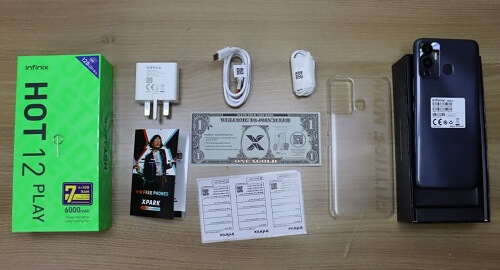
    Upon unboxing the Infinix Hot 12 Play, users will discover essential accessories, including the phone itself, a USB Type-C charging cable, a pair of earphones, a sim ejector tool, a transparent TPU case, a 10W USB charger head, and a warranty card.

    Performance Powerhouse

    Under the hood, the Hot 12 Play boasts a MediaTek Helio G85 chipset and an Octa-core processor. With a Mali G52 GPU, the device offers improved graphics performance.

    Running on Android 11 and XOS 10 OS, the phone provides an enhanced user interface. The 4GB RAM, virtually expandable up to 7GB, coupled with 128GB internal storage (expandable via micro SD card), ensures smooth multitasking and gaming performance.

    What Is The Price Of Infinix Hot 12 Play In Ghana?

    The Infinix Hot 12 Play is competitively priced in Ghana, starting at GHS 1,100. You can conveniently find this smartphone at all Infinix-branded shops nationwide, as well as at various chain stores such as Franko Trading Enterprise.

    Price Of The Hot 12 Play In All The Accredited Retail And Online Shops

    Type Of PhoneTelefonika GhanaFranko Trading EnterpriseCompu Ghana
    Infinix Hot 12 Play (64GB)GHS 1,800GHS 1,600GHS 1,800
    Infinix Hot 12 Play (128GB)GHS 2,055GHS 1,899GHS 2,100

    Specifications Of Infinix Hot 12 Play

    Infinix Hot 12 PlaySpecs
    ProcessorOcta-core 2.3 GHz
    ChipsetMediaTek Helio G85
    Network2G/3G/4G
    RAM4GB/6GB
    Internal Storage64GB/128GB
    Rear CameraDual 13 MP, QVGA sensor, and Dual-LED flash
    Selfie Camera8 MP with Dual-LED flash
    Display6.82 inches IPS LCD, 90Hz refresh rate, and 720 x 1612 pixels resolution
    Dimensions171 x 78 x 8.9 mm
    Weight209 g
    BatteryLi-Po 6000 mAh, non-removable
    ColorsRacing Black, Horizon Blue, Daylight Green, Champagne Gold
    OSAndroid 11, XOS 10
    Sim CardsDual SIM (Nano-SIM, dual stand-by)
    SensorsFingerprint (rear-mounted), accelerometer, proximity, compass

    Difference Between Infinix Hot 11  And Infinix Hot 12 Play

    Difference Between Infinix Hot 11  And Infinix Hot 12 Play
    SpecsInfinix Hot 12 PlayInfinix Hot 11
    ProcessorOcta-core 2.3 GHzOcta-core (2×2.0 GHz Cortex-A75 & 6×1.7 GHz Cortex-A55)
    ChipsetMediaTek Helio G85Mediatek Helio G70
    Network2G/3G/4G2G/3G/4G
    RAM4GB/6GB4GB
    Internal Storage64GB/128GB64GB
    Rear CameraDual 13 MP, QVGA sensor, and Dual-LED flashDual 13 MP, f/1.8, (wide), PDAF QVGA with Dual-LED flash
    Selfie Camera8 MP with Dual-LED flash8 MP with Dual-LED flash
    Display6.82 inches IPS LCD, 90Hz refresh rate, and 720 x 1612 pixels resolution6.6 inches, IPS LCD, 500 nits brightness, and 1080 x 2408 pixels resolution
    Dimensions171 x 78 x 8.9 mm164.7 x 76.2 x 8.9 mm
    Weight209 g201 g
    BatteryLi-Po 6000 mAh, non-removableLi-Po 5200 mAh, non-removable
    ColorsRacing Black, Horizon Blue, Daylight Green, Champagne GoldSilver Wave, Purple, Emerald Green, Polar Black
    OSAndroid 11, XOS 10Android 11, XOS 7.6
    Sim CardsDual SIM (Nano-SIM, dual stand-by)Dual SIM (Nano-SIM, dual stand-by
    SensorsFingerprint (rear-mounted), accelerometer, proximity, compassFingerprint (rear-mounted), accelerometer, proximity, compass

    Frequently Asked Questions (FAQs)

    Is the Infinix Hot 12 Play waterproof?

    The handset is both waterproof and dustproof.

    What is the size of the phone?

    The Infinix hot 12 Play has a net dimension of 171 x 78 x 8.9 mm.

    Conclusion

    The overall performance of the Infinix Hot 12 Play is remarkably impressive, making it an ideal choice for the average phone user.

    One standout feature is its extended battery life, surpassing that of other budget smartphones in its price range.

    To acquire this smartphone at a highly affordable price, you can visit any official Infinix-branded mobile shop or an accredited retailer.

    This article aimed to provide a concise overview of the features and functionality of the Infinix Hot 12 Play.

    Additionally, you may explore other variants such as the Infinix Hot 12i and Infinix Hot 12 for a broader range of options.

  • Infinix Hot 11 Price In Ghana, Specs, And Where To Buy

    Infinix Hot 11 Price In Ghana, Specs, And Where To Buy

    The Infinix Hot 11 emerges as a formidable smartphone, seamlessly integrating high performance, an attractive design, an enduring battery, and various impressive features into a unified device.

    In recent years, Infinix Mobile has consistently upheld its commitment to delivering top-notch smartphones, with the Infinix Hot 11 standing as the latest addition to this esteemed lineup.

    Noteworthy is its remarkable 6,000mAh battery, ensuring prolonged usage without compromise. The phone is powered by a MediaTek Helio G70 chipset and an Octa-Core processor, coupled with 4GB RAM, contributing to an elevated level of performance and positioning the Infinix Hot 11 as a standout mid-range smartphone.

    This article endeavors to provide an in-depth exploration of all aspects of the Infinix Hot 11, encompassing its general specifications, pricing details in Ghana, and guidance on where to acquire this exceptional device.

    Furthermore, we will delve into additional topics to offer you a comprehensive understanding of the smartphone.

    Without further ado, let us embark on this journey to unveil the full spectrum of capabilities that the Infinix Hot 11 has to offer.

    Network Connectivity

    The Infinix Hot 11 offers a seamless connectivity experience with support for 2G, 3G, and 4G networks.

    Leveraging the power of 4G, users can enjoy impressive internet speeds, eliminating the frustration of slow connections.

    Stylish and Lightweight Design

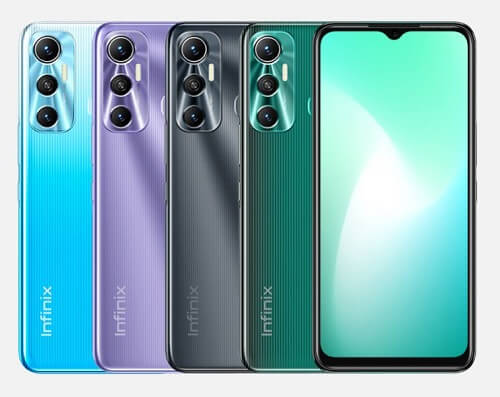
    Crafted with a plastic frame and back panel, the Infinix Hot 11 boasts a unique pattern design, available in four distinct color variants—Silver Wave, Purple, Emerald Green, and Polar Black.

    Weighing just over 200g and featuring a thickness of 8.9mm, the phone strikes a balance between style and portability.

    Immersive Display and One-Hand Mode

    The Hot 11 features a 6.8-inch 720p IPS LCD display with a 90Hz refresh rate, enhancing visual experiences.

    While the large screen might pose a challenge for one-handed use, Infinix addresses this with a convenient one-hand mode feature, minimizing the user interface for easier single-handed operation.

    Camera Capabilities

    The rear of the phone boasts a dual 13 MP AI camera setup accompanied by a QVGA sensor and dual-LED flash, ensuring impressive shots.

    The teardrop notch on the screen houses an 8 MP selfie camera with dual LED flash, guaranteeing well-lit and clear selfies.

    Intuitive Controls and Security

    The sides of the phone house the volume button, power button (also functioning as a fingerprint scanner), and a dual SIM card and micro SD card tray.

    The fingerprint scanner, conveniently placed on the back, adds an extra layer of security. At the bottom, you’ll find the USB 2.0 port, a 3.5mm headphone jack, a speaker, and a microphone.

    Long-Lasting Battery Life: Equipped with a massive 6,000mAh lithium battery, the Hot 11 promises several days of usage before requiring a recharge.

    While the battery capacity is impressive, the 10W charging speed might test your patience, taking close to 3 hours to fully charge from 0% to 100%.

    Unboxing Delights: Upon opening the Infinix Hot 11 box, you’ll discover:

    • Infinix Hot 11
    • Sim Ejector Tool
    • Transparent TPU Case
    • Pair of Earphones
    • USB 2.0 Cable
    • 10W USB Charger Head
    • Warranty Card

    Performance Powerhouse

    Under the hood, the Hot 11 boasts a MediaTek Helio G70 chipset and an Octa-core processor with a clock speed of 2.0GHz, ensuring smooth performance for gaming, multitasking, and everyday tasks.

    The device offers a 4GB RAM size and internal storage options of 64GB or 128GB, expandable up to 512GB with an SD card.

    User Interface and OS: Running on Android 11 and XOS 10.0 OS, the Infinix Hot 11 presents an improved user interface compared to its predecessors.

    While some pre-installed apps cannot be uninstalled, the overall user experience is satisfactory, catering to the needs of budget-conscious users.

    Infinix Hot 11, with its blend of affordability and impressive features, stands as a reliable choice for users seeking a budget-friendly smartphone.

    What Is The Price Of Infinix Hot 11 In Ghana?

    The affordability of the Infinix Hot 11 in Ghana makes it accessible to a wide range of users, regardless of their financial strength.

    The starting price for the Infinix Hot 11 with 64GB storage is GHS 900, while the variant featuring 128GB storage begins at GHS 1,100.

    These reasonable price points aim to make the Infinix Hot 11 an attractive option for individuals seeking a budget-friendly yet feature-packed smartphone.

    If you have any more questions or if there’s anything else you’d like to know about the Infinix Hot 11 or any other topic, feel free to ask. I’m here to help!

    Price Of The Infinix Hot 11 In All The Accredited Retail And Online Shops

    Type Of PhoneJumia GhanaFranko Trading EnterpriseTelefonika Ghana
    Infinix Hot 11 (64GB)GHS 1,099GHS 1,200GHS 1,200
    Infinix Hot 11 (128GB)GHS 1,400GHS 1,700GHS 1,800

    Specifications Of Infinix Hot 11

    SpecsInfinix Hot 11
    ProcessorOcta-core (2×2.0 GHz Cortex-A75 & 6×1.7 GHz Cortex-A55)
    ChipsetMediatek Helio G70
    GPUMali-G52
    Network2G/3G/4G
    RAM4GB
    Internal Storage64GB/128GB
    Rear CameraDual 13 MP, f/1.8, (wide), PDAF QVGA with Dual-LED flash
    Selfie Camera8 MP with Dual-LED flash
    Display6.6 inches, IPS LCD, 500 nits brightness, and 1080 x 2408 pixels resolution
    Dimensions164.7 x 76.2 x 8.9 mm
    Weight201 g
    BatteryLi-Po 5200 mAh, non-removable
    ColorsSilver Wave, Purple, Emerald Green, Polar Black
    OSAndroid 11, XOS 7.6
    Sim CardsDual SIM (Nano-SIM, dual stand-by
    SensorsFingerprint (Rear-mounted), accelerometer, gyro, proximity, compass

    Difference Between Infinix Hot 11 And Infinix Hot 10

    Difference Between Infinix Hot 11 And Infinix Hot 10
    SpecsInifnix Hot 10Infinix Hot 11
    ProcessorOcta-core (2×2.0 GHz Cortex-A75 & 6×1.7 GHz Cortex-A55)Octa-core (2×2.0 GHz Cortex-A75 & 6×1.7 GHz Cortex-A55)
    ChipsetMediatek Helio G70Mediatek Helio G70
    GPUMali-G52 2EEMC2Mali-G52
    Network 2G/3G/4G
    RAM3GB/4GB/6GB4GB/6GB
    Internal Storage64GB/128GB64GB/128GB
    Rear Camera16 MP, (wide), PDAF and Quad-LED flash 2 MP, (macro) 2 MP, (depth) QVGA (Low light sensor)Dual 13 MP, f/1.8, (wide), PDAF QVGA with Dual-LED flash
    Selfie Camera8 MP with Dual-LED flash8 MP with Dual-LED flash
    Display6.78 inches, IPS LCD, 720 x 1640 pixels6.6 inches, IPS LCD, 500 nits brightness, and 1080 x 2408 pixels resolution
    Dimensions171.1 x 77.6 x 8.9 mm164.7 x 76.2 x 8.9 mm
    Weight195 g201 g
    BatteryLi-Po 5200 mAh, non-removableLi-Po 5200 mAh, non-removable
    ColorsObsidian Black, Amber Red, Moonlight Jade, Ocean WaveSilver Wave, Purple, Emerald Green, Polar Black
    OSAndroid 10, XOS 6.0Android 11, XOS 7.6
    Sim CardsDual SIM (Nano-SIM, dual stand-byDual SIM (Nano-SIM, dual stand-by
    SensorsFingerprint (Rear-mounted), accelerometer, gyro, proximity, compassFingerprint (Rear-mounted), accelerometer, gyro, proximity, compass

    Frequently Asked Questions (FAQs)

    Does it have fast charging?

    No the Infinix Hot 11 does not support fast charging technology. It comes with a normal 10W charging speed.

    When was it released?

    The Inifnix Hot 11 was released on 21ST September 2021 which was roughly a year ago.

    Conclusion

    The Infinix Hot 11 emerges as the optimal smartphone, particularly for individuals in search of a budget-friendly choice that does not compromise on functionality and durability.

    This article is committed to delivering a comprehensive examination of the functions and specifications of the Infinix Hot 11, providing readers with valuable insights to facilitate well-informed decisions.

    Additionally, we have compared the distinctive features of the Infinix Hot 11 with its predecessor, the Hot 10 model, and addressed some frequently asked questions along with their respective answers. We trust that this article has been both informative and enjoyable for you.

    You can also check out Infinix phone prices at Franko trading and the price of the Infinix Hot 30 which has recently been released.

  • Hisense Accra Showroom Contact Information, Location, And Working Hours

    Hisense Accra Showroom Contact Information, Location, And Working Hours

    If you’re on the lookout for the Hisense Accra showroom, your search ends here. Whether you’re in the market for a new Hisense fridge or eager to explore its diverse range of products, the Hisense Accra showroom is the go-to destination.

    In this article, I’ll guide you through everything you need to know about the Hisense Accra showroom.

    Before delving into the specifics of the showroom, let’s first discuss the Hisense brand. Stay tuned for an informative and comprehensive overview.

    About Hisense 

    Hisense, an esteemed electronics and appliances company, traces its origins to Qingdao, China. Commencing its journey as a radio manufacturer in 1969, Hisense has experienced remarkable growth in the industry, reaching a net worth of approximately $1.4 billion in 2020.

    The global reach of the Hisense Group extends to over 80,000 employees across 14 industrial parks. Beyond its origins in China, Hisense has made a significant impact in markets worldwide, including Ghana, where its products have gained popularity since its entry into the market in 2010.

    In this article, we will delve into a series of fridges and freezers by Hisense, widely available throughout the country.

    Additionally, we will explore their current prices, providing readers with valuable insights into the offerings of Hisense in Ghana. Stay tuned for a detailed overview!

    Hisense Accra Showroom Details

    Hisense Accra Showroom Working Hours

    • Monday: 8:00 AM – 8:00 PM
    • Tuesday: 8:00 AM – 8:00 PM
    • Wednesday: 8:00 AM – 8:00 PM
    • Thursday: 8:00 AM – 8:00 PM
    • Friday: 8:00 AM – 8:00 PM
    • Saturday: 8:00 AM – 8:00 PM
    • Sunday: 8:00 AM – 8:00 PM

    Wrapping Up

    With this valuable information, you’re well-equipped to visit the Hisense Accra showroom. Whether you’re a resident or a visitor in Accra, make sure to drop by the Hisense showroom to explore a diverse range of quality products that cater to your specific needs.

    The Hisense showroom is your gateway to discovering and acquiring top-notch electronic devices and appliances. Happy shopping! You can also check out Hisense showrooms in Kumasi and the Central region.