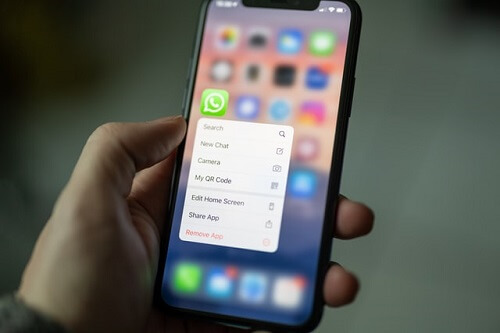
There are a lot of people on WhatsApp as it is the most popular messaging app in the world. Many features come with WhatsApp and users are free to make use of these features.
One of the features of WhatsApp is the ability to block people so that they will not be able to send you messages.
It may have happened that you have annoyed a friend on WhatsApp by saying some things that you did not even know were offensive.
All of a sudden, you realized that your messages to that friend are always on a single tick. This means that there is a possibility that you have been blocked by that friend.
However, you will need to make use of that before drawing any conclusion. So in today’s article, we will look at some of the things that can prove to you that you have been blocked.
Whatsapp was first used to let you know when someone blocked you on the app. However, it does not inform you anymore if you have been blocked or not.
All you will see is your messages gathering dust with a single tick. This is intentional from WhatsApp to protect the privacy of the person who has blocked you.
Profile Photo
One way to see if someone has blocked you is by checking their profile image. If you see that the profile picture that was there has suddenly vanished and has not been replaced over a long time, then you may have been blocked by that person. If you still see the profile photo, ten of you have not been blocked.
Last Seen
You will also not be able to see the ‘last seen’ of someone who has blocked you. This point is not important because the ‘last seen’ can be hidden by people in the settings.
So this does not guarantee that you have been blocked. However, if the person used to allow his last seen to show and you do not see it anymore along with the vanished profile photo, then it is a possible sign that you have been blocked.
One Tick
If you see that the message you sent to the person is still having one tick after a long time, then you have been blocked. This means that the message has not been delivered to the person because he has blocked you so WhatsApp will not deliver the message.
This can also happen if the person has not turned on their data, but it is highly unlikely that the person has not come online after a long time of chatting with you the last time
VoiceCcalls
Try placing a voice call to someone you suspect to have blocked you. if it rings, then you have not been blocked. But if the call does not go through, then you have been blocked.
Groups
You cannot add someone who has blocked you to a WhatsApp group. Being able to add the person means that he or she has not blocked you, yet. If you cannot add them, then it means that they have already blocked you.
Conclusion
Using these methods, you can verify if someone has blocked you on WhatsApp or not. Remember that WhatsApp will not let you know if you have been blocked so you will have to get your confirmation yourself.
If you do not want to be using any of these methods to verify if you have been blocked, just make sure not to offend anyone, eh?
Bolt, which was formerly known as Taxify, is one of the most popular ridesharing platforms in Ghana. We recently covered all the ride-hailing services in Africa and bolt was among the most popular ones.
It is also the direct rival to Uber, which is also very popular in Ghana. Together, these two companies own more than 50% of the ridesharing industry in Ghana.
The other ridesharing companies operating in Ghana are not well known and as such, not much is heard about them.
Since Uber and Bolt control the ridesharing market, almost all vehicle owners who feel like making some extra money with their vehicles end up registering for one of these two companies.
Due to this, we have decided to share with you guys the process through which you can register as a driver for Bolt.
If you have your car and a lot of free time on your hands and you like to make money as well, you might be thinking about how to make that extra money.
What Is Bolt?
It is a ride-hailing company based in Estonia that was set up in 2013 by a man known as Markus Villig. It now operates in more than 30 countries in the world with Ghana included.
How It Works In Ghana
Just like Uber, the company uses an app that can be downloaded from the play store or app store. You then register on the app and begin hailing rides when you need them.
The company works with drivers who own their vehicles. The company’s main role is to connect the passengers to the drivers who will then pick them up and send them to their destination. All a passenger has to do is to use the app to call for a ride.
Registering With Bolt As A Driver
There are some requirements that you must meet before you can drive for Bolt.
Must be 25 years or older
Must have a valid driver’s license
Must own a vehicle that meets requirements
Must an android or apple phone with GPS capability
Must have no criminal record
Vehicle Requirements
Your vehicle must meet these requirements.
Must be a 2005 model or newer
Must have air-con
Must be a private car
Must have a valid third party
A road-worthiness certificate
A complete vehicle registration
Documents For Registration
Here are the kinds of documents that you will need for the registration process when you go there.
Valid driver license
A third-party comprehensive insurance policy
Road-worthiness certificate sticker
A front-facing profile picture that is clear (sunglasses not allowed)
How To Register As A Bolt Driver
You register through the Bolt sign-up portal which is partners. Taxify. EU
Enter your email address and then your phone number as well as your city
Input your details
Input your diverse license number
Upload all documents that are required together with expiry dates
Fill in the payment details as to where you will want to receive your payments
Choose ‘person’ as the billing type
Use your name as a mobile money wallet name
Mobile money number. Start with 233
Input network provider as mobile money network
After this, you will have to wait until all your information has been processed and your application approved. Bolt will also get back to you if something was missing from your application.
Centers For Driver Activation
FameSafe consult- located at Apenebea house, adjacent Everpure factory in Tema Light industrial area
Operates from Monday to Saturday from 8 am to 5 pm
PureRelations- located at Ashalebotwe school junction.
Operates everyday
Legacy internet café- located at Madina Rawlings circle
Operates everyday
Andor consult- located at Dome Vulcanizer
Operates from Monday to Saturday from 8 am to 5 pm
Bolt Training Offices In Ghana
After the registration is complete, you will be required to join a training program at Bolt offices. Here are the office locations in the country.
In Kumasi- located at Hse no.9 Dr. F.A Jantuah street behind the Kumasi mall.
In Accra- located at Kofi Dzata street, Odel heights in Dworwulu, Accra, Ghana.
Training takes place from Monday to Friday from 11 am to 3 pm
Takoradi office- located on the 2nd floor, Sekondi youth center, Kwamina Anaesi Boulevard, Takoradi Ghana.
Activating account
After completing registration and training sessions, a profile will then be created for you by Bolt. You will log in with the credentials that will be given to you. You will then have to make your first trip within two days to fully activate the profile.
How You will be paid
Your pay, as well as bonuses, will all be paid to you in the first half of the week. Using mobile money is always advisable for faster payments.
Conclusion
So there you have it. if you want to be driving for Bolt, the processes above can get you there
We live in the digital age now where technology is used in almost every sphere of life. From businesses to schools to individuals, technology has become a part of our daily lives.
Individuals get to experience technology more through their mobile phone devices. Mobile phones were originally used for making phone calls only.
However, they are used for much more than that today. From sending emails to making phone calls and chatting with friends and loved ones on the internet, it has truly become a part of our lives.
When it comes to the subject of smartphones, almost everyone has a smartphone or at least a mobile device that can make phone calls.
There are a lot of various smartphones out there with different price ranges and specs. In this article, we will be showing a few of the budget smartphones out there that you can get your hands on.
Owning a smartphone shouldn’t necessarily be a 1000+ dollar purchase. We do understand that there are a lot of people who want to use a smartphone without having to break the bank.
Best Budget Smartphones To Buy In Ghana
Here are our top 5 budget smartphones to buy in Ghana:
Samsung Galaxy A51
Google Pixel 4a
Nokia 7.2
LG Stylo 6
Moto G Power
Samsung Galaxy A51
Samsung has a lot of budget smartphones out there but this is probably the best that you can get your hands on.
The dual-SIM device has a strong quality build as well as a great 6.5-inch HD+ screen. This model also features a punch-hole display.
The Samsung Galaxy A51 comes with four rear cameras to take care of your photo needs and has a headphone jack and memory card slot included.
With a 4000mAh battery, you should be able to use it throughout the day on a single charge.
It comes with Android 10 already installed and an ample storage space of 128GB and 4GB RAM.
An Exynos 9611 acts as its processor. The major con with this device is the unreliability of its in-display fingerprint scanner.
That aside, it is one of the best mid-range devices you can get.
Price Of Samsung Galaxy A51 In Ghana
The price of Samsung Galaxy A51 ranges from GHS 1,700 to GHS 2,000 across all Samsung retail stores in Ghana.
Google Pixel 4a
The unveiling of the Pixel 4a revealed that smartphone consumers needed an affordable and compact device away from the large ones which seem to have become the norm.
The Pixel 4a is one of the best mid-range smartphones that is certainly friendly on most people’s wallets.
It has one of the best cameras available that even beats some smartphones which are out of its price range with its 12.2-megapixel camera.
The Pixel 4a has a Snapdragon 730G chipset with 128GB of storage space and 6GB of RAM. It comes with a 5.81-inch full HD+ display with fewer bezels, which houses a punch-hole front 8-megapixel camera for your selfies.
It also comes with an Android 11 OS. The battery is strong with a 3.140mAh capacity.
Price Of Samsung Google Pixel 4a In Ghana
The price of Google Pixel 4a ranges from GHS 4,500 to GHS 5,000 across all phone retail stores in Ghana.
Nokia 7.2
With a nice-looking design and potent specs, the Nokia 7.2 is one of the best smartphones you can get without having to break the bank for it.
This smartphone is a member of the Android One family, which means that the Nokia 7.2 comes with a stock version of Android, in this case, Android 10.
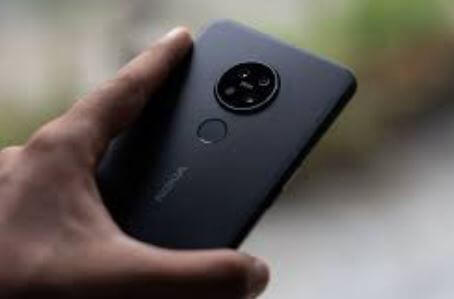
This smartphone uses a Snapdragon 660 with 4GB RAM with 128GB storage space. Its fingerprint scanner is located right under its three cameras that are at the back.
With a 6.3-inch full HD+ screen, a 3.500mAh battery, and a notch, this device is certainly one of the best smartphones that you can get without raiding the bank.
Price Of Nokia 7.2 In Ghana
The price of Nokia 7.2 ranges from GHS 1,400 to GHS 2,000 across all phone retail stores in Ghana.
LG Stylo 6
This is another great option for people who are not looking to spend big on a smartphone.
It comes with a stylus as well, which makes it a great alternative to the more expensive Samsung Galaxy Note devices.
The LG Stylo 6 comes with 3GB RAM and 64GB of storage which can be upgraded via the memory card slot.
It runs Android 10 straight from the factory and uses a MediaTek Helio P35 processor. Power comes from a 4.000mAh battery.
A huge 6.8-inch HD+ screen helps put the added stylus pen into great use. With three rear cameras and a front camera, your photo needs are adequately taken care of.
Price Of LG Stylo 6 In Ghana
The price of LG Stylo 6 ranges from GHS 860 to GHS 2,000 across all phone retail stores in Ghana.
The Tecno Spark 10C is a standout choice for those shopping for budget-friendly smartphones in Ghana, especially with its price point under GHS 1,500.
What makes this phone so attractive is its array of specifications that are usually found in higher-end models.
With an 8GB RAM coupled with a 128GB storage option, you have ample memory for multitasking and enough space to store your favorite apps, music, pictures, and videos.
If you enjoy mobile gaming or using heavy apps, the MediaTek Helio G-Series 4G chipset ensures a smooth and lag-free experience.
For photography enthusiasts, the 16MP main camera captures clear and vivid images. Whether it’s landscape shots or close-up portraits, you’ll love the picture quality this budget-friendly phone produces.
Although it’s an affordable phone, this doesn’t mean compromising on battery life. The Tecno Spark 10C is equipped with a robust 5,000 mAh battery.
This ensures that your device can keep up with your busy lifestyle, lasting throughout the day without needing a power bank or frequent recharging.
Itel Phones
You can not talk about affordable phones in Ghana without mentioning Itel in Ghana. On the other hand, have carved a niche in Ghana’s smartphone market due to their affordability paired with great features.
These phones strike an optimal balance between cost and quality, offering a range of models that cater to different user needs.
From large, clear displays and efficient processors to decent cameras and long-lasting batteries, Itel phones pack a punch in features, all while keeping your pocket in mind.
They’re particularly popular among students and those buying their first smartphone, offering an entry point into the world of smart, mobile technology without breaking the bank.
No matter your needs, it’s clear that both Tecno Spark 10C and Itel Phones offer great value and functionality as budget smartphones in Ghana. Adding these to your consideration list could be a smart move.
Now let us cover how to join a Telegram group without the link. You can look for groups on Telegram and join them even if you do not have an invite link.
Telegram, which is a cloud-based messaging app also comes with end-to-end encryption just like WhatsApp.
And just like WhatsApp, you can use telegram to send messages to your friends and loved ones all over the world.
You can also send messages into groups. Telegram has a limit of 200,000 members per group.
So if you are looking to join a group that interests you but you do not know how to go about it, this post is here to help with that.
There are two ways through which you can get this done. The first one which is the easiest is by clicking on a link that will make you join the group.
And the second is by going to look for the group yourself. Let us take a look at the two ways of joining a group on telegram.
Joining with A Link
To join a group on telegram you must already have an account on the messaging app.
And you can join the group from either a desktop program or through the mobile app.
A typical link would start with something like http://t.me/. Clicking on the link will open the telegram app.
All you have to do then is to tap on ‘join group’ and you are done.
Joining A Telegram Group Without Link
In case you don’t have a link but you want to join a certain group, you will need to find the group.
In order to find the group that you wish to join, you will have to start searching on the internet for groups that are similar to the one you are looking for or that match your interests.
A great way to go about this is by using https://Tdirectory.me. This is great for searching for telegram groups.
After you have been able to locate the group that you are looking to join, just tap on the group and then tap on ‘join group’ in the telegram app on the ‘about’ of the group.
If the group is private, you would need to be approved first before you can join.
After you gain approval, you will then be added to the group. If it is not a private group, you can join right there. The group will also show in your telegram chats.
How Can I Find The Link Of A Group In Telegram?
Follow these steps to find the link of a particular Telegram group. Make sure you are the administrator of the group.
Launch the Telegram app and open the group that you want to find the link
Click on the group icon and it will take you to the group profile
Select Add member and then choose ‘Invite to group via link’
Select Copy Link or you can choose Share Link. choose how you want to share the link.
Conclusion
So this article was about how you can join a group on telegram easily without knowing the link.
As you can see, it is quite easy to find the group you are looking for. You would not need to be searching for groups on telegram aimlessly anymore, you can also check out how to use WhatsApp without your phone number.
I hope this article was helpful. Please make sure to visit this site for the latest in tech articles and news.
In the realm of high-performance automobiles, the term ‘supercars’ traditionally conjures images of vehicles propelled by high-revving V8 gasoline engines.
Undoubtedly, gasoline-powered engines played a pivotal role in establishing the supercar segment’s prominence on a global scale.
However, with the relentless march of technological progress in today’s automotive landscape, the dominance of gasoline cars is gradually yielding ground to their electric counterparts.
The evolution of electric cars has been remarkable, dispelling the notion that their emergence is a recent phenomenon, as some may believe.
Contrary to popular perception, the development of electric cars dates back further than the early 2000s.
This article endeavors to shed light on some of the most noteworthy electric supercars that graced the automotive scene in 2021.
These cutting-edge vehicles not only rival their gasoline counterparts in terms of power but also exhibit remarkable acceleration capabilities, achieving 0-60 speeds in mere seconds.
Rimac C-Two
The Rimac C-Two stands as the worthy successor to the esteemed Rimac Concept One. Founded by Mate Rimac, the Rimac company has garnered significant attention, underscored by the notable investment made by the German automotive giant, Porsche.
This remarkable electric vehicle, the Rimac C-Two, commands attention with a top speed reaching an impressive 258 mph.
What further adds to its allure is its substantial range, boasting an impressive 341 miles on a single charge.
As technology continues its relentless march forward, the name Rimac is poised to become increasingly prominent in conversations surrounding electric advancements.
Keep an eye on Rimac as it paves the way for the future of electric vehicles.
Pininfarina Battista
In the automotive realm, where established exotic brands have meticulously crafted their name and reputation over decades, the prospect of a design-centric company venturing into manufacturing is indeed a daring move. Pininfarina, with its Battista model, exemplifies this audacious step.
Notably, the Pininfarina Battista doesn’t tread lightly into this new territory; rather, it embraces the challenge with a powertrain supplied by Rimac, signaling a serious commitment to this unconventional venture.
The car itself is a powerhouse, boasting an impressive 1,900 horsepower generated by four electric motors.
Adding an exclusive touch to this endeavor, Pininfarina plans to produce a mere 150 units of the Battista, each bearing a hefty price tag of $2.6 million.
As the automotive landscape continues to evolve, the Pininfarina Battista stands as a testament to the bold exploration of uncharted territories in the pursuit of innovation and excellence.
Tesla Roadster
The Tesla Roadster stands as an iconic figure among electric supercars, tracing its origins back to the earlier days of Tesla.
Carrying the same name as its predecessor, the original Roadster played a pivotal role in establishing Tesla’s reputation and shaping the company’s trajectory.
Elon Musk, the billionaire CEO of Tesla, has characterized the new Roadster as a “hardcore smackdown to gasoline cars,” underlining its status as a groundbreaking vehicle.
Unveiled in 2017, it was boldly touted as the fastest production car globally at the time. Boasting an impressive top speed of 250 mph and an extraordinary range of 600 miles, the Tesla Roadster is poised to redefine expectations in the realm of electric cars.
Anticipation surrounds the impending delivery of this exceptional vehicle to customers. As Tesla continues to push the boundaries of electric vehicle technology, the Roadster stands as a testament to the company’s commitment to innovation and its vision for the future of sustainable, high-performance transportation, you can check out the best selling Tesla models.
Aspark Owl
For those not deeply immersed in the world of automobiles, the name Aspark Owl might be a novel introduction.
However, it stands as one of the most promising electric supercars slated for imminent release, primarily targeting the affluent consumer base.
Propelled by the prowess of four electric motors, the Aspark Owl achieves a formidable top speed exceeding 200 mph.
While its origins lie in Japan, this cutting-edge electric supercar will find its physical form in Italy, a country renowned for crafting the majority of the world’s supercars.
The decision to manufacture in Italy aligns with the established tradition of excellence in the realm of high-performance vehicles.
Pricing itself into the upper echelons of luxury, the Aspark Owl commands a price tag surpassing $3 million.
However, with its blend of elegance and aggressiveness in design, it’s anticipated that those with the financial means will readily embrace the opportunity to acquire this extraordinary electric supercar.
Drako GTE
The Drako GTE emerges as the outcome of a collaboration between two entrepreneurs based in California, a fusion of ideas and innovation that has given rise to a distinctive electric supercar.
Setting itself apart from its counterparts, the Drako GTE is unique in featuring four seats, a characteristic uncommon in the realm of high-performance electric cars.
Despite its focus on accommodating more passengers, it doesn’t compromise on speed, boasting a top speed surpassing 200 mph, propelled by the force of four electric motors.
Priced at approximately $1.26 million, the Drako GTE positions itself as an intriguing option for those seeking a blend of luxury, performance, and practicality in an electric supercar.
This collaborative venture reflects the dynamic and innovative spirit of California’s entrepreneurial landscape, pushing the boundaries of what’s possible in the realm of electric vehicles.
Conclusion
The electric supercars featured on this list transcend the conventional perception of urban ridesharing vehicles, as they are designed to compete head-to-head with esteemed products from the likes of Lamborghini, Ferrari, Aston Martin, and McLaren.
Far from being relegated to the routine city commute, these electric supercars represent a fusion of cutting-edge technology and high-performance design.
For enthusiasts of automotive innovation or anyone captivated by the impact of technological advancement in our contemporary world, these vehicles stand as noteworthy contenders.
They symbolize a shift in the automotive landscape, where electric propulsion not only meets but surpasses the standards set by traditional luxury car manufacturers.
Keep an eye on these electric supercars throughout the year, as they promise to redefine the boundaries of what’s achievable in the realm of high-performance electric vehicles.
Telegram’s rapid growth can be attributed, in part, to its incorporation of numerous privacy-focused features, making it a compelling choice for users.
The platform offers a diverse range of functionalities, contributing to its widespread appeal.
Among the noteworthy features, users can join channels to receive updates on various topics, from stock market trends to wildlife content.
Additionally, the ability to send muted messages adds a layer of consideration for readers, enhancing the overall user experience.
Now, introducing the ability to export chats, including media and files, is a significant enhancement. This feature not only allows users to maintain a backup of their conversations but also ensures accessibility and readability even after export.
This is particularly valuable in preventing data loss due to accidental deletion of chats or accounts.
It’s worth noting that the export option is available on the desktop Telegram app, providing users with a comprehensive set of tools to manage and safeguard their data effectively.
This continuous innovation in features aligns with Telegram’s commitment to delivering a robust and privacy-conscious messaging experience for its ever-expanding user base.
If you are looking to export your Telegram data, you can do so quite easily. Below are the steps to follow to export your data from the Telegram app.
These steps must be done on the desktop version of Telegram and not the mobile app.
So if you do not have Telegram on your desktop, you will need to have it installed before you can go ahead with the exportation.
Login to your Telegram account on your desktop after installing it
Go to export chat and then open the chat which you wish to export. This is because all the chats cannot be opened at the same time.
Locate the 3 dots on the top right side of the screen and click on them. now, click on ‘export chat history
In the chat export settings, choose the items that you wish to export with the already chosen chats
After making your choice, click on the export button. Your chats will then get exported immediately
After the export is complete, the result will be shown to you by Telegram. You can then click on the ‘show my data’ button to see the folder that contains the export you just created.
How To Access Exported Files
After the export has been completed, they can be accessed easily anywhere. They will be stored in a folder on your computer. If you are looking to read the chat messages in the export, just open the ‘messages.html’ file to access the chats. The file will be opened in your web browser and you will be able to read them.
Conclusion
So that is how you export chats on the Telegram app. Looking at the way the exports are, you can even use it as a form of backup for your chats since Telegram does not have a backup feature at the moment. Please note that the export feature cannot be done on the mobile version of the app.
You need Telegram on your computer before you will be able to export chats. The feature can only be done on a desktop.
In that case, I am sure that this article has been helpful; to all the Telegram users on this page. Make sure to visit the site for more Telegram-related articles and news.
For more Telegram tutorials you can get to know if someone has saved your number using Telegram, click here to know how to go through the steps.
If you also feel that someone is disturbing you on Telegram, then you don’t have to worry anymore, check out this article taking you through how to block and unblock someone on Telegram, and if it happens to be in a group, then you might also want to leave that Telegram group.
Telegram, known for its privacy-focused approach, operates on Android, iOS, and PC platforms. It has emerged as a prominent competitor to the well-known WhatsApp messaging app.
Telegram distinguishes itself by utilizing bots, allowing users to create and share their stickers directly with friends and contacts.
In terms of privacy, Telegram differs from WhatsApp in that it doesn’t notify users when someone blocks them.
However, if you suspect that a contact may have blocked you, likely, they’ve already done so. Telegram, unlike WhatsApp, doesn’t explicitly inform users of being blocked.
Therefore, you may need to engage in some detective work within the app to confirm whether you’ve been blocked or not.
The following actions can help you determine if you’ve been blocked on Telegram.
How To Know If You Have Been Blocked On Telegram
Use the tips below to verify if you have been blocked or not.
‘Last Seen’ And ‘Online’ Status
When someone blocks you on Telegram, you will not be able to view their last seen. You will also not be able to see whether they are online or not. These will not be shown to you by Telegram and that can mean that the said contact has blocked you already.
Profile Photo Will Not Show
Apart from not being able to view the ‘last seen’ and ‘online’ status of the contact, you will also not be able to see his profile photo if he has blocked you. So if you find out that you have not been able to view your contact’s profile photo for a long time. Then you may have been blocked.
Messages Not Sent
When someone blocks you on Telegram, your messages will no longer be able to reach them. So when you see that the messages you saw to that contact a long time ago have still not been sent, then it is likely that you have been blocked by that contact.
Video And Voice Calls
If you are still not sure if the person has blocked you, you can try by placing a voice or video call to the person on the Telegram app. If the voice or video call does not get complete, then you have been blocked.
Deleted Account Warning
Telegram comes with the ability for users to delete their entire chats when this happens, the users who had been chatting with that account will receive a ‘delete account’ notice when they try to chat with that account again.
If you do not see this warning, then you have been blocked by the contact because this notice is only shown to accounts that were actively chatting with that contact.
Conclusion
With these tips, you can verify easily if someone has blocked you on Telegram or not. If you have been blocked, then you will probably tick a check on all the tips that have been outlined here.
If you realize that you did not check any of the tips here after reading through it, then maybe you have not been blocked and it is the contact has probably gone offline for some much-needed vacation.
I hope this article has been immensely helpful to you as you seek more knowledge about the usage and operation of Telegram, which is one of the most privacy-focused messaging apps in the world at the moment.
In case you are looking to choose a new web browser, but do not know anything about a browser and the things that make a browser good, it would be hard to pick a quality browser, and you may end up with one that will not be able to get the job done.
Even though all web browsers do the primary job of allowing you to access the internet, some browsers do the job much better than others.
This means that you should choose the one that ticks the main boxes of what a good browser should have when looking for a browser to care for all your internet needs.
Never select a browser randomly, especially after you finish reading this article.
With many browsers having the same features when it comes to the address bar, default integrated search engine, bookmarks, how secure it is, and many more, some browsers have some qualities that others don’t have.
When visiting websites, some browsers track you without your opinion, show you ads while you are browsing that page, while some don’t, and some browsers give you the option to allow or disallow anything.
So now, what are some of the boxes that a good browser must tick before you should consider using it and making it your default browser? Well, read on and find out for yourself.
Things to look out for when choosing a good or best web browser
Compatibility
One way to be able to test the compatibility of a browser is the HTML5test website.
The website can score each browser according to its compatibility level through a moving target of web standards.
The highest score a browser can get is 555, and browsers are awarded points for each measure that they support.
It is followed by Opera and other browsers, which are based on the Chromium code. Mozilla Firefox and Apple Safari, then come next.
Speed
Speed is also essential for an excellent browser to have. A browser that is not fast will not load your web pages on time, leading you to be frustrated.
A browser with speed makes you enjoy the browsing experience while loading all your web pages faster so that you can do what you are supposed to do on time.
Privacy
A good browser must have adequate privacy features that protect the user from any attacks or tracking.
Some browsers come with a security encryption feature to protect a user’s browsing activities and prevent online trackers from following the user through VPNs.
Google Chrome typically signs you into Gmail and YouTube, a move that some people are not happy with when it comes live.
The only browser that has a built-in VPN is Opera. When it comes to security, some browsers like Firefox, edge, and Safari also have fingerprint protection, which protects users from trackers by making it impossible for them to identify them.
Tools and conveniences
A good browser has some useful browsing tools that can make your browsing experience much better.
Some browsers like Safari have a feature that allows the user to read articles on webpages without distraction.
The quality, known as ‘reading mode,’ blocks out all ads, videos, clutter, and other unnecessary stuff to read the article in peace.
Other browsers also have a share button that allows users to share things they may want to share.
Opera even has a built-in cryptocurrency wallet. Brave browser is a browser that also has a cryptocurrency wallet.
Microsoft took the reading mode feature a step ahead by allowing the user to listen as a voice reads the text for him instead of reading the whole thing himself.
Users can also customize the home pages of some browsers in a way they see fit.
The Firefox browser also has a feature that instantly saves a web page to a pocket.
Some browsers such as Edge, FirefoxFirefox, and Opera also now can take screenshots of web pages.
Conclusion
So whenever you think about getting a new computer internet browser for whatever you will be doing, you should make sure that you choose the most secure browser by going through the features mentioned above.
Suppose you want to have an excellent browsing experience. At least, it must be at the most important ones.
Maybe you have been planning to upgrade your computer with some top-notch processors for some time now. When it comes to such decisions, a person who doesn’t know anything about computers will pick the first processor he comes across.
However, a person who knows a thing or two about computers will ask:” Should I choose an Intel or an AMD?”
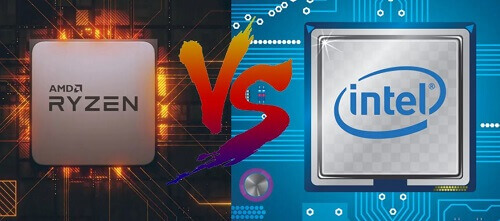
AMD has had a rivalry with Intel for years now, and it is one of the most discussed topics among computer enthusiasts.
The rivalry continues in 2021 as the two companies have all released new graphic cards that come packed with power and performance.
AMD was able to jump past Intel when it released the Ryzen 5000 series of processors, which had a clear lead in gaming and productivity workloads. However, Intel showed that it was not done yet as it released the 11th generation rocket lake processors to combat AMD.
We will be taking a look at AMD and Intel in comparison mode. So here we go.
Desktop Computer Processors
AMD processors were usually the best when looking for a processor on a budget or entry-level. However, all that changed when the company released the Ryzen 3000 and the Ryzen 5000. Although AMD still has excellent value for money, it now does that through the total price and performance spectrum.
AMD directly competes with Intel in almost every area. With $40 to 60 dollars, you could get your hands on some of the most affordable processors from both AMD and Intel, which come with a few cores and clock speeds that are energy-efficient.
However, if you want the midrange processor, you will have to put up $200 to $350, with top processors being priced at $500 and above.
If you want a processor that handles work and gaming fast enough, then you should set a budget of over $1000 for it.
Laptop Processors
When it comes to the laptop computer sector, the story is quite different from the desktop, where AMD can go head-to-head with Intel. You will generally find that a machine already came with an Intel core processor sitting in it on laptop computers.
According to a representative from Dell computers, the portfolio of Intel was better than that of AMD. Intel has a line of Comet Lake processors that come with higher clock speeds. These processors usually are paired together with graphic cards.
One such great processor is the Razer Blade 15, which shows that Intel’s mobile CPUs can get high-level gaming performance.
Another place where incredible performance is seen is the Ryzen 9 5900HS which beats the core i9-10980HK from Intel. This is one of the powerful processors that one can get one hand on today.
Both Intel and AMD have processors that offer the best in performance, work, and video games.
Special care is taken when one is purchasing a laptop computer and not a CPU. You will have to look at the individual model review of the particular laptop. This is because AMD has shown that it can challenge Intel when it comes to the laptop computer market, the mobile market.
Conclusion
Choosing the best processor brand can be a bit of a dilemma since both offer the best processing capabilities that a laptop should have.
If you are the type who sues their machine fr everyday surging of the internet, watching movies, or being in your email, processors from both companies will provide you with the best performance straight out of the box.
However, suppose your machine is used for doing intensive work such as multi-tasking activities with several internet tabs opened. In that case, AMD processors will be best suited for the job more than Intel processors for a fair price.
Although processors for such tasks are not bad, you will have to pay more for them than what you would pay for the AMD processor.
It all comes down to what the kind of processor that your budget will allow you to purchase according to the type of work that your machine will be doing.
For those that like to play high-end games, getting a processor in the middle of the price range would be much better if you are on a budget.
Ghanaians with deep pockets are always on the lookout for the latest smartphones on the market to buy because they won’t stay ahead of the pack.
When looking for such high-end smartphones, you will have to make sure that your original products and not get duped by people who trick you into buying fake ones.
And to get such smartphones, you will need to visit well-known shops in the country that sell them.
One such shop in Ghana is Freddies Corner. The company has all the latest smartphones from different brands.
The company is one of the most trusted when it comes to purchasing various technological devices in Ghana.
From various high-quality smartphones to computers and accessories, you can get them all at Freddies Corner.
And the good thing about purchasing from them is that all the prices of their products are at competitive ranges.
Freddies Corner has been catering to the technological needs of the citizens of Ghana for some time now.
Just in case you are one of those Ghanaians with a deep pocket looking to buy one of the latest smartphones available in Ghana, there is no need to search around anymore as Freddies Corner has all that you will need fitting under their roof.
I will be showing you some of the smartphones that you can get when you visit any of their branches, along with the prices as well.
The company does not deal in only smartphones, but we will cover their smartphone brands in this article.
The company also deals in the sale of television sets and computers and accessories. If you want to know about the laptop computers they sell, please refer to our earlier article that addresses it.
The brands of mobile phones that one can expect to buy at any branch of the company include Apple, Samsung, Tecno, Infinix, Huawei, and Nokia.
Since it is not always easy for people to get the correct prices of the various devices they want to purchase, we have taken it upon ourselves to make the prices of the smartphones at Freddies Corner available to our readers.
So here are some of the latest smartphones available at Freddies Corner. These are the current prices you are bound to encounter when you visit a branch of the company to purchase a smartphone.
Latest Freddies Corner Phone Prices
Apple iPhone 11- GHS 4,700 for the 64GB, GHS 6,680 for the Pro version
Apple iPhone 6s- GHS 1,700 for 32GB
Apple iPhone XR- GHS 5,200 for 64GB
Apple iPhone XS Max- GHS 7,500 for 64GB, GHS 8,400 for 256GB
Huawei Y5 Prime- GHS 545
Huawei Y7- GHS 880
Huawei Y9- GHS 1,160
Huawei Hot 7- GHS 535
Infinix S5- GHS 825 for 64GB, GHS 685 for Lite version
Infinix Smart 2- GHS 500
Nokia 3310- GHS 225
Samsung A2 Core- GHS 420 for 16GB, GHS 380 for 8GB
Samsung A50- GHS 1,450
Samsung A80- GHS 3,100
Samsung Galaxy A- GHS 580
Samsung Galaxy Note 9- GHS 4,250
Samsung Note 10- GHS 4,550, GHS 5,080 for Note 10 Plus
Tecno Camon 11- GHS 700
Tecno Camon 12 Air- GHS 715
Tecno Phantom9- GHS 1,300
Tecno Pouvoir 3- GHS 650
Tecno Spark 3- GHS 555
Tecno Spark 4- GHS 570
Tecno Spark 4 Air- GHS 495
Xiaomi Redmi K20 Pro- GHS 2,315 for 128GB
Freddies Corner Locations
To visit any Freddies Corner shop in your region,
You can locate them in Accra at Kotoko Avenue, near Accra New Town
Or you can find another branch at Circle behind the Holy Gardens on tip Toe Lane and Spintex Road near Kpogas Furniture
You can also locate them in Tema in Community 1, behind the police station.