Category: Tech In Ghana

  • MTN Airtime: How To Share Airtime On MTN

    MTN Airtime: How To Share Airtime On MTN

    One of the biggest telecommunication networks in Ghana at the moment is MTN Ghana.

    Due to it being one of the biggest in the country, there are a lot of subscribers on the network in every part of the nation.

    MTN Ghana has also rolled out a lot of services and goodies that make the usage of their network enjoyable to their subscribers.

    There may be a time that you may feel like dashing some airtime to some people or a loved one.

    However, you may be having a lot of airtime on your smartphone but no money in your MTN mobile money account.

    And you may end up not sending the airtime to that special person because you think that the airtime can only be sent by using mobile money to purchase.

    We are here to bring you the good news that airtime is not sent be sent by mobile money alone.

    You can transfer airtime to someone else right from your airtime account. In this article, we will be taking you through the steps through which you can send airtime to people from your MTN airtime account.

    MTN Ghana rolled out a service dubbed ‘Me2U’ that allows subscribers to send airtime right from their smartphones to whoever they want to send the airtime to.

    To start using this amazing service from MTN Ghana, you will first have to register for the service. There are a few steps to go about the registration. And they are down here below.

    How To Register For MTN M2U

    1. Dial *198#
    2. Select ‘1’
    3. Enter a 4 digit code as your password
    4. Re-enter the 4 digit code to confirm it
    5. You will then a message telling you that the registration has been successful.

    Now that you have registered for the Me2U service, you will be able to send airtime to anyone to whom you want to send it.

    Below are the steps which can be used when you want to send airtime to your family, loved ones, or friends.

    How To Send MTN Airtime To Another MTN User

    1. Dial *198#
    2. Choose 2
    3. Enter the number of the person you are sending the airtime to and then press enter
    4. Enter the amount that you want to send to the person. This amount must be entered in whole. For example, if you want to send 20.50 cedi worth of airtime to the person, you are required to enter only 20.
    5. You will now need to enter the decimal value of the amount you are sending. You should write the decimal without adding the dot. This is because adding the dot will cause the network to give you notice of error. So the decimal value should be written alone. For example, 50.
    6. Now enter the 4-digit passcode you entered when you were registering for the Me2U service.
    7. Select the ‘1’ option to confirm the airtime transaction.
    8. You will then receive a message to alert you that the airtime has been sent to the number successfully.

    Wrapping Up

    So this was about the ways through which you can send airtime from your smartphone to another person without the use of mobile money.

    You must note that the transaction can be possible only between MTN numbers. This means that you cannot send airtime from your MTN number to another number that is not on the MTN network.

    All airtime transactions that you make must be from an MTN number to another MTN number.

    The Me2U service cannot be used to send data bundles to another number. It is strictly for the use of sharing airtime only.

    So that was all that you needed to know about the MTN airtime sharing service which is known as the Me2U service.

    We hope you will now be able to share airtime between you and your friends now that you know how to share airtime from your account.

    Start sharing that airtime now. For more MTN-related articles, you can check out:
  • Kikuu Ghana: How To Order, Delivery Branches, Contact, And More

    Kikuu Ghana: How To Order, Delivery Branches, Contact, And More

    Kikuu is an e-commerce company in Ghana that was founded in 2015. When you shop with Kikuu, you do not have to worry about getting duped or scammed since the company has a secure payment system through which customers can pay for the stuff that they order.

    When you visit the Kikuu website, you will be amazed at the number of things that you can purchase in various categories.

    Some of these categories are electronics, home appliances, mobile phones, computers, vehicle accessories, kids’ toys, jewelry and watches, and clothing.

    The main aim of the Kikuu e-commerce trading site is to connect Ghana and China since the majority of the goods being sold on the site are of Chinese origins.

    The goods available on Kikuu are all very affordable and this is something that people will agree with.

    When you order goods on Kikuu, you do not need to worry about the shipping fees involved as they are very affordable.

    Sometimes, you will not have to pay any shipping fees at all depending on the products that you purchased.

    With Kikuu, you are assured of great customer service. The company has set up good customer service in every nation they operate in.

    The company also states that its goods are always supplied by makers of high-quality products only.

    When it comes to Africa, Kikuu has a very strong presence on the continent. They are operational in several African nations such as Ghana, Senegal, Rwanda, Ivory Coast, Congo, Cameroun, Uganda, Nigeria, Ethiopia, and Tanzania.

    Once you have decided to do some shopping with Kikuu, there are a few steps to follow to get that done.

    How To Order An Item From Kikuu

    1. First, you will have to download the Kikuu app from your play store.
    2. You then register on the app after installing it on your smartphone. You can register with either your email or your mobile number.
    3. Now enter your name and your password. Enter the password again to confirm it.
    4. Depending on what you used to register, you will then have to visit either your email or you’re your SMS to confirm a code that will be sent to you by Kikuu.
    5. You can now go back to the app and search for the item that you wanted to purchase. After you find what you like, click on ‘buy’ and you will be sent to the shipping page where you will have to give your shipping address, contact, mobile, city as well as street address.
    6. You can have the package delivered to your doorstep or you can choose to pick it up yourself. After you are done with providing all the necessary shipping details, you then click on the ‘ship to this address.
    7. You will now complete your payment by choosing your payment method and then proceeding to pay. The item will then be delivered to you.

    Kikuu Delivery Branches

    There are several Kikuu delivery branches in the country. You can find Kikuu branch in one of the following places.

    • Accra
    • Kumasi
    • Madina
    • Cape Coast
    • Tamale
    • Ashaiman
    • Obuasi
    • Tema
    • Teshie
    • Takoradi

    You can also contact Kikuu on mobile at 020 83701062

    Email them at service@kikuu.com

    Their physical address is however based in China and it is the 2nd floor, the first building, Village Committee, The industrial plaza, Taicheng Village, Renhe Town, Baiyun District (airport Baiyun), Guangzhou City, China.

    If you are thinking about getting yourself some quality-made Chinese products from China itself, then your best bet will be to get on the Kikuu platform and start shopping.

    There are a lot of amazing and quality products available on the Kikuu site that you can get your hands on for an affordable price.

    Whatever you purchase will also be delivered to you in the briefest of times without having to worry.

    There is an excellent tracking system that allows you to track your package to its destination, which can be at your doorstep or the pickup branch.

    We encourage you to purchase quality Chinese products from Kikuu.  You can also check out one Kikuu competitor, which is Kaymu shopping mall.

  • Surfline Communications Vs Busy Ghana, Which Is The Best

    Surfline Communications Vs Busy Ghana, Which Is The Best

    There are currently two 4G LTE players in Ghana at the moment. These are Surfline Communications and Busy Ghana.

    A third 4G provider known as Blu Telecoms, also exists. However, it cannot match the earlier two mentioned in terms of coverage area.

    So today’s comparison will be between Surfline and Busy Ghana. So let’s get started already.

    In this comparison between the two 4G giants, we will be looking at coverage, Wi-Fi devices, prices, data bundles, service quality, and value.

    Coverage

    Both Surfline and Busy are seen to be having coverage over all over the capital of Accra with a few dark spots at some locations, on paper.

    So we can say that in terms of coverage, both Surfline and Busy are evenly matched.

    Devices

    Surfline currently has four devices available and these are modem, router, wingle, and three MI-fi devices.

    Busy on the other hand has only two devices available and these are Mifi and router.

    The modem sold by Surfline can be used by only one person and it costs GHC99 and free data of 1GB.

    The Mifi sold by Busy can be used by 14 people and also just the same GHC99 and comes with 500MB.

    Surfline’s Mifi and wingle can connect up to 14 people and cost GHC199 with 1GB free data. There are two other Surfline Mifi devices that GHC209 and GHC289 respectively.

    There is another that is sold by Busy that can connect up to 14 people and costs GHC139 with free data of 5GB.

    The router sold by both Surfline and Busy sells for GHC399. However, you will get only 1GB of free data from Surfline while Busy gives you a much larger 10GB.

    Data Bundles

    The bundles sold by Busy are all valid for 30 days, except for the 50GB bundle, which stays valid for 60 days.

    Busy’s data bundles come in the form of free data for Facebook, YouTube, Whatsapp as well as a free night.

    The bundles sold by Surfline on the other hand like the 20GB data lasts for 60 days while the 50GB data lasts for 90 days. And they come depending on the data package chosen as free data.

    Data Prices

    Busy sells bundles that can be bought for GHC3 for 100MB and GHC7 for 250MB. Surfline does not sell any such bundles.

    If you want 500MB data, you will have to pay GHC12 for Busy’s own and GHC9.9 for Surfline’s own.

    For 1GB data, you will pay GHC17 and GHC19 for Busy and GHC25 for Surfline.

    Busy sells 2GB data for GHC35. Surfline does not sell any such data.

    For 5GB at Busy, it will cost you GHC65 while Surfline sells the same amount for GHC75.

    Busy sells 10GB for GHC120. You will need to pay Surfline GHC125 or GHC129 for the same amount.

    You can also purchase 20GB of data from Surfline for GHC205 or GHC239. Buys sells 25GB of data for GHC225.

    There is 50GB data at Busy for GHC400 while you can have the same amount at Surfline for GHC445 or GHC 499.

    Quality Of Service

    In terms of the quality of service between the two companies, there is no significant difference.

    Both of them are known to go off at times when they are in use. And they work fine when they are on.

    In terms of optimization, both of them are gradually getting there. (Please draw your conclusion in this regard after using them and not take our views personal, since this is coming from the writer’s experience)

    Value

    Our readers will have to decide for themselves the company that is offering better value for their money.

    Looking at the above comparisons, you will see that you can do more with less at Busy while Surfline is not so ‘cheap’ in either the prices of the devices or data bundles.

    Those who love freebies like free night data, WhatsApp, etc, will possibly side with Busy while those who like their additional data will side with Surfline.

    Surfline also seems to give users more time on some specific data bundles compared to Busy. And you can also roll over unused data within 5 days after it expires.

    We hope that our cherished readers will be able to decide between Surfline and Busy if they plan to go in for 4G.

    Please note not to take our review of both companies at face value but use it as a basis to draw your conclusions after you have personally tried each of them.

    We hope this article was very helpful. Make to visit this site for more tech knowledge.  You can also check out some of the internet service providers in Ghana.

  • Melcom Ghana, Branches, Contact, Products, Work Opportunites And More

    Melcom Ghana, Branches, Contact, Products, Work Opportunites And More

    Melcom Ghana is one of the biggest shopping malls in Ghana at the moment. The company has a lot of branches all over the country that employs a good number of people in the country.

    Almost everyone in the country knows about the shopping mall franchise and it is one of the best-selling shopping malls in the country.

    It is also the largest retail and wholesale dealer in Ghana. The shopping franchise is also popular due to the affordable prices and quality of its goods.

    They are also one of the leaders in excellent customer care in the country. Melcom is a place where one can get almost anything that he or she may be looking to buy.

    The company was first established in 1989 by an Indian businessman known as Bhagwan Khubchandani.

    About Melcom Online Shopping

    Although the company has a branch in almost every region in Ghana, it knows that some customers may not be able to get up and visit a branch due to one or more reasons.

    If you have visited any Melcom branch in the country before, you will see that it can get thick with crowds and queues.

    Due to this, the company has an online shopping option where customers can place orders for their preferred goods and have them delivered to them.

    And in today’s world, the majority of people purchase their stuff mostly online instead of going to join queues at smalls before they can get what they want.

    This may also be one of the reasons that caused the company to offer the online shopping option.

    You can shop online on Melcom by visiting Melcomonline.com and signing up with an account.    

    Melcom Products

    Melcom Ghana sells almost anything that you can think of. From home appliances like fridges, TV sets, and irons to food items like cornflakes, cereals, and a whole lot more.

    Once you can think of what you are looking for, Melcom Ghana may be having it for you to purchase. You can purchase things like

    Electronics such as mobile phones, computers, tablets, and other electronics

    Air conditions, washing machines, kitchen appliances, and many more.

    You can also purchase furniture and home decoration materials from Melcom Ghana. Fitness types of equipment can also be gotten there as well as baby products, anything related to food and others.

    Melcom Promotions

    Like almost every other company that deals in wholesale and retail, Melcom Ghana sometimes offers and organizes some promo deals for their customers.

    They sometimes offer their customers massive discounts and promotions on some of their most expensive items so that customers can purchase such items without having to break the bank.

    The company normally organizes these promotions several times during the year so be sure to keep your eyes and ears peeled whenever you go shopping at any of their branches nationwide so that you do not miss out on any great deal that you may be waiting for.

    Melcom Branches

    With more than 49 branches scattered across the country, Melcom Ghana has a branch of their company in almost every region in Ghana.

    Below are the various towns in which you can find a Melcom Ghana branch. They are:

    • Nkawkaw
    • Koforidua
    • Aflao
    • Hohoe
    • Ho
    • Takoradi
    • Tarkwa
    • Kumasi Hene
    • Kumasi Adum
    • Kumasi Tanoso
    • Obuasi
    • Swedru
    • Kosoa
    • Assin
    • Accra
    • Accra Central
    • Lapaz
    • kaneshie
    • Weija
    • Kissieman
    • Madina
    • Ashongman
    • Adabraka
    • Dansoman
    • Achimota
    • Teshie
    • Ashaiman
    • Tema
    • Brong Ahahfo
    • Techiman
    • Sunyani
    • Bolgatanga
    • Wa

    Melcom Job Opportunities

    Melcom Ghana employs a lot of people in its various branches all over the country. The company trains individuals who are eligible to work there before employing them.

    The company has also contributed significantly to reducing the number of unemployed in the country over the years.

    There are several posts made available at the company such as internships, secondments, and shelf workers that people can apply for.

    Melcom Working Days And Hours

    Knowing the working days and hours of a business is essential for any customers so that you do not show up when the business has been closed.

    Melcom Ghana opens its doors to customers from Monday to Saturday, from 9 in the morning to 6 in the evening.

    However, they close at 2 in the afternoon on Saturdays. Online shoppers can however shop online at any time of the day and their orders will be delivered to them during the working hours of the company.

    Melcom Address And Contact Information

    You can contact Melcom Ghana on the following.

    • Address: 2nd palace link road, off Dadeban road, North Kaneshie Area
    • Telephone: +233 56 111 2777 
    • Post address: P.O. Box 3920, Accra Ghana.
    • Email: infor@melcomgroup.com
    • Facebook: Melcom Ghana.
    • Twitter: Melcom Group

    This article was all you need to know about Melcom shopping center, the biggest supermarket in Ghana at the moment. We hope you found this article helpful. You can check out other popular shopping services called Kikuu Ghana and Kaymu shopping mall.

  • IPMC Ghana: Courses, Fees, Contact, And More

    IPMC Ghana: Courses, Fees, Contact, And More

    When we are talking about some of the most prestigious tertiary educational institutions in Ghana, then you are sure to hear the name IPMC Ghana.

    IPMC is one of the leading ICT training tertiary institutions in Ghana. The name IPMC stands for Intercom Programming and Manufacturing Company Limited.

    IPMC is the place to be if you are looking to upgrade your knowledge in IT, programming, and other related programs.

    It is the biggest IT company in Ghana as well as West Africa. Although there are other ICT schools out there that you can enroll at, IMPC is probably where you will be able to reach your fullest potential and also acquire a better certification that is well respected everywhere you will take it.

    The kind of education and certification offered at IPMC is at the level that one needs to be able to acquire work with any prestigious institution or computer-related company.

    In this article, we will be taking a look at IPMC so that you can know all that there is to know about one of the biggest IT educational institutions in Ghana.

    They have 26 offices in different locations in about 7 countries worldwide.

    The IT company was founded in the year 1992 to offer the best tuition to people in the fields of software engineering, system engineering, graphics design, web design, cybersecurity, and many others in West Africa.

    And through this aim, IPMC has helped over 2 million students who enrolled in their institutions to achieve their IT aims of being one of the best when it comes to IT-related issues in the past 28 years of its operation. 

    Courses

    The courses offered at IPMC are divided into 3 major categories. These courses are corporate courses professional courses and undergraduate courses. Let us take a brief look at these courses.

    Corporate Courses

    These are courses that have been designed for workers who think that they need to upgrade their IT skills so that they will be relevant in their places of work.

    In the corporate courses, IPMC teaches the following:

    • Artificial intelligence and machine learning course
    • Big data course
    • Cybersecurity course
    • Project management course
    • Professional courses

    These courses are designed in partnership with other international IT institutions to award certificates to people who already possess qualifications or some sort of expertise in certain areas of IT and are seeking to acquire a globally recognized professional credential in that field.

    These professional courses also come in 3 segments and they are:

    • Certificate Courses
    • Diploma courses
    • Short courses     

    Undergraduate Courses

    These are Bachelor’s degree courses that are designed to equip the students with practical and theoretical skills that are designed to turn them into IT experts so that they can be better prepared for the IT-related job market.

    These courses are offered by Universities based in the United Kingdom through IPMC. Through undergraduate courses, students can also travel outside the country to study abroad.

    The undergraduate courses offered by the UK universities through IPMC are:

    • Level 3 diploma in computing
    • Level 4 diploma in business
    • Level 4 diploma in business information technology
    • Level 4 diploma in computing
    • Level 5 diploma in business
    • Level 5 diploma in business information technology
    • Level 5 diploma in computing
    • BSc (Hons) in computing
    • BSc (Hons) in business computing and information systems.

    Locations

    If you are looking to visit any of the IPMC offices in the country but do not where they are located, we got you covered right here. Below are the locations of IPMC offices in Ghana together with their addresses.

    Dansoman Branch

    • Location: Near the Dansoman station at Exhibition.
    • Telephone: 026 5504181
    • Email: Dansoman@ipmcghana.com

    Main Center

    • Location: Kwame Nkrumah Circle- near Vienna City
    • Telephone: 024 358 5802
    • Email: Ringroad@Ipmcghana.com

    Tesano Branch

    • Location: ACP junction- Adjacent to the total filling station at Abeka
    • Telephone: 024 601 6191
    • Email: Tesano@ipmcghana.com

    North Legon Branch

    • Location: House number 1, Kofi Annan Avenue
    • Telephone: 026 433 8570
    • Email: northlegon@ipmcghana.com

    Shashie Branch

    • Location: Obuakon Avenue, East Legon
    • Telephone: 054 6741651
    • Email: eastlegon@ipmcghana.com

    Spintex Branch

    • Location: Plot No 127b, Century Complex, Spintex Road
    • Telephone: 0542 594 075
    • Email: spintex@ipmcghana.com

    Tema Branch

    • Location: 11/12 Obetsebi Lamptey St. Community 6
    • Telephone: 0202 012431
    • Email: tema@ipmcghana.com

    Takoradi Branch

    • Location: Library Building, 53 Paa Grant Blvd, Amanful
    • Telephone: 026 2017975
    • Email: takoradi@ipmc.com

    College Branch

    • Location: Technology Center, Kwame Nkrumah Circle, Acra
    • Telephone: 0243 511080
    • Email: nccedub@ipmcghana.com

    Wrapping Up

    If you love IT or want to work in the IT field, then I recommend enrolling in IPMC for your training, trust me, after completion, you will come out with so many skills that are highly on demand.

    In this article, we covered everything you need to know about IPMC, its courses, location, and their job opportunities.

  • All You Need To Know About Kwese TV

    All You Need To Know About Kwese TV

    For everyone who enjoys watching television, Kwese TV is an excellent choice. Some find great pleasure in watching television whenever the mood strikes them, be it during prime time or any other time of day.

    If you are one of such people, then we would recommend Kwese TV to you. Kwese TV has a lot of amazing TV channels that will surely keep you glued to your seat once you sit in front of it.

    The channels offer a lot of entertainment as well as informative programs all day long. If you like the idea of having entertainment all day, then all you need to do is purchase the Kwese TV.

    You will have to have it installed so that you can have access to all the entertainment and information that you will like.

    This page will provide you with all the information you need to know about Kwese TV in Ghana, including its channels, bundles, and pricing. Let’s get started, then.

    About Kwese TV

    Kwese TV can be found in several African countries including Ghana where the use of digital satellite TV is allowed to operate.

    Some of those countries include Zambia, Rwanda, Swaziland, Botswana, Uganda, Kenya, Lesotho, and others. The number of countries keeps increasing with each passing day.

    The digital TV industry has long since cornered the Ghanaian market. Kwese TV is available to anyone who wants it by decoder or satellite.

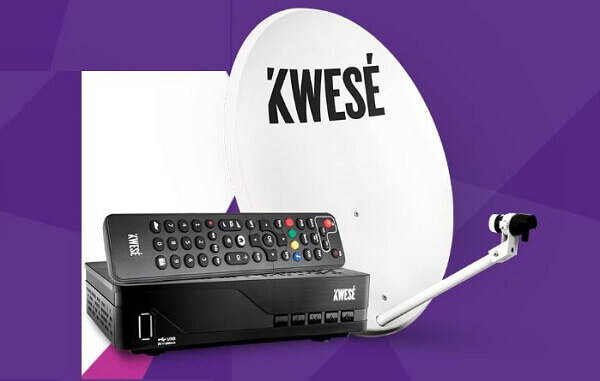
    Both of them are widely available at digital TV stores across the nation. Depending on whether you also purchase a satellite dish from Kwese TV, you can have a Kwese TV agent handle the installation of your decoder, or you can do it yourself.

    You may also have a satellite dish that will be compatible with the Kwese TV decoder. In this case, you will just need to buy the decoder and save yourself some money in the process.

    It is also possible to purchase the decoder in conjunction with the satellite dish and arrange for its installation. This is the choice we advise.

    The Kwese TV dish, Samsat, Startsat, DStv Africa W4/W7, and Space HD single LNB satellites are just a few of the options available.

    In Ghana, a Kwese TV digital decoder costs GHC 76 when purchased independently and GHC 145 when purchased with a satellite dish and installation.

    Channels

    Kwese TV boasts an amazing portfolio of channels that is stocked with unprecedented top-shelf content that will certainly catch your attention.

    There are categories through which you can find the channel that best suits you and these are sports, faith, kids, factual and lifestyle, music, news, and movies.

    The list can also be shown on live TV depending on the package one has purchased.

    Faith

    One can watch various full sermons on this channel category on channels such as Dove TV, EWTN, Hillsong, Inspire, and Ezekiel TV.

    Sports

    Kwese TV viewers can get access to sports channels such as rugby, NBA, cricket, ESL motorsport, and soccer. These are further grouped into Kwese Sports 1, Kwese sports2, Kwese Free Sports Africa, as well as other sports streaming channels.

    Kwese TV Guide

    This guide provides the schedule of a viewer’s favorite programs. Although some programs run concurrently, you can still view your best channels by making use of the guide.

    You can watch Kwese TV in Ghana by watching it on your TV with the use of the decoder which can be used to record live TV so you can watch it later.

    Or you can watch it on the go using their mobile app. You will need to download the app from the play store.

    You can also watch Kwese TV online if you are connected to a stable supply of internet. You will be able to view Kwese TV on their website.

    Kwese TV Packages

    You can choose between any of these three depending on how best they suit you.

    Here are the packages one can subscribe to on the Kwese TV channels.

    • GHS 15 for 3 days
    • GHS 25 for7 days
    • GHS 110 for 30 days

    You can contact Kwese TV for any assistance at 030 7010888

    Kwese TV is without a doubt one of the best digital TV operators in Ghana at the moment.

    If you are thinking about getting yourself a digital TV for your entertainment needs, then we would like to recommend Kwese TV to you right this minute.     

    You can check out multi Tv prices and DStv packages.

  • Jumia Ghana Return Policy And How To Return A Delivered Product

    Jumia Ghana Return Policy And How To Return A Delivered Product

    Jumia Ghana is an online shopping mall in Ghana that has changed the face of shopping in the country.

    Instead of getting up and driving to the supermarket to buy what you need, all you have to do is to get a smartphone with an internet connection and order what you need right in the comfort of your home.

    However, there could be a situation whereby the product that was delivered to you is not what exactly what you ordered for.

    And since you probably cannot use a product you didn’t order, the only logical thing to do will be to return it.

    That is why Jumia Ghana has a return policy that allows customers to return a product for various accepted reasons.

     In this article, we will be showing you some ways through which you can return a product that has been delivered to you from Jumia.

    You will have to open a package as soon as you receive it so that you will know if the package is exactly what you ordered for or if they are not.

    Opening them quickly will also help you to initiate the return process if they are not what you ordered since there is a deadline on the number of days in which an item will be accepted back.

    So Here Are the Ways Through Which You Can Return an Item To Jumia Ghana

    You will first have to inform Jumia customer care that you wish to return a product. You can call Jumia customer care on 030 274 0630.

    You could also send the man email if you cannot make a phone for some reason. You could send Jumia customer care an email at customerservice@jumia.com.gh

    You will then have to fill a form that came with the product which is meant for returning the product in case it was not what you ordered.

    You will need to fill in with your order number as well as the reason behind the return of the product. Do not forget to fill in all the important details.

    You can also inform Jumia that you want to return a product by logging into your Jumia account and then going to ‘orders’ and clicking on ‘return product’.

    This will inform Jumia that you wish to return the product you just took delivery of. 

    Now, repackage the product and then send it to the drop-off point or where you went to pick it up when it was delivered.

    Make sure to add the return form that you just filled to the package. The product must be repackaged in the same box that it came in and the product must be repackaged the same way it came.

    There should be harm or scratches on the product. Everything that came with the product must be intact in it before it can be returned.

    Even if there was any gift included, you will have to include it in the returning product. All other accessories must also be included.  

    You will then have two options as to how you will be able to return the product to Jumia.

    The first option is the Jumia team picking the product up from you themselves after they call you and make arrangement for it.

    The second option is you dropping the product at any Jumia pickup point that will be agreed upon between you and the agent you will speak with concerning the return of the product.

    The good side is that you will not have to pay any charges for returning the product.

    Conditions For Product Return

    You can only return the product within 7 days after it had been delivered to you.

    There must not be any signs that the product has been used. It must be returned with all the things that it came with. Absolutely everything, you can’t keep the gifts either.

    So this article was about how one can return a product to Jumia without any difficulties. Remember, you have to return the product within 7 days after receiving it. On some occasions, your only option may be to choose a different product to swap with the one you are returning.

    We hope this article was really helpful. You can read more about Jumia pay and more about Melcom Ghana

  • How To Transfer Vodafone Credit To Another Vodafone Number In Ghana

    How To Transfer Vodafone Credit To Another Vodafone Number In Ghana

    We all have that special person we love and would mostly do anything for them, including trying to get them airtime at midnight.

    We talk to them almost daily and because of that, we are always ready to do anything that they may want for them.

    There could be times that they call us on the phone and we end up talking about the house. After talking for hours, the person finally tells you that he or she has run out of airtime so even though you want to continue the call.

    The only way will be to replenish the airtime account of the person so that they can call you for the call to continue

    However, there is no way to get airtime for someone unless you are going outside and it is not likely to meet the airtime vendors at such an hour.

    But there is still one way through which you can send airtime to someone if you are on the Vodafone network.

    You can send the airtime to anyone you want from your smartphone. The only catch is that the person must also be on the Vodafone network for this hack to work.

    You can transfer some of your airtime or data to the person if you find yourself having more than you can use.

    In this article, we will be showing you how to share some of your airtime or data with a friend who is also on the Vodafone network.

    How To Transfer Vodafone Credit To Another Vodafone Number

    To be able to send credit to another Vodafone user, you will have to use the shortcut responsible for that action.

    And the shortcut for performing that action is *516*. So to transfer airtime to the person, you will have to dial *516* followed by the number of the person you are sending the airtime to, followed by the amount of airtime you want to send, which will be followed by your password.

    So your dialer will be looking something like this: *516*recipient number*amount of airtime*password#.

    Let me give you a clear example right here. In case I want to send 30 cedis airtime to Delilah, this is how I will be dialing in my dialer.

    *516*0203652894*30*2222#

    This method is for when you want to send airtime to someone in cedis value

    Always remember that Vodafone charges 0.05 for this service so you must make sure that you have enough airtime for such transaction whenever you carry one out. 

    Now if you want to send airtime to another Vodafone user in the pesewas value. It is a bit similar to above one shown above.

    Please follow the following steps if you want to send airtime to another Vodafone user. Dial *516*number of recipients* amount of the airtime in pesewas*password#.

    So for example, he will be my dialer for sending airtime in pesewas to another person on the Vodafone network. *516*0203652894*0*60*1443#.

    How To Transfer Vodafone Data To Another Vodafone Number

    You can also transfer data to a friend who is also on the Vodafone network. To do so, please follow the steps listed below.

    1. Dial *700#
    2. Dial-in 4
    3. Select the kind of data that you want to send to that person
    4. Choose the payment mode. You can use either your airtime to pay or you can pay from your Vodafone cash account.
    5. Enter the number of the person you are sending the data to.
    6. Now type in your PIN code to confirm the transaction. You should always remember that your PIN will be 1234 if you have never tempered with it too.
    7. Now press ‘1’ to the airtime purchase.

    Through the steps listed above, you will be able to share airtime as well as the internet with people you want without much hassle.

    We also showed you how to be able to send credit and data to people through the steps we have shown above.

    Some other networks offer00 this amazing service and we will be looking at the ways through which you can send a transfer to others from your mobile smartphone.

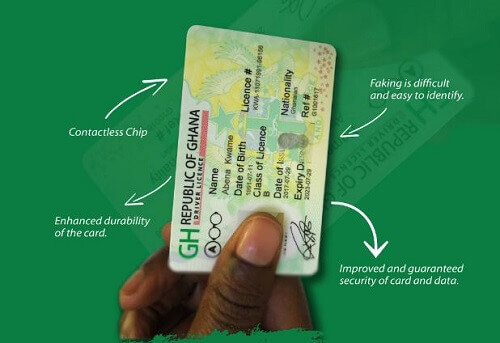
  • Applying For A Driver’s License In Ghana: Everything You Need To Know

    Applying For A Driver’s License In Ghana: Everything You Need To Know

    Just like every country in the world that you visit, you must have a driver’s license before you can drive in Ghana.

    We will be looking at how one can acquire a driving permit from the relevant authority in Ghana.

    If it is your first time applying for a driving permit, you will need to visit the office of the Driver and Vehicle Licensing Authority.

    Below Are The Steps To Get Your Driving Permit For The First Time.

    Visit the office of the Driver and Vehicle Licensing Authority

    You will then need to make some payments to obtain the forms needed for the application. The fees for the forms are as follows;

    • GHC 2.50 for form F
    • GHC 12.50 for form F1
    • GHC 5.00 for an eye test

    After acquiring the forms, you will then have to fill out form F and form F1 thoroughly and then submit them. You will also need to attach some documents to the forms before you submit them back to the DVLA. The documents needed along with the forms are;

    The national identification card will give proof that you are of legal age which should be 18 years or above.

    An education certificate will also be required such as BECE or an adult education certificate.

    You will then be provided with the code and syllabus for the highway for learning and study.

    You will now have to undergo an eye test and a physical test after you finish filling and submitting the forms which will be conducted by the DVLA for you.

    After passing the eye test and the physical test, you will make some payments after which the authority will issue you with a driver’s permit, L-plate for a car, syllabus as well as the highway code. The things issued to the driver normally are;

    • A learner’s license
    • Highway code
    • A learner’s license booklet
    • A learner’s L-plate

    Acquiring A GhanaianDriving License Fees

    There will be fees to be paid before one will be issued with all these things. The fees for the respective items are as follows;

    • Learner’s plate- GHC23.00
    • Syllabus for the learner- GHC5.00
    • Highway code- GHC5.00
    • Learner’s license booklet- GHC2.50

    After all these, the applicant will now be required to enroll in a two-day course with a driving school that has been accredited by the Driver and Vehicle Licensing Authority.

    People who have an expired driver’s license will rather undergo a written exam in which they should be able to score 70% or above to be able to pass.

    You will then have to revisit the DVLA to undertake a written test which will cost you another GHC 5.00.

    The authority will also take your biometric information during this test, another GHC 4.00 will have to be paid again.   

    You will then undertake another computer-based test. After this, the applicant will be required to take another test which will be traffic-based.

    This will be used to explain various road signs and others to the applicant and will cost the applicant another GHC 4.00.

    After passing this test, the applicant will undergo one last test before completion with an instructor from the DVLA. Passing this test without any errors will grant the applicant a cover note.  

    After the applicant has completed all the various tests, he will now pay for a temporary driver’s license that will be issued to him.

    He will then return to the DVLA. The DVLA will then take the information needed for making your driver’s license and the applicant will have to pay GHC 5.00 for a temporal license photo and another GHC 5.00 for a temporal license.

     The applicant will then return later with the cover note that was given to him. He will then exchange that for his driving license and will be issued a P-plate as well.

    Registering Your Drivers License Online

    To apply for a driver’s license online, please follow the below steps.

    1. You will create an account with the DVLA by visiting their internet site.
    2. You will then register by filling in some forms with the relevant information needed such as full name, nationality, ID number, gender, and place of birth.
    3. You will then fill in your contact details and then verify the account you just created through your email address.
    4. After verifying the account, you will then log back into the online portal to send your application.
    5. You will click on the ‘apply for driver service’ and then choose ‘’new driver license’
    6. You will then fill in the permit information such as the license class A, B,E, AB,AE,BE,ABE.
    7.  You will then have to make payment through an online platform with a credit card for the license class that you will choose. The license class and their fees are shown below.
    • A-  GHC 190
    • B- GHC 160
    • E- GHC 134
    • AB- GHC 210
    • AE- GHC 190
    • ABE- GHC 210

    The applicant will then visit the DVLA offices after applying online to continue with the physical aspects of the application. The applicant will then go through all the tests as an applicant who applied directly at the DVLA office from the beginning. 

    So these are the ways through which people can apply for their driver’s license in Ghana and the fees involved.

    Please note that the fees could be slightly higher or lower when one goes to the DVLA office since increments can take place at any time.

    We hope this article was very helpful to anyone that has been looking at how he or she could apply for a license before actually going ahead with it. 

  • How To Transfer Credit From AirtelTigo To AirtelTigo

    How To Transfer Credit From AirtelTigo To AirtelTigo

    AirtelTigo Ghana is one of the biggest telecommunication networks in Ghana at the moment.

    The company has introduced a lot of services that have made it much easier for its customers to use the network.

    One of the services that allow AirtelTigo customers to share airtime with their friends and loved ones and that service is known as ‘Me2U’.

    One of the good things about this service is that customers can access it anytime they want.

    It does not matter whether it is in the day or the night. They will be able to send airtime to their friends and loved ones.

    Customers can send any amount of airtime they like to their friends, family and loved ones as long as the airtime being transferred does not exceed GHC10.00.

    That is the limit to the amount that can be transferred on a given day. There are set procedures to follow if you want to send airtime from your account to a loved one.

    Here Is How To Send Airtime To Family, Friends, And Loved Ones On AirtelTigo Using Their App

    1. Open the AirtelTigo menu on your mobile device and select Me2U
    2. Select ‘send airtime’
    3. Enter the amount of airtime that you wish to send to the person
    4. Now enter the number of the recipient. You can choose the number of the recipient from your contact list
    5. Now you will have to confirm the transaction by entering your password
    6. Press send
    7. A notification message will be sent to you confirming the transfer of the airtime. The recipient of the airtime will also receive a notification message.

    How To Change Your AirtelTigo Me2U Password

    In case you may want to change the password on your Me2U service, there is an easy way to go about that.

    1. Open the AirtelTigo money again and select the Me2U option.
    2. Select ‘change password’
    3. Enter the current password you using
    4. Now enter the new password
    5. Now confirm the new password that you have input
    6. Now press send

    Some rules governing the Me2U service by AirtelTigo that all customers who wish to use the service need to be familiar with.

    Below are the rules that you need to be familiar with before you can start using the AirtelTigo Me2U airtime-sharing service.

    • You cannot transfer airtime from the AirtelTigo network to another number that is not on the AirtelTigo network.
    • The airtime you are sending to someone cannot be more than the airtime available on your phone.
    • You can send any amount of airtime to people, ranging from 20p airtime to GHC10.00.
    • The highest that can be transferred is GHC10.00.
    • And the lowest that can be transferred to others is 0.20p.
    • GHC10.00 is also the maximum amount of airtime that can be transferred in a day.
    • It is expected to change the default password on the service from 1234 to any other password that you can easily remember. It must be a4 digit password.
    • There are no charges for changing the 4-digit PIN or any inquiry SMSs. Transactions that fail will also not be charged.
    • Once airtime has been transferred to someone, it cannot be reversed. So please be sure that you want to send the airtime to that particular person before you go ahead and do so.
    • The airtime that is transferred is deducted from the account of the sender after the transaction has been completed.
    • The charge for transferring airtime from your account to someone else is 0.4p for any transaction that gets completed.

    Now you know how to be able to transfer airtime to your family, friends, and loved ones whenever they request it from you.

    Remember, the person you are sending the airtime to must be a subscriber of the AirtelTigo network.

    And you cannot reverse a transaction once it is completed. And always made sure to do more than the amount you intend to send out to people.

    The transaction will not go through if the amount that is being sent is higher than the amount that is in your account.

    Thank you for taking the time to go through this article. Start to send airtime now.

    You can also check out how to transfer Vodafone data and MTN data to another user.