Category: Tech In Ghana

  • All About The MTN Turbo Net Including Price, Where To Buy, And More

    All About The MTN Turbo Net Including Price, Where To Buy, And More

    The MTN Turbo Net stands as a recent addition to MTN Ghana‘s offerings, introduced to cater to the connectivity needs of its customers in the country.

    Launched by the telecommunications company, this device serves as a solution for providing faster and more cost-effective access to 4G Internet within the confines of users’ homes.

    Positioned as an alternative to the pre-existing MTN fiber broadband service, the MTN Turbo Net addresses the evolving demands of users who seek efficient and high-speed internet connectivity.

    Its introduction to the market occurred in 2019 after a period of being available for purchase, marking its establishment as a reliable choice for those in pursuit of enhanced internet access.

    What Is The Turbo-Net Device? 

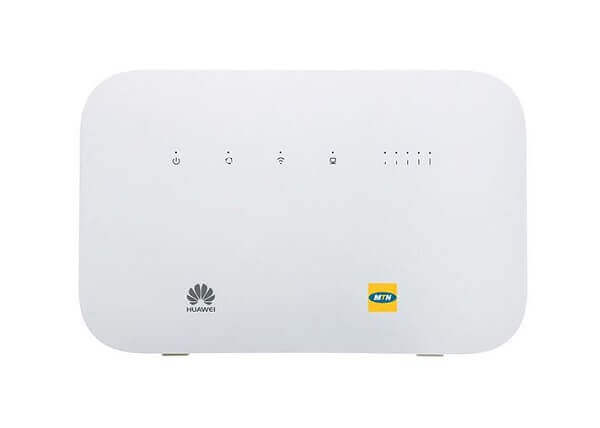
    The MTN turbo-net device is a plug-and-play high-speed device that was made by Huawei for MTN Ghana.

    The device had been available to customers for some time before MTN Ghana finally decided to launch it.    

    Price Of The MTN Turbo-Net Device

    The device can be purchased from the MTN service center for GHS 500. After you purchase the device, you will be given a free 4G MTN SIM that comes with 5GB of free data it that will last for 6 months.

    Where To Purchase The MTN Turbo-Net Device

    Procuring the MTN Turbo Net is a convenient process, with multiple avenues available for customers.

    The device can be obtained either from any MTN office in proximity or through the Hubtel online store, where discounts are often offered.

    Upon acquiring the Turbo Net device, a crucial step for users is to register the accompanying SIM card before it becomes operational with the router.

    Customers purchasing the device directly from an MTN service shop will typically have the SIM registration seamlessly handled during the transaction.

    However, for those who opt to purchase the MTN Turbo Net from the Hubtel online store, the responsibility of registering the SIM falls upon the user.

    This can be accomplished by providing the necessary details required for SIM registration when the device is delivered.

    This additional step ensures compliance with regulatory requirements and facilitates a smooth activation process for the MTN Turbo Net.

    Why The MTN Turbo-Net Is Good

    • It comes with a free 4G SIM that has 5GB of data after registration
    • Another 5GB bonus after you have recharged for the next 5 months 
    • Best data plans by far in its class
    • High-speed and reliable internet connection
    • Antenna available to enhance internet connection
    • The router can be self-serviced
    • Has a voice-enabled feature

    How To Set The Device Up

    The MTN Turbo Net device boasts a user-friendly setup, operating as a plug-and-play device. The straightforward installation process involves inserting the SIM card into the device correctly and then connecting it to a power source.

    Once the device is powered and has sufficient data bundles, the Wi-Fi SSD (Service Set Identifier) becomes visible.

    This allows seamless connectivity, enabling users to detect and connect to the Turbo Net’s Wi-Fi network using their smartphones, laptops, or gaming consoles.

    This user-centric approach ensures that the MTN Turbo Net is accessible and operational with minimal effort, providing an efficient and convenient internet connectivity solution.

    How To Bundle On MTN Turbo-Net

    The best way to bundle on the device will be to link it to your phone number. This can be done when you are newly buying the device from the MTN customer service center.

    You can link it to more than one phone number, however, we advise that you link it to only one since all the phone numbers that will be linked will be able to get access to it, whether you are using them or not. 

    Follow the steps below to top up your device once you have linked it to a phone number.

    1. Dial *170# to get to MTN mobile money
    2. Select option number 3
    3. Select option 3
    4. Input your turbo net device number when you are asked to do that
    5. Select the data package you would like
    6. Confirm the data purchase
    7. You will then get a text message confirming the purchase

    How To Check The Balance

    1. Dial *5057#
    2. Select option3
    3. Select your account from the list that comes up
    4. You will be shown the balance of your data bundle as well as the remaining airtime

    MTN Turbo Net Data Prices

    Data packagePrice
    5GBGHS 25
    10GBGHS 50
    45GBGHS 145
    225GBGHS 295

    Data purchased onto the turbo net device does not expire so users do not have to worry or rush in using it.

    Conclusion

    The MTN Turbo Net device, having been available on the market for a considerable duration, is an option worth considering.

    While there have been reports online regarding perceived slowdowns with the device, it’s essential to consider various factors that may contribute to such experiences.

    One potential factor influencing device performance could be the geographical location or specific surroundings where the device is utilized.

    Factors such as network congestion, signal strength, or interference can impact the overall speed and reliability of internet connectivity.

    Additionally, it’s advisable for users to ensure that their device firmware is up to date and that they are within the coverage area for optimal performance.

    Considering these aspects, users may find that the MTN Turbo Net device offers satisfactory performance, and any reported issues could be context-dependent.

    As with any technology, individual experiences can vary, and users are encouraged to assess their specific conditions to determine the suitability of the device for their connectivity needs.

    You can check out this guide covering everything you need to know about the My MTN app.
  • All You Need To Know About Jumia Pay

    All You Need To Know About Jumia Pay

    Jumia Ghana is making significant strides in reshaping the business landscape in the country, and its influence extends across various territories in the African market, including Ghana, Nigeria, Kenya, and several other African nations.

    Jumia has played a pivotal role in transforming the way business is conducted, particularly in the areas of sales and delivery.

    The impact of their innovations has been substantial, influencing both large and small companies to adopt similar approaches.

    Within its suite of services, Jumia offers the popular Jumia online shopping app, the Jumia Foods app, Jumia Travels, and the recently introduced Jumia Pay.

    Jumia Pay is gaining traction as the preferred online payment app for a significant number of users, especially when conducting transactions on Jumia’s platforms.

    In this evolving landscape, Jumia Pay is becoming integral to the online shopping experience, providing users with a convenient and secure payment solution.

    Let’s delve into the details of the Jumia Pay app to better understand its features and functionality.

    About Jumia Pay

    The Jumia Pay app stands as an online payment application developed by Jumia with the aim of simplifying online payments for Africans, whether they are conducting transactions on Jumia platforms or other online and offline channels.

    This versatile app enables users to make payments across various channels, both within and outside the user’s country of residence.

    Importantly, many transactions processed through the Jumia Pay app incur little to no charges, enhancing its appeal as a convenient and cost-effective payment solution for users.

    How It Works

    The application serves as a cross-platform solution, seamlessly operating on various platforms, including Android and iOS.

    Furthermore, it extends its compatibility to online web applications that support JavaScript browsers.

    To initiate the utilization of Jumia Pay services, the preliminary step involves installing the application on your designated device.

    Following this installation, registration within the application is requisite to commence its utilization.

    How To Register For An Account

    For individuals who are already acquainted with the term ‘Jumia One,’ it denotes a unified account system within the Jumia platform. This consolidated feature allows users to employ the login credentials of their existing Jumia account across various Jumia platforms.

    Similar to the seamless integration observed with services such as Google, the logins utilized for the Jumia online shopping app extend compatibility to the Jumia Pay app. The following steps elucidate the straightforward process:

    1. Open the Jumia Pay app on your device.
    2. Navigate to the login section.
    3. Input the same credentials employed for your Jumia online shopping app.
    4. Complete the authentication process.

    This streamlined approach eliminates the need for distinct sets of credentials, enhancing user convenience and efficiency across the Jumia ecosystem.

    How To Register For No Jumia Account Holder 

    For individuals new to the Jumia platform without an existing account, the registration process for the Jumia Pay app involves the following steps:

    1. Download and Install Jumia Pay App: Begin by downloading the Jumia Pay app from the designated platform and proceed with the installation.
    2. Access ‘Sign In’: Launch the app and locate the ‘Sign In’ option.
    3. Enter Email Address: Input your email address in the designated field.
    4. Initiate New Account Creation: Select the ‘Create a New Account’ option to signify that you are initiating a new registration.
    5. Set Password: Specify a password of your choosing in the provided space.
    6. Finalize Account Creation: Click on ‘Create Account’ to conclude the registration process.

    Upon completion of these steps, your registration for the Jumia Pay app will be successfully processed, granting you access to the functionalities and features of the platform.

    Jumia Pay Uses

    This comprehensive platform serves as a versatile solution for making payments across an extensive array of products and services.

    Notably, users can leverage the Jumia Pay app for seamless transactions, including the acquisition of airtime and data bundles for all major telecom networks in both Ghana and Nigeria.

    It’s worth highlighting that purchases of airtime and data through the app incur no additional charges.

    The utility of the app extends beyond telecommunications, allowing users to conveniently settle bills such as DSTV fees and GoTV subscriptions.

    Video game enthusiasts will find the Jumia Pay app invaluable, as it facilitates the purchase of gift cards for popular gaming consoles like PlayStation and Xbox Live.

    Furthermore, the platform supports the acquisition of gift cards from prominent services such as Netflix, Google Play Store, and the Apple App Store.

    Notably, the Jumia Pay app stands as the designated application for handling all financial transactions across various Jumia platforms, consolidating convenience and efficiency for users engaging with the broader Jumia ecosystem.

    Conclusion

    Having gained insights into the functionality and features of the Jumia Pay app, it presents a compelling and efficient solution for various financial transactions.

    To experience the benefits firsthand, I recommend considering the download of the application.

    Please proceed to your respective Play Store or App Store to initiate the installation process and explore the comprehensive capabilities that the Jumia Pay app has to offer.

  • Popular Laptop Brands In Ghana

    Popular Laptop Brands In Ghana

    In our recent publication, we explored the optimal choices for laptops in the Ghanaian market. Today, we aim to delve into the realm of the most widely embraced laptops in Ghana.

    Various globally renowned computer brands assert their prowess in crafting the finest computing devices.

    In Ghana, an assortment of machines from these reputable brands is readily available in diverse technology retail outlets across the nation.

    Given the ubiquity of computers in contemporary households, it is commonplace to encounter these devices in nearly every residence you visit.

    Beyond professional use, computers, particularly laptops, serve as multifaceted tools, often employed for recreational purposes such as watching movies and playing games.

    For individuals contemplating the acquisition of their first computer, particularly in the form of a laptop, it is prudent to acquaint themselves with the array of computer brands accessible in the Ghanaian market.

    Outlined below are some of the prominent computer brands prevalent in Ghana. To ensure a comprehensive understanding, let’s begin by defining what a computer is.

    What Is A Computer? 

    A computer is a machine designed to carry out sequences of arithmetic or logical operations through programming.

    There are various types of computers available in the market to cater to different needs. Some computers are stationary and require a constant connection to a power supply, while others are small and portable.

    Portable computers have a built-in power storage system, allowing them to be carried easily and used anywhere without the need for a continuous power supply.

    This flexibility makes them suitable for users who are often on the move.

    Popular Computers In Ghana

    So below are some of the computer brands that can be found in Ghana.

    Apple

    Apple stands out as one of the most renowned brands globally, particularly celebrated for its iPhone series, recognized among the most high-end smartphones worldwide.

    Beyond smartphones, Apple has a significant presence in the realm of computers. The company ventured into computer production before entering the smartphone market.

    In line with the reputation of its smartphone counterparts, Apple computers are not positioned as budget-friendly options. However, they justify their premium pricing with top-tier software, hardware, and robust security features.

    For those seeking an immersive experience with the Mac operating system, exploring an Apple computer could be a worthwhile consideration.

    Hewlett-Packard

    Hewlett-Packard, one of the oldest computer manufacturing companies globally, derives its name from its founders.

    Originally, the company began its journey as a manufacturer of scientific instruments, later diversifying its portfolio to include printers and eventually expanding into the realm of computers.

    Having evolved from its roots in scientific instrumentation, Hewlett-Packard has become a prominent player in the computer industry.

    Notably, the company has garnered significant popularity as one of the leading computer brands in Ghana, reflecting its enduring presence and reputation in the country.

    Lenovo

    Lenovo has firmly established its presence in the Ghanaian computer market, emerging as one of the most trusted and reliable computer brands.

    The company caters to diverse consumer needs by offering a range of computers tailored for both business and home use.

    Lenovo’s commitment to user-friendly design ensures that their computers are accessible and easy to operate, contributing to their popularity among Ghanaian consumers.

    As a result, Lenovo has earned a reputation as a go-to choice for those seeking trustworthy and user-friendly computing solutions in Ghana.

    Dell Computers

    Dell stands prominently as one of the most popular and globally recognized computer brands, with a significant presence in the Ghanaian market.

    Founded by Michael Dell, the company traces its origins to the entrepreneurial endeavor of building clones of IBM computers in his dormitory.

    Over time, Dell has evolved into a major player in the computer industry, and their computers, particularly laptops, have earned acclaim for their quality and durability.

    When handled with proper care, Dell computers are renowned for their longevity, making them a preferred choice for users seeking reliable and enduring computing solutions in Ghana and beyond.

    Toshiba

    Toshiba has successfully established a presence in Ghana, offering a range of computers that have garnered attention in the market.

    This Japanese company, known for its technological prowess, extends its product line beyond computers to encompass a diverse array of tech products.

    In Ghana and elsewhere, Toshiba’s commitment to technological innovation has contributed to its recognition and appeal among consumers.

    The availability of various tech products alongside computers further showcases Toshiba’s versatility and comprehensive approach to meeting the technological needs of users in the Ghanaian market.

    Alienware

    The subsidiary of Dell Computers specializing in gaming machines is Alienware. Renowned for its popularity among PC gamers, Alienware is distinguished not only by its high-performance gaming systems but also by its distinctive alien-themed design.

    This brand has become synonymous with cutting-edge gaming technology, attracting a dedicated fan base within the gaming community.

    The Alienware line is celebrated for delivering powerful gaming experiences, making it a prominent choice for enthusiasts seeking top-tier gaming hardware.

    Acer

    Acer has established itself as one of the most popular computer brands in Ghana, with its reputation extending beyond the country.

    As an Asian company, Acer is recognized for manufacturing high-performing computers that have gained global acclaim. In Ghana, many users turn to Acer computers, attesting to their reliability and performance.

    The widespread adoption of Acer computers among Ghanaians underscores the brand’s success in delivering quality computing solutions.

    With a commitment to excellence, Acer has become a trusted choice for individuals seeking efficient and well-performing computers in the Ghanaian market and worldwide.

    Samsung

    Samsung, a household name in Ghana for smartphones, has also made strides in the computer market, although not as prominently as in the smartphone arena.

    While Samsung may not be as widely recognized for computers in Ghana, the brand maintains a notable presence in the market.

    Leveraging its reputation for building high-performing gadgets globally, Samsung’s computers stand as no exception.

    The company’s commitment to excellence in technology extends to its computer offerings, providing users with reliable and well-performing devices.

    Despite not being as ubiquitous as their smartphones, Samsung’s computers hold their own in terms of quality and performance.

    LG

    LG is also one of the computer brands in Ghana. The company also makes smartphones which can be found in Ghana and they are fairly popular. 

    Asus

    This brand is used by some people in Ghana although the brand name is not quite popular yet.

    Sony

    Sony is well known in Ghana for the media systems that the computer manufactured. The computers made by the computer are also well known and used in Ghana as well. 

    Conclusion

    The computer brands you’ve highlighted indeed represent the well-known and widely recognized options in the Ghanaian market.

    If there are additional brands not mentioned, it suggests that they may not have achieved significant visibility or recognition among consumers in Ghana.

    The list you’ve provided offers a comprehensive overview of the prominent choices that have garnered popularity and trust among users in the country.

  • How Safe Is Internet Usage In Ghana?

    How Safe Is Internet Usage In Ghana?

    The evolution of the internet has transformed it from a simple network of computers into a complex and multifaceted entity, influencing various aspects of our lives.

    In Ghana, as in many parts of the world, the Internet has become an invaluable tool, facilitating online shopping, communication, job applications, and even remote work.

    The convenience it offers is undeniable, connecting people across distances and providing opportunities for various activities.

    However, amidst its benefits, the internet also harbors risks that users, including Ghanaians, need to be mindful of.

    Online users may encounter harmful elements that pose threats to their safety and well-being.

    In this article, we aim to assess the safety of the internet for Ghanaian users and provide insights into how they can protect themselves from potential harm while navigating the online landscape.

    It’s crucial for users to be aware of the potential risks associated with internet usage and to adopt proactive measures to safeguard their online experiences.

    By understanding and implementing online safety practices, individuals in Ghana can enjoy the benefits of the internet while minimizing exposure to potential dangers.

    Risks

    Engaging with the internet entails a degree of risk, contingent upon factors such as frequency of use, online activities, and the nature of visited websites or downloaded content.

    Individuals utilizing mobile messaging applications for chatting generally encounter lower risks compared to those using computers to explore various web pages.

    Allow me to outline some of the potential risks associated with internet usage.

    Fraud

    Regrettably, the realm of the internet has become a favored domain for fraudulent activities.

    In contemporary times, fraudsters increasingly conduct their nefarious schemes online, surpassing traditional physical or mobile phone-based methods.

    One prevalent online scam involves fraudsters posing as influential online investors. These individuals often approach internet users with enticing promises of rapid wealth accumulation.

    Unfortunately, many unsuspecting individuals fall prey to these schemes, unwittingly sending money to these fraudulent entities, only to later discover the deception.

    It is imperative for internet users to exercise vigilance and skepticism to mitigate the risks associated with such scams.

    Malware

    Undoubtedly, the proliferation of malware remains a pressing concern, with new instances emerging on a daily basis and disseminated across the internet. Upon accessing the internet, individuals expose themselves to the potential risk of malware infiltrating their computer systems.

    It is crucial to recognize that the threat extends beyond casual internet browsing. Visiting websites, particularly those disguised as legitimate sites but controlled by malicious actors, poses a risk of malware infection.

    Furthermore, the act of downloading files, even seemingly innocuous ones, can serve as a conduit for malware to compromise your computer.

    Vigilance and prudent online behavior are paramount in safeguarding against the pervasive threat of malware in the digital landscape.

    Phishing

    Certainly, users are susceptible to phishing attacks, a method employed by cybercriminals to illicitly acquire valuable information.

    In this scenario, a user may unwittingly open an ostensibly legitimate-looking email, which, unbeknownst to them, contains concealed malware.

    Phishing attacks often target sensitive information, such as bank details, with the ultimate aim of unauthorized access to the victim’s financial accounts.

    Once in possession of this information, cybercriminals exploit it to pilfer funds from the victim’s account.

    It is imperative for users to exercise caution and verify the legitimacy of emails, especially those requesting sensitive information.

    Employing robust security measures and staying informed about common phishing tactics are fundamental steps in fortifying oneself against such malicious activities in the digital realm.

    Privacy

    The notion of privacy on the internet is nuanced, as nearly every online action is subject to tracking by various entities.

    Social media companies, in particular, employ extensive tracking mechanisms to monitor user activities.

    This surveillance enables them to curate personalized content, including advertisements, tailored to individual preferences when users revisit their platforms.

    Facebook, as a prominent example, is recognized for its comprehensive user activity monitoring.

    Despite assurances about encryption and security measures, there are concerns that the company may leverage user data for targeted advertising across its suite of social media platforms.

    It’s important for users to be aware of the data practices of online platforms and exercise discretion regarding the information they share.

    Understanding privacy settings and being mindful of the digital footprint one leaves behind are essential aspects of navigating the online landscape with a measure of control over personal information.

    Keeping Yourself Safe

    There are some ways that users can make sure to keep themselves safe when they visit the internet. 

    Firewall

    Installing a firewall on a computer system is a fundamental step in bolstering cybersecurity. A firewall serves as a protective barrier, monitoring and controlling incoming and outgoing network traffic.

    By doing so, it acts as a defense against unauthorized access and potential security threats.

    In the context of internet safety, a firewall becomes particularly crucial. It serves to block malicious traffic, including malware, that may attempt to infiltrate your computer, especially when visiting potentially harmful websites.

    This proactive measure adds an extra layer of security to mitigate the risks associated with online activities.

    Regularly updating and configuring the firewall settings further optimize its effectiveness in safeguarding your computer system.

    Avoid Downloads From Untrusted Sources

    Eexercising caution when downloading apps is a prudent practice for online safety. It is highly advisable to obtain apps exclusively from official and reputable sources, such as the Play Store for Android or the App Store for iOS.

    These platforms implement stringent security measures to vet and validate the apps available for download.

    Downloading apps from unverified or dubious websites poses a significant risk of exposing your device to malware or other security threats.

    Stick to the official app stores, as they provide a more secure environment by conducting thorough checks on the apps they host.

    This precautionary approach contributes significantly to safeguarding your device and personal information from potential security breaches.

    Avoid Phishing

    It is imperative to exercise caution when encountering emails, particularly those purporting to be from financial institutions.

    It is advisable to refrain from opening messages that appear suspicious or dubious. Cybersecurity threats, such as phishing attempts, often involve deceptive emails attempting to extract sensitive information.

    Therefore, it is crucial to scrutinize such communications thoroughly and refrain from engaging with them to safeguard personal and financial security.

    Always tell people to alert you when they send you an email so that you will know when to suspect an email or not since some emails can look legit to even ICT.

    Avoid Fake Promotions And Giveaways

    Ignore any message that comes to you on social media places like Facebook that promises you a lucrative online investment where you can double your money (you can click here to read the real ways to make money online) within minutes. All these are fraudsters that prey on greedy and ignorant people.

    Conclusion

    Regrettably, the landscape of online privacy poses formidable challenges. Should one hold privacy in high regard, refraining from online activities emerges as a plausible choice.

    It is advised to abstain from the use of social media applications entirely. Alternatively, one might consider judiciously limiting the volume of personal information divulged on these platforms.

    Given that tech companies meticulously track user activities for advertising purposes, circumventing these practices proves challenging even with the deployment of various blocking applications.

    While certain browsers incorporate features to mitigate tracking, achieving absolute security remains an elusive goal.

    Your newfound awareness sheds light on the precarious nature of the internet for the typical Ghanaian user.

    The elucidation of protective measures underscores the importance of a cautious online approach. I trust this revised presentation maintains the intended informative and helpful tone.

  • Advantages And Disadvantages Of Mobile Banking In Ghana

    Advantages And Disadvantages Of Mobile Banking In Ghana

    This article will comprehensively explore the advantages and disadvantages of mobile banking, elucidating the meaning of mobile banking and providing insights into secure usage.

    In contemporary society, individuals with busy schedules are increasingly leveraging the mobile banking system to conduct various financial transactions without the necessity of physically visiting a bank branch.

    The ubiquity of mobile banking services has significantly streamlined access to bank accounts, with virtually every financial institution in the country incorporating this feature into their array of banking services.

    What Is Mobile Banking? 

    Mobile banking Is an advanced technological way in the banking and finance industry customers can get access to their bank accounts through the use of their mobile phones.

    Customers are then able to make all forms of transactions with their mobile phones no matter where they may be. The banking services are offered to customers through USSD applications or mobile apps that can be downloaded from mobile play stores. 

    Customers can get some sort of financial control when they use mobile banking since they can transact wherever they may find themselves.

    Users are also able to move money from one of their accounts to the other right on their smartphones. They can also transfer money from a bank account to a mobile money account with their smartphones. 

    When a customer uses the mobile banking service, they can check their account balance, get access to a mini bank statement, purchase airtime, transfer money, perform transactions, and make payments on various bills as well.

    Brief History Of Mobile Banking

    Mobile banking represents a technologically advanced approach within the banking and finance industry, facilitating customers’ access to their bank accounts through the convenience of their mobile phones.

    This innovative service empowers customers to conduct a wide array of transactions seamlessly, regardless of their location.

    Mobile banking is typically offered through USSD applications or downloadable mobile apps available on mobile play stores.

    The utilization of mobile banking not only provides customers with enhanced financial control but also enables them to execute transactions on the go.

    Users can effortlessly transfer funds between their accounts directly on their smartphones. Additionally, they have the capability to transfer money from a bank account to a mobile money account using their mobile devices.

    The versatility of mobile banking extends to features such as checking account balances, accessing mini bank statements, purchasing airtime, transferring money, conducting various transactions, and making payments for diverse bills, all from the convenience of their smartphones.

    This integration of financial services into mobile platforms enhances the overall efficiency and accessibility of banking for users.

    Types Of Mobile Banking

    Mobile banking is categorized into three types and they are:

    • App-based banking
    • SMS banking
    • USSD banking

    How To Register For Mobile Banking In Ghana

    Registering for mobile banking services is a straightforward process with various methods available for users.

    One commonly employed approach is to download the designated mobile banking app provided by your bank. Upon installation, users can sign in by entering pertinent information, including their bank account number.

    Alternatively, individuals can opt to register for mobile banking by visiting a physical branch of their bank.

    By informing the bank staff of their intent to enroll in mobile banking, customers will be guided through all the necessary procedures to establish their mobile banking account.

    These flexible registration options cater to the diverse preferences of users, offering both digital and in-person avenues to seamlessly activate and access mobile banking services.

    Advantages Of Mobile Banking In Ghana

    1. You can access your accounts anywhere as long as you can get an internet connection on your mobile phone. Simple GSM phones even are used to access mobile banking. 
    2. You can access your accounts through mobile banking all days of the week at any time, whether day or night. Mobile banking is not subject to the working days of the physical bank.
    3. You do not need an internet service all the time when accessing your accounts through mobile banking
    4. It is also very convenient since you can access your bank accounts right from the comfort of your home or wherever you may find yourself

    Disadvantages Of Mobile Banking In Ghana

    1. The charges associated with mobile banking tend to be high, especially for people who make use of it regularly
    2. Scammers have also been reported to have duped people by sending them fake messages that looked like they were sent by the bank

    How To Use Mobile Banking Safely

    Avoid Fake links

    Ensuring the security of your mobile banking account is of utmost importance, and one key precautionary measure is to abstain from clicking on any links purportedly sent by your bank.

    This is particularly critical when such links are conveyed through text messages or emails, as they may redirect you to spoofed websites.

    Spoofed websites are deceptive platforms designed to mimic legitimate banking sites, aiming to trick users into divulging sensitive information.

    Therefore, it is strongly advised to exercise caution and refrain from clicking on links received via text messages or emails.

    Instead, it is prudent to directly navigate to your bank’s official website or use the official mobile app downloaded from a trusted source.

    By adopting this vigilant approach, you can significantly reduce the risk of falling victim to phishing attempts and enhance the overall safety of your mobile banking experience.

    Avoid Banking in public

    Exercising caution while using public networks, such as public Wi-Fi connections, is crucial to safeguard the security of your banking activities.

    Public networks are generally less secure, creating a potential risk of unauthorized access by hackers who may intercept your connection.

    It is advisable to refrain from conducting banking transactions while connected to public Wi-Fi, as hackers could exploit vulnerabilities to capture sensitive account details during the login process.

    If you find it necessary to access your personal information or engage in banking transactions, it is recommended to disable the Wi-Fi connection and switch to a secure network, such as your mobile data or a trusted private Wi-Fi network.

    By taking this precautionary step, you enhance the security of your mobile banking interactions and minimize the risk of unauthorized access or data interception on public networks.

    Prioritizing the use of secure connections contributes to a safer and more protected mobile banking experience.

    Use The Official Bank Apps

    Opting for the official mobile banking app provided by your bank is a highly recommended practice for all your mobile banking requirements.

    Official banking apps are designed with enhanced security features, making them a more secure option compared to alternative methods.

    These dedicated apps are developed and maintained by the banks themselves, ensuring a higher level of security in the handling of your sensitive financial information.

    Utilizing the official app provides a direct and encrypted connection to your bank’s servers, reducing the risk of data interception by malicious actors.

    By consistently using the official app, you not only benefit from the latest security updates implemented by the bank but also minimize the likelihood of falling victim to fraudulent activities.

    It is a proactive measure to enhance the overall safety and security of your mobile banking transactions.

    Lock Your Phone

    Maintaining the security of your mobile banking activities extends to the physical protection of your smartphone.

    It is imperative to implement a lock on your phone, such as a PIN, password, or biometric authentication, to prevent unauthorized access.

    This measure ensures that individuals cannot go through your phone without your knowledge, adding an extra layer of protection to your sensitive information.

    Additionally, it is advisable to cultivate a habit of refraining from sharing or lending your phone to others.

    This precautionary step helps to mitigate the risk of unintentional or unauthorized access to your mobile banking apps and personal data.

    By combining these practices—implementing a secure lock on your phone and exercising discretion in sharing your device—you contribute significantly to the overall security of your mobile banking experience, safeguarding your financial information from potential unauthorized access.

    Conclusion

    The advent of the mobile banking system has indeed transformed the landscape of banking in Ghana.

    This innovative approach has empowered individuals to seamlessly access their bank accounts and execute a variety of financial transactions, all from the convenience of their chosen location.

    The convenience offered by mobile banking is particularly noteworthy, as it enables users to transfer funds, make purchases, and engage in various banking activities without the need to physically visit a bank branch.

    This accessibility has not only simplified the banking process but has also contributed to greater financial inclusion by reaching individuals who may face challenges in accessing traditional banking services.

    The mobile banking system in Ghana represents a significant leap forward in enhancing the overall efficiency and accessibility of banking services, aligning with the evolving needs and preferences of the modern consumer.

  • UPDATED: How To Extend Your MTN Bonus Credit For Another 7 Days With 10 Pesewas

    UPDATED: How To Extend Your MTN Bonus Credit For Another 7 Days With 10 Pesewas

    MTN Ghana offers a generous 100% bonus on airtime purchases made through credit transfer or mobile money transactions.

    However, it is important to note that this bonus comes with a seven-day expiration period for free calls on the MTN network.

    Should you find the limited timeframe for utilizing your bonus credit inconvenient, particularly in scenarios where a significant amount, such as GHS 40, has been purchased, there is a solution available.

    This article aims to guide you through the process of extending the expiration period of your MTN bonus credit by an additional seven days through the utilization of a straightforward MTN shortcode.

    To achieve this extension, you can leverage the capabilities of MTN Mobile Money, making the process seamless and efficient.

    By following the provided steps within the MTN Mobile Money menu, you can extend the validity of your bonus credit for a nominal fee of 10 Pesewas.

    This extension ensures that you have a more extended period to fully utilize the acquired bonus airtime without concerns about premature expiration.

    This user-friendly approach empowers MTN subscribers to make the most of their bonus credit, aligning with MTN Ghana’s commitment to enhancing user experience and satisfaction.

    How To Extend Your MTN Bonus For Another 7 Days

    1. Dial MTN Mobile Money short code *170# 
    2. Select 3: Airtime and Bundles 
    3. Select 1: Airtime (here is where MTN indicates that you will receive a 100% bonus on your top-up)
    4. Select 1: Self 
    5. Enter amount: (we are extending our bonus airtime with just 10 Pesewas, so type 0.10 and press send) You can type in any amount. You can order 0.20 for 20 Pesewas of airtime
    6. Enter your mobile money PIN to confirm the transaction.

    Those are all the steps on how to extend your MTN airtime bonus.

    MTN Ghana will extend your bonus to another seven good days. 

    How To Top Up MTN Ghana

    If you are looking to top up your MTN Ghana mobile number, the process is straightforward.

    You can recharge your MTN number by using the MTN Mobile Money service or by purchasing a physical recharge card. Below are the steps for both methods:

    1. Using MTN Mobile Money:

    If you have a Mobile Money account, you can easily top up your MTN Ghana number using the following steps:

    1. Dial the Mobile Money Short Code: On your mobile phone, dial *170# and press the call button.
    2. Select “Airtime & Bundles”: Choose the option for “Airtime & Bundles” from the menu.
    3. Choose “Airtime”: Select the option for “Airtime” to proceed with topping up your airtime.
    4. Enter Amount: Enter the amount you want to recharge.
    5. Enter Recipient’s Number: Input the MTN number you want to top up.
    6. Confirm Transaction: Confirm the transaction details and follow the prompts to complete the transaction.
    7. PIN Authentication: You may be required to enter your Mobile Money PIN to authorize the transaction.
    8. Confirmation Message: Once the transaction is successful, you will receive a confirmation message.

    2. Using Physical Recharge Card:

    If you have a physical MTN recharge card, you can top up your airtime using the following steps:

    1. Scratch the Card: Carefully scratch off the protective layer on the recharge card to reveal the PIN.
    2. Dial the Recharge Code: On your mobile phone, dial 134 followed by the 12-digit PIN on the recharge card, and then #.
    3. Press Call Button: Press the call button to submit the recharge code.
    4. Confirmation Message: You will receive a confirmation message once the recharge is successful.

    Choose the method that is most convenient for you, whether it’s through Mobile Money or a physical recharge card, and enjoy seamless top-ups for your MTN Ghana number.

    Talking of MTN, You can also check out our article on using your MTN midnight bundle in the daytime.

    Even if you have ever tried requesting MTN Quickloan and have been getting rejected, you might also want to read our article on why you are not qualified for MTN Quickloan.

    If you can’t find your ID card when you are about to withdraw money from MTN mobile money, you can read this article taking you through the top five easy ways to withdraw your money. Also, read this article to know how to check your MTN SIM card details.

    Do you know if you can update your MTN sim card details? check out our article on how to update your MTN sim card details.

  • 10 Best Laptops To Buy In Ghana (Our Top Picks)

    10 Best Laptops To Buy In Ghana (Our Top Picks)

    Maybe you have searched for laptops for sale in Ghana or how much does a laptop cost in Ghana. Are you also looking for the best or cheapest laptops in Ghana?

    If you are reading this article, then you are at the right place, in this article I am going to take you through laptop prices in Ghana and also cover laptop shops in Ghana where you can get all the laptops you have been looking for.

    Laptop computers have become common now. It is normal to see a laptop computer almost anywhere that you pass.

    Due to the popularity that it has enjoyed since its inception, computer manufacturers have switched to producing more laptops than desktop computers.

    Desktop computers are still available to get, though, if you want one. However, laptops offer whole new flexibility, and they can be used to work anywhere as soon as needed.

    We have rounded up some of the latest laptops from different manufacturers that you should look at if you are in the market for a high-performance machine that can travel along with you anywhere.

    Latest laptop computers to get:

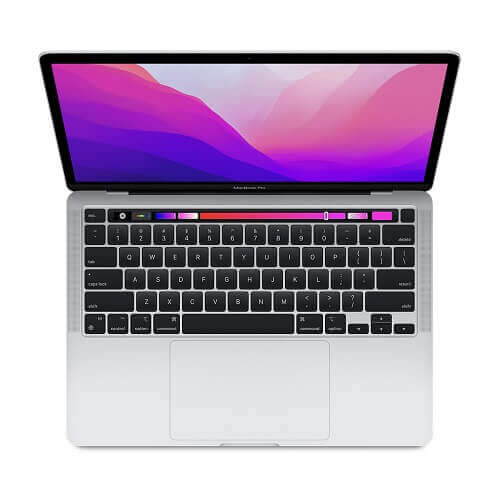
    1. Apple MacBook Air

    Apple MacBook Air price in Ghana

    The new MacBook air is regarded as the best apple laptop so far and also one of the most expensive that money can buy if the money is there.

    An Apple M1 chip powers Apple’s new machine after Apple decided not to go the Intel way as it did with the previous devices.

    The new MacBook comes with an outstanding performance, including 4K video editing. The battery life is also one of the best at the moment and can last for about 11 hours after it had been charged. It can again run apps from your iPhone or iPad.

    Apple MacBook Air Price In Ghana

    The price of Apple MacBook Air is GHS 8,900 across all laptop shops in Ghana.

    Apple MacBook Air Specs

    • CPU: Integrated 7-core/ 8-core
    • RAM: 8 to 16GB 
    • Display: 13.3”
    • Storage space: 256GB to 2TD SSD

    2. Dell XPS 15

    The dell XPS 15 is one of the best laptop computers from Dell at the moment.

    The machine comes with some of the best modern techs from Intel, and it can even be modified to have a discrete GPU.

    It has one of the best designs ever seen on a laptop computer and comes with a Windows 10 operating system.   

    Price Of Dell XPS 15 In Ghana

    The price of Dell XPS 15 is GHS 8,500 across all laptop shops in Ghana such as Franko trading, Compu Ghana, Jumia and many more.

    Specs Of Dell XPS 15

    • CPU: 10th generation Intel core i5 to i7
    • Graphics: Nvidia GeForce GTX 1650 Ti
    • RAM: 8GB to 64GB
    • Display: 15.6”
    • Storage: 256GB to 1TB

    3. HP Spectre x360

    The 2011 model of the HP Spectre is certainly not one to joke about.

    The new model now sports the current 11th-generation processor from Intel and Iris Xe graphics.

    This makes it one of the best-performing laptops money can buy. Although the new model is expensive, it makes up for the price with excellent security features and high blasting speakers to make you enjoy all the sounds that will come out of it.  

    Price Of HP Spectre x360 In Ghana

    The price of HP Spectre x360 is GHS 9,800 across all laptop stores in Ghana.

    Specs Of HP Spectre x360

    • CPU: 11th-generation Intel core i5 to i7
    • Graphics: Intel Iris Xe 
    • RAM: 8GB to 16GB
    • Display: 13.3.”
    • Storage: 256GB to 2TB

    4. LG Gram 17

    The LG Gram 17 is certainly a big laptop with its 17″ display.

    The computer uses an Intel processor, which helps it to feel light despite its size. It also has one of the best batteries in its class.

    The battery on the LG Gram can last up to 14 hours, which means that it is an ideal machine for those that travel to places where power sources are not readily accessible.

    Price Of LG Gram 17 In Ghana

    The price of LG Gram 17 is GHS 6,500 across all laptop stores in Ghana.

    Specs Of LG Gram 17

    • CPU: Intel i7
    • Graphics: Intel Iris Plus
    • RAM: 16GB
    • Display: 17.”
    • Storage: 512GB

    5. Acer Swift 3

    Although its design may look straightforward and modest, the Acer Swift 3 is a machine that will give you all you need to work and play with.

    This machine is reasonably priced compared to the other laptops in its class. It comes with a backlit keyboard that makes work much more accessible, especially for someone like me who types a lot.

    It also has a spacious trackpad that allows you to explore the full depths of the screen. For those on a budget but still want something that can compete with the big boys, the Acer Swift 3 is the machine you are looking for.

    Price Of Acer Swift 3

    The price of Acer Swift 3 is GHS 3,500 across all laptop stores in Ghana.

    Specs Of Acer Swift 3

    • CPU: Intel core i7
    • Graphics: Nvidia GeForce MX150 or Radeon Vega 8
    • RAM: 4GB to 8GB   
    • Display: 14”
    • Storage: 128GB to 1TB

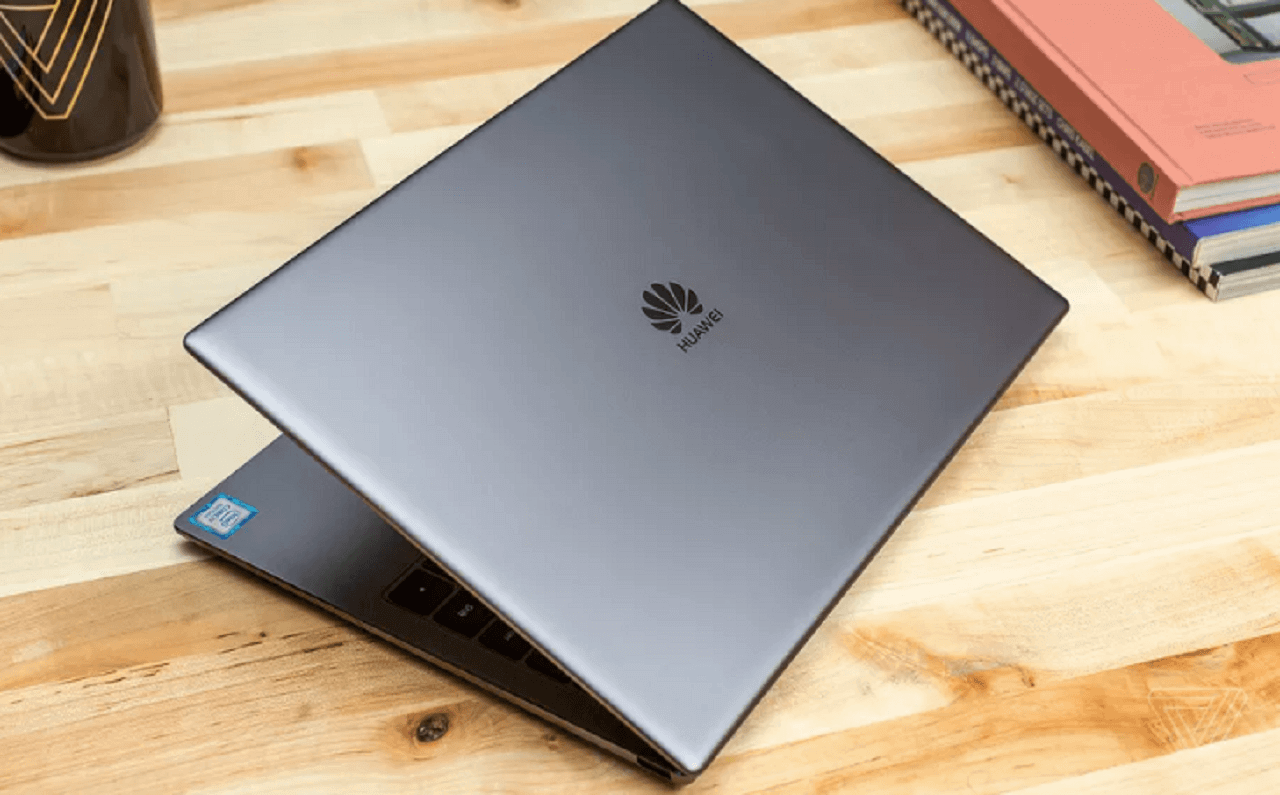
    6. Huawei Matebook D14

    Huawei Matebook D14 I5

    The HUAWEI MateBook D14 i5 is a sleek and powerful laptop that offers a great balance of performance, portability, and affordability.

    It features a 14-inch FullView display with a resolution of 1920 x 1080, making it perfect for streaming videos, browsing the web, and working on documents.

    The laptop is powered by an 11th-generation Intel Core i5 processor, and comes with 8GB of RAM and 512GB of storage, providing plenty of power and storage for all your needs.

    Specs

    • Display: 14-inch FullView display with a resolution of 1920 x 1080
    • Processor: 11th generation Intel Core i5
    • RAM: 8GB
    • Storage: 512GB
    • Operating System: Windows 10 Home
    • Battery: 56Wh (up to 11 hours of local video playback)
    • Weight: 1.38kg
    • Dimensions: 322.5 x 214.8 x 16.9 mm
    • Connectivity: Wi-Fi 6 (802.11ax), Bluetooth 5.0, USB-C, HDMI, 3.5mm audio jack
    • Camera: 1MP
    • Audio: Dolby Atmos Sound System
    • Fingerprint sensor
    • Charging: 65W USB-C power adapter (included)

    Price Of Huawei Matebook D14

    The price of Huawei Matebook D14 is GHS 20,000 across all laptop stores in Ghana.

    7. HP Pavilion i3 x360 14-EK0013DX 12th Gen

    HP Pavilion i3 x360 14-EK0013DX 12th Gen

    This is a 2-in-1 laptop from HP’s Pavilion series, featuring a 14-inch touchscreen display and a 12th-generation Intel Core i3 processor.

    The x360 design allows for the screen to be flipped around and used in various modes, including laptop, tent, stand, and tablet.

    Specs

    • Processor: 12th generation Intel Core i3
    • RAM: 8GB
    • Storage: 512GB SSD
    • Display: 14-inch touchscreen
    • Operating System: Windows 10
    • Other features: 2-in-1 design with a 360-degree hinge

    Price Of HP Pavilion i3 x360 14-EK0013DX 12th Gen

    The price of HP Pavilion i3 x360 14-EK001

    8. Dell Inspiron 15 (3511)

    Dell Inspiron 15 (3511)

    The Dell Inspiron 15 (3511) is an 11th-generation Intel Core i5-powered laptop with a 15.6-inch touchscreen display.

    It comes with 8 GB of RAM and a 256 GB solid-state drive for storage. Additionally, this package includes a free bag and a TCL mobile WiFi device.

    Specs

    • Processor: Intel Core i5 11th Gen
    • Display: 15.6-inch touchscreen
    • Memory: 8 GB RAM
    • Storage: 256 GB SSD
    • Additional items included: Free bag and TCL mobile WiFi device

    Price Of The Dell Inspiron 15

    The price of The Dell Inspiron 15 is GHS 6400 across all laptop stores in Ghana

    9. Asus I3 Notebook (8/256 SSD) X515J Plus Free Bag And TCL Mobile WIFI

    asus I3 Notebook (8 256 SSD)

    This notebook from ASUS is powered by an Intel Core i3 processor and has 8GB of RAM, making it suitable for everyday use such as web browsing, document editing, and basic video playback.

    It also comes with a 256GB SSD, which provides faster boot times and improved performance compared to a traditional hard drive. The notebook also comes with a free bag and TCL mobile wifi.

    Specs

    • Processor: Intel Core i3
    • RAM: 8GB
    • Storage: 256GB SSD
    • Display: 15.6 inches
    • Operating System: Windows
    • Connectivity: WiFi, Bluetooth
    • Additional features: Free bag and TCL mobile wifi

    Price Of Asus I3 Notebook

    The price of Asus I3 Notebook is GHS 5000 across all laptop stores in Ghana.

    10. Travelmate Spin P6

    Travelmate Spin P6

    The Travelmate Spin P6 is a 2-in-1 laptop designed for business professionals on the go.

    It features a 360-degree hinge that allows the screen to be flipped around and used as a tablet, making it versatile and convenient for presentations, meetings, and everyday use.

    Specs

    • Operating System: Windows 10 Pro
    • Processor: Intel Core i5-10210U
    • Memory: 8GB DDR4 RAM
    • Storage: 256GB SSD
    • Display: 14-inch FHD IPS Touchscreen
    • Graphics: Intel UHD Graphics
    • Battery Life: Up to 10 hours
    • Connectivity: WiFi 6, Bluetooth 5.0, USB-C, HDMI, and SD card reader
    • Weight: 3.3 pounds
    • Dimensions: 12.7 x 8.5 x 0.7 inches
    • Security: Fingerprint reader and TPM 2.0
    • Additional Features: Backlit keyboard and HD camera

    Price Of Travelmate Spin P6

    The price of Travelmate Spin P6 is GHS 5600 across all laptop stores in Ghana.

    Conclusion

    The list above is a few of some of the best laptops that you can buy in Ghana.

    If you are someone who can spend a bit higher than the average person on a computer that performs in almost every area, then these machines are worth taking a look at.  

  • All You Need To Know About AirtelTigo Money

    All You Need To Know About AirtelTigo Money

    By the end of this article, you will have a clear understanding of how AirtelTigo Money works, how to use it for various transactions, and how to safeguard your funds while enjoying the convenience and efficiency that mobile money services offer.

    The mobile money industry in Ghana has witnessed significant growth over the years, largely due to the efforts of telecommunication companies that have made this platform accessible to their customers.

    In Ghana, mobile money services have become an integral part of daily life for almost everyone. People use these services not only for sending and receiving money but also for saving and managing their finances.

    While mobile money is widely embraced, not everyone is familiar with all the nuances and features of the platform.

    Some individuals even hand over their mobile phones to others to perform transactions on their behalf, which can be risky.

    This practice increases the chances of fraud or unauthorized access to the funds in a person’s mobile money account.

    AirtelTigo, one of Ghana’s prominent telecom operators, offers a mobile money service that prioritizes the security and convenience of its customers.

    AirtelTigo Money is a digital money service tailored to meet the specific needs of AirtelTigo customers.

    In this article, we will guide you through all you need to know about AirtelTigo Money, providing you with a comprehensive understanding of its features, benefits, and how to use it effectively and securely.

    AirtelTigo Money is designed to empower users with the knowledge and tools they need to make the most of this mobile money service while ensuring the safety of their funds and financial transactions.

    This service enables customers to send and receive money on a secure network, offering peace of mind and protection against potential theft or fraud.

    Whether you are new to AirtelTigo Money or seeking to enhance your knowledge of its features and capabilities, this article will serve as a valuable resource to help you navigate the world of mobile money with confidence.

    Registration

    For AirtelTigo users who have not registered yet and want to do so,  there are two ways to go about it.

    You register for the AirtelTigo mobile money service by going to any of their offices near you.

    If you are not near any of their offices, you can carry out the registration by yourself at home.

    For the official registration, you just visit their office and they conduct the registration for you.

    For the self-registration, there are two ways through which you can get it done. For the first way, All you have to do is to dial the shortcode *510#.

    After that, you choose option 8 and follow the prompts to register on the platform.

    You can also send a WhatsApp message to a special number that the telecommunication network has provided exclusively for people who want to register for the AirtelTigo mobile money service.

    All you have to do is to save the number ‘057 700 0084’. After that, you go to your WhatsApp messenger app and then send a simple ‘Hi’ to the number.

    You will receive a reply showing you the things you need to register for the mobile money service.

    These things will mostly be a valid identification card, your name, and your birth date. After the registration is complete, you will now be able to send and receive money fast and conveniently on the network.

    Now that you have finished registering on the network, you will need to make your first transaction on the network.

    How To Send Money Using AirtelTigo Money

    Below are the steps through which you can spend money on the AirtelTigo mobile money service.

    1. Dial the shortcode *100# to open the AirtelTigo mobile money menu
    2. Select the first option ‘1’
    3. Now, you enter the number of the recipient to whom you are sending the money.
    4. Here you the amount of money that you will be sent to the person in Ghana cedis, that is in figures and send.
    5. You will receive a notification that the money has been sent to the number that you just provided.

    The person you sent the money to will then go to an AirtelTigo mobile money agent and collect the money. Always make sure to type your PIN and the number of the recipient correctly to avoid any errors.

    Withdrawing Funds

    When you want to withdraw money from your account, you can do so through the following steps. However, you will need to visit an AirtelTigo mobile money agent before you input the steps shown.

    • Dial the shortcode *100# again to bring up the mobile money menu
    • Select the third option which is ‘cash withdraw’.
    • You then enter the agent code which is made up of 5 digits
    • The next step is to enter the amount of money that you intend to withdraw in cedis.
    • Now, enter your secret PIN code.
    • The agent will then give you the amount after he had finished with his part. You will then get a message to notify you of the withdrawal. This message will include the location of the agent who just gave you the cash, the time and date of the transaction, your balance in your account, and the reference number.

    One needs to go with a valid identification card whenever he or she is going to withdraw money from a mobile money agent.

    You might also want to check out how to borrow airtime from all the networks in Ghana and MTN mobile money registration process.

  • Here Is Why You Are Not Qualified For MTN Quick Loan

    Here Is Why You Are Not Qualified For MTN Quick Loan

    Do you ever need money so badly and decide to borrow money from MTN Quickloan only to dial the shortcode and be told ‘You do not qualify’?

    It happens in our daily lives, and if you are a man, you have experienced what I am talking about at least once in your life.

    When you find yourself in this situation, you will have no option other than to borrow from someone and then pay later.

    Sometimes you will be lucky and get a loan, but you will never get one if you are not lucky like us.

    Luckily for us, MTN decided to come to our aid. They brought MTN Quick loan. Quick loan is a service that gives loans to you for you to pay within a month with a little interest.

    This service has helped a lot of us, as it helps nobody see that we are broke.

    How To Request For MTN Quickloan

    1. Dial the MTN mobile money shortcode *170#
    2. Select 5: Financial Service
    3. Choose 3 for loans
    4. Select MTN Quickloan or any other type of loan you want
    5. Select 1: Get a loan
    6. Enter your Mobile Money PIN to continue
    7. Type in the amount you want to collect as a loan

    But some people don’t get to qualify for these loans. Imagine when you need a loan, and then you decide to follow these simple steps only to find out you don’t qualify for a loan.

    That’s why in this article, I am going to take you through why MTN Quickloan is refusing to give you a loan.

    Here Is Why You Are Not Qualified For MTN Quickloan

    Your SIM card Is New

    new mtn simcard

    Yes, Quickloan is a business, and for that matter, they need to make sure they don’t run at a loss. They are helping you, and you pay back with a little tip.

    You might not be qualified for loans when your SIM card is new. This step ensures nobody buys a sim and then collects the loan and after that throws away the sim.

    What To Do?

    One thing you need to be doing is to use your MTN Simcard for quite some time before you will be eligible for a loan. You will only get a loan if you are an existing mobile money user.

    You Don’t Make Transactions On Your Mobile Money Account.

    Not sending and receiving money on your mobile money account is one thing that may be limiting you from getting a loan.

    Before MTN gives you this loan, they have to check if you have been making transactions on your mobile money account. This step is to check if you can pay on time.

    What To Do?

    MTN QuickLoans is given to active mobile money users. This is to ensure users can pay back so that MTN can also give the money to another person in need.

    To qualify for MTN QuickLoan, you will need to prove to MTN that you can pay your loan after it has been given to you and one way to let them know that is by making transactions on your mobile money account.

    You Didn’t Pay Your Previous Loan On Time.

    Luckily for you, you got the chance to collect a loan, but you didn’t pay within the given month period. And then later paid with a penalty fee.

    When you are looking for a new loan, it will be hard to get the loan. Simply because the loan service will think you are not going to pay again.

    So if you have been wondering why you are still not qualified for MTN Quickloan even though your sim card is not new, then this might be one of the reasons.

    How To Qualify For MTN Loan

    To qualify for an MTN loan, follow these steps:

    1. MTN Mobile Money Account: Ensure that you have an active MTN Mobile Money account. If you don’t have one, you will need to register for MTN Mobile Money.
    2. Regular Usage: Use your MTN Mobile Money account regularly for transactions such as sending money, receiving money, and making payments.
    3. Transaction History: Maintain a positive transaction history on your MTN Mobile Money account. Regular and consistent usage of the service may improve your chances of qualifying for a loan.
    4. Adequate Balance: Keep a sufficient balance in your MTN Mobile Money account. Lenders may consider your account balance and usage patterns when determining your eligibility for a loan.
    5. Repayment of Previous Loans: If you have taken loans from MTN Mobile Money before, ensure that you have repaid them on time. Timely repayment enhances your creditworthiness.
    6. Check Loan Eligibility: Dial the appropriate USSD code to check your eligibility for a loan. MTN will provide information on whether you qualify and the loan amount you can access.
    7. Follow Application Procedures: If you meet the eligibility criteria, follow the provided instructions for the loan application. This may involve dialing a specific USSD code or using the MTN Mobile Money app.
    8. Wait for Confirmation: After applying, wait for confirmation regarding the approval or rejection of your loan request. MTN will communicate the decision to you through SMS or within the Mobile Money app.
    9. Loan Repayment Terms: Understand the terms and conditions of the loan, including the repayment period and any associated fees. Ensure that you are comfortable with the terms before accepting the loan.
    10. Prompt Repayment: If approved, make sure to repay the loan on time. Timely repayment not only maintains a positive credit history but may also increase your chances of qualifying for larger loan amounts in the future.

    Remember to check with MTN for specific details, terms, and conditions regarding their loan services as these may vary.

    As soon as a loan is given to you, the platform will monitor how you will decide to pay back, whether on time or you will let the days given to you pass.

    If you don’t ever want to be rejected when applying for MTN QuickLoan, then you should try and do your best to pay your loans on time.
    Paying loans on time gives you the ability to get higher loans when you need another one.

    You can check out how to use the MTN midnight bundle in the daytime and also if you have an MTN bonus that is due to expire and you have been wondering if there is a way to extend this bonus, the answer is yes, you can, we have an article taking you through how to extend your MTN bonus for another 7 days.

    Conclusion

    Mobile Money Quickloan is here to stay and help us. I will urge everybody to pay on time so that these banks will get money to give to other people in need.

    So to the one reading this, have you ever collected Quickloan before?

    Or you be one of the ‘Dadabees’?

  • Updated: How To Make Free Calls On MTN Ghana For Six Months

    Updated: How To Make Free Calls On MTN Ghana For Six Months

    Are you looking for how to make free calls on MTN Ghana? Or have you ever asked yourself if it is possible to make free calls on MTN without airtime? or what is the MTN free after 1 code?

    Yes, it is possible to make free calls on MTN for 6 good months without airtime, and that is what this article will take you through in addition to the step-by-step guide on how to register the MTN 6 months free calls, which is also known as MTN magic number code.

    Also, you will get to know the other exciting MTN codes for free calls and not only the MTN Akwaaba offer which will benefit you if you like making free calls on MTN.

    Over the past years, MTN has been the most used network in Ghana, with its motto as “Everywhere You Go” with comprehensive coverage all over the country.

    MTN Group Limited was established in 1994 as M-Cell, with backing from the South African authorities.

    mtn

    They were the first to introduce GSM technology to Ghana in 1996 with services like; caller ID, call waiting, call forwarding, barren, holding and transfer, SMS, and conference calls.

    In 1997, they were the first to introduce billing. From then, in 1998, the name of the company changed to Spacefone and then to MTN.

    MTN Group Limited became the first to introduce electronic recharges in 2005 and the first telecommunications coverage in all ten regions in Ghana in 2006.

    They keep pushing harder, and in 2007, MTN Group became the first telecom to set a foundation in Ghana.

    In 2008, they were the first telecom to launch a blackberry service in Ghana; they did it again to introduce dynamic tariffing, popularly known as MTN zone.

    The most exciting part is that in 2009, they were also the first telecom to launch mobile money in Ghana.

    Given the above-mentioned and many more, MTN has the upper hand among the telecommunication networks in Ghana.

    This article is a step-by-step guide on how to make free calls on MTN for 6 whole months by using the MTN magic number offer.

    If you find yourself not qualified for this incredible offer, this article also channels your focus on their amazing offers like MTN free after one, pay for me, and other offers.

    MTN Akwaaba Offer

    mtn akwaaba offer

    Are you searching for how to make free calls on mtn without airtime? The Akwaaba, also known as the MTN magic number is an incredible offer that allows you to make a free call with a particular MTN number for a whole 6 months.

    This is a free offer when you register for this service, and it has no limit or duration.

    You can talk for the entire day if you have the time to do so with your magic number chosen, here are the steps taking you through how to activate the MTN magic number and make free calls for six months in Ghana by dialling the MTN magic number code.

    I know you want to know the MTN magic number code so that you start making fee calls, let’s get to it.

    These are the steps taking you through how to make free calls on MTN without airtime because MTN Akwaaba was launched to make new users make free calls on the MTN network.

    How To Make Free Calls On MTN For 6 Months With MTN Akwaaba Offer

    mtn sim card
    1. Get a registered MTN sim card and insert it into your phone and on the phone.
    2. Dial *550# and send.
    3. Select/type 7 to choose the Magic number option and send.
    4. Select 1 for the MTN Free Call Offer and send.
    5. Now type in your Magic number or your friend’s number and send

    NB; this offer is only available to MTN-registered SIM cards less than three months old.

    Frequently Asked Questions When It Comes To Making Free Calls On MTN

    MTN Free After One Offer (Nkomod3)

    making free calls on mtn

    MTN free after one is one of the most exciting offers. I enjoy using MTN. This offer allows you to talk for a whole hour on MTN to MTN number by paying for only the first minute of your call, this call offer is as low as 30ps, and also you get to enjoy free 50MB data to chat, browse or download anything of your choice.

    The only secret people don’t know about this offer is that when you subscribe, you can also call other telecom networks like AirtelTigo, Vodafone, Glo, etc., for five minutes and also pay for just the first minute of your call.

    How To Access MTN Free After One (Nkomod3)

    1. Get a registered MTN sim card.
    2. Insert it into your phone and on the phone.
    3. Dial *315#, which is the activation code, and send. A pop-up menu will appear.
    4. Select one (1), which stands for activating and send. A pop-up will appear again.
    5. Type one (1), which stands for confirming and send.
    6. You made it. Now you are entitled to enjoy all the benefits of this offer.

    MTN Pay4Me Offer

    mtn pay4me call

    MTN Pay4me offer is a great offer that helps you most in terms of need. It is an offer that allows the receiver of the call to pay for it.

    You can sometimes get stuck and need to talk to someone, but you checked your phone, and there was no or not enough call credit. With the help of this offer, you can still talk to the person without recharging your account.

    How To Activate MTN Pay4Me Offer

    To make this MTN Pay4Me offer, dial 154 before dialing the receiver’s number. For example, 02444444444 is the number you want to call.

    Just dial 1540244444444 and press send to make your call. All that matters in this fantastic offer is that the receiver must have enough airtime balance.

    Talking of free calls, you can also read our article on how to extend your MTN bonus if it is yet to expire.

    How To Make Free Calls To Ghana

    Many people that are outside the country would want to make calls to Ghana for free, there are so many ways to go about it.

    There are so some websites that will allow you to make free calls to Ghana and in addition, you will be asked to perform some simple tasks like watching video ads 

    Some of the sites: https://ievaphone.com/ghana and reversephonenumberlookup.com 

    What you need to remember is that these websites use credits so if you visit the website and there are no credits it means you have to wait for some time. 

    Also, this website will ask you to share their website on social media channels in return to get free calls that you can use to call your family and friends in Ghana.

    So what if you visit this website and decide to make free calls and then find out there is no credit for making these free courses? what will you do? There are alternatives to help you make free calls to Ghana. 

    Here are some of the apps that will help you make free phone calls to ghana using the internet

    •  WhatsApp
    • Telegram
    • Facebook Messenger

    Conclusion

    MTN has been the leading telecom network in Ghana, and up to date, they still have the upper hand among all the telecom competitors in Ghana.

    Their call offers like MTN Akwaaba (also known as MTN magic number), MTN Free after one, Pay4me as explained above, and many more in due course attract many peoples and not forget their comprehensive coverage.

    In this article, we went through how to register MTN 6 months free calls, the code for MTN magic number (which other people also refer to as the MTN free after one code), and the steps involved to enjoy these free calls offer.

    Also, we went through other MTN codes for free calls like MTN Free After One (also known as MTN Nkomode) and MTN Pay 4 Me.

    We knew people would also be looking for how to register for the MTN 6-month free call so we made sure it is included in this article, now start making free calls on MTN without airtime.

    We saw people searching for how to make free calls to Ghana so we also included a step-by-step guide on making free calls to Ghana.

    According to analysis, MTN is the only telecom that provides the best mobile money services to its customers in Ghana.

    And through this mobile money service, we have MTN Quickloan which is helping many Ghanaians when they need money quickly.

    Talking about MTN mobile money, do you know there are ways to withdraw your money from MTN mobile money even without an ID card? read this article taking you through how to withdraw money from your MTN mobile money account if you don’t have an ID card with you.

    We also have a Vodafone call packages article right here, read this article to know the best Vodafone call deals.