Blog

  • Mobile Money Industry Growth Amid Covid-19

    Mobile Money Industry Growth Amid Covid-19

    The coronavirus pandemic has caused a lot of significant economic setbacks around the world, with Africa included.

    The pandemic made all the headlines throughout the year 2020 into 2021. Businesses and industries came to a halt as the virus continued to spread from one nation to another.

    Data gathered showed that industries that were affected the most by the pandemic appeared to be aviation, gambling, petroleum drilling, banking and hospitality.

     Although many industries affected by the pandemic registered a decrease in growth, the mobile money industry in Africa remained unscathed by the pandemic. The mobile money industry is now moving through a period of rapid growth.

    The pandemic has been a positive occurrence to the mobile money industry. 

    The bans and lockdowns that the governments imposed to curb the spread of the virus led many people to divert to the sector, thereby contributing to the industry’s growth.

    Before the Covid-19 pandemic has begun spreading worldwide, the mobile money industry had a vibrant presence, with people finding it use much more convenient than having to go to the bank each time they needed to send money to nearby relatives.

    The service is offered mainly through the telecommunications companies in Africa through registered agents situated in several nations.

    The involvement of the telecommunications industry in the mobile money industry made it easier for ordinary person to use the service.

    Because Africa is among the most under-banked regions globally, the mobile money introduction into the continent was a great way for people to transact money.

    It’s fair enough to say that the industry was doing pretty well before the pandemic. A total estimate of 690 billion transactions was carried out, with over 60% of the figure coming from Africa.

    During the pandemic, when governments were forced to close down schools, banks, sports places, and events to curb the spread of the virus, the use of mobile money further went up.

    Most people could no longer transact business outside as some people were even afraid to do so. Such people had to resort to the use of mobile money to send and receive money.

    M=Pesa in Kenya recorded growth in the number of users by a million after the country went on lockdown.

    A similar thing happened in Nigeria as a digital tech bank in the giant African nation recorded growth in customers when lockdowns were announced.

    People in Togo were able to wait for Covid-19 relief as they could receive financial help from people outside their region through the use of the mobile money apps they had. They helped the people to stay in place as they waited for the relief supplies to reach them.

    People used mobile money services during the lockdown periods of the pandemic as the people could not access the banks anymore.

    All that mobile money account holders had to do is collect the receivers mobile number and send the money to the receivers mobile money account.

    This digital payments method helped people stay indoors during the pandemic as they send and receive money without leaving the comfort of their homes. All these together contributed to the growth of the mobile money industry in the African continent.

    The industry has experienced tremendous growth in this pandemic era, and it is sure to keep growing at a steady pace. In Africa, the mobile money service was already gaining ground due to its introduction into the telecommunication companies’ system.

    And since most Africans do not earn enough money to save at banks, most of them keep their money on the virtual wallet that comes with the mobile money application on their smartphones.

    The industry is sure to keep growing even after the total eradication of the pandemic as more people would want to transact money business from their comfort zones.

    Due to this, some banks have collaborated with the mobile money industry players to allow their customers to link their mobile money accounts to their bank accounts to send and withdraw money without having to visit the bank.

    All these show how the mobile money industry has thrived when all business is supposed to have a hard time.

    And this growth is sure to continue into the near future.

  • What We Know About The Samsung Galaxy Note 20 And Note 20 Ultra

    What We Know About The Samsung Galaxy Note 20 And Note 20 Ultra

    Samsung is one brand that is known for making excellent phones.

    People used to say they wish Samsung were not classified as an Android.

    The new Samsung Galaxy Note 20 and Note 20 Ultra were launched on Aug 21.

    So I have taken it upon myself to take you through some of this great phone that just got released.

    The new Samsung Galaxy Note 20 Ultra comes with a 6.9-inch display with a curved edge making it easy to handle.

    The screen comes with a Full 3088×1440 resolution.

    When it comes to the refresh rate, Samsung made sure they top the Android phones. These latest two phones come with a faster refresh rate making it easy for you to do multiple tasks without seeing the phone lagging.

    So if you are a gamer, this phone is definitely for you as you will do whatever you want without seeing a lag.

    About The Camera

    This is going to make the phone more addictive to use if you like taking pictures.

    With its zoom feature, you can make an x50 zoom and still see the pic to look all right.

    About The Pen

    The Galaxy Note comes with a pen, and it is pretty fast compared to the previous phones that came with a pen.

    Although when you get yourself this new phone, you might find it uneasy using the pen, but as time goes on, you will get used to it, and it is going to be your favorite.

    And this is just the tip of what we have noticed about the Samsung Galaxy Note 20 and the Note 20 Ultra.

    If you are using one, is there anything we missed in this article?

  • How To Save WhatsApp Status On Your Phone Or Stop The Timer

    How To Save WhatsApp Status On Your Phone Or Stop The Timer

    Hello there once again. Welcome to my blog. Recently WhatsApp has introduced a new form of status that allows you to post a picture and a video available to your friends and disappear after 24 hours.

    This new form of status is exciting since you can let your friends see or know the mood you are in, and also, you can share funny short clips or inspirational videos.

    On this article, I am going to show you how to save WhatsApp status on the phone and how to stop the timer and watch that status.

    Saving WhatsApp Statuses

    So you don’t have to ask someone to send you a picture/video you viewed.

    1. Open your File Manager
    2. Press “option” key 》settings 》check “view hidden files.”
    3. Go back to the File Manager and scroll to the WhatsApp folder.
    4. Open the “Media” folder
    5. Usually, the first folder you should see is “.statuses.”
    6. That folder contains all the viewed statuses over the 24-hour period.
    7. Take note that they automatically delete themselves after 24hr.
    8. To save the viewed file for the future, move/copy it/them to another folder of your choice.

    To stop the status timer, press and hold the screen, and the timer will stop as soon as you remove your hand from the picture or video. Then the timer will continue.

  • How To Easily Recover Files From Formatted Sd Card

    How To Easily Recover Files From Formatted Sd Card

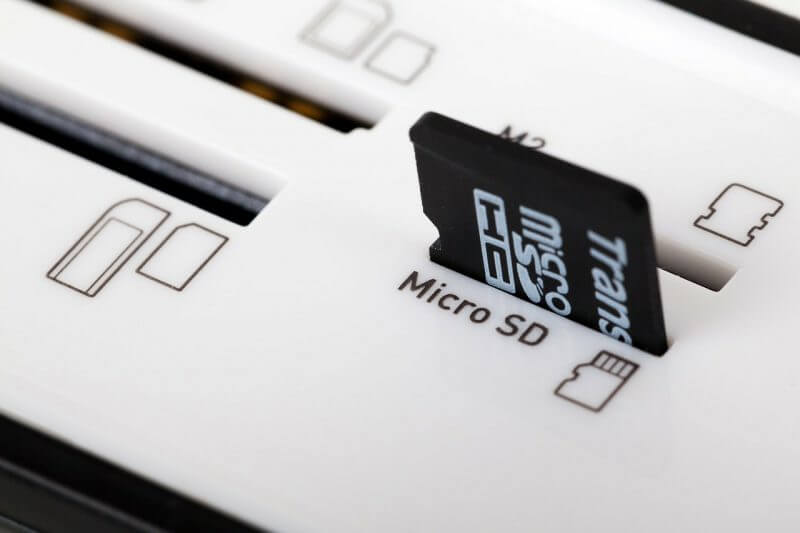
    There are many data recovery software available, but this particular data recovery software has been tested, mainly for SD cards. It helps you recover all types of files from your corrupted memory cards, be it videos or pictures, for free.

    If you have an SD card asking to be formatted or an SD card that is corrupt and not opening again, go ahead and format it without worrying.

    Here is how to do it.

    Formatted sd card recovery software free download:  Download and Install the SD Data Recovery Wizard Freeware from here for Windows EaseUS Data Recovery Wizard Free. And for Mac EaseUS Data Recovery Wizard Free.

    1. Connect your SD card to your computer via any means. (SD Card Reader, SD Card port, etc.)
    2. Run the installed SD Card Recovery Wizard and select the file type to be recovered. Select all file types if you want to recover all data from the SD card.
    3. Next, select the disk name of the SD card. (make sure to confirm the disk from “My Computer”) and click Scan.
    4. After a scan has been completed, you can then preview the recovered files and see which file you want to recover.
    5. Select the files you want to recover and then click recover and wait to save the file on your computer.
  • How To Make Money On Social Media In Ghana

    How To Make Money On Social Media In Ghana

    The world is now living in a digital age where almost everything is run by technology. Individuals use technology.

    Businesses use technology to operate. Hospitals use technology. Sports use technology. Social media is a part of technology that has now become an inseparable part of people’s everyday lives no matter their country of residence.

    People use social media applications and sites such as Facebook, Instagram, WhatsApp, Twitter, Snapchat, Telegram, and others to connect and interact with their loved ones and friends.

    As technology keeps advancing with the progress of the world, social media has also advanced along with it.

    Social media is now used for a lot more activities than just connecting with friends and loved ones.

    Businesses now make use of social media to advertise their services and products to potential customers.

    Some of these businesses even conduct affairs right on social media and sell products and services to customers right on the Internet without having to meet the customers physically.

    Businesses now making use of social media to conduct business created yet another advantage for social media users.

    People are now able to earn money on social media through various means. Some are even earning a living on social media without having to sell anything at all.

    In today’s article, we are going to take you through some of the ways through which you could earn money on social media. This is viable for people who use social media heavily or people who spend the majority of their time on social media.

    The Best Social Media Channel To Make Money From?

    Instagram is undeniably one of the best social media platforms to make money from, and it’s a favorite among social media influencers, models, and the fashion industry.

    Instagram offers some of the most powerful tools for influencers compared to other platforms.

    While it’s advisable to maintain a presence on various social media sites if you’re serious about making a living through technology, Instagram is the number one platform you should prioritize.

    Following Instagram, YouTube is another significant platform for content creators.

    To embark on a successful social media career, you’ll need a substantial following, particularly on Instagram.

    Your followers are the foundation of your potential earnings in the social media world. Without an audience to view your posts, there won’t be any brands or individuals interested in hiring you to promote their products or services.

    Before you start thinking about monetizing your social media presence, it’s a good idea to build a following of at least a thousand engaged followers.

    These are the individuals who can help you turn your social media presence into a source of income. So, focus on growing your following and creating engaging content to attract potential business opportunities.

    How To Make Money On Instagram

    Gather Enough Followers

    When you have been able to gather enough followers on your Instagram account, the next step would be to indulge in activities that can monetize the following you have gathered.

    One way through which you can make money is to join a network of social media influencers.

    These networks are used to connect people to various brands based on the kind of following that the person has and the stuff that they post about.

    The people that follow you do so based on what you post. For example, if you are someone who posts a lot about weight lifting and gym workouts, then once you join an influencer network, brands that sell products or services related to weight lifting and gym workouts will then be able to locate you.

    One of the influencer networks that you could join is Brandwatch.

    Choose An Attractive Brand

    Becoming an attractive choice for brands as an influencer is closely tied to your engagement level with your followers.

    Brands often select influencers based on how effectively they can engage their audience. This means you need to be skilled at creating captions that encourage your followers to interact with your content.

    Your primary goal is to encourage your followers to like, tag, view, comment, and share your posts.

    This level of engagement not only enhances your relationship with your followers but also catches the attention of brands looking for effective influencers.

    In addition to creating engaging content, it’s crucial to make time to respond to your followers’ comments or, at the very least, like their comments when responses aren’t possible.

    This interaction fosters a sense of connection, making your audience more likely to trust your recommendations when you endorse a brand or product.

    Being a successful influencer requires effort and dedication, which is why not everyone can do it.

    By engaging with your followers, you not only strengthen your influence but also create a loyal and receptive audience that’s more inclined to try out the brands and products you recommend.

    Ask Your Friends To Engage In Your Posts

    Hosting giveaways is a fantastic way to motivate your followers to engage with your social media content. After all, who doesn’t love the opportunity to win free things?

    Giveaways can not only boost engagement but also increase the number of followers you have. When you run giveaways, you create excitement and incentives for people to interact with your content, share it, and encourage their friends to follow you as well.

    A great perk of giveaways is that they can be sponsored by brands that seek your influencer services. This means you may not have to bear the costs yourself, making it a win-win situation.

    The brand gains exposure, you boost your engagement and followers, and your audience has a chance to win something valuable.

    So, giveaways are an excellent strategy to build a lively and engaged community around your social media presence.

    Make Good Use Of Hashtags

    Using hashtags effectively can significantly impact the visibility of your social media posts. It’s advisable to include multiple relevant hashtags in each of your posts.

    Research has shown that using hashtags can boost engagement and increase the number of people who see your content.

    This, in turn, can lead to an increase in your followers, as individuals interested in your content may decide to follow you.

    To optimize your hashtag strategy, use a variety of relevant hashtags that relate to the content of your post. This broadens the reach of your posts and attracts a diverse audience.

    Another crucial aspect of building a successful social media presence is finding your niche. When trying to monetize your social media accounts, it’s essential to align with brands and partnerships that resonate with your values and the content you post.

    Don’t simply partner with any brand that offers money. If a brand’s values or products don’t align with yours, it’s wise to politely decline the partnership.

    Consistency is key when it comes to maintaining a strong bond with your followers. Regularly posting content that aligns with your niche and core values is crucial.

    Deviating from your usual content can lead to a decline in engagement and potential unfollows, as your audience might feel disconnected from your content.

    Making a living through social media is a journey that requires time and effort. It won’t happen overnight, and, like any other venture, it demands patience and continuous efforts to improve and engage your audience.

    The key is to remain persistent, stay true to your values, and seek innovative ways to connect with your audience.

    With dedication and a well-thought-out strategy, you can leverage your social media presence to achieve your goals.

  • How To Hide Your Private Files Inside Calculator App On Android Smartphone

    How To Hide Your Private Files Inside Calculator App On Android Smartphone

    At some point or another, we’ve all wished we knew how to make our media files private so that no one else could see them.

    Here I will show you how to conceal your files, meaning those that you would want the person who retrieves your phone not to see. Just follow these steps.

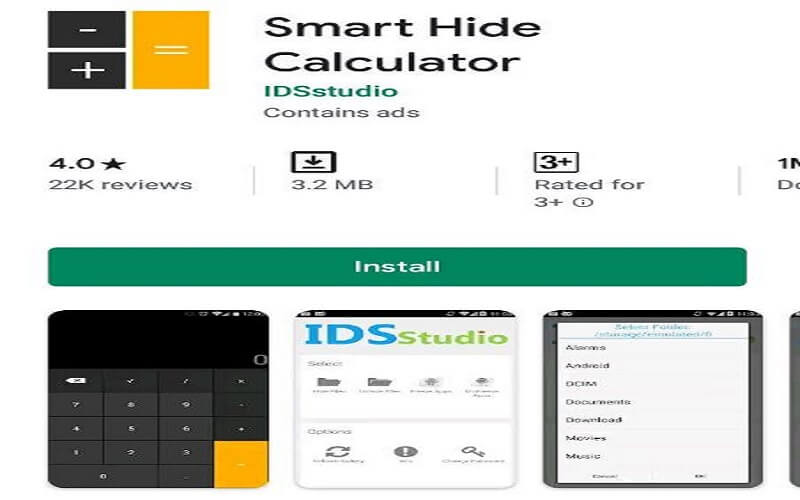
    • The first step is to get the Smart Hide Calculator app on your Android device. You can find it on Google Play.
    • Launch the app now; a password request will appear. To unlock or lock your private hidden files, you must set a Password that is both difficult to remember and reasonably complicated.
    • You and anybody else who gains access to your Android device will only be able to see the fully working Calculator app if you confirm the PasswordPassword.
    • Access the vault by entering the PasswordPassword and tapping the “=” button to begin using the app or adding your confidential files.
    • After that, type in your password and hit the “=” button. Like “Hide Files,” “Unhide Files,” Change Password, etc., the app will provide you with options.
    • Pick the drive, the folder, or specific files (films, music, photos, documents, etc.) that you wish to conceal, then click the Hide Files icon.
    • Once you hit the “Ok” button, your most sensitive documents will be safely tucked away in the world’s most reliable app: your calculator.

    To reveal the hidden files, navigate to the vault and use the “Unhide Files” option.

    Do not worry if you happen to misplace your PasswordPassword. To reset your password, press the master key combination 123456789+987654321.

    One of the most effective ways to conceal crucial Android files and folders is with the Smart Hide Calculator app.

  • About The Google Pixel 4A: Everything We Know So Far

    About The Google Pixel 4A: Everything We Know So Far

    Are you looking for a Google pixel 4a price in Ghana? Google Pixel 4A has finally been released to the market.

    After Google posted a hidden message indicating a new phone will be released on Aug, 3. It has now been known that the phone was Google Pixel 4A.

    Google constantly releases two phone types every year, like the Google Pixel 3A and the 3A XL.

    But this time around, Google is releasing on Pixel 4A, and we don’t know if the 4A XL will be released next year due to the coronavirus or if they couldn’t manufacture the other features.

    When Was Pixel 4a Released?

    Google pixel 4a was released on 3rd August 2020.

    But, Why Was It Named Pixel 4A?

    We still don’t know why Google has been adding the letter A to its phone models, like the pixel 3A, Pixel 3A XL, and Pixel 4A, but we all assume the letter means something which can be Awesome or Affordable.

    There will be a Pixel 4A that comes with a 5G, and it is going to be sold for $499.
    Google also made it known that the Pixel 5 will be released soon, and it will again come with a 5G.

    Price Of The Pixel 4A In Ghana

    The Google Pixel 4A is GHS 2,018 and it comes with 128GB of storage.

    Features Of The Pixel 4A

    • The new Pixel 4A comes with a Qualcomm Snapdragon 730 G
    • It also comes with a 3,140 mAh battery capacity
    • And a 128 GB storage
    • The rear camera comes with a 12.2MP Dual-Pixel f/1.7
    • And a Front Camera 8MP f/2.0
    • Android 10 operating system

    Also on EmmarniTechs.com:Infinix Smart 6 Price In Ghana, Specs, And Where To Buy

    The phone also has a live transcription feature, and of course, it comes with a headphone jack for those who love listening to music with our headphones.

    So are you getting yourself a new Google Pixel 4A?
    Which of the features of this smartphone looks incredible to you?
    Let me know in the comment section below.

  • Everything You Need To Know About Bitcoin

    Everything You Need To Know About Bitcoin

    This Article Is Purposely For Those Who Want To Know All About Bitcoin

    ⁠⁠⁠The most asked question.

    What Is Bitcoin?

    Bitcoin is a cryptocurrency (put, a digital currency) developed in 2009 and has grown to become very popular and one of the most successful cryptocurrencies in the world today.

    No one owns Bitcoin. Neither does any government have jurisdiction over it, so most people prefer it in the digital world because of its decentralized and anonymous nature. Unlike other regular currencies in the world, bitcoin is generated via a process called mining.

    With Bitcoin, you can easily send a transaction worth billions in minutes a few years from now. Bitcoin may be a virtual currency for making transactions.

    What is the unique thing about Bitcoin?

    The significant difference between bitcoin and your regular fiat currency like pounds, dollars, etc., is that Bitcoin is digital doesn’t come in print form, and is not produced nor controlled by any central bank in the world.

    Aside from the differences, bitcoin shares very close similarities with the other regular currencies.

    A unit of bitcoin is called Satoshi, the same way we have the cent for dollars, and kobo for Naira, Pesewas for GHC.

    100,000,000 Satoshi makes a bitcoin.

    You can trade with this Bitcoin

    In 2008 1btc=$0.50

    Today 1btc=$1010.00

    (Feb 5, 2017 @ 19:07)

    One interesting thing is, you buy bitcoin when the price is low and sell it when the price is high(e.g., those who bought bitcoins in 2008 are millionaires now )

    Also on EmmarniTechs.com:How To Buy Bitcoin With Mobile Money In Ghana 2023

    Another question is how do you earn from Bitcoin?

    You can earn from Bitcoin by investing.

    We have various Bitcoin investments, which you can invest in…

    Another question is.

    How to withdraw your money since it is not like your regular currency?

    We have various Bitcoin merchants around that buy and sell just like the forex bureau. When you earn from those Bitcoin investment companies, you can sell it to them, and they will deposit the equivalent to your account.

    I know of a Bitcoin merchant that deposits into your account if you are from the USA.

    In Uganda, Zimbabwe, Mozambique, and Sierra Leone, they can pay into your M-Pesa wallet.

    In Ghana, they pay into you AirtelTigo or MTN mobile money

    We have e-malls such as Amazon and eBay

    So you can convert the money you earn from any BTC investment you invest into your local currency or you use to buy goods online.

    They also accept Bitcoin to buy goods

    Why do you need a Bitcoin Account?

    It would help if you opened a Bitcoin wallet because of the following reasons.

    ☑ A Bitcoin wallet is an online bank account whereby you send and receive the fund. For example, if you want to buy something online, you can go to your Bitcoin wallet and send the amount of product you bought online into your recipient Bitcoin account.

    If you want to withdraw your Bitcoin (BTC), you can send the equivalent of BTC to a Bitcoin exchange or merchant, which would deposit your money in your local currency…

    Also on EmmarniTechs.com:Creating Your Own MyEtherWallet (MEW) [Step By Step Guide]

    You also use the Bitcoin e-wallet to fund the BTC investment we will be investing in.

    And your earnings from the Bitcoin investment will be credited into your Bitcoin e-wallet.

    Don’t be worried about how you will fund your wallet or withdraw your earnings in your local currency.

    There are trustworthy merchants and exchanges around the world that will help you out in your various locations.

    How To Open A Bitcoin Wallet?

    Before you open a Bitcoin wallet

    You must have the following:

    ♦ An email address, I recommend Gmail, but you can use any.

    If you have a Gmail account, already you can proceed to www.blockchain.com.

    But if you don’t have Gmail or an email, you can google Gmail on your browser and sign up for a Gmail account.

    1. Visit www.blockchain.com
    2. It takes you to a page, locate your wallet, and click on creating an e-wallet.
    3. A dialogue box will pop up where you will put your name and your email.
    4. Then click submit.
    5. You will receive mail including your wallet ID and password.
    6. From the mail, you can also confirm your registration for a Bitcoin e-wallet.
    7. Note: Don’t share your wallet I.d and password with anyone, not even me.
    8. Please keep your wallet ID and password saved, don’t forget. It’s just like your account number and account name.
    9. Anytime you want to log in, you can copy it from your mail and log in to your Bitcoin e-wallet.
    10.  After successful login, you will see send and receive
    11. Click receive
    12. You will see a long alphanumeric character, and you were told to copy
    13. it
    14. It looks like this (18YaE6TkQsMGBj8QT8ZmM9sKfufFtCFPBt)
    15. Go to your Notepad, paste it there, and save it so you can use it at anytime

    Also on EmmarniTechs.com:How To Create Bitcoin Account In Ghana, Nigeria, And Any Country You Find Yourself

    That is your wallet address, and you will be using it to collect and receive Bitcoin

     This wallet address is unique; every user has their own.

    You use this wallet address to deposit Bitcoin into your wallet.

    When you want to fund your wallet, you give or transfer your local currency to any Bitcoin merchant I recommend to you, and the merchant will credit your Bitcoin wallet based on the amount you want to deposit.

    If you want to withdraw, the merchant will give you his or her wallet address, transfer the Bitcoin from your e-wallet to the merchant’s own, and give you the equivalent in your local currency.

    That’s why you need to use the Bitcoin merchant I recommend to avoid losing your hard-earned money.

     Some of the merchants are Ebitcoinics Moore, and Pay Plus.

    You can also check this article taking you through all the terminologies in Bitcoin.

  • How To Enable Screen Pining On Android

    How To Enable Screen Pining On Android

    One reason the majority of people use Android is the fact that it gives the user full control to explore every feature in it.

    Such as installing any Android app from any source, screen pining, changing your phone transition and if you are more into technology you can root the Android device you are using (at your own risk). 

    In this article, I am going to guide you on how to enable screen pinning on Android 8 and 9 Devices or any Android version.

    What Is Screen Pining? 

    Screen pinning is a feature in an Android phone that allows you to pin a specific screen on the phone screen, this keeps the other apps locked and can’t be operated, making the only pinned app function.

    This feature is very useful to people who give their phones to people. also if you are a parent and your kid wants to play a game on your phone, all you have to do is to pin that specific game and your kid can’t navigate anywhere except only play that game.

    The Practical Uses Of Screen Pinning

    Screen pinning serves various practical purposes, making it a valuable tool for Android users. Here are some scenarios where screen pinning comes in handy:

    1. Sharing Your Device: When you want to share your Android device with a friend or family member but don’t want them snooping around other apps or data, screen pinning allows you to lock the device to a specific app. For example, you can pin a game or a photo gallery, ensuring that the person using your device can only access what you permit.
    2. Guiding Children: As a parent, you may hand over your smartphone or tablet to your child for entertainment or educational purposes. Screen pinning allows you to pin an educational app or game, so your child doesn’t accidentally exit the app or stumble upon unsuitable content.
    3. Securing Sensitive Information: If you need to share your device temporarily with someone, like when seeking technical support, screen pinning ensures that your private information remains inaccessible. You can pin the screen to a specific app, allowing the technician to assist you without accessing your data.

    Enabling Screen Pinning On Your Android Device

    Before you can take advantage of screen pinning, you need to enable it on your Android device. Here’s how to do it:

    1. Go to your device’s Settings.
    2. Scroll down and select Security & Location.
    3. Keep scrolling until you find Screen Pinning and tap on it.
    4. Slide the toggle switch to turn the screen pinning ON.

    With screen pinning enabled you are now ready to pin specific apps or screens. Let’s explore how to do this.

    screen pining settings

    screen pining security

    screen pining step 3

    screen pining on

    screen pining overview button

    screen pining

    screen pining

    Pinning A Specific App

    Pinning an app is a straightforward process that ensures your chosen app remains in the forefront. Here’s how to do it:

    1. Navigate to the app you want to pin.
    2. Tap the Overview button on your Android device (usually the first control button).
    3. Among the open apps, select the app you wish to pin. For instance, if you want to pin the Photos app, make sure it is the currently running app.
    4. In the lower-right corner, you will see a pin icon. Tap on it.

    The selected app is now pinned, and your device is locked to it.

    Unpinning The App

    To unpin the app and return to normal device operation, follow these simple steps:

    1. Touch and hold both the Back button and the Overview button simultaneously.
    2. The app will be unpinned, and you can freely navigate your device as usual.

    In a world where privacy, security, and device control are paramount, Android’s screen pinning feature shines as a valuable asset.

    By following our guide, you’ve unlocked the power to harness screen pinning on your Android device, and in doing so, you’ve gained the ability to share your smartphone or tablet with confidence.

  • What Are Airdrops And How You Can Make Money From Airdrops

    What Are Airdrops And How You Can Make Money From Airdrops

    If you are a newbie in crypto, there will be so many terminologies you will come across, including airdrops and bounties.

    In this article, we will learn about the two of them and how you can earn money from them.

    What Is Airdrop?

    Airdrop is a free coin/Token in which developers/founders distribute to communities for free or perform a small task.

    What Are Bounties?

    Bounties are simple jobs, tasks, or projects that a coin developer has usually created. If you complete the job, then you will receive a reward for doing that.

    Now we will tackle airdrops because that is what most have been asking me about, and I see airdrops to be an easy way to earn more money.

    More Insight On Airport⇩

    Airdrops are one of the secrets by which you can empower yourself.

    Since many are yet to know about Cryptocurrency trading, fewer people know about airdrops.

    Airdrops are mostly done before pre-ico, ico/token sale, and some are done during ico or without ico.

    Using Bitcoin as an example, when Bitcoin was at its early stage when it wasn’t up to a dollar, some people received it as an airdrop, which was as small as 20 coins of a token in 2008 after the Bitcoin breakthrough, imagine you kept the coin till 2017 which one bitcoin was worth $19000+ upward. Now do the calculation.

    Recently, there was a new airdrop, Hydrogen airdrop, in which I participated myself, and after the airdrop, I received 222,222 hydro in my mew wallet.

    Now hydrogen is trading, and one hydro is worth $0.003177 (11/05/2018). The free 222,222 hydro is now worth $ 711.1104, woow isn’t it cool?

    Doing airdrop is as simple as A, B, C, D. You sign up for some airdrops, and you will be doing a small task. Some will ask you to like their Facebook page, follow Twitter, join the telegram page, and provide your Mew wallet address. Then, you will receive free coins for that simple task.

    So in all, you don’t pay for anything in airdrops.

    Airdrop is a way of getting free money from cryptos.

    How To Get Started With Airdrops?

    To get started, you must have:

    Create an account here www.myetherwallet.com (if you are a newbie, you must be very careful when setting up your account, after setting up your wallet, you will have to keep your private keys in a secured place because if you lose them, you can’t recover your account also there are a lot of phishing sites (which when you visit, it looks like the actual MEW page but when you sign in with your private keys these hackers will get access to your private keys and can steal your funds inside your account, so be careful and always type the website on the address bar or you can bookmark it also.

    Read step by step on how to create your ETH wallet here

    A Twitter account

    Telegram account

    These accounts are also a must-have, but it is optional since every airdrop has what it asks for. Some will ask for these accounts, so do your best to create these accounts. Reddit account LinkedIn medium.

    If you are about to start your crypto journey, this article is there for you to guide you, check out how to buy Bitcoin with mobile money and also everything you need to know about Bitcoin.