Blog

  • Latest Shortcodes For MTN Ghana Services This Year

    Latest Shortcodes For MTN Ghana Services This Year

    This post will go over all of the MTN Ghana shortcodes as well as any special deals you may be interested in.

    MTN Ghana has been the top telecommunications network, outperforming competitors such as Vodafone Ghana, Airteltigo, and Glo Ghana.

    There are several reasons why they have become the most popular network in Ghana, including numerous discounts and promotions that keep its consumers connected.

    Some of these promotions are MTN Akwaaba, pay 4 Me, no expiration data packages, MTN Jaara, MTN free after one, and many more.

    So, without further ado, let’s take a look at all of MTN Ghana‘s shortcodes and some of their service codes.

    MTN Shortcodes

    MTN ShortcodesDescription
    *124#Balance Inquiry. Check your credit balance
    134PIN#Reloading Airtime
    *138#Internet Bundles and SMS bundles
    13811#Daily internet bundle (From 20MB – 350MB)
    13812#Weekly internet bundle (From 25MB – 500MB)
    13813#Monthly internet bundle (From 300MB – 10GB)
    13814#Internet unlimited bundle
    13815#Internet social bundle for accessing Twitter, Facebook, and WhatsApp only
    13816#YouTube bundle for streaming videos on YouTube
    1384#Super saver bundles
    *1390#Reserve your number
    144airtime receiver number*voucher number#Recharge airtime for someone
    *156#Check your MTN mobile number
    *170#MTN mobile money code
    *175#Code to See and deactivate all MTN subscriptions
    *198#MTN Me2 u
    *198>Transfer>receiver number>Amount>Decimal>PinShare Credit
    *296#MTN aYo recharge with care
    30020#Get jokes from MTN
    30037#MTN Farm Direct access for best farming tips
    *315#MTN Free After 1 (MTN Nkomode)
    *400#Know your sim card details
    *455#Accurate weather forecast
    *5050#MTN Sunday Special
    *5055#MTN Jaara
    *506#To borrow Some Credit
    *511#Generate Mobile Money ATM token
    *545#Check data usage
    *550#MTN Free Call 6 months(MTN Akwaaba)
    *567#MTN Pulse
    *585#MTN internet settings shortcode
    *595#To exempt (or include) yourself from mobile money interest payments to your account
    02xxxxxxxx Simbox to 419Report SIM-Box fraud
    0554300000MTN WhatsApp line
    100MTN Call Center
    108MTN Voicemail
    *140#Get Blackberry Plans
    1303MTN Radio
    1515Mobile Money fraud. Send a text message to 1515 from your phone with the name of the merchant and the date of the incident.
    154[0244000000]MTN Pay for me. Dial 154, then enter a number without a space. This requires the recipient of the call to pay for the call.
    1552WeChat monthly data bundle
    MOVIES to 1412Silverbird movie schedule
    PORT to 600Number portability
    Send STOP To 1355Unsubscribe from Callertunez
    *141#MTN Just4U

    Buying SMS Bundle On MTN Ghana (*138#)

    1. Dial *138# on your phone.
    2. Enter 99 for more options.
    3. Choose 6 for additional options.
    4. Select 1 to purchase a Combo Bundle.
    5. Opt for buying it for yourself by selecting 1.
    6. Press 1 again to select SMS Bundles.
    7. Now, select the desired amount of SMS Bundle you wish to purchase. MTN will display the number of SMSes you can send with your chosen amount.
    8. Finally, press 1 to confirm your purchase.

    How To Send Bulk SMS On MTN Ghana

    MTN Ghana allows you to send bulk SMS messages. All you have to do is contact MTN’s official WhatsApp number or phone the same number at

    2330244308111, you prefer to contact them by email. You may reach them using this email: mtnbusiness.GH@mtn.com.

    How To Check Your MTN Number

    To know your MTN number, all you have to do is:

    1. Dial *156#
    2. Select 1: Check My Number, and then you will see your MTN number

     How To Transfer MTN Credit Or Airtime

    To initiate MTN credit sharing:

    1. Dial *198# on your phone.
    2. Select 2 for Transfer.
    3. Enter the receiver’s phone number.
    4. Specify the amount of airtime you wish to send along with any decimals.
    5. Confirm the transaction by entering your PIN.

    Please note that prior registration for the Me2U service is required to perform this action.

    To register for Me2U: 

    1. Dial *198# on your phone.
    2. Select the option to Activate.
    3. Choose a new PIN.
    4. Re-enter the new PIN for confirmation.

    What Does Decimal Mean When Sending MTN Credit To Someone?

    Decimal refers to the digits after the amount. It is known as pesewas.

    So, if I’m transferring GHS 1.50 in airtime and am prompted to input the amount, I’ll type 1 first, followed by the decimal.50. This will cause MTN to transmit GHS 1.50 airtime to the recipient.

    If I just send GHS1, I will put 0 on the decimal side, and MTN will send GHS 1.0 to the recipient.

    How To Check MTN Sim Registration Details

    To view your MTN SIM card registration information, dial *400#.

    This will display the registered name on the sim card, the type of national ID used to register, and the date of birth, as well as a link to alter the details if they appear inaccurate.

    How Can I Make a Free Call On MTN Ghana?

    new mtn simcard

    You can enjoy free calls on MTN through the MTN Akwaaba offer by following these steps:

    1. Obtain a new registered MTN SIM card.
    2. Dial *550#.
    3. Select option 7 for Magic Number.
    4. Choose option 1 for the Free Call Offer.
    5. Specify the special number you wish to call for free and press Send.

    Is There A Way To Change MTN Magic Number?

    Unfortunately, you cannot. This offer allows new MTN subscribers to make free calls to a certain number, which can be changed after you enter it.

    However, if you still want to use another number for free calls, simply buy a new registered sim card and repeat the process.

    How To Activate MTN Free After One

    mtn nkomode call screen

    MTN free after one is an offer that allows you to pay for the first minute of your call and then receive the rest for free.

    To get this MTN free after one, dial *315# and choose 1 to activate.

    After successful activation, you can begin making calls; MTN will deduct GHS 0.30, and you can call for up to 1 hour.

    How To Get Cheap MTN Midnight Bundle In Ghana

    Due to Ghana’s internet packages, downloading large files requires the usage of midnight bundles.

    Midnight bundles allow you to pay less for large amounts of data; however, there is a method to purchasing MTN midnight data and receiving large amounts of data for a low cost.

    To avail of this offer, follow these steps:

    1. Dial *138# on your phone.
    2. Type Midnight Bundles.
    3. Select Buy For Self.
    4. Choose Flexi.
    5. Type 1 to select the GHS 1 data option. This will grant you 2.87GB of data.

    MTN Sunday Special 

    As the name says, this offer allows you to make calls for the entire day for only GHS 1.05.

    To enjoy MTN’s Sunday Special:

    Dial *5050#

    Choose one that costs GHS 1.05 and you will be able to make calls all day, as well as receive free 20MB till 11:59 PM on Sundays.

    You can also pay GHS 0.52 and continue to enjoy free calls until 5:59 p.m. But without the free 20MB of data.

    How To Check Lotto Results On MTN Ghana

    To check lotto results on MTN Ghana, send the three letters of the day to the shortcode 1903.

    Lotto on Saturdays is called National, and it is mostly written NAT, thus to check national results, simply send NAT to 1903, and you will receive the Lotto results for that day for a price.

    And here are all of the latest MTN shortcodes, as well as popular deals like MTN Akwaaba, MTN Free after One, Me2U, Pay 4 Me, and many more.

    You can also check out our article on how to extend your MTN bonus. As you are aware, MTN has implemented a new policy known as No ID, No CahOut, which requires customers to present a valid ID card whenever they want to withdraw money.

    However, we have an article that covers five simple ways to withdraw money from your MTN mobile money account if you do not have your ID card with you.

    If you have been seeking MTN Quickloan and it has not gone through, you should investigate why you are not eligible for MTN Quickloan.

    Not to mention earning money online, you may read this post about how to generate money online in Ghana. Whether you are a student or wish to work online as a part-time job, many jobs pay via MTN Mobile Money.

  • Creating Your Own MyEtherWallet (MEW) [Step By Step Guide]

    Creating Your Own MyEtherWallet (MEW) [Step By Step Guide]

    Many people have come to conclude that making a lot of money in cryptos is by investing in Initial Coin Offerings, A.k.a. ICOs.

    But one thing that most ICOs will be telling you when you are investing is “send from ERC20 compatible Ethereum Wallet” and also provide us with your ERC20 compatible Address to receive your tokens. This article will show you how to create your OWN Ether wallet Address.

    Why do you need an ERC20-compatible Ethereum wallet? Most ICO tokens are issued on the Ethereum blockchain. Those who want to participate in ICO must have Ethereum and its wallet.

    ETHEREUM WALLET THAT IS COMPATIBLE WITH ERC20 IS REQUIRED; NEVER PARTICIPATE IN ICO BY SENDING COINS FROM ANY CRYPTOCURRENCY EXCHANGES. IF NOT, YOU WILL PERMANENTLY LOSE YOUR COINS.

    How to set up your MyEtherWallet (MEW)

    myetherwallet private keys sample
    1. Visit the MyEtherWallet website. There will be numerous opportunities to make a new wallet as well as safety alerts.
    2. Make a passcode. To make it as powerful as possible, use a mix of characters, digits, and symbols. As soon as possible, put it in writing and, if you can, make many copies. Click “Create New Wallet” after that.
    3. Get your keystore file and store it. After saving your Keystore file in a safe place, click “Continue.”
    4. Keep your private key safe. It appears to be a series of numerals. Be sure to safeguard it and provide backups. To preserve it as a paper wallet, print it as well. Remember that there is no way to get your lost or forgotten password or private key back, so follow all recommended safety precautions.

    To open your wallet, use your keystore files or private keys. We have our private keys and Keystore, therefore let’s use them to unlock our wallet. There are various methods to unlock wallets. To unlock our wallet, we choose Private Keys, paste in our private keys, and then click “unlock.”

    And just like that, your completely functional Ethereum wallet has been established.

    Usually, the address you use to receive tokens via airdrops and tokens may be found on the right side as your receiving address.

    The next time you want to access your wallet you visit the page again www.myetherwallet.com then go to SEND ETHER & TOKENS then select PRIVATE KEYS Then paste your private keys to access your wallet.

  • Deus Ghana Expands: Now You Can Shop Online Easily In Tamale

    Deus Ghana Expands: Now You Can Shop Online Easily In Tamale

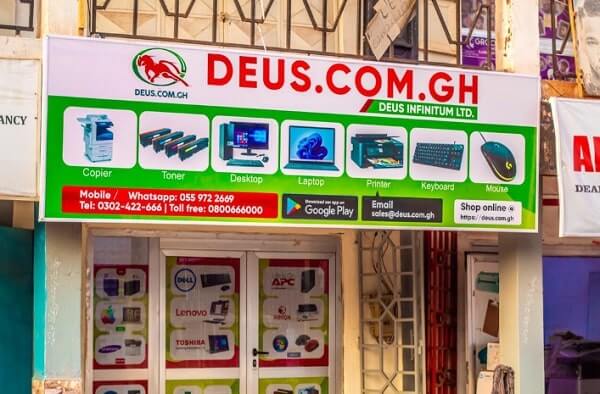
    Deus.com.gh, a big online store in Ghana, just opened a new shop in Tamale, the main city in the Northern Region.

    This cool move shows how much they want everyone in Ghana, even folks up north, to be able to shop online easily.

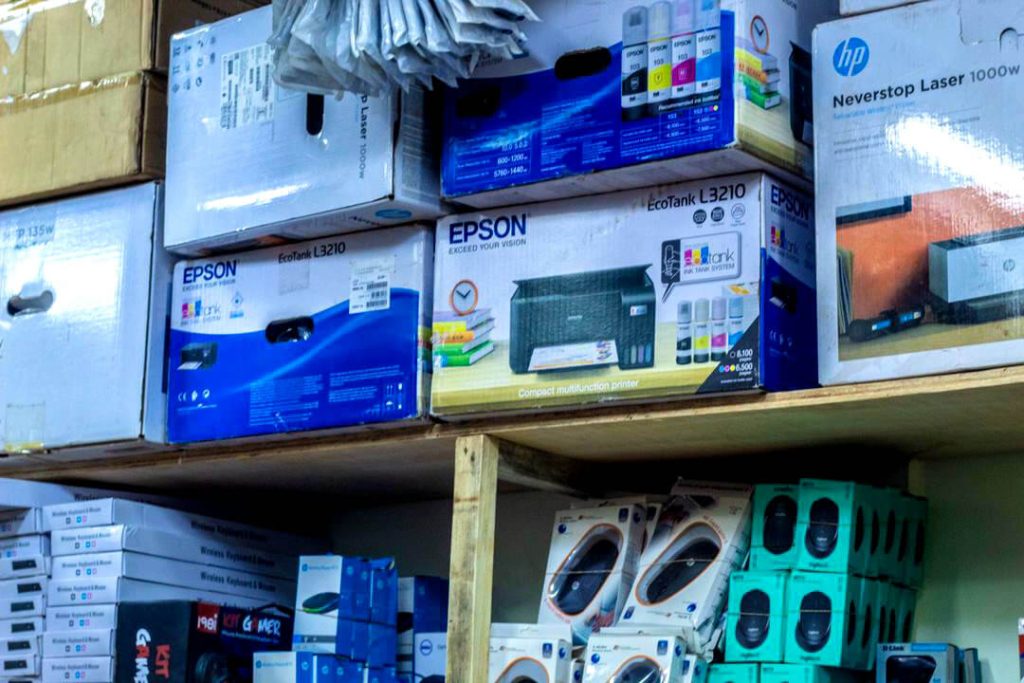
    The new shop in Tamale is going to have lots of stuff like printers, photocopiers, and scanners. Deus.com.gh wants people all over Ghana to enjoy shopping online without any hassle and that is why they are expanding across Ghana.

    By opening this new shop, Deus.com.gh is preparing to open more shops in different parts of Ghana.Experts think the online market will grow by 10.10% and reach $3.13 billion by 2028.Adding the Tamale branch isn’t just about making things easier for people in the Northern Region of Ghana.

    It’s also about Deus.com.gh making a promise to make online shopping smoother for everyone, taking away the stress of packing and delivering stuff.

    This is especially great for folks who might find it hard to get to regular shops or just like the ease of shopping online.

    Ghana’s online shopping world is growing super fast, especially since COVID-19 came along.The pandemic made more people start shopping online and using delivery services. About 15 million people in Ghana use the internet to buy stuff daily.

    There are lots of online shops in Ghana now, like Hubtel, Plendify, Glovo, Jiji, Uber Eats, and Bolt Food.The rise of mobile shopping is changing how people shop in Ghana. More and more folks are using their phones to buy things online.

    This means online shops need to make their mobile apps or websites better, so it’s easy for people to find what they want, pay securely, and get recommendations based on what they like and that is what Deus Ghana is making it easy for Ghanaians to accomplish.

    Wrapping Up

    Deus.com.gh opening up in Tamale is a big step in making sure everyone in Ghana can shop online.

    They’re focused on making things easy for customers and with Ghana’s growing online shopping scene, Deus.com.gh is all set to grow even more and make online shopping even better for everyone in the country.

  • How to Know If Your Message Has Been Read on WhatsApp

    How to Know If Your Message Has Been Read on WhatsApp

    Hello and welcome to my blog. Have you ever been chatting with someone that you don’t see it ticking blue anytime you send a message to someone?

    You can send a message and believe the WhatsApp message read, but no blue tick makes you feel ignored.

    Then I’ve got you covered. In this article, I will show you how to know that your friend has read your message even if he or she has turned off read receipts.

    I know what I am going to teach many people will be vexed, but I apologize, I mean no harm, and to those whom this post will help too, I beg to show some love by sharing this post and subscribing to my blog. so let us get started

    Sending a message to someone and you could see that the message has been sent, you can see it ticked twice, but it doesn’t tick blue, you will start to wonder if the person has been away from his or her phone or he or she has been ignoring you, (this comes to your mind especially when there is a misunderstanding between both of you).

    The actual trick is they have Read Receipts turned off from their WhatsApp account privacy settings.

    The trick to know is easy. All you have to do is to send a non-lengthy voice recording to them.

    If they are with their phone, they might decide to play the voice and listen to what you recorded at their end. As soon as they download and listen, you will see the messages ticked blue indicating that they have read your previous messages.

  • Discover Music With Ease: Using Shazam To Identify Songs

    Discover Music With Ease: Using Shazam To Identify Songs

    Have you ever come across a song playing at a restaurant, radio, or a particular place where you like the music but don’t know the artist or the title? or are you looking for a song but don’t know the name? Then I’ve got you covered.

    In this article, I am going to show you how to get the title and artist of any song using the app called SHAZAM. and the steps involved to set it up.

    First Of All, What Is Shazam?

    Shazam is an app that was launched to help you identify the music title and the artist of that particular music and its lyrics.

    How To Use Shazam?

    1. First of all, download the Shazam app from the play store HERE and launch the app.
    2. To use this app, take your phone near the music that you want Shazam to identify.
      Press on the Shazam symbol, and you can also see tap to Shazam
    3. The app will start listening to the song playing, and within 10 seconds, the app will show you the title of the song, the artist, and the music video in addition to the lyrics if available.
  • How To See Worldwide Trends On Twitter

    How To See Worldwide Trends On Twitter

    Now let’s cover how to see worldwide trends. After publishing our previous article covering how to make a thread go viral, we have seen our readers searching for how to know what’s happening in other countries using Twitter. This article will cover that.

    Thanks to social media, it is now more easy to get to know what’s happening around the world.

    And among all the platforms, Twitter is known to be the source of real-time and authentic news. The Twitter platform is mainly where high authority profiles share their opinions and communicate with their people.

    Twitter makes everything easy on its platform to know what’s happening in a specific area, country, or game.

    If you are new to Twitter, here is how the platform works. All you have to do is sign up on the forum. After successful signup, you will be asked to follow topics that interest you, and Twitter will then use those topics you follow to give you feeds.

    You will then follow people you always want to see their tweets.

    To become famous, you will need to create excellent threads that will catch people’s attention, making them follow you and retweet your lines.

    You can then start messaging your friends, following people, and making new friends.

    What makes Twitter one of the best apps Is that Twitter deals with trends. As soon as the platform detects many people talking about a particular story, it creates a hashtag for it, and then it becomes added to what’s trending in that country.

    Recently WhatsApp and Facebook went down, and #WhatsAppIsDown became a trend that everybody could tweet about and go through what people are saying about the downtime. We wrote an article detailing what caused the outage, and you can read it here.

    Now let’s dive into trends, what they are, and how to make good use of Twitter trends.

    What Are Twitter Trends?

    Twitter trends are topics that people have been talking about within a specific time. 

    Twitter then creates a hashtag for that specific topic and adds it to the trending topics.

    Many people are so used to Twitter trends that they tend not to believe it anytime they hear about a story but visit Twitter and check if it is indeed trending.

    I remember when someone announced to me that Facebook was down, I didn’t believe him until I checked if it was really down on Twitter.

    What Are Worldwide Trends?

    On the other hand, worldwide trends refer to trends happening around the world based on the engagements on those trends. Twitter then group them and add them to the worldwide trends.

    When you decide to go through worldwide trends, you will see all related and non-related trends happening worldwide. 

    We will first cover how to see worldwide trends on Android, and after that, we will dive into seeing what’s trending worldwide on IOS and desktops. 

    How To See World Wide Trends On Android 

    Follow these steps to see worldwide trends using Android:

    1. Launch your Twitter app. On your homepage, click on the search icon at the bottom
    2. Twitter will show you all the trends happening in your country. To see worldwide trends click on the Setting icon on the top right
    3. On the location tab, untick the Show Content In This Location. You will then see a tab named Explore Locations
    4. Click on Explore Locations and select the country/countries you want to see what’s trending inside. Twitter also allows you to see what’s trending inside a specific county in a country.

    How To See What’s Trending Worldwide On IOS 

    Follow these steps to see worldwide trends using IOS:

    1. Launch Twitter on your IOS
    2. Tap on your profile on the top left 
    3. Select Settings And Privacy 
    4. Click on Content Preference to disable ‘Show Content In This Location.’ 
    5. Now open the Explore Settings and choose from the country you want to see trending topics.
    6. How To See What’s Trending Worldwide On Desktop
    7. Log in to your Twitter account on your desktop
    8. On your Trend For You Tab, click on the Settings icon
    9. Untick Show Content In This Location 
    10. Now click on Explore locations and search for the country you want to see trends inside.

    How To See Worldwide Trends Using A Website

    So this article has taken you through seeing what’s trending around the globe and involves changing some default Twitter settings. 

    What if you don’t want to change your Twitter default settings?

    That’s why we are now going to cover how to see worldwide trends using a website, to do this:

    1. Visit www.trends24.in
    2. Chose the location you want to see what’s trending there 
    3. Copy the hashtag you want to follow or share your opinion on
    4. Open your Twitter account and search for that hashtag to join

    Conclusion 

    Now we live in a small world, where it’s easy to know what’s happening around the world. 

    This article covered how to know what’s trending worldwide using your Android, ios, or desktop.

    For more Twitter tutorials, you can check out this article taking you through how to have an invisible name on Twitter and recover deleted messages on Twitter.

    When you get many followers on Twitter, there might be a celebrity or a public figure secretly following you. You can also check out this article to know your follower with the most followers.

    Wondering if it is possible to know when you created your Twitter account? 

    Although Twitter adds the year someone joined Twitter under their profile, do you know there is a way to know the actual day, month, time, and year someone joined Twitter? Click here to learn how to do this.

    Have you been receiving emails from Twitter that you see to be irrelevant to you? Click here to read how to stop getting emails from Twitter.

  • Best Time To Post On Opera News Hub? Here Is Everything You Need To Know

    Best Time To Post On Opera News Hub? Here Is Everything You Need To Know

    Many writers often inquire about the best time to post on Opera News Hub. Today, I’ll walk you through the optimal posting times and explain why adhering to these times is crucial for maximizing your audience reach and engagement.

    Opera News Hub presents a lucrative opportunity for part-time writers and students to earn money online.

    If you’re interested in leveraging this platform to supplement your income, I’ve previously provided detailed guides on creating an Opera News Hub account and maximizing your earnings through writing.

    Now, let’s delve into the best time to post on Opera News Hub and the reasons behind it. Are you ready? Let’s get started.

    People were finding it difficult to write the article and I also covered another article taking my readers through how to create an account and write their first article.

    This article is going to cover the best time to post on Opera news. You see earning on Opera news hubs comes with so many factors such as how many clicks you get per article, how people stay on your article, and also the number of subscribers you have on the platform.

    Someone will ask, are subscribers important? Well, it is important on opera news but without subscribers, you can still earn.

    Subscribers are important on Opera news hub because anytime your article is published the platform will first show it to all your subscribers and when they engage with your article, then the algorithm will boost your article for you.

    Many are worried about the best time to post their articles so that they can get more clicks, let us dive into that since this article is about the question.

    So What Is The Best Time To Post On Opera News Hub?

    The best time to post on Opera news is when there is breaking news. Opera news hub is the source to get breaking news. Many people visit the website to find what is trending around the world.

    So if you are wondering about the best time to post on opera news hub, then the best time is to be the first to post trending news and also make sure your article is plagiarism free and also your breaking news comes with images or videos to make it look legit for the reviewers to believe it and approve it fast.

    Is Morning The Best Time To Post On Opera News Hub?

    Submitting your articles in the morning to opera news hub is one of the best times because many people wake up to read what’s trending in their country and worldwide.

    So publishing your articles in the morning on opera news hub will help make your article go viral and also when your article goes viral, then your earnings too will increase.

    If you possess strong writing skills and are looking to connect with website owners and content writers, you can take action by clicking here to message a friend who specializes in facilitating such connections.

    Simply inform your friend about the type of content you specialize in writing, and they will assist you in connecting with a suitable website where you can begin writing and earning compensation for your work.

    Alternatively, you can reach out to me directly through our Contact Us page for further discussion and assistance in finding writing opportunities.

    I’m here to help you navigate the process and kickstart your journey as a content writer. Feel free to reach out, and let’s explore the possibilities together.

    How to Get More Clicks On Opera News Hub

    To boost clicks on Opera News Hub, consider implementing these strategies:

    1. Compelling Headlines: Craft attention-grabbing headlines that are both informative and intriguing. Use keywords that resonate with your Ghanaian audience and spark curiosity.
    2. Quality Content: Provide valuable and well-researched content. Ensure your articles are informative, and engaging, and address the interests of your target audience in Ghana.
    3. Visual Appeal: Incorporate eye-catching images, infographics, or videos to enhance the visual appeal of your articles. Ghanaians are more likely to click on content that is visually appealing and informative.
    4. Local Relevance: Tailor your content to the local context of Ghana. Discuss topics that are relevant to Ghanaians, such as technology trends in the country, local innovations, or the impact of global tech developments on Ghana.
    5. Consistent Posting Schedule: Maintain a regular posting schedule to keep your audience engaged. Consistency helps build trust and encourages readers to return for more.
    6. Social Media Promotion: Share your articles on social media platforms popular in Ghana. Utilize platforms like Facebook, Twitter, and Instagram to reach a wider audience and drive traffic to your Opera News Hub articles.
    7. Engage with Readers: Respond to comments on your articles and engage with your readers. Building a sense of community around your content encourages readers to return and increases the likelihood of them sharing your articles.
    8. SEO Optimization: Optimize your articles for search engines using relevant keywords. This can improve the discoverability of your content and attract more clicks from users searching for related topics.
    9. Mobile-Friendly Design: Ensure that your articles are mobile-friendly, as a significant portion of internet users in Ghana access content through mobile devices. A responsive design enhances the user experience and encourages more clicks.
    10. Promote Trending Topics: Cover trending topics within the tech industry that are likely to capture the interest of your audience. Stay updated on current events and incorporate them into your content when relevant.

    By implementing these strategies, you can increase the visibility and click-through rate of your articles on Opera News Hub, effectively reaching and engaging your Ghanaian audience.

    Conclusion 

    To make money on opera news hub, there are so many factors to consider, one is knowing the best time to post on Opera News Hub.

    In this article, we covered the best time to post on opera news hub and also gave reasons to post on those occasions.

  • WhatsApp To Ban Users Using Moded WhatsAppVersions

    WhatsApp To Ban Users Using Moded WhatsAppVersions

    In this article, you are going to know why the WhatsApp ban is ongoing, which has resulted in the WhatsApp Plus ban, GB WhatsApp ban, and many other moded versions of WhatsApp.

    Since WhatsApp came into existence, there have been more than a billion downloads making it one of the popular social media apps.

    They keep on adding more features in any update they bring but people want more options and functions which WhatsApp hasn’t been adding,

    such functions as being able to customize your WhatsApp home page chats, changing the app icon color, and tick style, locking a specific WhatsApp chat, and many more.

    So there were a lot of moded WhatsApp that had all these features in it, and the most popular ones are GB WhatsApp, Yo WhatsApp, WhatsApp Plus and many more so many people were using these Apps which give you a lot of features

    Recently there has been sad news for those of us who use these kinds of moded WhatsApp.

    Recently WhatsApp is finally taking action on all unofficial versions of the app. That is putting a temporary ban on all accounts that are using these third-party versions of WhatsApp like Gb WhatsApp, Yo WhatsApp, WhatsApp, and Og WhatsApp.

    Why Is WhatsApp Taking This Ban Action?

    According to WhatsApp, they disclosed that the use of these moded versions violates its terms of service. So users should expect in-app messages informing them they have been *temporarily banned*.

    It is sad news for those of us using these kinds of apps because we can make so many settings and customize our app, but the ban can be lifted when they uninstall the third-party app account.

    WhatsApp made it known to us the reason why they are putting on all these bans is that they do not support these third-party apps because they cannot validate their security practices.

    Therefore cautioning users to back up their chats and has provided a detailed explanation for Gb WhatsApp and WhatsApp Plus users on how to go about it.

    We all know GbWhatsApp, Yo WhatsApp and WhatsApp Plus are the most popular third-party apps for WhatsApp that offers some additional WhatsApp features that improve the user experience.

    These apps have more features and are easily customizable than the original version of WhatsApp.We are not sure if WhatsApp has started banning users of these third-party apps. But when they start, a huge number of people will be banned. like me:(

    If you have been a victim recently and have seen your account is banned and you want the WhatsApp temporary ban solution then head over to WhatsApp FAQHERE and learn how to back up your chat and then migrate to their original app.

    WhatsApp made it known that if you receive the ban but continue to use the moded app after the timer is off, your account will be banned permanently.

  • How To Stop Getting Emails From Twitter (Two Easy Ways)

    How To Stop Getting Emails From Twitter (Two Easy Ways)

    Honestly, emails are an excellent way to receive information, and we all receive emails. 

    But what if you tend to get too many emails from your social media accounts? 

    That is why in this article, I will take you through how to stop getting emails from Twitter.

    Twitter is known to be one of the most popular social media sites globally. 

    The platform is also the hub for the latest and trending issues through hashtags.

    Aside from Tweets, you can also send direct messages and receive messages in your inbox. You can also communicate with your loved ones on this platform. On Twitter, making a post is called making a Tweet.

    Anytime we sign up on social media accounts, we give the platform the ability to send us emails concerning our account. 

    So if you are on Twitter, how do you stop getting a notification on Twitter?

    Before diving in, let’s first cover why Twitter will be sending you emails.

    Here Are Some Occasions That Will Make Twitter Send You Emails

    Updates From Twitter

    Twitter always brings new updates to the app, that is what they do to make the app stand out, and anytime they get an update, they make it known to their users.

    When you use Twitter, you will be receiving emails from Twitter about their upcoming features, updates from your followers, and features that they will stop operating.

    Activity Related To Your Tweets What’s Trending In Your Area

    Anytime you join Twitter, the platform asks you about your interest and the topics you want to follow. Twitter then uses this to determine the type of feeds and news to provide you.

    How Do I Unsubscribe From Twitter Emails On Desktop?

    Follow these steps to unsubscribe from Twitter emails:

    1. Launch Twitter on your browser and your homepage, click on Profile
    2. Select More and select Settings And Privacy
    3. Click on Notifications
    4. Select Preference
    5. Click on Email Notifications
    6. Now untick the Emil Notifications button to stop receiving emails from Twitter.
    7. You can choose the type of emails Twitter can send you. You can get to choose between New Notifications and Direct Messages. Tweets emailed to you, and top tweets.

    Images Taking you through how to unsubscribe from Twitter emails

    How Do I Update My Email Preferences?

    You can also choose not to stop receiving emails but rather choose what Twitter should send you. Now, let’s dive into how to update your mail preferences.

    1. Open Twitter and head over to More at the bottom left
    2. Select Settings And Privacy
    3. head over to Notification and choose Preference
    4. Select Email Notifications and then scroll down.
    5. Now choose between what you want Twitter to send you emails about, tick the boxes you like, and untick those you don’t want to be notified about.

    How To Stop Twitter email notifications via your email

    Another way to stop receiving mail from Twitter entirely is to open your mail and open Twitter email, scroll to the bottom, and select Unsubscribe.

    Conclusion

    Now you don’t have to worry about receiving annoying emails from Twitter.

    Although Twitter sends you emails to let you know what’s happening on the app, some of them can be annoying, especially if you are not all that active on the app.

    In this article, we went through how to stop receiving Twitter emails, and if you do not want to stop receiving these emails, you can also set your Preference by telling Twitter the type of mails you want to receive. This article covers all of them.

  • Tecno Pova 4 Pro Price In Ghana

    Tecno Pova 4 Pro Price In Ghana

    The Tecno Pova 4 Pro is the latest addition to Tecno Mobile’s smartphone lineup, offering impressive performance suitable for gaming and demanding tasks.

    Despite its high performance, the device comes at a cost-effective price, making it an attractive option for those seeking a powerful smartphone without breaking the bank.

    Available in two variants, the Tecno Pova 4 Pro is priced between GHS 1,500 and GHS 2,300, providing excellent value for money.

    The smartphone boasts a range of features, including a large 6.8-inch display and a powerful MediaTek Helio G80 processor, ensuring a seamless user experience.

    Additionally, the 6000mAh battery ensures extended usage without concerns about running out of power.

    In this article, we will comprehensively cover all the features of the Tecno Pova 4 Pro, providing detailed explanations to ensure our readers have a clear understanding of its capabilities.

    Subsequently, we will delve into the pricing of the phone in Ghana, specifically exploring its costs at leading stores throughout the country.

    Tecno Pova 4 Pro: Elevating Power and Performance

    The Tecno Pova 4 Pro stands out as a powerhouse, combining robust network capabilities, an elegant design, and cutting-edge features for an exceptional user experience.

    Let’s delve into the key aspects that make this device stand out in the smartphone landscape.

    Seamless Network Connectivity

    The Tecno Pova 4 Pro supports standard 2G, 3G, and 4G network bands, ensuring a robust and high-speed internet connection.

    The efficiency of these network connections enables users to perform internet-based activities with remarkable speed and precision.

    Elegant Design and Vibrant Display

    While slightly smaller than its counterpart, the Pova 4, the Pro version boasts a sleek and elegant design with flat edges, elevating its aesthetic appeal.

    The Fluorite Blue color variant adds a touch of sophistication to the overall look. The front features a captivating 6.66-inch AMOLED display, renowned for high-quality visuals.

    With a 90Hz refresh rate, a resolution of 1080 x 2460 pixels, and a peak brightness of 480 nits, the display ensures a responsive and visually immersive experience, even in bright environments.

    Power-Packed Battery Performance

    True to the Pova lineage, the Pova 4 Pro excels in battery capacity. Sporting a 6,000mAh lithium battery, users can enjoy extended hours of usage, easily lasting a full day on a single charge.

    The remarkable feature lies in the swift charging capability – a mere 40 to 60 minutes is all it takes to recharge the battery from 0% to 100%, thanks to the impressive 45W charging rate.

    Comprehensive Unboxing Experience

    The unboxing experience of the Tecno Pova 4 Pro is enriched with essential accessories. Inside the box, users will find the phone itself, a SIM ejector Tool, a Transparent Plastic Phone Case, a Pair of Earphones, a USB Type-C Cord, and a 45W Charger Head.

    These additions enhance the overall user experience from the moment the device is unpacked.

    Photography Excellence

    The rear camera module boasts a 50MP main lens supported by a 0.08MP depth sensor. A Dual LED flash complements the cameras, providing ample light for users and enhancing photo quality in low-light conditions.

    The front features an 8MP selfie camera, positioned in a round hole notch. The camera performance is nothing short of breathtaking, delivering high-quality images comparable to professional-grade cameras.

    Intuitive Fingerprint Scanner Integration

    The modern design of the Tecno Pova 4 Pro incorporates the fingerprint scanner into the power button on the right side of the phone.

    This dual functionality not only adds a layer of security but also enhances the phone’s overall sleek appearance.

    The volume buttons, power button, dual sim, and SD card slot are strategically placed around the device for user convenience.

    Performance Powerhouse

    Under the hood, the Tecno Pova 4 Pro is equipped with a Mediatek Helio G99 chipset, one of Tecno’s most powerful processors.

    With 8GB of RAM and an expansive 256GB internal storage capacity, users can expect a seamless and responsive performance. The inclusion of an SD card slot allows for further storage expansion.

    Latest Android Version with HIOS 7.6 Skin

    Out of the box, the Tecno Pova 4 Pro runs on Android version 12, overlaid with the HIOS 7.6 skin. This combination delivers a user-friendly interface with a visually appealing design, enhancing user interaction and efficiency.

    What Is The Price Of Tecno Pova 4 Pro In Ghana?

    The Tecno Pova 4 Pro is priced between GHS 1,700 and GHS 2,300, available at various Tecno Pova 4 Pro retail shops across Ghana. The table below provides the exact pricing of the Tecno Pova 4 Pro at some prominent retail outlets in the country:

    Price Of The Tecno Pova 4 Pro In All The Accredited Retail And Online Shops

    Type Of PhoneTelefonikaFranko Trading EnterpriseJumia Ghana
    Tecno Pova 4 Pro (8GB, 256GB)GHS 2,230GHS 1,899GHS 2,000

    Specifications Of Tecno Pova 4 Pro

    Here are the specifications for the Tecno Pova 4 Pro:

    Processor: The Tecno Pova 4 Pro is equipped with an octa-core processor, featuring 2×2.2 GHz Cortex-A76 cores and 6×2.0 GHz Cortex-A55 cores.
    Chipset: It runs on the Mediatek MT8781 Helio G99 chipset, built on the 6nm process technology.
    GPU: Mali-G52 MC2 handles the graphics processing.
    Network: It supports 2G, 3G, and 4G networks for seamless connectivity.
    RAM: The device comes with a generous 8GB of RAM for smooth multitasking and performance.
    Internal Storage: Offers ample storage with 256GB of internal storage capacity.
    Rear Camera: The rear camera setup includes a dual configuration with a 50 MP wide lens and a 0.08 MP depth sensor. It features PDAF (Phase Detection Autofocus) and is accompanied by dual LED flash for improved low-light photography.
    Selfie Camera: For selfies and video calls, there’s an 8 MP front-facing camera with an aperture of f/2.0, supported by an LED flash.
    Display: The Tecno Pova 4 Pro sports a 6.66-inch AMOLED display with a 90Hz refresh rate and a resolution of 1080 x 2460 pixels, delivering vibrant visuals and smooth animations.
    Dimensions: It measures 164.8 x 77 x 9.2 mm (6.49 x 3.03 x 0.36 in), ensuring a comfortable grip and handling.
    Battery: Powering the device is a massive non-removable Li-Po 6000 mAh battery with support for 45W fast charging, ensuring long-lasting usage and quick recharge times.
    Colors: Available in the stylish Fluorite Blue color option.
    Operating System: The Tecno Pova 4 Pro runs on Android 12 with the customized HIOS 7.6 user interface, offering a smooth and intuitive user experience.
    Sim Cards: It supports dual Nano-SIM cards with dual standby capability, allowing users to stay connected on multiple networks.
    Sensors: Features a side-mounted fingerprint sensor for convenient and secure unlocking, along with accelerometer, proximity sensor, and compass for enhanced usability.

    Difference Between Tecno Pova 4 And Tecno Pova 4 Pro

    Here’s a breakdown of the differences between the Tecno Pova 4 and Tecno Pova 4 Pro:

    1. Internal Storage: The Pova 4 Pro offers a larger internal storage capacity of 256GB, whereas the Pova 4 comes with 128GB of internal storage.
    2. Display: The Pova 4 Pro features a slightly smaller 6.66-inch AMOLED display with a higher resolution of 1080 x 2460 pixels compared to the Pova 4’s 6.82-inch IPS LCD with a resolution of 720 x 1600 pixels.
    3. Dimensions: The dimensions of the Pova 4 Pro are slightly smaller, measuring 164.8 x 77 x 9.2 mm, whereas the Pova 4 measures 170.6 x 77.5 x 8.7 mm.
    4. Battery Charging: The Pova 4 Pro supports faster charging with a 45W charging capacity, while the Pova 4 supports 18W charging.
    5. Colors: The Pova 4 Pro comes in Fluorite Blue color, while the Pova 4 is available in Cryolite Blue and Uranolith Grey colors.

    Apart from these differences, both devices share the same processor, GPU, RAM capacity, camera setup, operating system, SIM card support, and sensor configuration.

    Frequently Asked Questions (FAQs)

    What is the price of the Tecno Pova 4 Pro at Telefonika Ghana?

    The price of the Tecno Pova 4 Pro is between GHS 1,670 and GHS 2,100 across all Telefonika shops in Ghana.

    What is the price of the Tecno Pova 4 Pro at Jumia?

    The Tecno Pova 4 Pro has prices ranging from GHS 1,700 to GHS 2,000 at Jumia Ghana.

    What is the price of the Tecno Pova 4 Pro at Franko Trading Enterprise?

    The price range of the Tecno Pova 4 Pro phone is from GHS 1,500 to GHS 1,900 across all Franko Trading showrooms in Ghana.

    Conclusion

    In conclusion, the Tecno Pova 4 Pro stands out as a high-performance smartphone, boasting numerous astounding features to meet the demands of even the most discerning users.

    Remarkably, its impressive performance is complemented by a moderate price, making it a noteworthy option in the realm of budget smartphones.

    Whether you need a reliable daily driver or seeking an upgrade, the Tecno Pova 4 Pro proves to be an excellent choice, delivering a compelling blend of functionality and affordability.

    For more Tecno phones-related articles, you can check out: