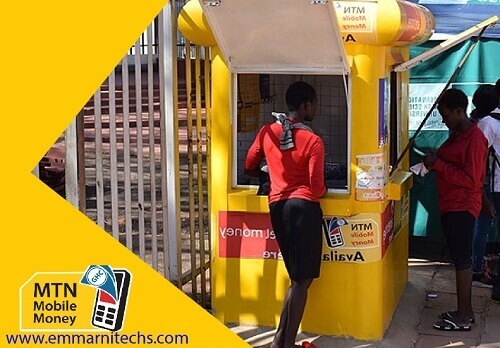
When it comes to telecommunications in Ghana, MTN is one of the most used networks with over 280 million subscribers.
Due to its availability in almost every region in the country, many Ghanaians prefer using the MTN network over the remaining networks like Vodafone Ghana, AirtelTigo, and Glo.
Aside from being everywhere, this telco have many offers that have made a lot of people fall in love with the telco,
Do you want to make free calls in Ghana? MTN Ghana has an offer that allows its users to make free calls.
Are you looking for the fastest internet service? Many people choose MTN over other networks for the quickest telco internet connection.
With MTN, you can also make calls even when you don’t have airtime. This service is called MTN Pay4Me.
And one offer that I believe has glued many Ghanaians to the MTN network is the MTN Free after one.
MTN free after one is an offer that allows users to make calls and only pay for the first minute. After spending the first minute, the rest is free. We have an article taking you through how to make free calls on MTN with the MTN MTN Free after one.
People were finding it difficult when it came to sending and receive money in Ghana, and because of this, MTN Ghana launched the Mobile Money Service.
This service allows users to register with their mobile number to send and receive money.
The service has become the most used form of making payments.
In this article, I will take you through how to check your MTN mobile money registration details.
Why should anybody check their MTN mobile money registration details?
If you have noticed this, anytime you receive a call from MTN staff, they call you with the name registered on your SIM card, so checking to see if it bears your reputation will benefit you.
Also, if your phone gets stolen or damaged, you will be able to request a new SIM card without any hassle because all the details on your SIM card are correct, all you have to do is to visit the nearest MTN office, present your ID Card and then request for a new MTN Sim card.
How To Check Your MTN Mobile Money Registration Details
On your phone Dial *400#
Now, wait for the USSD Code to load. When done, you will see the name registered with the Mobile Money, the ID Card type you used, the last digits of your ID Card number, and your Date Of Birth.
In the end, MTN will prompt you that, if it is not correct, you can visit simregistrationupdate.mtn.com.gh to update your sim card details.
And we have an article taking you through how to update your MTN sim card registration details.
Conclusion
At first, getting all this information like the name registered with your sim card, the type of ID used, and much more was not an easy thing to do.
You would first have to visit any MTN office near you and then file a report. You will then be asked to go back home, and within some days, it will be sent to you through the email or phone number you gave through the form.
Now everything has changed, now you can check your MTN sim card or mobile money registration details right from your phone, and in this article, we went through how to do just that and talked about why everyone needs to check their SIM Card registration details.
If you are in Ghana, I believe you have ever asked yourself this question, how can I make money writing for Opera news hub?
How can I make money online? you might have heard of opera news and wonder how the writers make money.
I believe you have searched and watched so many videos but couldn’t find what you are looking for, well this article is definitely for you.
This article will take you through how to make money writing for Opera News Hub and after going through this article, you can also check out our full guide on making money online in Ghana aside from Opera News Hub.
I write for Opera News, and after getting paid each month, I used to share my payment screenshots with my friends to motivate them to start writing.
This has made many people question how it works and how they can also earn like me, so I have taken it upon myself to write this article, taking you through everything step-by-step. At the end of this article, you will be educated and start writing for Opera news hub and start making money on the platform.
But before diving into how to earn money from this platform, let’s first take some time to go through what that platform is and how it works (I know you are in a hurry to start earning, so I will make it a quick one).
So What Is Opera News Hub, And How Does It Work?
Opera News Hub is a platform that helps individuals and bloggers set up a channel, write about what interests them, tell the world what is happening in their region, and, in return, earn money based on the engagement from those articles.
Opera browser developers developed the Opera news hub, and when it comes to browsers, the Opera browser is one of the best browsers with over 100 million downloads.
If you start writing on the opera news app, your content will reach millions of its users because it will be distributed on all mobile opera products.
This will let you earn more money because earnings are based on clicks and how people stay on your article (we will talk more about this later in the article).
Also, if you are a blogger and decide to write for opera news, it will help you get more direct traffic to your website and gain your website more exposure.
Opera news hub started in Nigeria in October 2019, and after six months, it had over 40,000 users writing content and cashing out every month.
How Does Opera Make Money?
Opera makes money from search engines and advertisers. Search engines bid opera developers to make their website a default search engine with opera browsers.
In Russia, Yandex is the popular search engine, Baidu is the default search engine in China, and Google covers the rest of the world.
With the opera news hub, the platform makes money from ads, ads are displayed in between articles that will be published, and opera news will be shared with its publishers at the end of the month.
How Do You Make Money From Opera News
To make money on opera news, you will need to write articles that generate more clicks, shares, and comments.
Like I said earlier, in the opera news hub, your earnings are based on how people read, stay on your page, and interact with your articles.
If you know how to write content, you can click here to message a friend who is good at connecting website owners and content writers.
Let him know the kind of content you can write and he will connect you to a website for you to start writing and getting paid. You can also contact me through our Contact Us page and have a chat with me.
Tips That Will Help You Generate More Revenue On Opera News Hub
Write On Trending Stories
Yes, people like to read about what is trending. Also, make sure your articles are uniquely easy to understand, and don’t write articles that are less than 150 words.
Writing a lengthy article will make people stay on your article for a longer time which at the end of the month, will increase your monthly payment because opera adds to the time spent on your article when it comes to calculating your monthly income (we will talk about how earnings are calculated later in this article)
Write On What You Know Best
This is one thing that is going to help you if you want to maximize your earnings on the platform, everybody has what they know how to do best, I am into tech, and I like to write about how to do things, so since I am into tech, I write on what I know and do best.
This will let the readers love your articles and follow your channel for more stories.
Writing on anything you will come across in different niches won’t help you on the platform as people won’t get to know what you are good at.
Encourage Your Readers To Follow You
Anytime you make a new post, opera shares are based on the Category and interest of its platform users, so it will distribute it to the users that have shown interest in the article you have written.
When someone clicks on your article and enjoys it, you might want them to revisit your channel, so you must encourage this reader to follow you.
One advantage of getting followers is that anytime you make a new post, opera will first distribute it to your followers and then distribute it to the random users who are not following you.
Share Your Articles
After publishing an article, the platform will do its best to show your articles to as many people as possible, but the AI will track how users click on the articles.
To get more clicks, you will also have to do your part by sharing the article with your friends and families, groups, and anybody you think would want to read that article, remember the more clicks you will get, the higher your chance of earning more.
How To Join And Earn Money On Opera News Hub
Visit opera.com, choose your country, and click on Login / SignUp.
Now choose whether to join with your Google Account or Facebook.
Confirm your Login Account by choosing your country and clicking on Confirm.
On the Account Information tab, type in your username (also known as your WeMedia name), Category (what you are good at writing), your channel logo, and Biography. Also, note that you are limited to the only Category you choose. You can write anything you want on the platform.
Now fill in your Author information such as your Legal first and last name, email, phone number, bank account number or mobile money number (tick the one you want to get paid through), ID number, and then Referral code (the person who referred you, you can use mine which is KJKGYGM or leave it blank).
After successful signup, you will be taken to your dashboard, now to start writing, click on Create on the top left.
Now type in your Article title and then the content. After that, select a Thumbnail and then choose a topic. (A topic is a Category and what your niche is about). Preview your article and then click on Draft or Submit when you are done.
The opera news editors will review it, and if it is perfect, it will be published. If they find any mistakes or corrections that need to be made, they will reject the article and tell you the reason to work on it and resubmit.
Images Taking You Through How To Join Opera News Hub
Example Of Approved Articles
Example Of Rejected Articles
Wondering how to write an article that will get you more clicks like this? Hers is an article on the best guidelines to create a post on the opera news hub that will generate more clicks. Also, if you find it difficult to understand some words and what to do when it comes to writing on the hub, here is an article taking you through the Opera News hub dashboard.
Types Of Articles That Will Be Rejected
Articles with poorly written headlines.
Articles containing grammatical errors.
Articles that talk about ethnic hatred and discrimination.
Articles that go against editorial and opera news best practices.
Articles that are written to expose the state’s sensitive information.
Articles that are prohibited by the country’s law.
Articles that promote violence.
Articles deemed clickbait, e.g., titles that come with Amazing, SUPRISE, Unbelievable, OMG. You Won’t Believe This.
How To Calculate My Earnings On Opera News Hub
Opera News calculates your earnings based on the total number of clicks x Total reading time posts x Account quality points x Article originality points.
Diving in might confuse you, we used this formula to calculate our earnings when the platform was first launched, but now you can see each amount you have earned on the opera news hub dashboard.
All you have to do is visit the Monetization Tab, and you will see the amounts you receive each day based on the clicks and time spent on your articles.
How Do You Receive Payment And When Payments Made?
You will be paid each month after the hub team makes your monthly calculations, payment will be made on the mobile money number you specified, and if you choose a Bank Account as your mode of payment, payment will be sent to your bank account,
Payment is made from the 15th to the 20th of every month.
Conclusion
Now that you have made it this far, I believe you have been educated about writing for Opera News Hub and earning in return, this article covered how to write for Opera News Hub and get paid.
We also covered everything you need to know before starting your opera news hub journey and even you can find everything you need to know about making money on opera news hub on this website.
I will encourage you to take action by creating an account right away, remember with the opera news hub. You don’t have to submit anything, and all you have to do is sign up start writing, and receive payment at the end of the month.
Never panic when you send money from your mobile money account to the wrong number.
We all make transactions, and sometimes due to being in a hurry or not dialing the number well, we tend to send money to the wrong number.
MTN mobile money has been the most used mode of transacting in Ghana, the service was launched ten years ago, and Ghanaians have embraced it, and currently, MoMo is what everybody is using.
(it only our dear girls that are making boys bore MoMo small because girls have abused this MoMo term a lot, every day ‘’Send me MoMo’)
But aside from this, Mobile money is the best thing that has happened to Ghanaians because before that, sending and receiving money was never easy.
There are ways to reverse a transaction, and we will take you through all of them.
How To Reverse MTN Mobile Transaction Sent To A wrong Person
Before diving in, pray you realised this within 15 minutes of sending the money and also the person hasn’t withdrawn the money (this will increase your chance of you getting your money back faster).
Your call will be transferred to the mobile money department customer care.
You will be asked about the amount you sent, the wrong number you sent to, the date you sent, and also they will ask you to provide some information to help them assist you faster.
Now wait for them to do their investigations, and then your money will be reversed back to you after 15 days.
So we wrote an article on how to withdraw MTN mobile money from ATM and in our writing, what you could do is generate MTN mobile money token that can be used to receive the money from the ATM.
However, one will want to reverse their mobile money transactions for some reason. This article will take you through how to change your MTN mobile money token generated back to cash.
How To Reverse Your MTN Mobile Money Token Code Generated For ATM
So assuming you went to the ATM to withdraw mobile money from the ATM and due to some reasons, you couldn’t withdraw.
First of all, the token has a date that it will expire, so if you don’t need the money in a hurry, you can wait for three days, the permit will pass, and your money will be reversed to your mobile money account.
If you want to reverse your token back to money and can’t wait for the expiry date, then you will have to do this:
Visit the nearest MTN office with your national Identity card (you might need it for verification)
Explain to the person in charge, specify the bank, the amount you wanted to withdraw and then show your token.
The customer representative will take it from there, and within some minutes, they will reverse your token for you.
Conclusion
MTN brought mobile money to make sending and receiving money an easy thing to do in Ghana.
Well, people tend to make mistakes, we all do, and since MTN is aware of this, they also do their best to assist people when they make mistakes in making transactions on the MTN mobile money service.
In this article, we went through ways to reverse your mobile money transaction sent to the wrong number and ways to change a token back to your mobile money account.
Netflix stands as one of the premier movie streaming services globally, and Ghanaians can also enjoy its extensive content library.
With Netflix, you have the opportunity to stream a wide array of your favorite American movies, documentaries, and shows from the comfort of your home, all for a reasonable subscription fee.
Users can choose from four different subscription plans tailored to fit various budgets, making the streaming service accessible to a wide audience.
If you’re new to Netflix, a comprehensive guide on purchasing a subscription is available on this website to assist you.
For both new and existing Netflix users, being aware of certain aspects as you navigate the platform is crucial for an optimal streaming experience.
Understanding these key factors will enhance your enjoyment of movies, ensuring a seamless and prepared viewing experience. Let’s delve into these important considerations for Netflix users.
Kind Of Movies Shown
Netflix users need to be aware that Netflix is an American streaming service primarily featuring foreign content.
Users should note that Nollywood and Kumawood movies, which are prominent in African cinema, are not part of the Netflix catalog.
If you expect to watch Kumawood and Nollywood movies, it’s advisable to rely on platforms like Multi TV that specialize in offering African films.
Setting clear expectations will help you avoid disappointment, ensuring you choose the right platform for the content you desire.
Data Consumption
Netflix utilizes significant data, and this can contribute to increased data charges. The streaming service delivers movies in HD quality, resulting in substantial data usage during the streaming process.
Therefore, when considering a Netflix subscription, it’s crucial to take your data plan into account.
Netflix and data consumption are interconnected. As mentioned earlier, streaming movies on Netflix can lead to higher data charges.
It’s important to be prepared for this aspect and factor it into your budget. If your budget doesn’t accommodate the data charges associated with HD streaming, you may need to reconsider whether you are ready to enjoy HD movies on Netflix.
Being mindful of your data usage will help you manage costs effectively.
Stable Internet Connection
For an optimal Netflix experience, it’s crucial to ensure that your internet connection is exceptionally fast.
A swift internet connection is essential for seamless streaming of movies and shows without interruptions.
When your internet speed is not up to par, you may encounter issues such as buffering or poor video quality, potentially diminishing the overall enjoyment of your viewing experience.
To make the most of Netflix and prevent any disruptions, investing in a fast and reliable internet connection is highly recommended.
A speedy connection ensures that you can enjoy your favorite movies and shows without any hassle.
Ownership Of Content
It’s important to grasp that the movies and shows available on Netflix are not owned by the streaming service.
Instead, Netflix engages in partnerships with various movie companies to make their content accessible to Netflix users.
This arrangement implies that the content you watch on Netflix doesn’t become your possession. You’re essentially consuming the content during your subscription period, and you don’t retain ownership once you move on to the next movie or show.
Understanding this aspect of Netflix’s model helps users set realistic expectations about their access to and ownership of the content on the platform.
Conclusion
These are just a few key considerations to keep in mind when embarking on your Netflix streaming journey.
For more insights and information related to Netflix, be sure to explore additional articles on our website.
We’ve got a variety of content to enhance your understanding and enjoyment of the Netflix streaming experience.
If you’ve already subscribed to Netflix and are now considering a change to a different subscription plan for access to a broader range of content, you’re in the right place.
If you haven’t had a chance to review our previous article on how to subscribe to a Netflix plan and the associated rates, I recommend checking it out for a comprehensive understanding of the available options.
Once you’re familiar with the rates and plans, you can confidently make the switch to a subscription that aligns with your preferences for an enhanced viewing experience.
So What Is Netflix?
Netflix has become a household name, and its popularity extends far and wide. It’s not just a name; it’s a streaming service that brings movies, documentaries, and a vast array of TV shows directly to your home.
Picture it as your home cinema, offering the latest films from the biggest stars in Hollywood.
When you subscribe to Netflix, you gain access to a treasure trove of entertainment, allowing you to enjoy your favorite movies and shows within the subscription period.
The beauty of Netflix lies in its versatility, you can watch it on various devices such as TVs, laptops, gaming consoles, smartphones, and tablets.
The number of devices at your disposal depends on the type of subscription you choose.
Speaking of subscriptions, Netflix caters to different budgets, making it accessible to a wide audience. No need to go overboard trying to impress someone with a fancy movie collection.
Netflix has you covered. Now, let’s get back to exploring the world of streaming entertainment.
How To Change Your Netflix Subscription
So now, you are looking to change your subscription to another one, right? Fortunately for you, Netflix has made it very easy to do that and I will be showing you just how you can get that done in the steps below.
One of the best things about a Netflix subscription is that you can get it changed at any time during the duration of your membership with the streaming service. Now let us look at the stepson changing your Netflix subscription below. Please follow it carefully.
You will then be sent to a page where you can view the details of your subscription plan along with the pricing.
Choose the new plan that you would like to have and then click on ‘update’
Select ‘confirm change’ so that the new changes will take effect. A date on which the new changes will be put into effect will be shown to you
Plan upgrades however are put into effect right away and you get charged on your next billing with the new price included.
Conclusion
Changing your Netflix subscription plan is a straightforward process, as demonstrated in the steps above. By logging into your account on the Netflix website, you can easily make the desired changes.
It’s important to note that if your primary interest is in Nigerian and Ghanaian movies, Netflix may not fully meet your expectations.
Netflix, being an American company, primarily focuses on American movies, documentaries, and shows. However, if you aim to enjoy Hollywood blockbuster movies, then Netflix is the right platform for you.
I trust that this article has provided clarity on how to change a Netflix subscription. Feel free to explore other Netflix articles on the site for additional insights and information.
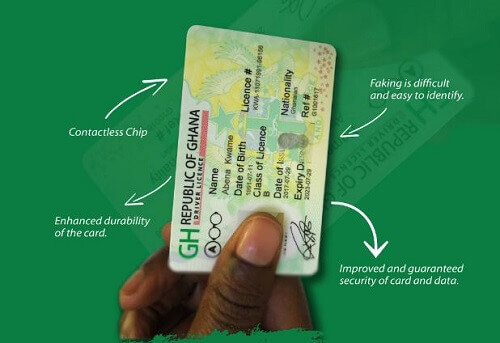
Certainly, let’s explore the process of obtaining a driving license in Ghana. Acquiring a car is a common aspiration for many, but before hitting the road, you must obtain a driving license from the government.
The authorized institution for issuing driving licenses in Ghana is the Driver and Vehicle Licensing Authority (DVLA).
To embark on this journey, you’ll need a permit issued by the DVLA. Obtaining a driver’s license permit in Ghana has become more accessible, but it’s crucial to be aware of the different types of driving licenses available before applying.
This article will guide you through the requirements for obtaining a driving license in Ghana and provide insights into the various types of licenses.
Understanding the specific license you need will make the application process smoother. Stay tuned for more detailed information in the upcoming sections.
Requirements Needed For Applying For A Driving License
Below are the requirements you must meet before you can be eligible to apply for a driving license in Ghana.
You should be more than 18 years old
You must have written the BECE examination
A visa picture
About 4-hour preparation from a driving school that has been accredited by the DVLA
Types Of Driving License In Ghana
Now let’s look at the various driving license types in Ghana and their meaning.
Type A
This type of license is specifically designed for vehicles without gearboxes, typically used by individuals riding bikes, cruisers, and ‘Aboboyaa’ users.
If your mode of transportation falls into this category, obtaining this particular license is the key step to ensure you’re legally authorized to operate such vehicles on the roads.
Whether you’re a bike enthusiast or a user of ‘Aboboyaa,’ this license is tailored to meet the needs of those who navigate vehicles without traditional gearboxes.
Type B
This type of license is specifically designated for drivers operating minibusses, cross-country vehicles, and pickup trucks.
It’s essential for individuals involved in taxi and Uber services, as these vehicles typically cannot accommodate more than 15 passengers. Additionally, this permit sets a limit on the gross load, ensuring it does not exceed 5000 kg.
If you’re in the business of transporting people or goods within these specifications, obtaining this license is crucial for legal compliance and safe driving.
Type C
This specific license is allocated to vehicles with a passenger capacity of up to 45 people, making it suitable for business and commercial vehicles like ‘Trotro.’
Additionally, the gross weight of these vehicles should not surpass 10000kgs. If you’re involved in the transportation business, especially with vehicles designed for a moderate number of passengers, securing this license is essential to comply with regulations and ensure the safe operation of your vehicle.
Type D
This specific permit is tailored for heavy-load vehicles with a substantial gross weight, typically around 350000kgs.
Examples of such vehicles include STC buses. It’s important to note that the passenger capacity for this category of vehicles must not exceed 65 individuals.
If you operate or drive heavy-load vehicles with these characteristics, obtaining this permit is essential to ensure legal compliance and the safe transportation of passengers within the specified limits.
Type E
For operators of heavy horticultural vehicles, the Type E driving license permit is the one to apply for when seeking a driving permit in Ghana.
This category encompasses rural and earth-moving vehicles, as well as modern gear vehicles.
Examples include trucks, loaders, forklifts, graders, rollers, and other large and heavy vehicles.
If you’re involved in operating these substantial vehicles, obtaining a Type E permit is crucial to ensure compliance with driving regulations and safely maneuver these heavy-duty machines.
Type F
The Type F permit is akin to the Type D permit, with the key distinction being that drivers applying for this category operate vehicles with a gross weight load surpassing 35,000kgs.
This permit is specifically tailored for drivers handling vehicles tasked with transporting heavy loads and merchandise exceeding the specified weight limit.
Common examples of such vehicles are articulators. If you’re involved in driving these heavy-duty vehicles, securing a Type F permit is essential to comply with regulations and safely manage substantial cargo transportation.
Conclusion
These are the distinct types of driving licenses or permits available, each corresponding to the specific type of vehicle one operates.
It’s crucial to be well-versed in these driver’s license categories to ensure you apply for the correct one according to your vehicle type.
I trust that this article has provided valuable information to our esteemed readers. For all your tech-related needs, remember to visit this site regularly. Stay informed and drive safely.
Discovering how to set up and enjoy Netflix shows in Ghana is a fascinating journey. In this article, we’ll explore the ins and outs of accessing Netflix in Ghana, covering essential topics like payment methods and more.
Netflix stands out as an excellent platform for streaming movies, and the good news is, Ghanaians can now join in on the entertainment. For a budget-friendly price of GHS 49.30, you can unlock a world of your favorite shows.
Whether you’re using your smartphone, TV, PlayStation, or Xbox gaming console, Netflix has you covered. All you need is a Netflix basic plan to start enjoying your preferred movies.
What Is Netflix?
Netflix is a streaming service where viewers can watch their favorite award-winning movies, documentaries, anime, and tv shows on lots of connected devices. Viewers are allowed to pay low amounts monthly to enjoy these movies and tv shows along with content that is uploaded almost every week.
However, before you can start enjoying Netflix in Ghana, you must have a data subscription along with a good internet connection. ga
This is because the movies on Netflix can only be streamed in HD or full HD so you need a good internet connection to watch them.
You also have to subscribe to the Netflix packages which are offered by the telecommunication companies in the country.
Netflix Subscription Prices In Ghana
To unlock the world of entertainment on Netflix, you first need to subscribe to their streaming service. Don’t worry; there are different subscription packages to fit your budget.
The subscription plan you pick determines how many devices you can use to enjoy your favorite movies.
To get started, download the Netflix app from your smartphone’s Play Store. Here are the different Netflix packages you can choose from:
Basic
Standard
Premium
Monthly Cost
GHS 49.30
GHS 61.64
GHS GHS 73.98
Number of screens you can watch on
1
2
4
Number of phones download on
1
2
4
Unlimited movies and shows
Yes
Yes
Yes
Ability to watch on a laptop
Yes
Yes
Yes
HD availability
No
Yes
Yes
Ultra HD availability
No
No
Yes
Aside from purchasing a subscription to enjoy watching movies and shows on Netflix, you can also receive a one-month free subscription from Netflix to enjoy these shows.
Can I pay For Netflix with MoMo in Ghana?
Netflix offers various payment methods, but currently in Ghana, MoMo (Mobile Money) isn’t accepted.
However, in some other African countries like Uganda, you can conveniently pay with an MTN MoMo debit card.
Though it’s not available in Ghana at the moment, there’s optimism that the MTN MoMo Card will become accessible soon.
Rest assured, once the MTN MoMo Card is available in Ghana, I’ll promptly update this information with the necessary steps for your convenience. Stay tuned for the latest updates!
Where To Watch Netflix Movies
Accessing Netflix is convenient as long as you have a reliable internet connection and a compatible device.
Whether you prefer watching on a TV, smartphone, tablet, gaming console, or laptop computer, Netflix has got you covered.
For those with Android or iOS-powered devices, streaming Netflix movies and shows is a breeze.
Additionally, if you have a good internet connection, you can even download your favorite movies and shows to watch later. Enjoy the flexibility of Netflix on the go.
Netflix Subscription Payments
Once you’ve selected a subscription plan, the next step is to make the payment. You’ll only be charged on the day you sign up.
To pay for your Netflix subscription in Ghana, you’ll need an ATM debit card. Alternatively, you can use a verified PayPal account for your payments.
Choose the method that suits you best to ensure a smooth payment process when the time comes to renew your Netflix subscription.
Whether it’s the convenience of an ATM debit card or the security of a verified PayPal account, pick the option that works seamlessly for you.
How To Change Your Netflix Subscription Plan
So assuming you signed up for a plan and later decided to upgrade or degrade, Netflix has a way for you to do that, to do this follow these steps:
On your Netflix dashboard select Change Plan under the Plan Details
Now go through the available plans and select your preferred plan, click on Update
You will then see your plan changed immediately
How To Connect Netflix To Your TV
Netflix is incredibly versatile and can be enjoyed on a variety of devices. The choice ultimately depends on what you have available for a connection. However, many would argue that watching Netflix on your TV is the optimal choice, given that almost everyone has a TV at home.
To watch Netflix on your TV, you can utilize the “cast to screen” option on your smartphone. An easy and stress-free way to do this is by using an HDMI cable.
Alternatively, if you’re a gaming enthusiast and prefer to watch movies on your gaming console, you can stream them directly through an internet connection. Enjoy the flexibility of Netflix on your preferred device.
How Do You Watch Movies On Netflix Which Are On Other Countries?
Netflix offers a vast library of movies and TV shows, and finding what you want to watch is simple. Just search for the name of the movie or TV show you’re interested in, and Netflix will provide you with the available options.
Moreover, Netflix tailors its recommendations based on your location, making it easy for you to discover content suitable for your region.
If you’re interested in watching movies from different countries, simply search for the desired title, and you can start enjoying the diverse selection that Netflix has to offer. Happy watching.
Conclusion
If you’re eager to dive into the world of Netflix movies and shows, this article has hopefully provided valuable insights.
We’ve covered the steps on how to set up and enjoy Netflix videos in Ghana. For more tech-related articles and news, remember to visit this site regularly. Stay tuned for the latest updates and happy streaming.
The shortcode for NHIS renewal is *929#, you can dial this shortcode on your phone to renew your national health insurance.
The article you are about to read will take you through how to renew your national health insurance with your phone, making sure you can do it yourself at home.
In addition, we will also cover how to register for the NHIS if you don’t have one and answer all the questions surrounding the NHIS.
The national health insurance scheme is a program that was launched in the year 2003.
Before the national health insurance scheme, Ghanaians had to pay for their hospital and medicine bills when they were sick.
This was very difficult for low-income citizens as many of them wouldn’t have money to pay for the drugs they had been asked to buy.
Luckily the national health insurance scheme was introduced.
The National Health Insurance Scheme was launched to make drugs affordable to poor people in particular.
Thanks to national health insurance, people can get free drugs without having to pay for anything.
When the government launched this program, many Ghanaians were so happy because it was not all that easy to pay for drugs when you are sick.
So How Does The National Health Insurance Scheme Work?
The main aim of introducing the national health service is to provide financial access to quality health care for Ghanaians.
There is a National Health Insurance Levy, a 2.5% levy on goods and services collected under the TAX collected in the country.
To enjoy the national health insurance scheme, one will have to register.
How To Register For The National Health Insurance
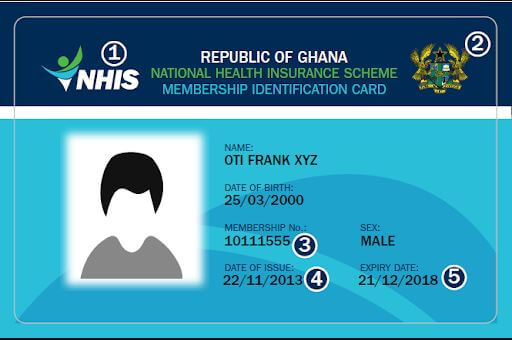
To register for the national health insurance scheme, you will have to visit any NHIS office around you with your Voter’s ID card, Ghana Card, or Passport.
There are two categories when it comes to registering for NHIS. The agent will first interview you to know which category you join. They are An annual premium member (you will renew your subscription every year)and a member of the exempt group (you will not pay a processing fee).
A registration officer will fill in your details using your ID card. Some of the details are: Your full name Date of birth Age Mobile phone number(s) Residential address
You will then be asked to pay the registration fee, which is GHS 80. after that, the officer will take your biometric information and your photograph.
You will be asked to choose your primary care provider, which means the place you will mostly visit to receive treatment, either a clinic, primary hospital, or polyclinic.
After that, you will wait for some minutes, and your national health insurance card will be ready.
From there, you can take it to any hospital to receive treatment. Also, note that it is best to register your NHIS before getting sick because it will not be effective when you get ill and rush to register. NHIS card becomes effective after one month of registering.
So you have now been able to get yourself a national health insurance card, and this card also needs to be renewed every year.
At first, people will have to visit the national health insurance office to renew their cards. Still, now things have changed, now it is easy to renew your national health insurance on your phone in the comfort of your home, and this article will cover everything you need to know.
Let’s talk about the health insurance renewal process since it is easier to renew on the phone with a shortcode.
How To Renew Your National Health Insurance On The Phone
On your phone dial the NHIS renewal code which is *929#
Select 2: Renew Membership
Select 1: NHIS CARD since this article is going to cover NHIS
Now enter your membership number on the front of your NHIS card
Confirm your membership number
Pay the amount that will appear on the screen. (Please note, the renewal fee is based on the months and years it took before you decided to renew your card)
Also, note that you will pay an additional GHS 1 fee.
What Is The Health Insurance Renewal Code In Ghana
The national health insurance renewal code is *929#. After that, you will then follow the prompt to renew your card.
don’t worry; we are going to dive in more and, in addition, take you through what all the prompts mean
What Is The NHIS Renewal Fee In Ghana
Renewing your NHIS cost from GHS 30 going, depending on the months and years your card expired before you decided to renew.
What Are The Benefits Of Renewing Your NHIS On Your Phone?
It Saves Time
Now you don’t have to worry about stopping your work and visiting the NHIS office. Renewing your expired membership with your phone helps you save time.
Save Travel Expenses
NHIS offices in the country are not all that many, so when you want to renew your expired NHIS card, you will have to travel from your place to another.
But with the introduction of phone renewal, you don’t have to spend any money traveling to another location to renew your card.
When Can I Start Using My NHIS Card After Renewal
The NHIS card becomes effective to use one month after renewal. So it is best if you renew it right after it expires to avoid paying high renewal fees.
How To Renew Your NHIS With An SSNIT Card
Do you remember we talked about two groups of people when it comes to registering NHIS?
SSNIT workers are part of the exempt group, meaning they do not pay the processing fee.
So if you are an SSNIT worker and want to renew your NHIS, all you have to do is contact the NHIS office number on 0302 233255/ 241690/ 328136/ 216970.
Here is also their physical address: No. 36-6th Avenue, Opposite AU Suite, Ridge Residential Area, Accra.
How To Replace Your National Health Insurance Card?
Maybe you have mistakenly misplaced your NHIS card, or it has been lost, defaced or damaged. There is a way to get a new one, to do this:
Visit the nearest NHIS office near you
Get one of the replacement forms and fill in your details
Now pay the replacement fee.
Within minutes, you will be given a new card.
Conclusion
Now it is easier to renew your national health insurance on the phone. In this article, we covered NHIS renewal code and how to renew your NHIS on the phone.
In addition, we covered how the NHIS was launched, and how to register for NHIS, and answered all the questions surrounding NHIS and renewing.
Are you looking for MTN unlimited calls code? This article is a complete guide covering all the latest MTN call packages in Ghana.
In this article, you will find the MTN MashUp code and package, MTN Free After One, Sunday Special, MTN Jaara, Kokrokoo, all the latest MTN call bundles, and many more offers.
And if you want to make free calls without paying for anything, this article also covers MTN Akwaaba and MTN international call bundles for those making international calls.
When it comes to telecommunication in Ghana, we have MTN Ghana, Vodafone Ghana, and AirtelTigo. Still, the most used network in this country is MTN Ghana, and because of that, we will cover MTN Ghana call packages.
MTN was launched in Ghana in 2009. After hard work and making sure their network became accessible in all parts of the world, the company met Ghana Telecom, which is now Vodafone.
Ghanaians started migrating to the network. Not only did Ghanaians migrate from the network because of their network coverage.
Many Ghanaians also migrated because of how cheap they have made their call packages.
This article will focus on all the call packages, shortcodes, and how to subscribe in other to enjoy your MTN network.
Knowing all the MTN call packages will let you know the ones to use and how to use them. Some involve making free calls without paying for anything.
And some also involve paying for a small amount of airtime and having the rest of the hour for free. Some also include paying for a small amount, and then you will be allowed to make free calls the whole day.
I know you can’t wait for me to take you through all this so I won’t waste much time. Let’s dive into the MTN codes for calls only.
MTN Mashup
A lot of people have been searching for MTN mashup code on this website so I believe it is best if we cover everything you need to know about MTN mashup shortcode, what is MTN mashup?
MTN mashup is one of the most used packages in Ghana, and this package allows you to choose to bundle for calls, bundle only or call and bundle.
So let’s say when you buy airtime to make a bundle, you can choose to bundle your airtime for calls only if you are like me, who loves browsing a lot.
You can choose to use your airtime to purchase only the bundle. MTN allows you to purchase both the call packages and the bundle packages if you also want both.
Mtn MashUp Code
MTN MashUp code is *567#. This shortcode allows you to choose the type of mashup offers you want. After choosing your preferred package, you will then receive a confirmation message from 567.
So if you receive a message from 567, you have to know it is from MTN MashUp. You will also receive a message from that number when you call, and bundle packages get exhausted.
MTN Mashup Packages
MTN has recently updated the MashUp process and the days it lasts. At first, MashUp bundles used to expire based on the type of package you chose, if you chose daily MashUp, the bundle would disappear when the 24 hours is up, same goes for when you bundle for a week or a month, and in this article, you are going to know the updated packages.
There are 4 MTN MashUp packages: the GHS 1 MashUp, The GHS 5 MashUp, The GHS 10 MashUp, and The GHS 30.
Now let’s dive into all the packages and how to subscribe to each one of them.
The GHS 1 MTN MashUp Packages
The GHS 1 package allows you to choose between:
25MB and 25.67 Mins
30.8MB and 20.53 Mins
35.93MB and 15.40 Mins
51.33MB only
The GHS 5 MTN MashUp Packages
For the GHS 5 MashUp packages, you get to choose between:
144.84MB and 144.84 Mins
173.81MB and 115.87 Mins
202.78MB and 86.91 Mins
289.69MB only
The GHS 10 MTN MashUp Packages
For the GHS 10 MashUp package, you get to choose from:
303.95MB and 303.95 Mins
364.74MB and 243.16 Mins
425.53MB and 182.37 Mins
607.90MB only
The GHS 30 MTN MashUp Packages
For the GHS 30 package, you only get 3161.22 MB of data.
Now let’s talk about how to buy the MTN MashUp packages. When it comes to purchasing the MTN MashUp package, aside from getting to choose between calls and bundles, you also get to select to buy for yourself and also buy for someone else. Let’s cover all of them.
MTN MashUp Packages In A Tabular Form
Here are the latest MTN MashUp prices in a table form:
Package (GHS)
Option Number
Data (MB)
Minutes
1
1
25
25.67
1
2
30.8
20.53
1
3
35.93
15.40
1
4
51.33
Only Data
5
1
144.84
144.84
5
2
173.81
115.87
5
3
202.78
86.91
5
4
289.69
Only Data
10
1
303.95
303.95
10
2
364.74
243.16
10
3
425.53
182.37
10
4
607.9
Only Data
30
Only Option
3161.22
Only Data
This table shows the MTN MashUp packages available for 1 GHS, 5 GHS, 10 GHS, and 30 GHS. In each package, there are different options you can choose from. Each option provides a certain amount of data (in MBs) and minutes for voice calls
How To Buy The MTN MashUp Package For Yourself
Now read on how to do mashup on MTN:
Dial the MTN MashUp code *567#
Select 1: MashUp For Self
Choose between the MashUp offers (GHS 1, GHS 5, GHS10, and GHS 30)
Choose the exact amount you want to purchase, or you can select 2 to enter your preferred amount. MTN will calculate the equivalent in data and call for you
Now choose between the data and call packages you want
This is also useful when you choose more minutes and don’t have any calls to make. You can then convert the minutes back to data and then use it to browse.
How To Convert Your MashUp Minutes Back To Data
Dial *567#
Select 3: Convert Minutes To Data
Enter the minutes you want to convert back to data
MTN will let you know the amount of data that minutes will give you
Select 1 to confirm and then see your minutes converted back to data.
How To Get 67MB For Just GHS 0.07 Pesewas
Dial *567*1*1#
Select 2: Enter Amount
On the amount side, type in 0.07
Select 4: for 59MB
This simple trick allows you to get 59MB for just GHS 0.07 Pesewas. To get more, all you have to do is repeat the process to accumulate more bundles.
Mtn Free After 1
MTN Free After 1 is an offer that MTN launched on November 2, 2018. The MTN Nkomode allows users to make calls for one hour and only pay for the first minute.
But when someone using MTN with this plan activated decides to call a number on a different network, the person can only talk for 5 minutes and pay for the first minute of the call.
Update: MTN has recently changed the minutes you can use to make off-net calls (calls from MTN to another network).
Now you can call any network for 60 minutes and only pay for the first minute.
Update: MTN has recently revised this Free After 1 package. Now with MTN Free After 1, you will pay for the first minute and then get another 9 minutes free. So in all, you can make a call for 10 minutes and only pay for the first 1 minute.
How To Activate MTN Nkomode / Free After 1
Dial *550#
Select 6: MTN Free After 1
Select 1 to Activate
Confirm by choosing 1 again.
MTN Akwaaba
Mtn Akwaaba, also known as MTN Magic Number, is an offer given to new MTN customers. Every telco in Ghana has its way of welcoming new customers, and MTN welcomes people that buy their Simcard with the Akwaaba Offer.
The MTN Akwaaba is one of the most popular MTN call packages because this offer allows new MTN users to make free calls on one chosen number for 6 months. The user can talk all the minutes they want with their selected number for free.
One thing to note is, that with MTN Akwaaba, users can use just one number, and once that number is set up, you can not change it again; therefore, users are advised to make a good decision.
(Let’s say you buy a new Simcard and you use your partner’s number to make the Akwaaba offer when the relationship collapses, you can’t change the number).
Type in the number you want to make free calls with for six months.
Now confirm
MTN Ghana International Call Bundles
To make calls abroad, one needs to have international call bundles because calling international numbers is very costly.
To save you a lot of money, you need to make international calls using your international call bundle.
These bundles allow you to call countries like Canada, India, the USA, the UK, and many other countries.
How To Purchase The MTN International Call Bundles
On your phone, dial *138#
Select 99: More
Choose 6, which is More
Select 1: Combo Bundle
Select 1: Buy For Self
Choose Option 2: IDD Bundles
Now choose the country you want to call
Select the amount you want to buy
Press 1 to confirm
Now choose your payment method, whether to pay with Airtime or Mobile Money.
MTN Ghana International Call Bundle Code
The shortcode for MTN Call Bundle packages is *138#. After dialing the case, then you follow the steps to buy your preferred international call bundle
Mtn International Call Bundle Rates
Package
Price
30 mins
GHS 2.1
70 min
GHS 5.24
150 mins
GHS 10.48
MTN Sunday Special
MTN Sunday Special allows users to enjoy unlimited calls and SMS on Sundays.
There are two types of Sunday specials, the one that allows you to make free calls between 12 midnight and 5:59 PM for just GHS 0.54 Pesewas.
And the one that will enable you to make calls from 12 midnight to 12 plus free SMS and 20MB till midnight for GHS 1.
The Shortcode for MTN Sunday Special
The shortcode for MTN Sunday Special is *5050#. However, you can directly subscribe to the MTN Sunday Special offer by sending START to 5050 through SMS.
How To Activate MTN Sunday Special
Dial *5050#
Select 1 to pay GHS 1 and make calls, SMS, and get 20MB to use from midnight to midnight. You can also select 2 for the GHS 0.52 Pesewas offer.
Select 1 to confirm and then start making free calls and SMS in addition to free browsing with your 20MB data.
MTN Jaara
MTN Jaara is a program by MTN that allows users in some selected regions to make calls for the whole day at the cost of GHS 0.52.
The regions MTN Jaara works on are the Brong Ahafo Region, Northern Region, Upper East Region, Upper West Region, and Volta Region.
What Is The Shortcode For MTN Jaara?
The shortcode for MTN Jaara is *5055#. This offer works from Monday to Saturday.
How To Subscribe To MTN Jaara
To subscribe to MTN Jaara, all you have to do is dial the shortcode *5055#. After that, follow the steps to activate this excellent offer.
Kokrokoo Bundle
The Kokorokoo bundle allows you to enjoy 30 minutes of talk time and 400 MB of data for just GHS 1.
The Kokrokoo offer works from 5:00 AM to 8:00 PM, and the shortcode for the MTN Kokrokoo bundle is *138#.
How To Buy MTN Krokrokoo Bundle
Dial *138#
Select 3: Kokrokoo Bundle
Choose to Buy For Self
Select 1 for GHS 1
Press 1 to buy
MTN Pay4ME
MTN Pay4Me allows MTN users to make a call and the user pays for the call. With MTN Pay4Me, all the caller needs to do is dial 154, followed by the number they want to call.
So let’s say I want to call the MTN number 0549XXXXXX, and I don’t have airtime to make that call. All you have to do is dial 1540549XXXXXX. The call will go through.
The receiver will be notified it is a pay4me call. Now to the most asked questions when it comes to MTN Ghana calls packages and making free calls on MTN Ghana.
MTN IDD Bundles
This is a package for people who want to call their loved ones outside the country. MTN has made this international package affordable so that granny can call her grandchildren abroad and greet them. 🙂
Group 1 (Canada, China, USA, India)
Price (GHS)
Minutes
Validity (Days)
Effective rate per minute
2.17
30
3
0.0723
5.41
70
7
0.0773
10.81
150
15
0.0721
MTN Ghana Special Tariffs In A Tabular Form
Here are all the latest MTN Ghana call packages and their prices in a table form, now go through and choose the one that best suits you:
Description
Rates (GHS)
Sunday Special – 20mins, 10SMS ( all net)
0.66
Sunday Special – 37mins, 10SMS (all net), 20MB Data
1.23
Sunday Special – 70mins, 10SMS (all net), 50MB Data
2.29
Jara – 20mins, 10SMS ( all net)
0.66
Jara – 37mins, 10SMS (all net), 50MB Data
1.23
Jara – 70mins, 10SMS (all net), 50MB Data
2.29
Kokrokoo – 5am to 8am, 400MB
1.08
How Can I Talk Unlimited On MTN?
You can talk unlimited on MTN using their MTN Akwaaba offer, this offer allows you to talk unlimited and at the same time free without the need to buy any airtime. When you subscribe to this MTN Free After 1 offer, you won’t need to buy airtime before making a call.
One thing you need to know is that this offer is given to new MTN members for them to choose one number and talk for free for 6 months without the need to pay for anything or subscribe to anything
How Do I Buy MTN Call Minutes?
To buy MTN call units, there are many ways to go about it, one of which is using your MTN mobile money account to purchase the call minutes.
To buy airtime using MTN mobile money:
Dial *170#
Select 3: Airtime & Bundles
Select 1: Airtime
Choose Self
Enter the amount you want to buy
Dial your MTN secret pin to confirm the transaction.
You can also buy MTN call units from the various MTN credit vendors or buy the MTN credit scratch card.
What Is The Code For MTN Call Bundle?
The code for the MTN call bundle is *567#. This is also the shortcode for MTN mashup, this package allows you to buy an MTN call bundle with your airtime.
How Do I Buy MTN Monthly Voice Bundle?
You can buy MTN monthly call bundle with the MTN mashup code, dial the MTN mashup code *567#, and select airtime.
Is MTN To MTN Calls Free?
MTN to MTN calls are not free, however, you can make free calls from MTN to another MTN number using their offers such as the MTN Akwaaba feature and the MTN Sunday special feature.
Faqs When It Comes To Making Free Calls On MTN In Ghana
Code for MTN mashup
The code for MTN mashup is *567#
MTN mashup code for calls only
The bundle for MTN mashup calls bundle only, all you have to do is dial *567*1*1#
MTN AFA bundle code
To activate MTN AFA bundle all you have to do is send SMS 1 to 513
What time does mtn kokrokoo start
The MTN kokrokoo bundle starts from 5:00 AM to 8:00 AM
How does kokrokoo bundle work
The MTN Kokrokoo bundle allows you to enjoy 400 MB of data and 30 minutes of on-net airtime for just GHS 1. The offer can be used from 5:00 AM to 8:00 AM and does not expire.
Which MTN plan is the best for calls in Ghana?
The best MTN plan for calls is the MTN Akwaaba offer, this offer allows you to make free calls for 6 months with your favorite person. To activate this offer, all you have to do is get a new sim dial *550#, and choose the Magic number to activate.
Conclusion
As a proud MTN user, it is best to know all the latest MTN Ghana call packages to make you know the best and cheapest offers to use and that is why we have come to your aid with the MTN call bundles shortcode.
And in this article, we decided to write everything covering MTN call packages. This article covers MTN MashUp, MTN Free After One, MTN call bundles, MTN Ghana International Call Bundles, MTN Sunday Special, Kokrokoo Bundle MTN Akwaaba, MTN Jaara, and MTN Pay4ME.
Are you looking for what Reference means when you are about to send mobile money to someone?
This is the article for you. In addition, let you know the purpose of the ReferenceReference and what always to put there.
The mobile money industry is growing; gone were the days when sending and receiving money was one of the hardest things to do.
You will have to take transport to collect your money from someone to those with banks near them. You will have to join ques at the bank to receive your money.
Luckily there was the invention of mobile money. MTN Ghana was the first telco to launch mobile money in Ghana in 2009.
When it was first launched, Ghanaians were not paying much attention to this incredible invention until 2012.
From there, Ghanaians got to know the importance of using mobile money to make payments.
The mobile money industry has also grown to the extent that you can pay all your bills using mobile money, and now you can even buy airtime, buy plane tickets just using your phone.
This article will take you through what “Reference” in mobile money means and, in addition, let you know what to type whenever you reach the “Reference”.
So, What Does Reference Mean When Sending Mobile Money?
The reference section is for the sender to state the purpose of the transaction. Also, Reference is used to keep records of certain transactions made.
Let’s say you have a friend owing you GHS 50. That same friend calls you to ask for another GHS 50, making GHS 100. When sending the GHS 50, you can use the reference tab to record the receiver’s amount by making it ‘You are now owing GHS 100’.
The person receiving the money can also see it, and it can even be a prompt for him or her.
Reference is also useful when you make a lot of payments, let’s say you make payments every month to your workers.
You can use the Reference tab to keep track of all the workers you have paid. Let us say you are paying Emmanuel, who happens to be one of your workers. You can use the reference “Emmanuel SEPTEMBER Payment”.
This helps keep track of all the people you pay. If one of your workers comes and says they haven’t been paid, all you have to do is open your mobile money messages and search for the month, let’s say “SEPTEMBER.”
All messages containing the reference “SEPTEMBER” will pop up. All you have to do is to go through and confirm what the worker is saying.
Wrapping Up
Reference in mobile money is handy when making payments in mobile cash. This article went through what Reference means when sending mobile money when to use Reference, and how to use it.