Category: Tech In Ghana

  • How To Easily Detect A Fake Cable That Can Burn Your House In Ghana

    How To Easily Detect A Fake Cable That Can Burn Your House In Ghana

    We all need cables to make to make use of electricity easier. And your house can have a better lightning system depending on how you set up your cables in your home.

    Most of the time, you will see people’s houses getting burnt and all those kinds of stories, most of them depend on the types of cables used in their house.

    Because of this, the scientific officer and technical supervisor at the Ghana Standard Authority (GSA) have advised Ghanaians on measures to take when it comes to the kind of cables they will buy from the market and use.

    Mr. Franci Mensah Akploo further continued that it’s not easy to identify whether a cable is fake or original. Still, there are things to look out for when you have no idea about electricals.

    Speaking on Joy FM’s Super Morning Show Thursday, he said Ghana Standards authority has been posting cables that they have tested, they make sure they list cables that are good to use, and most of them are branded.

    We have the wiring code GS-1009. That is a standard. A standard should have figures and letters.
    When it comes to wiring cables, there is a standard like GSIEC-60227. If you are getting a wiring cable, you should check this code, and you should make sure you see this code on the labeling.

    The discussion was brought to us on television because of the recent fire outbreaks in the country.
    When it comes to the length of the cable, he advises that people should always check the size of the cable they are buying and make sure the length is written on the cable.
    Another way to check for the originality of wires is the magnetism effect of the cables you buy.
    When it comes to the types of magnet, pure copper conductors should not be attracted to magnets.
    If you want to test for this, ask the seller to peel off the insulation and place a magnet close to the copper.
    When you see the magnet attracting the copper, the cable you are buying is not all that original.
    He also advises Ghanaians to be careful about the prices of the coopers since most fake ones are the cheapest.

  • 6 Easy Ways To Report MTN Mobile Money Fraud Cases In Ghana

    6 Easy Ways To Report MTN Mobile Money Fraud Cases In Ghana

    If you are reading this, I believe you have once received a call from a fraudster who wanted to trick you into stealing your money from your mobile money account and you have searched for how to report MTN momo fraud in Ghana or how to report a fraud number to MTN. 

    And if you have never received such a call before, I believe you have heard of so many mobile money fraud cases in Ghana, at the end of this article, you are going to know how to report MTN Money fraud cases in Ghana.

    This article will cover all the easiest ways to report cases in other to always keep your account safe and make it hard for fraudsters to steal your money

    Mobile money has come to stay, and it has become one of the most used forms of transactions in Ghana.

    With the invention of mobile money, it is now easy to pay your school fees, bills, and almost anything that involves money.

    You might want to check this article covering how to withdraw MTN mobile money without an ID card.

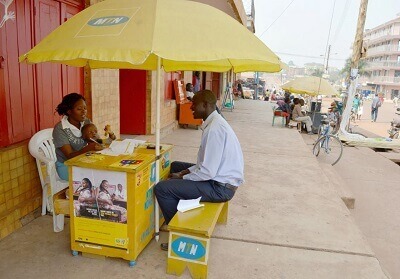
    MTN Ghana was the first telco company to introduce MTN Mobile Money in Ghana, although it was not that popular when it was launched. As time went on, Ghanaians started using it, and all the remaining Telcos also began operating mobile money services.

    After MTN Mobile Money, we got to have Vodafone Cash and Airtel Tigo Money.

    And now it is even easier to transfer mobile money through these three mobile money operators.

    As we are talking about the importance and benefit of mobile money services, fraudsters, on the other hand, are finding new ways and ideas to drain people’s accounts.

    MTN was the first telco to launch this mobile money service in Ghana, and because of that, it is the most used mobile money platform.

    Because of that, fraudsters always target MTN, mobile money users, because they are the telco that has more subscribers.

    We published an article taking you through tricks used by fraudsters to steal mobile money from people; it is an eye-opening article that you might want to check out and be on alert.

    In this article, I will take you through 6 easy ways to report any fraud cases to MTN Ghana.

    Here Are The 6 Easy Ways To Report MTN Mobile Money Fraud Cases In Ghana

    Since the ‘Sister nie oo’ fraudsters are not resting, you should also get to know how to report these mobile money fraudsters. 

    Doing this keeps your account safe and helps these telcos cramp down on the fraud cases that have been growing.

    Report Fraud Case Using The MTN Mobile Money Shortcode

    As hackers are constantly finding new ways to steal people’s money, MTN is also stepping up its game, and now you can report any suspected number to MTN right after the call. To do this,

    How To Report Fraud Cases Using The MTN Mobile Money Shortcode

    1. Dial the MTN Mobile Money Shortcode *170#
    2. Select 6: My Wallet
    3. Choose 4: Report Fraud
    4. Now choose the type of Fraud. Here you will have to specify what that fraudster did. Either the fraudster called you that he has made a wrong transaction, sent a fake SMS, Fake Promotion, Fake Blocking, or used a New Reversal Process.
    5. Type in the fraudster’s number, You be asked if you transferred the money or not.
    6. Please enter your details, now tell MTN what happened, how it all started, and whatever went on between you and the fraudster.
    7. After that, MTN will take over and deal with that fraudster.

    Call Customer Care 100

    MTN customer care is 100. Anytime you feel like a fraudster is after your money, all you have to do is call their customer call line, which is 100, and speak to a customer representative.

    Here Is How To Report Mobile Money Fraud To MTN Customer Care 

    1. Dial 100
    2. Choose your preferred language 
    3. Press 5 to speak to a customer care representative
    4. Now report the case to the customer representative, and tell them what happened.

    The customer care representative will ask for the following information:

    • Your number 
    • The fraudsters number
    • The amount that fraudsters got from your mobile money account (this is if he was successful In the Fraud)
    • The time the incident happened

    Send Email To mobilemoneystr@mtn.com.gh.

    You can also report fraud issues to MTN Mobile Money fraud working mail. Anytime you suspect a mobile money fraud, all you have to do is send a mail to this MTN Mobile Money anti-fraud working mail, someone will take over your case and work on it, and if they need to call you, they will contact you for further investigation. 

    One thing to note is that anytime you are reporting a mobile money fraud to that number, it is advisable to give them every detail you have to make investigations easier and faster. Don’t forget to add your number so that they can contact you.

    Send SMS To 1515

    If you ever want to report a mobile money fraud right away using a short code, then you need to use 1515 to register.

    1515 is a shortcode for reporting all mobile money-related fraud issues; this is a unique shortcode that MTN Ghana created to combat mobile money fraud. All you have to do is send your details to that number.

    Any MTN Mobile money anti-fraud team available will take over your case and start working on it.

    Visit Any MTN Center To Report The Fraud Incident

    MTN Ghana has offices all around the country. When you suspect any fraud case, you can visit the nearest MTN Ghana office near you to report the incident.

    When going, make sure to take your phone with you as you will be asked to provide the number of the fraudster, the type of Fraud he tried on you, your number, and the time he started to approach you.

    Report Fraud Case To Ghana Police 

    When it comes to combating Fraud in Ghana, Ghana police are well known for this, so if you suspect any fraud issue on your mobile money account, you can report the case to any police station near you, and they will look into it.

    Conclusion 

    Mobile money will continue to grow big as many people keep on using it each day. As it grows and becomes more prominent, hackers will always find new ways to steal people’s money from their mobile money accounts.

    To avoid losing money to hackers and spammers, especially in your business, you can use https://www.zintego.com/ to create invoices and keep records of your business transactions.

    In this article, we went through how to report any MTN Mobile Money fraud issues and how to go about each one of them.

    Talking of MTN, if you are fond of using MTN Mobile Money for transactions each day, then you might want to read about how to increase your MTN Mobile Money transaction limit so that you can make more payments as compared to the normal Mobile Money subscribers.

    Do you know you can make free calls on MTN Ghana? you might want to check out this article covering how to make free calls on MTN Ghana.

    Frequently Asked Questions

    What is MTN fraud report code?

    MTN fraud report code is 1515, you can also report fraud to MTN using the *170# then select My wallet > Report fraud

    How to avoid getting scammed by MTN momo fraudsters?

    There are many ways to keep your MTN mobile money account secure and some of the ways are using a hard-to-guess pin, not telling anybody your momo pin, and making sure you don’t approve any pop-up requests.

  • Everything You Need To Know About MTN Mobile Money In Ghana

    Everything You Need To Know About MTN Mobile Money In Ghana

    The introduction of the mobile money system in Ghana has significantly streamlined money transfers among ordinary individuals, addressing the challenges faced by those who previously encountered difficulties in sending money to one another.

    Understanding Mobile Money

    Mobile money is a digital financial service that facilitates the seamless transfer, receipt, and storage of funds. This platform operates through a digital wallet that securely holds users’ money until they opt to send it to another individual, utilize it for purchases, or transfer it to a bank account.

    An inherent advantage of the mobile money service is its accessibility, as users are not obligated to possess a traditional bank account for registration.

    A valid identification card is the sole requirement for individuals to enroll in this service.

    Ubiquity In Ghana

    Ghanaians have embraced the convenience offered by mobile money, a service now ubiquitously provided by major telecom companies in the country.

    MTN pioneered the introduction of the mobile money platform in Ghana in 2009, eliminating the need for individuals to have a bank account to engage in digital financial transactions.

    Subsequently, other telecom giants such as Airteltigo and Vodafone have integrated mobile money into their services, recognizing the substantial impact it has on financial accessibility and inclusivity.

    Industry Growth

    The Central Bank of Ghana’s reported statistics indicate a noteworthy surge in mobile money transactions, witnessing a 20% increase in 2016, with a total value of $177.9 million.

    This growth underscores the pivotal role that mobile money plays in the financial landscape of the country.

    Despite Ghana’s robust economic standing in Africa, the urban-rural divide has positioned the nation as a prominent hub for domestic remittances, further accentuating the significance of mobile money in facilitating financial interactions across diverse geographical areas.

    The evolution and widespread adoption of mobile money in Ghana reflect its transformative impact on the accessibility and efficiency of financial services, particularly benefiting those who were previously excluded from traditional banking systems.

    Before the Mobile Money Service

    Before the introduction of the mobile money service in Ghana, a substantial portion of the population, approximately 70%, was considered unbanked.

    This denoted individuals without access to a bank account, rendering them incapable of engaging in fundamental financial activities such as sending, receiving, and saving money.

    During that period, only about 35% of the population owned mobile phones. Notably, a significant portion of Ghanaians sought job opportunities in urban areas, leading to internal migration.

    These individuals, upon securing employment, often needed to send money back to their families residing in rural villages.

    The absence of a banking infrastructure in many remote locations meant that traditional banking systems were inaccessible.

    The advent of the mobile money platform played a transformative role in this context. It provided a crucial avenue for unbanked individuals to conduct financial transactions, especially money transfers, which were vital for those who had relocated for employment.

    This innovative solution facilitated financial inclusion by offering a means for individuals to send and receive money without the prerequisite of a traditional bank account, addressing a critical gap in the financial landscape and significantly impacting the lives of those previously excluded from formal banking channels.

    How It Operates 

    When the service was initially launched, it operated similarly to the traditional money transfer businesses before it. However, the telecom companies later introduced mobile agents that were instructed to help users of the service transfer or receive money from the agent’s account.

    As time went on and the mobile money platform became more popular and widely sought after, the telecom companies began to register users by giving the man accounts on their mobile phones. the platform also received some support from the country’s central bank, which helped it flourish.

    The central bank saw the opportunity to get banking services to more people through the mobile money platform, thereby reducing the percentage of unbanked citizens in the country. A survey later revealed that access to financial services in the country could grow by 41%.

    The number of stalls used by the MTN mobile money vendors in the country outnumbered bank branches by 2015. New e-money laws, which the central bank later introduced, brought some favorable changes to the mobile money platform, such as a simple registration method for users and simplified rules of operation on the business model.

    After The Invention Of Mobile Money Service

    Today, the mobile money platform is the most popular financial tool available, with millions of subscribers belonging to different services run by the telecom companies in Ghana. MTN Ghana still leads the mobile money market with a more significant market share than other telecom companies.

    This is because MTN made the platform famous before the other telecom companies joined. By then, MTN had gained a sizable amount of users on the platform.

    Ghana was also one of the first nations to make contactless NFC payments available through mobile money. This was made possible through AirtelTigo’s ‘tap and pay’ service. 

    Wondering what reference means when sending mobile money? Click here to know also how to reverse wrong MTN mobile money transactions

  • How To Select The Right RAM For Your Desktop Or Laptop

    How To Select The Right RAM For Your Desktop Or Laptop

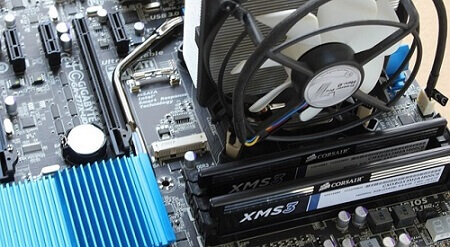
    Selecting compatible RAM for your computer is a crucial aspect often overlooked by many.

    Contrary to the assumption that any RAM can be arbitrarily chosen and slotted into a computer or laptop, ensuring compatibility is vital.

    Whether you are building a gaming machine or contemplating a RAM upgrade for your existing laptop, choosing the right RAM is paramount for optimal performance.

    Boosting your machine’s performance hinges on selecting the correct RAM modules.

    This article will guide you through the essentials, enabling you to make informed choices when it comes to choosing RAM for your desktop computer or laptop.

    For the purpose of this discussion, we will focus on DDR4, predating the emergence of DDR5, which will be covered in a subsequent article.

    How Much Memory Do You Need?

    With the Windows 10 operating system becoming the norm, a minimum RAM of 8GB is often recommended for smooth operation.

    Many reasonably priced Windows 10 laptops now come equipped with 8GB of DRAM, suitable for tasks such as work, light gaming, and moderate multitasking.

    It’s crucial to recognize that activities as seemingly light as internet browsing can quickly consume over 50% of available RAM.

    While modern browsers are designed to be more memory-efficient, other programs running concurrently may demand significant memory resources.

    When the available memory is insufficient, the computer tends to exhibit sluggishness, impacting overall performance.

    To address this, modern computers should have a minimum RAM capacity of 16GB.

    This provides ample resources for those who engage in light multitasking.

    For users involved in gaming or running resource-intensive programs, a RAM capacity of 32GB is recommended.

    Individuals who are well-versed in their computing needs, especially those requiring even larger memory capacities, are aware of their specific requirements.

    Understanding the significance of adequate RAM ensures a smoother and more efficient computing experience.

    How To Know Your Current Memory Of Your Computer

    To ascertain the amount of memory (RAM) installed on your Windows 10 machine, follow these straightforward steps:

    1. Open any folder on your computer.
    2. Locate the ‘This PC’ icon, typically found on the left side of the folder.
    3. Right-click on the ‘This PC’ icon.
    4. Select ‘Properties’ from the context menu.

    Upon doing so, a window will appear displaying essential information about your computer, including the currently installed RAM.

    This quick and accessible method allows you to check your system’s memory configuration without the need for third-party applications or advanced procedures.

    How to Know The Current Memory Of Your Computer Method 2

    using the DirectX Diagnostic Tool (dxdiag) is another effective method to gather detailed information about your computer, including memory capacity and other specifications. To access this information, follow these steps:

    1. Open the search bar on the taskbar.
    2. Type “dxdiag” and press Enter.
    3. The DirectX Diagnostic Tool window will appear, providing an array of information about your computer.
    4. Navigate to the “System” tab to find details such as the total memory (RAM) installed on your computer.

    This tool offers a comprehensive overview of your system’s specifications, making it a valuable resource for users seeking detailed information about their computer’s hardware and capabilities.

    Upgrading

    Upgrading RAM can significantly enhance a computer’s performance, but it’s essential to note that not all machines allow for RAM upgrades.

    In cases where the RAM is soldered onto the motherboard, upgrading becomes impractical or impossible.

    For systems where RAM is not soldered and can be upgraded, compatibility is crucial. Different generations of RAM, such as DDR3 and DDR4, are not interchangeable due to differences in keying and electrical requirements.

    It’s important to ensure that the selected RAM aligns with the specific requirements of your computer.

    Many sellers offer memory configurators, allowing buyers to make informed choices based on their system’s specifications.

    By checking the manufacturer’s product page or using a memory configurator, users can identify the appropriate RAM format for their machines.

    Choosing RAM that is compatible with your system contributes to improved performance and faster operation, providing a worthwhile upgrade for those seeking enhanced computing capabilities.

    Conclusion

    Selecting RAM for your machine is a more intricate process compared to choosing peripherals like keyboards or mice.

    Unlike those peripherals, where compatibility is often less of an issue, RAM must be carefully chosen to ensure seamless integration with your system.

    Choosing incompatible RAM can lead to various issues, including system instability, crashes, or even failure to boot.

    Seeking the assistance of professionals or utilizing resources provided by the manufacturer, such as memory configurators, is a prudent approach.

    Professionals can provide valuable guidance on selecting the right type, speed, and capacity of RAM that aligns with your computer’s specifications.

    This approach helps guarantee that the chosen RAM is not only compatible but also optimally suited to enhance the performance of your machine.

    When it comes to upgrading or replacing RAM, taking the time to make informed decisions ensures a smoother and more efficient computing experience.

  • Latest Tricks Used By Fraudsters To Steal Mobile Money From People

    Latest Tricks Used By Fraudsters To Steal Mobile Money From People

    This educative article will take you through the new tricks used by fraudsters to steal mobile money from people.

    It would be best not to skip any of these new tricks as a fraudster might one day use one of them on you.

    The mobile money form of banking has become increasingly popular as it offers a much more convenient way of sending and saving money.

    Mobile money allows its users to send money right from the comfort of their homes and vicinity, and you can also use it as a form of emergency savings point.
    Due to its popularity, many people have embraced the projects, with millions of users worldwide now using the platform.

    It is also common knowledge that fraudsters will try their nefarious activities wherever financial business grows, which is no different from the mobile money platform. Fraudsters have already targeted the mobile banking platform, and many people have already lost their money.

    Due to this, we have compiled some of the top tricks that fraudsters use on unsuspecting mobile money users so that you can save your hard-earned money from a bunch of lazy people who may want to steal it.
    Below are some of the most widely used methods and tricks used by fraudsters.

    Error Messages That Money Has Been Sent To You Mistakenly.

    This trick is one of the most common tricks that fraudsters use on people, and it sometimes works for them.
    They do this by sending text messages to their victims, making them look like they originated from telecommunication companies.

    The messages usually tell the victim that money has been deposited in their mobile money accounts. The fraudsters will immediately call the victim to tell them that they had mistakenly transferred money to their accounts.

    The victim will be asked to send the money back. Most people usually fall for this and then send the amount of money back unsuspectingly. One way to be on the alert for this trick is to always be up to date with the amount of money in your mobile money account.

    Whenever you receive such messages, the first thing would be to check your account to see if money has been deposited there.

    Cash-Out Transaction Pop-Up

    Fraudsters can also prompt the cash-out notice on a victim’s phone without their approval. They then call the victims to enter their PIN code on the phone.

    Once this happens, the money they have confirmed will be going to the fraudster out of the victim’s account.

    Trick You Into Sharing Your PIN

    Some fraudsters can also disguise themselves as mobile money agents who are representing the client’s telecommunication company.
    They call unsuspecting clients and ask them to disclose their mobile money PINs to assist them during transactions.

    When clients give up their PINs, the fraudsters then later use them to withdraw money from the client’s account without their knowledge.

    Stealing Victim’s Bank Credentials

    Most banks now allow their customers to move money between their mobile money accounts and their bank accounts.
    Fraudsters take advantage of this by stealing a customer’s bank credentials. They then later use these credentials to steal money from the victim’s bank account.

    Hacking WhatsApp

    Some fraudsters also hack the WhatsApp accounts of their victims and then send messages to their contacts that they should send them money.

    Sometimes, some friends and family fall for this trick without verifying whether their loved one sent them such messages.
    They end up sending money to the fraudsters through the numbers that the fraudsters give them.

    Agents Swapping Customer SIM Cards.

    Some mobile money agents have also started to fraudulently steal their customers’ funds by swapping their SIM cards and accessing their funds.

    They gather the personal details of their victims and then impersonate them by calling the victim’s mobile service provider.

    They then claim that they have lost their mobile phones. Most of these are done by fraudsters who work closely with mobile money agents.

    Impersonation Of Telecommunication Agents

    Some fraudsters also impersonate telecommunication agents or mobile money agents by calling their victims and posing as them.

    They then ask the victims to enter some codes into their phones, which, unknown to the victim, approves cash-out for the fraudsters to withdraw money from their accounts.
    Merchants Cheating Customers.

    Some mobile money agents who are fraudulent have also been found to withdraw money through MoMo pay. They then charge their customers more fees than what is supposed to pay.

    Anytime you make a withdrawal from any mobile money agent, always check the amount you withdrew and the current balance before leaving that place.

    Fraudster Calls You Pretending You Have Made The Telco Blocked His Sim

    This is one of their newest tricks that you need to be aware of because it’s not all that popular, and if care is not taken, you will lose all your money.

    Here is how they do it, a fraudster will call you and then tell you he has sent money to your account and that you should send it back (just like they used to do).

    Within minutes that same fraudster will call you and start insulting you, claiming you have reported his number to The mobile money network, and because of that, his account is blocked.

    After insulting you, he will end the call. Within minutes another person will call you claiming to be calling from the mobile money department and tell you not to worry because they saw that number was about to fraud you.

    You will buy it because he will make it look professional. After he has got your attention, he will then tell you to dial some codes to strengthen your mobile money account so that it will be hard for these fraudsters to steal money from your mobile money account.

    What To Do When You A Fraudster Approaches You With Any Of These Tricks

    End The Call

    This step should be the first thing you should do when you sense the call is from a fraudster. All you have to do is end the conversation. Doing this will let the fraudster know you have an idea about what they are about to do and won’t disturb you again.

    Report The Number To Your Mobile Money Operator

    When a fraudster calls you, one thing you can do is report the number of your mobile money operators. What they will do is track the number and then deal with him.

    Never Dial Your Mobile Money PIN After A Fraudster Call

    Dialing your mobile money PIN is something you should never do if you don’t want to lose all your money. One thing you should know is these fraudsters have a way of requesting money from your mobile money account even without your permission.

    But they can not withdraw it without your PIN, so they will request the money and then call you; their main aim is to trick you into dialing your mobile money PIN.

    Even when they call you and you suspect they are fraudsters, don’t check your balance right away, but if you want to do so, you can disable and reenable your network before checking your credit. Doing this cancels all pending transactions. Turning on/off airplane mode is a way of refreshing your network.

    You can also read this full guide taking you through how to protect your mobile money account from fraudsters.

    Conclusion

    Mobile money fraudsters are still finding new ways each day to steal money from mobile money subscribers.

    In this article, we went through tricks used by fraudsters to steal mobile cash from people and, in addition, covered what to do after suspecting a caller is a mobile money fraudster.

  • Linking Your NIA Number To Your SSNIT, Here Is How To Go About It

    Linking Your NIA Number To Your SSNIT, Here Is How To Go About It

    As you are likely aware, a notable development has taken place concerning the National Identification Authority (NIA) numbers and Social Security and National Insurance Trust (SSNIT) numbers in Ghana.

    The recently introduced NIA cards, commonly referred to as Ghana cards, are poised to supplant the existing identification numbers utilized by SSNIT.

    This convergence of identification numbers is a direct consequence of Regulation 7 (1) outlined in the National Identity Register Regulations.

    It signifies a pivotal step toward a unified and streamlined identification system.

    Additionally, individuals seeking to enroll in the National Pension Scheme as new subscribers will now be mandated to possess Ghana cards as a prerequisite for membership.

    Consequently, stakeholders and concerned parties are actively engaged in the process of consolidating these identification numbers.

    Various methods have been established to facilitate this merger, ensuring a smooth transition for all involved parties.

    • By visiting an SSNIT office
    • By using a short code which has been provided for that which is *711#
    • Or by using the SSNIT website 

    Here are some of the reasons why you should consider doing the merger if you are not thinking seriously about it.

    • Using the Ghana card for all your transactions
    • Getting easy identification of nominated dependants
    • Saving money to avoid paying SSNIT card
    • A regal requirement

    Requirements For Linking SSNIT Number To Ghana Card Number 

    You will need the following before you will be able to merge both numbers.

    • Your NIA number
    • Your SSNIT number
    • Your mobile phone number
    • An email account that s active

    You will need your Ghana card to find your NIA number. After obtaining the card, look at it and you will see a ‘Personal ID number’ section.

    There, you will find an alphanumeric number that starts like this GNXXXXXXXX. The number is your NIA number and it is the same as the Ghana card number.

    That is the number that will be required when you are merging with the SSNIT number.

    How To Merge The NNumbers With Your Phone

    To carry out the merger, follow the steps listed below. 

    1. Dial *711*9# on your phone dialer
    2. Choose option 1
    3. Input your SSNIT number
    4. Enter your email address
    5. Input the personal ID number that you saw on the Ghana card
    6. Choose option 1 to finish the merger
    7. Wait for a confirmation message to be sent to you

    Do The Merger Online

    1. Go to the official SSNIT members website here https://www.ssnit.org.gh/member/
    2. Use your current SSNIT number and password to log in
    3.  On the top of the bar, you will find ‘merge my NIA’ there, click on it
    4. Make sure you read the terms and conditions before you proceed
    5. Now input your NIA number and confirm your email address and phone number
    6. Now click on submit and wait as the merger completes

    Conclusion

    In this concise article, we’ve explored the convenient process of merging your National Identification Authority (NIA) number with your Social Security and National Insurance Trust (SSNIT) number directly through your mobile device.

    This approach proves more efficient than physically visiting an SSNIT office to accomplish the same task, offering a streamlined and accessible solution for individuals seeking to consolidate their identification information.

  • This Is Why You Really Need A Bank Account And Not Just A MoMo account

    This Is Why You Really Need A Bank Account And Not Just A MoMo account

    The Mobile Money (MoMo) service has undeniably become an integral aspect of financial transactions, providing a convenient means for individuals to send and receive money regardless of geographical locations.

    Over the past decade, it has played a significant role in shaping the financial landscape of the country’s economy.

    While the popularity of MoMo has led some individuals to view it as a sufficient replacement for traditional banking services, it is crucial to recognize that MoMo, despite its numerous advantages such as bill payments, swift money transfers, and airtime acquisition, is not designed to substitute traditional banking.

    It is imperative to understand that the inception of the mobile money service aimed at facilitating transactions within the banking sector rather than supplanting it.

    MoMo should be perceived as a complementary feature within the banking industry, implemented to streamline and simplify financial transactions.

    Now, let’s delve into the reasons why the Mobile Money service was not introduced to replace the traditional banking system but rather to augment its capabilities and accessibility.

    With The Transfer Of The Huge Amount Of Money

    One notable limitation of the Mobile Money service is the daily transaction cap, restricting users to send a maximum of GHS 5,000 in a single day.

    Beyond this limit, individuals are required to split larger amounts, incurring additional charges for each segment of the sum transferred.

    For transactions of substantial sums, especially those integral to business purposes that necessitate the transfer of larger amounts without segmentation, the Mobile Money service may prove impractical.

    In such instances, traditional banking services emerge as the more viable option.

    Banks offer the flexibility to transfer nearly any amount of money, providing a seamless solution for transactions involving significant sums.

    The absence of stringent daily limits in the banking sector makes it the preferred choice for handling substantial financial transactions, ensuring efficiency and convenience, particularly in the realm of business dealings.

    You Can’t Request For Huge Amount Of Loans


    While many telecom companies now provide loan services on their mobile money platforms, these offerings typically cater to small amounts with a repayment period of one month.

    In scenarios where a substantial loan is required, such as clearing goods detained at the port due to financial obligations to port authorities, the loans available through mobile money services may not suffice.

    For significant financial needs like clearing goods at the port, where a substantial loan is imperative, turning to a bank becomes a more suitable and practical option.

    Banks are equipped to provide larger loans with more extended repayment terms, accommodating the specific financial requirements associated with substantial transactions and business operations.

    Mobile Money Limits

    The Mobile Money accounts, depending on the account type, are subject to limits on the amount of money that can be stored.

    While some accounts have a limit of GHS 10,000, others may allow for GHS 20,000.

    While these limits may appear substantial for individuals with modest incomes, they can become a constraint for those experiencing significant financial growth.

    For instance, if an investment in Kobocoin triples, resulting in a substantial increase in funds, the Mobile Money account proves insufficient due to these restrictions.

    In such scenarios, where financial gains surpass the limits imposed by mobile money accounts, opting for a bank account becomes imperative.

    Banks offer the advantage of unrestricted deposit limits, accommodating substantial sums of money, making them a more viable and secure option for managing substantial financial portfolios and investments. You can check out this guide to know how to increase your mobile money limit.

    International Transfers

    While mobile Money services often facilitate international money transfers, there are limitations on the amounts that can be sent.

    These restrictions contrast with the flexibility offered by banks, where individuals can send any desired amount internationally.

    The unrestricted nature of bank transactions makes them more suitable for substantial international transfers, particularly for significant financial transactions or business-related activities.

    In scenarios where the scale of the transaction surpasses the limits imposed by Mobile Money services, opting for a bank provides the necessary flexibility and convenience to meet the specific needs of the transaction.

    Safety

    A significant drawback of the Mobile Money service is the vulnerability to losing all funds in the event of forgetting the PIN or losing the phone associated with the account.

    In such unfortunate circumstances, the funds essentially become the property of the telecom provider.

    In contrast, banks offer a more resilient security structure. If a client forgets their PIN or encounters a similar issue, banks typically employ identity verification methods, such as using the account holder’s name during the account opening process.

    This allows for account access without the risk of losing funds entirely.

    The added layer of security and recovery options provided by banks ensures more robust safeguarding of financial assets, mitigating the risk of permanent loss due to PIN forgetfulness or phone loss.

    Conclusion

    As you can see, these are some concrete reasons I have given you. And no, the banks are not paying me anything to convince you.

    Just read more articles so I can keep educating you. That’s how I make my money. 

  • The Best Telecom Networks In Ghana? Find Out Our Top Picks

    The Best Telecom Networks In Ghana? Find Out Our Top Picks

    When considering the top telecom services in Ghana, names like MTN, Vodafone, and Airteltigo often take the spotlight.

    Each of these telecom networks possesses distinct advantages, making it challenging to single out one as the absolute best.

    Acknowledging that none of these networks is flawless in service delivery, it becomes essential to focus on the specific areas where each excels over its competitors.

    Rather than searching for the overall best telecom network, the key lies in identifying the one that dominates in the areas relevant to your usage preferences.

    In this article, we’ll spotlight MTN, Vodafone, and Airteltigo—the foremost telecom companies in Ghana—to outline their respective strengths.

    By understanding their unique advantages, readers can make informed decisions based on their specific needs.

    The prevalence of dual SIM capabilities in smartphones underscores the importance of having choices, allowing users to leverage the strengths of different networks simultaneously. Let’s delve into the details.

    MTN Ghana

    mtn logo

    MTN often faces criticism from users regarding issues such as poor call quality and swift depletion of data bundles and airtime.

    While other networks, like Airteltigo, offer more longevity for certain usage patterns, MTN has maintained one of the largest customer bases in Ghana primarily due to its pioneering mobile money service.

    Being the first to introduce mobile money in Ghana, MTN’s service has become the most widely used in the country.

    Many individuals maintain an MTN SIM specifically for mobile money transactions. Despite the introduction of similar services by other networks, MTN’s mobile money remains a frontrunner.

    The MTN mobile money service stands out for its speed, flexibility in loan services, and widespread accessibility throughout Ghana.

    If your priority is a telecom network with robust mobile money services, MTN Ghana would be a suitable choice.

    Vodafone

    vodafone-Ghana

    Although MTN Ghana beats Vodafone Ghana in terms of the mobile money service, Vodafone gets one back with their data bundles.

    This is because data is very important to smartphone users. Without data, you will not be able to browse and download from the internet.

    Vodafone has by far the cheapest data bundle prices among the telecom networks in Ghana.

    With the ‘made4me’ plan, you can get 5 GB of data for just GHS 5.50. This is by far the cheapest in Ghana at the moment. 

    Here are the prices of some of their data bundles which are the cheapest in all of the telecom companies.

    • 300MB for GHS 2 for daily use
    • 400MB for GHS 2.15 for daily use
    • 1.5GB for GHS 3.25 for daily use

    So if you are looking for the best network in terms of data bundle prices, then Vodafone Ghana is the telecom network you are looking for.

    AirtelTigo

    airteltigo

    In the realm of calls and SMS services, AirtelTigo emerges as the preferred telecom company.

    Renowned for offering some of the best call packages, the company provides subscribers with attractive call bundles, including options for international calls.

    Whether for personal or business communication, AirtelTigo stands out for its comprehensive and competitive call services.

    A notable feature is the absence of expiry dates on call bundles, allowing users the flexibility to utilize them at their convenience.

    AirtelTigo offers these bundles at appealing prices, ranging from GHS 2 to GHS 15, and includes accompanying data bundle packages.

    Additionally, AirtelTigo boasts one of the top browsing networks in Ghana. While occasional slowdowns may occur due to weather conditions, the overall browsing experience is highly regarded, making AirtelTigo an excellent choice for both calls and SMS charges in the country.

    Conclusion

    This article highlights that each telecom company in Ghana excels in specific areas, attracting users who value services in those particular domains.

    As such, determining the “best” network becomes subjective, and the choice ultimately depends on individual preferences and priorities.

    Rather than seeking the overall best network, it is advisable to select the one that aligns with your specific needs and preferences, ensuring a tailored and satisfactory telecom experience. 

  • Trying To Restore Backup From Your MTN Backup? Here Is How To Go About It

    Trying To Restore Backup From Your MTN Backup? Here Is How To Go About It

    Restoring your contacts is a crucial task, especially when using MTN Ghana, where they emphasize the importance of regular backups.

    If someone else has already performed the backup for you, and now you’re looking to retrieve your contacts, this article will guide you through the process.

    Before delving into the restoration process, let’s first understand the service we’re discussing for those who might be unfamiliar with it.

    Once we have a clear understanding, we can proceed with the step-by-step guide on how to restore your contacts on the MTN Ghana network.

    What Is The Mtn Backup Service?

    The service provided by MTN Ghana to back up contacts is a valuable feature for subscribers. It ensures the security of contacts by storing them on the cloud, safeguarding against potential loss in case of mobile device issues.

    This option provides a convenient means for MTN Ghana users to restore their contacts to their SIM cards whenever necessary. Now, let’s proceed with the steps to restore your contacts using this service.

    Backup Requirements

    To utilize the MTN backup service for contacts, there are specific requirements that need to be met. Firstly, ensure that you have a 128k SIM card, as SIM cards with lower capacities may not support the backup service.

    Additionally, the device used for backup should be manufactured by one of the following: Samsung, Lenovo, Xiaomi, Vertu, Nokia, LG, Alcatel, Motorola, Panasonic, Sony, Meizu, or ZTE. Meeting these requirements will enable a smooth and successful contact backup process.

    Starting The Backup Process

    Here is how to restore the contact on your mobile device. There are two processes through which you can do this.

    You can activate the MTN Backup service either through customer care or through the MTN menu on your mobile device.

    1. First, to activate it through customer care, call the MTN 100 line and then choose nay Ghanaian language of your choice to transact in
    2. Choose 5 so that you will be connected to an agent
    3. After the agent takes your call, explain to him or her that you want to activate the backup service on your device and listen to what the agent will say
    4. After it is done, you will be sent a message alerting you that the service has been activated on your phone. Anytime a backup is done, you will receive a message to notify you.

    Activating Through The SIM

    1. Go to your phone menu and select my MTN
    2. Choose ‘MTN backup’
    3. Choose ‘synchronize from the list that comes
    4. You will be notified that the activation has been successful
    5. Click on ‘ok’ and then wait for a while
    6. A payment confirmation will be sent to you. Enter the PIN of your mobile money wallet
    7. Now choose option 1

    Restoring Contacts

    When trying to restore the backup contacts to your mobile device, there are some simple steps to follow. 

    1. You will have to visit the MTN backup portal online
    2. After you have accessed it, go to the devices menu on the MTN backup menu and then check. Check to see the last device that was used to make the backup.
    3. Now choose the new one which you would like to restore the backup contacts onto
    4. Now select ‘sync now
    5. You will be sent a message that the synchronization is in progress.
    6. Click on ‘continue’ and then wait for it to complete
    7. After it has been completed, you will then see that all the backup contacts have been restored to the device you are holding. In this way, you will be able to keep all your contacts safe.

    FAQS

    Are payments to be made when I backup my contacts?

    The MTN backup is not free as it comes with some small charges. You will have to pay an amount of GHS 0.65 when you start the service on your mobile device. You will be making this payment every month through your mobile money wallet.

    How many contacts can I back up on the MTN backup service?

    You can backup a total of 200 contacts from your SIM card and another 5000 from your mobile onto the service for safekeeping.

    Conclusion

    Restoring your contacts through the MTN backup service is a quick and straightforward process, ensuring that you retrieve all your contacts effortlessly onto your new device without any loss.

    To initiate the service, simply activate it on your mobile phone. The service will then automatically back up your contacts every two weeks, ensuring that all newly added contacts are securely saved.

    This feature is particularly beneficial for individuals who may forget to back up their contacts regularly, providing an automated and reliable solution for contact security.

  • Nasco Fridges Prices In Ghana

    Nasco Fridges Prices In Ghana

    It’s crucial to make informed decisions when investing in appliances like fridges, especially considering the specific conditions and fluctuations in power supply.

    Nasco has indeed gained a reputable standing in Ghana for providing quality electronic appliances, and their fridges are highly sought after.

    When considering purchasing a Nasco fridge, it’s important to acknowledge not only the brand’s reputation but also the range of features and designs they offer.

    Nasco is known for its energy-efficient appliances, a crucial factor in regions with occasional power fluctuations.

    The elegant and attractive designs of Nasco fridges add to their appeal, making them not just functional but also aesthetically pleasing.

    The article rightly emphasizes the importance of being well-informed about the prices of Nasco fridges, aiding potential buyers in setting realistic budgets.

    Nasco Fridge Features

    The refrigerators we offer boast numerous commendable features, distinguishing them as cost-effective alternatives compared to many competitors in the market.

    Additionally, they exhibit remarkable energy efficiency. It’s not often one encounters a refrigerator that is both economical and energy-conscious in a single purchase. This rarity sets our products apart in the market.

    Types Of Nasco Fridges

    Nasco fridges also come in several types. We have the 

    1. Side-by-side fridge
    2. Top freezer fridge
    3. Bottom freezer fridge
    4. Double door 
    5. Tabletop fridge

    Nasco Fridge Prices In Ghana

    Let us now take a look at the various prices of the fridges so that you can be on your way to shopping. Below are the prices of some of the fridges from Nasco.

    FridgePrice
    Nasco 600 LTR side-by-side premium fridgeGHS 3,899,00
    Nasco 528 LTR side-by-side fridgeGHS 4,299,00
    Nasco 528 LTR side by side fridgeGHS 4,799,00
    Nasco 198 LTR top mount fridgeGHS 1,399,00
    Nasco 99 LTR double door fridgeGHS 949,00
    Nasco 135 LTR top mount fridgeGHS 1,299,00
    Nasco 90 LTR double door fridgeGHS 829,00
    Nasco 140 LTR top mount fridgeGHS 949,00
    Nasco 200 LTR top mount fridgeGHS 1,199,00
    Nasco 70 LTR table top fridgeGHS 649,00
    Nasco 98 LTR table top fridgeGHS 699,00

    Conclusion

    As you can see from the list above, Nasco fridges are one of the cheapest in the country if you look at the kind of features and quality that they come with.

    So now that you know about the Nasco fridges and their prices in Ghana, it is time to get up, get in your car, and go do some electrical shopping.

    I advise you to go along with a pickup truck to transport the fridge back home. You can also check out Hisense fridge prices and Midea fridge prices and then decide on which one you want to buy.