
Category: Tutorials

  • How To Use Foap And Make Money In Ghana

    How To Use Foap And Make Money In Ghana

    The Foap app provides an opportunity for individuals to generate additional income by selling their photos.

    The app, as well as the website, allows users to upload photos captured with their smartphones. These photos are then made available for purchase by companies and brands looking for images for commercial purposes.

    When a buyer purchases a photo, the seller is compensated, and the earnings are shared with Foap.

    If you have a passion for photography and believe your pictures have marketable appeal, read on to discover how you can effectively use the Foap app to potentially monetize your photography skills.

    How To Use Foap

    To begin using the Foap app and potentially make money from your photos, follow these simple steps:

    1. Download the App: Start by downloading the Foap app on your smartphone.
    2. Create an Account: Once the app is installed, create an account. You have the option to register using your Facebook account, which simplifies the process, or you can use your email. If you choose the email option, you’ll need to provide some additional information.
    3. Upload Your Pictures: After creating your account, you can start uploading your photos to the Foap platform. Ensure that the images you upload are of high quality to attract potential buyers.
    4. Join Missions: Foap often organizes missions or challenges sponsored by companies and brands. Participating in these missions can increase your chances of earning money. These missions usually come with specific criteria for the type of images sought.

    By following these steps, you’ll be on your way to showcasing your photography skills on Foap and potentially earning money from your photos.

    Whether you’re using your Facebook account or email for registration, the process is designed to be user-friendly and accessible.

    Navigation

    There are some icons found at the bottom of the screen that allows you to explore the app as well as to use it. Some of the icons can also be found at the top of the screen. 

    1. Newsfeed– the ‘newsfeed’ shows you the news section of the app where you can find information for various missions as well as those who won them. 
    2. Following– the ‘following’ tab takes you to the other Foap users that you are following on the app. You can quickly access their profiles from there and view and their upload. 
    3. Me– the ‘me’ tab allows you to see how the other users on the Foap app have been reviewing your photos. Users will also see the photos you post and rate them.
    4. Explore– the ‘explore’ tab allows you to view the pictures that have been posted by the other Foap users.
    5. Sold– you can also see the kind of pictures that have been sold by tapping on ‘sold’ which can be found at the top of the screen.
    6. Recent- this lets you see the photos that have been uploaded recently by other users on the Foap app.
    7. Search- the ‘search’ tab allows you to search for a specific genre of pictures that you are looking for. There are several genres of photos that are uploaded on the app by thousands of users from all over the world. So you will need to search by genre to get exactly what you are looking for. 
    8. Camera- use this to upload your photos from your smartphone.
    9. Missions- this is where you will find all the needed information about the latest missions that have been organized by Foap. 
    10. Active- all the current briefs of missions can be found here in the active tab.
    11. Joined- you can check out all the new missions that you have recently joined in this tab
    12. Winners- this is where you will be able to see the winners from the previous missions that were organized. 
    13. Menu- takes you to the settings and options part of the app where you can manage anything from your photos to changing notifications settings and withdrawing your profits.

    Uploading A Picture

    To upload a photo on Foap, follow the steps below.

    1. Tap on the camera icon which is located down the screen
    2. Select the photo that you intend to upload. you can select several photos together to upload at once
    3.  Click on ‘done after selecting the photos for uploading
    4. Add a description of the photo together with relevant tags
    5. Click on ‘publish’
    6. Answer if there are people in the photo you uploaded. If there are people in it, you will need to get the person to sign a model release form. After it has been signed, you will then need to upload it to Foap. This is because the permission of the model or person in the photo is required before you can sell the photo
    7. Go to your profile page to view the photos that you just uploaded 

    Conclusion

    Uploading high-quality images is crucial, as they have a better chance of selling quickly on the Foap platform.

    High-quality photos are more likely to attract buyers and contribute to your success on the platform.

    Additionally, it’s essential to ensure that you have the proper permissions for any models appearing in your photos.

    Foap requires signed permission from the models to use their images for commercial purposes. This not only ensures compliance with legal and ethical standards but also streamlines the process of selling your photos on the platform.

    Always communicate with the models in your photos and obtain their consent before submitting the images to Foap.

  • All You Need To Know On Foap Use In Ghana

    All You Need To Know On Foap Use In Ghana

    What Is Foap?

    Foap emerged as a lucrative money-making app accessible in Ghana, catering to individuals seeking to monetize their photography skills.

    The app is compatible with both Android and iOS smartphones, providing a wide user base with the opportunity to earn.

    Foap facilitates the sale of photos to interested buyers, encompassing both professional and amateur photographers.

    Remarkably, even photos taken with a smartphone can be sold on the platform. The potential earnings range from $5 to $100 per photo, contingent on its quality.

    Foap boasts a substantial community of over 2.5 million photographers, attracting businesses and marketing companies seeking images for commercial purposes.

    Additionally, Foap fosters a photography community, offering users a collaborative space to engage and share their passion for photography.

    How It Works

    The Foap app facilitates the effortless uploading of photos taken with smartphones, whether it’s an iPhone or a high-end Samsung.

    The key criterion for uploaded photos is their high quality, as this significantly enhances their appeal to potential buyers.

    Once uploaded, these images become available for purchase by interested parties. Buyers can explore the Foap market at Foap.com, where your photos may be selected for purchase. Notably, a single image can be sold multiple times, adding to the earning potential.

    Foap introduces an intriguing feature known as the ‘Foap mission.’ This involves challenges organized by notable companies and brands such as Pepsi, MasterCard, Nivea, Volvo, and Bank of America.

    Participants in the challenge receive specific criteria for the type of images sought. Photographers then capture and submit relevant pictures for the mission.

    If your image is selected from the submissions, you earn payment for your contribution. This dynamic adds an engaging and rewarding element to the Foap experience.

    The pay

    When your photos are successfully sold on the Foap marketplace, each image typically fetches a price of $10.

    It’s important to note that Foap takes a commission of $5 from each sale, leaving you with half of the total amount, which is $5.

    Participating in Foap missions provides an opportunity to earn even more. Winning images in Foap missions can yield payments of about $50 or more, presenting an additional avenue for photographers to increase their earnings.

    Payments for these successful missions are conveniently processed through PayPal, adding a user-friendly aspect to the financial transactions on the platform.

    Things to note

    Foap may not be the ideal platform for individuals seeking rapid wealth accumulation, as the payments on the app are not among the highest compared to other money-making apps.

    It’s essential to set realistic expectations, as the process of making a sale can take some time, potentially extending beyond a month.

    The timeframe largely depends on the quality of the photos you upload.

    For those who possess the required patience and are willing to invest time in building their profile, joining the Foap community and uploading photos can be a worthwhile venture.

    The platform offers an opportunity to showcase your photography skills and potentially earn income over time.

    Advantages

    • You get a chance to have your images seen by big companies even if they don’t buy
    • The pictures get watermarked and shown in lower sizes until someone requests to buy it
    • The images are sold with exclusive rights. This makes it possible for you to sell the same image several times
    • The app is free to use and you can upload the images from your phone
    • You can upload the images together so that you can save time

    Disadvantages

    • A large number of users makes it harder for your photos to be seen and get bought
    • It takes a lot of time if you want to create a large portfolio
    • Earning is not all that great due to the 50% commission that the app takes from your earnings
    • The images have a low selling price on the marketplace
    • You can lose money if you bought a product to shoot for money if you do not win

    Conclusion

    The Foap is a great place to make some extra money if you are a lover of photography and you think that you have the images that companies and brands will be interested in.

    For more money-making-related articles, you can check out how to make money online in Ghana, how to make money online in Ghana as a student, money-making apps in Ghana, and how to make money on YouTube.

  • Ways To Make Money On Swagbucks

    Ways To Make Money On Swagbucks

    Swagbucks is a popular money-making app that offers various avenues for individuals in Ghana to earn income.

    In today’s article, we’ll explore the different ways through which you can leverage the Swagbucks app to make money.

    Whether you’re looking for additional income or exploring new opportunities, Swagbucks provides a platform for users to earn in diverse ways.

    Joining Swagbucks

    Before delving into any activities on the Swagbucks app, the initial step is to register. You can sign up on the Swagbucks platform by visiting their website at www.swagbucks.com.

    During the registration process, you’ll be required to enter your email address and set a password. This email and password combination will serve as your login credentials.

    For added convenience, you also have the option to use your Facebook account for the sign-up process, making the registration quick and straightforward.

    This streamlined approach ensures ease of access to the Swagbucks platform.

    Making Money On Swagbucks

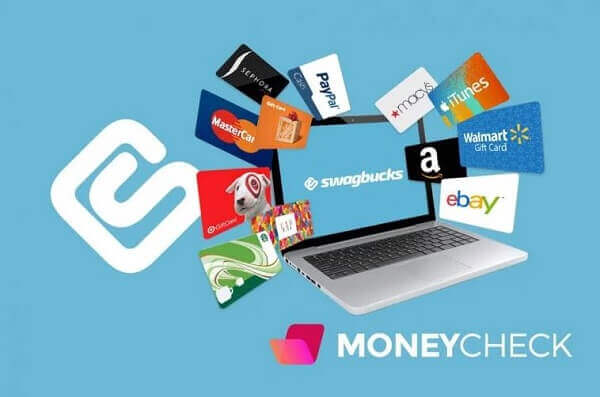
    On the Swagbucks platform, you have the opportunity to earn money in the form of gift cards or cash for various online tasks.

    These tasks, which you typically do for free, become rewarding as Swagbucks compensates you for your efforts.

    The earnings are in the form of points, and you can accumulate these points through a range of online activities.

    Some of the activities include watching videos, engaging in cashback shopping, web searches, barcode scanning, participating in online surveys, polls, trivia, and more.

    The points earned can be redeemed for gift cards from a vast selection of retailers, including iTunes, Currys PC World, Tesco, and Amazon, among others.

    Alternatively, you have the option to convert the points directly into cash and transfer them to your PayPal account, providing flexibility in how you choose to utilize your earnings.

    How Much You Can Earn

    On Swagbucks, the points you accumulate translate into various rewards, such as Amazon gift cards. For example, with 849 Swagbucks points, you can redeem an Amazon gift card worth $8.

    To reach a cash reward of $120 through your PayPal account, you would need over 18,000 Swagbucks points.

    The good news is that points accumulate faster than one might initially expect, thanks to the multitude of tasks and activities available on the platform.

    Additionally, Swagbucks occasionally runs sales on their rewards, providing opportunities for users to redeem gift cards with fewer points than usual.

    This dynamic makes it more accessible for users to enjoy the benefits of their efforts on the platform.

    How To Make Money On Swagbucks

    Here are some of the ways to make money on Swagbucks easily

    Default Search Engine

    Making Swagbucks your default internet search is a smart strategy to effortlessly accumulate points while you browse.

    Since the Swagbucks browser is powered by Yahoo, you can trust its efficiency and functionality.

    This way, you can earn points seamlessly in the background as you conduct your usual online searches, contributing to your Swagbucks balance without much effort on your part. It’s a simple yet effective way to maximize your earnings on the platform.

    Completing Survey

    Participating in surveys on Swagbucks is another lucrative avenue to earn points. These surveys typically require only a few minutes of your time, and in return, you can accumulate points that contribute towards earning gift cards or other rewards.

    Surveys on Swagbucks are known to offer more than 40 Swagbucks points upon completion, making them a valuable and efficient way to boost your points balance on the platform.

    If you have some time to spare, engaging in surveys can be a rewarding activity on Swagbucks.

    Downloading Apps

    Downloading apps through Swagbucks and using them on your smartphones or tablets is another avenue to earn points on the platform.

    This can be a lucrative method, and it’s recommended to begin by downloading free apps rather than paid ones.

    By doing so, you can accumulate a good amount of points, contributing to your overall earnings on Swagbucks.

    This provides users with the opportunity to leverage their mobile devices for additional rewards through the platform.

    Online Shopping

    Shopping online through the Swagbucks platform is a rewarding way to earn additional points.

    Whenever you have plans to make purchases from an online store, consider doing so through the Swagbucks website.

    This action will accrue points, which, when combined with other activities, contribute to the accumulation of gift cards or cash that can be redeemed through your PayPal account.

    It’s a convenient and beneficial approach to turn your online shopping into an opportunity for earning on the Swagbucks platform.

    Referring Friends

    Referring friends to the Swagbucks platform is a rewarding way to earn additional points. When your friends sign up through your referral and start earning on the platform, you receive 10% of the points they accumulate.

    Furthermore, if your referral adds the Swag Button to their desktop browser, you can also receive bonus points.

    This referral system encourages users to share the benefits of Swagbucks with their network, creating a win-win situation for both the referrer and the new user.

    Competitions

    Participating in competitions on Swagbucks is yet another avenue to earn points, and these competitions often come with enticing rewards.

    Competitions may offer prizes such as tech devices, Apple products, or a substantial bundle of Swagbucks points.

    Engaging in these competitions not only adds an element of excitement to your experience on the platform but also provides an opportunity to win valuable rewards that can enhance your overall earnings on Swagbucks.

    Conclusion

    Swagbucks provides a user-friendly and accessible platform for individuals to earn money through various activities.

    If you haven’t already, consider joining the platform to explore the different ways you can accumulate points and earn rewards.

    Thank you for taking the time to read today’s article. If you have any further questions or need assistance, feel free to reach out. Happy earning on Swagbucks.

    You can also check out how to make money online in Ghana and also how to make money on Foap.

  • How To Apply And Renew Your Ghana Passport Online

    How To Apply And Renew Your Ghana Passport Online

    The process of applying for a Ghanaian passport has undergone a significant enhancement, making it more accessible and convenient than ever before.

    The introduction of online passport application services has eliminated the need for individuals to travel to Accra for passport-related matters.

    Now, applicants can submit their requests online and collect their passports at any designated passport center within the country.

    The convenience of this online application process comes with an adjustment in the passport fees, reflecting a slight increase. It’s advisable for applicants to be aware of this change in pricing.

    If you are contemplating applying for a new passport or renewing an existing one and wish to do so from the comfort of your home, this article will guide you through the steps. All that is required is a computer and an internet connection.

    Please take the time to carefully read through the instructions provided in this article to facilitate a smooth and efficient passport application experience.

    What Is A Passport? 

    A passport is an official document issued by the government that serves as a certification of an individual’s citizenship.

    This crucial document not only confirms the holder’s status as a citizen of the country but also grants them the right to travel abroad under the protection and representation of their home country.

    Essentially, a passport is a recognized and standardized form of identification and travel authorization, facilitating international travel and providing proof of citizenship for the bearer.

    Background

    The online passport application system, inaugurated in 2017 by the Ministry of Foreign Affairs and Regional Integration, stands as the exclusive channel for individuals seeking to apply for a Ghanaian passport.

    This digital approach to passport application was introduced with the dual objectives of enhancing user convenience and ensuring the highest standards of security throughout the entire process.

    The integration of the online passport application process with online payment systems represents a notable advancement.

    This feature eliminates the need for applicants to physically visit a bank to obtain a Personal Identification Number (PIN), streamlining the overall application experience.

    The synergy between the online platform and digital payment systems exemplifies the commitment to modernizing and simplifying the passport application process while maintaining rigorous security measures.

    What You Need Before Applying

    There are some things that you will need before you will be able to apply for a Ghanaian passport online. Below are the needed documents.

    • Birth certificate, to show that you are Ghanaian
    • Other documents like driver’s license or ID card
    • Proof of profession, you will need an introductory letter from your employer or you can use a work ID that bears your name along with your position as well as that of the organization that you work for. You can also use a student ID if you are not working at the moment

    Renewing Your Passport

    For those who want to renew their passport, you will need to provide

    1. First page and bio data page along with the picture and information about your passport 
    2. A valid visa if you have any in the old passport
    3. The last page
    4. Proof of your profession if you have changed worked since the time you first got the passport

    Price Of Passports In Ghana

    The prices of the application vary since there are two types of applications. These are the expedited application which is also known as ‘Express’ and the standard application which takes longer than the expedited application to process. Here are the prices below.

    1. Standard application with a 32-page booklet costs GHS 100, while the one with a 48-page booklet costs GHS 150
    2. Expedited application with a 32-page booklet costs GHS 150, while one with a 48-page booklet costs GHS 200 

    How To Apply For A Passport In Ghana

    1. Visit the online application portal at https://passport.mfa.gov.gh and create an account
    2. Click on the ‘sign up to create a new account and then confirm the new account by entering the code you received in your SMS in the confirmation box
    3. Now login into the application portal by using your username and password
    4. Click on ‘start new application’ and then pay the processing fee through the online payment system. The form to be filled will then be sent to your account. You will find the form in ‘My Applications’
    5. Fill out the form and make sure to complete it with all the relevant details and then sign the declaration form
    6. Find a date on which you can visit the passport application center so that you can verify your documents as well as the biometric details such as fingerprints and photographs. You will then print the final document and send it to be signed by your guarantor.
    7. After that, you can visit the application center again for your documents and the biometric details to be verified. You will be told when to expect the passport
    8. An SMS will be sent to notify you when the passport is ready. Visit the passport center and collect your new passport

    Passport Application Centers And Their Location

    • Accra- the Accra digital center, adjacent State Housing company, on the ring road west
    • Kumasi- located on the 2nd floor of Thankful; heights building in Adum
    • Koforidua- PWD office in the SSNIT office area
    • Kumais- Guggisberg rad opposite PWD in Adum
    • Takoradi- located at the Ghana immigration service headquarters
    • Sunyani- located adjacent to the Jubilee Park
    • Ho- located in the Regional administration building
    • Tamale- located at police park

    Conclusion

    Once the online application process is successfully completed, applicants can anticipate receiving their passports within a period of 15 days.

    An SMS notification will be sent to inform the applicant about the readiness of the passport for collection.

    To facilitate this final step, individuals are required to visit the designated passport application center.

    The convenience of the process extends to payment methods as well. Applicants have the option to utilize mobile money services through their banks to settle the necessary fees.

    This modern and accessible payment option aligns with the overall aim of simplifying the passport application experience and making it more user-friendly.

    It also reflects the integration of contemporary digital solutions into the traditional administrative processes for enhanced efficiency.

  • How To Block Ads On YouTube On Your Android And Smart TV

    How To Block Ads On YouTube On Your Android And Smart TV

    It’s true that Google generates revenue from its YouTube platform through ads displayed on videos.

    While these ads contribute to the income of both content creators and Google, they can become bothersome, particularly when they appear frequently.

    Ads can be particularly intrusive when watching videos on smartphones, smart TVs, or Android TVs. Unlike smartphones, stopping ads on Android TV can be more challenging, as there isn’t a built-in feature for ad-blocking.

    If you’re seeking ways to minimize or eliminate ads when watching videos on your smart TV, this article can provide you with effective solutions.

    By exploring these methods, you can enhance your viewing experience and reduce the annoyance caused by frequent ads on your Android TV.

    How To Block Ads On Smart TV

    There are some ways that you can watch videos on YouTube without the ads interfering.

    Youtube Premium

    Ads on YouTube can be disruptive, and to address this, YouTube offers a solution called ‘YouTube Premium.’

    YouTube Premium is a paid version of the platform that allows users to enjoy videos without the interruption of ads.

    This service provides an ad-free viewing experience, making it more enjoyable for users.

    To access YouTube Premium on your smart TV, you can download the YouTube Premium app from the app store.

    Once downloaded, you can subscribe to YouTube Premium, which is priced at $11.99 per month.

    With a YouTube Premium subscription, you can watch an unlimited number of videos without the annoyance of ads, provided you have a stable network connection.

    By opting for YouTube Premium, users gain the benefit of an uninterrupted viewing experience and support content creators through an alternative revenue model that doesn’t rely on ads.

    Using Unofficial YouTube Apk

    While the recommended and legitimate way to enjoy an ad-free YouTube experience is through the YouTube Premium subscription, you’ve mentioned an alternative method for users who may not be able to afford it. This alternative involves using unofficial YouTube apps, specifically modified versions of the YouTube app.

    It’s important to note that these modified versions are not officially endorsed by YouTube, and their safety and security cannot be guaranteed.

    They are essentially offloaded versions of the YouTube app, with a smaller size and some original settings missing. Due to these modifications, ads are not able to be displayed in these versions.

    While this approach may provide an ad-free experience, it comes with potential risks, as unofficial apps may not be as secure or stable as the official YouTube app.

    Users should exercise caution and be aware of the potential drawbacks when considering such alternatives.

    How To Watch YouTube Videos On A Phone And Smart TV Without Ads

    1. Download a web browser onto your smart TV
    2. Open the newly installed browser and search ‘unofficial YouTube app’
    3. Look through the search results until you get the one that allows you to download the app
    4. Download the app
    5. Now set your phone or TV so that you can install the app

    How To Make Your TV Install An Unofficial Youtube App

    1. Go to your TV settings and locate ‘security and restrictions’
    2. Select it and then scroll to ‘unknown sources
    3. Select it and then enable the installation from unknown sources  
    4. Now get to your files manager, download this from the Play Store if you do not have it on your smart TV
    5. Locate the unofficial YouTube app in the file manager and open it to install it
    6. It will be installed on your smart TV

    You will now be able to watch YouTube videos without the annoying ads. However, the safety of this app cannot be guaranteed so you use it at your own risk.

    Conclusion

    YouTube Premium provides a legitimate and officially supported way to enjoy an ad-free YouTube experience.

    By paying the subscription fee, users can access the premium features, including an uninterrupted viewing experience without ads.

    This approach ensures both the safety and support for content creators, as it aligns with YouTube’s terms and conditions.

    For those who prioritize security, convenience, and supporting content creators, opting for YouTube Premium is the ideal choice. It provides a reliable and official solution to enjoy ad-free videos on YouTube.

  • Computer Virus: Effects, How They Spread And How To Remove Them

    Computer Virus: Effects, How They Spread And How To Remove Them

    This article will explain computer viruses, how they spread, their effects on your computer, and how to protect yourself.

    If your computer has been acting strangely, becoming slower, or you notice that files have been deleted without your knowledge, it may be a result of a computer virus causing havoc on your computer.

    What Is A Computer Virus?

    A computer virus is software that clinches itself onto legitimate applications and software on a computer or device to enable it to reproduce and spread itself on the computer.

    Programmers make viruses just like real legitimate applications created by programmers. 

    They are mostly deployed by their creators to cause damage to computers or to take control of it.

    The name ‘virus’ was derived as a result of the way through which it infects its targets.

    A computer virus has a code snippet that allows it to insert itself into other applications and software.

    When you run the application that has the virus snippet, it executes the code snippet and installs the virus on the new computer.

    A virus is a type of malware, with the other type being the Trojan, which looks harmless until it starts executing.

    Worms can spread and reproduce themselves very fast and independently without using any application as a transfer mode.

    Viruses, however, need to infect applications and programs before they can do their work. 

    The First Virus Created

    image of unknown person

    The first-ever virus created in history was the Elk Cloner, created by a 15-year-old boy in 1982.

    What Viruses Do

    Once the infected file or application gets onto the computer, the virus code immediately loads itself into the computer’s CPU before any legitimate files or applications can load themselves.

    The virus then begins to infect other applications on the computer. It inserts its virus code in almost every place it can.

    A resident virus typically does this, while a non-resident virus can infect files and programs even if they are not operating.

    Boot sector viruses use a technique whereby they insert their code into the boot system of the computer.

    This step causes the viruses to execute even before the operating system has been loaded.

    When the execution of the virus has been done, it then starts to execute its payload on the computer.

    Some of the things the virus will do depend on what it was built to do. These include scanning your computer for confidential information like your banking information, stealing your passwords, and turning your computer into an assault.

    Viruses can even encrypt your computer data and hold it hostage, demanding payment in the form of Bitcoin before your data would be released back to you.

    What Are The Most Common Viruses On Computers?

    Web Scripting Virus

    These are the types of viruses that overite code on a website and then place links inside, installing malicious software on your device. After that, the attacker can then do whatever he wants.

    Browser Hijacker

    As the name suggests, this virus makes settings on your browser, and anytime you try to visit any website, it then redirects you to other malicious websites.

    Resident Virus

    The virus first stores itself on your computer from there. It then obstructs the operating system and targets your computer files.

    Polymorphic Virus

    This virus is considered to be one of the most dangerous viruses because when it gets to your computer, the anti-virus can’t even notice it since it continuously changes its codes.

    Macro Virus

    These are the types of viruses that are hidden inside Microsoft Excel or Word. The virus stored as a document can spread itself from the document when it gets on your computer.

    How They Spread

    computer virus, how they spread

    Viruses used to spread from computer to computer through mediums like floppy disks. Today, however, instead of applying to their host through the internet itself.

    They still spread through data-sharing mediums such as pen drives and CDs. Some ‘gangsta’ viruses can hijack an email account and then mail out copies of its code.

    They can also be accidentally downloaded (unaware by the user) from an infected app store or repository.

    However, in an email, you can only get the virus if you open and download the virus’s attachment.

    Effects Of Computer Virus

    a screen of a hacked computer
    • Data Loss and Corruption: One of the most common and damaging effects of computer viruses is the loss or corruption of data. Viruses can infect files, documents, and even the entire operating system, leading to the loss of critical information.
    • System Instability: Computer viruses can disrupt the normal functioning of an operating system. This can result in frequent crashes, freezes, and overall instability, making it challenging for users to perform tasks effectively.
    • Performance Degradation: Viruses often consume system resources, such as memory and processing power, causing a significant slowdown in overall computer performance. Applications may take longer to load, and the system may become sluggish.
    • Unauthorized access and control represent serious threats posed by certain viruses. These malicious programs are crafted to establish backdoors within the infected system, paving the way for unauthorized entry. Consequently, this can result in security breaches, enabling external entities to access data without permission. In more severe cases, these viruses may grant control of the compromised computer to external entities, jeopardizing the user’s privacy and the integrity of the system. Vigilance and robust cybersecurity measures are essential to mitigate the risks associated with such unauthorized access and control.
    • Identity Theft: Certain types of viruses, such as keyloggers and spyware, are specifically crafted to capture sensitive information like usernames, passwords, and personal details. This information can be used for identity theft or other malicious activities.
    • Network Disruption: Viruses can spread rapidly over networks, infecting multiple computers connected to the same network. This not only affects individual machines but can also lead to network disruptions, affecting the entire organization or community.
    • Financial Loss: The impact of computer viruses can extend to financial losses for individuals and businesses. The cost of repairing infected systems, recovering lost data, and implementing security measures can be substantial.
    • Compromised Security: Viruses often exploit vulnerabilities in the system’s security, compromising the overall safety of the computer. This can result in further malware infections, making it challenging to maintain a secure computing environment.
    • Disruption of Productivity: Infected computers can disrupt normal workflows and productivity. Users may experience downtime while dealing with virus-related issues, and IT departments may need to allocate significant resources to address and mitigate the effects.
    • Loss of Confidential Information: Beyond financial data, viruses can lead to the loss of sensitive and confidential information. This may include intellectual property, trade secrets, or proprietary business information, jeopardizing the affected entity’s competitive edge.
    • Damage to Reputation: Individuals and businesses affected by computer viruses may experience damage to their reputations. If confidential information or customer data is compromised, trust in the organization’s ability to secure information may be eroded.
    • Difficulty in Removal: Some viruses are designed to resist traditional removal methods. This persistence can make it challenging for users to eradicate the virus, leading to prolonged exposure to its detrimental effects.

    Signs To Know Your Computer Might Be Infected With Virus

    • The computer becomes slow.
    • It crashes frequently
    • When turned on, some programs you do not know start running.
    • Emails are being sent without your permission.
    • Making changes to things on your computer
    • Files disappearing
    • Virus removal

    Once you notice a virus on your computer, the next thing to do automatically will be to remove the virus.

    There are several ways through which you can remove the virus from your computer. Some viruses are more stubborn than others.

    How To Remove A Virus From Your Computer

    One of the most common ways to remove viruses from your computer is to install antivirus software on it.

    The ironic and funny thing here is that. Some viruses are created by their owners just so their creators can sell you antivirus software to make money.

    But it seems we don’t have much choice regarding that.

    After downloading the antivirus software and installing it on the computer, you then run a scan with the software.

    It will detect the virus on the computer and then clean it. However, some viruses are powerful because they can hide from the antivirus or even prevent the antivirus from working altogether.

    In this case, you would need antivirus software that is up to date to clean the virus. This move is one reason why it is advisable to update your antivirus whenever it prompts you to do so.

    If the antivirus does not do a proper clean-up in a given time, then you would have no option but to perform a total clean of your hard drive.

    When this happens, it would mean that the virus has spread itself over almost every part of the computer, thereby bringing down the computer’s defenses. Performing total clean is the only way it would be taken off the computer.

    Here is all you need to know about computer virus, their effects, how they spread, and how to fight them, you can also check out bank trojan.

  • Types Of Computer Malware And How To Prevent Them

    Types Of Computer Malware And How To Prevent Them

    You may have heard about computer viruses, but did you know there’s a whole world of digital troublemakers beyond just viruses? Buckle up for a crash course on computer malware and its mysterious ways.

    Now, not every digital hiccup you hear about is a virus, even though people often use the term. It’s like calling every superhero “Batman” just because he’s the most famous one.

    A computer virus is a specific type of malware, and there’s a whole family of these digital mischief-makers.

    Computer malware has been around since the early days of computers, tracing its roots back to 1949.

    It’s like the OG (Original Gangster) of digital trouble! Imagine security agencies as the guardians of the digital realm, and they recorded the first known malware sighting in the ’70s. That’s like discovering the first supervillain in the world of computers.

    So, what exactly is a virus in the digital world? Think of it as a tiny program that can infect other programs, like a superhero turning villains into sidekicks.

    It modifies them to include a sneaky evolved version of itself. It’s like a digital shape-shifter, spreading its influence wherever it goes.

    But wait, there’s more to the story! There are different types of computer malware, each with its unique powers.

    Some disguise themselves as friendly programs, while others sneak in through deceptive emails or websites. It’s like a game of hide and seek in the digital universe.

    What’s The Difference Between Virus And Malware?

    Viruses

    virus emoji

    A computer virus is a type of computer malware that can modify its host in a way that allows it to execute itself as soon as the host file is executed.

    Today, it is not easy to find pure computer viruses anymore. Pure computer viruses today make up less than 10% of all computer malware.

    However, they are the only type of computer malware that infects other files.

    This also makes computer viruses one of the hardest to remove because they execute themselves from a legitimate file or program.

    Even the best antivirus software out there sometimes has a hard time dealing with viruses.

    Due to how hard they are to remove, most antiviruses will quarantine the affected file or delete the whole thing, which means that you will have to install the deleted program again.

    Malware

    malware emoji

    Computer malware existed way before computer viruses were created.

    Their existence can be traced back to the days of giant mainframe computers.

    They were brought to the notice of people by emails in the 1990s and gave computer security workers a hard as they were fashioned message attachments.

    Once a person opens a file containing a worm, the entire computer will get infected quickly.

    One trait of a computer is its ability to self-replicate.

    One of the well-known worms was the famously notorious ‘iloveyou’ worm that infected almost every email account worldwide and overloaded telephones with text messages.

    It was even able to bring TV stations. Worms can spread without the computer having a hand in it, unlike computer viruses.

    The SQL Slammer worm used a vulnerability in Microsoft SQL to cause buffer overflows on almost all unpatched SQ: servers connected to the internet.

    It did in a record time below 10 minutes, and that record has still not been broken any other worm.

    Types Of Computer Malware

    Trojan

    Computer hackers do not use worms anymore. Their choice of attack is now the Trojan that can parade as an actual computer program while having dangerous codes.

    Trojans have existed even much longer than computer viruses. They are, however, much more malicious on current-generation computers than old ones.

    For a computer Trojan to work, it has to be executed by the computer user before it can carry out its work or payload, as it is the term in computer-savvy circles.

    They usually come onto a computer through emails after the user visits infected websites.

    One of the most prevalent Trojans is the type that disguises itself as antivirus software.

    This will then pop up on your screen while surfing online and claim that your computer has been infected by viruses that need to be cleaned as soon as possible.

    Once the user falls for the trick and clicks on it, the Trojan then executes and takes over the computer. RAT (Remote Access Trojans) are a common type of Trojans that are widely used by cybercriminals.

    This type of Trojan allows the creator to control your computer once it has been executed on the computer.

    They are designed in such a way that it is difficult to detect them on your computer.

    People who usually use these do not even program them themselves, as hundreds of these are sold on the black market. Trojans are also one of the hardest to fight.

    Firewalls are sometimes not able to stop them, just like other normal computer defenses.

    It is highly recommended that you never try to open any file that pops up to warn you of viruses while surfing the internet.

    Hybrids And Exotic

    Today, most of the computer malware around is a mixture of Trojans and Worms and sometimes with a virus thrown in the mix.

    This malware will typically appear to the computer as a Trojan in disguise.

    However, once the computer user executes it, it attacks the system with the other malware’s combination.

    The majority of this malware is considered stealth programs. They usually try to temper with the computer’s operating system to enable them to take total control of the whole system to hide from antivirus software that tries to fish them out.

    The way to remove This type of malware is to remove the control component.

    There are also Bots, which are essentially a Trojan and Worms combined to attempt to add their victims to a more extensive malicious network.

    Fileless

    This kind of malware does not have to use files or programs to spread.

    They usually spread using the system memory, such as the registry keys, APIs, and scheduled tasks.

    They make up over 50% of all malware that exists today.

    Fileless malware attacks its victim by taking over an existing program and then launches itself as a sub-process.

    They are nearly impossible to detect, and even if you notice them, they are harder to stop.

    Having good knowledge about Fileless malware is very important for almost everyone, especially if you are thinking of pursuing a career in the computing industry.

    Adware

    Adware is normally made to expose the computer user to malicious advertising.

    It may redirect your browser’s search to different web pages that may look like you are searching for.

    The web pages may contain things that are different from what you are searching for as well.

    Malvertising

    In this case, legitimate ads or their networks are used to deliver malware to unsuspecting people.

    A cybercriminal will pay for space on a legitimate website to place an advertisement. When a user clicks the ad placed by the cybercriminal, the ad will take them to a malicious site or download and install malware onto the person’s computer.

    This malware can sometimes even executive itself without the user doing anything to trigger it.

    Spyware

    This is mostly used by people who may want to spy on your computer. You can use it to copy the password of victims’ computers to enable them to access it to take confidential material from the computer.

    However, spyware usually is easier to remove from your computer, together with adware. They are not as dangerous as the other types of malware mentioned in this article.

    How To Remove Malware From Your Computer

    Detecting and removing malware from a computer can be a tricky thing to do.

    You will not tell if the malware has tempered with the computer system in a way that makes it impossible to know if you have detected the malware.

    It takes someone who is very well trained in malware removal, and the general computer work to be able to take care of such a task.

    When fighting malware, you may have to back up your data and clean your hard drive before reinstalling the programs again.

    Conclusion

    Now that we’ve uncovered the secrets of different kinds of malware and how they sneak into our digital playground, let’s talk about the superhero moves you can make to stay safe.

    Imagine the internet as a vast ocean of information and entertainment, but lurking in the depths are sneaky creatures called malware. To keep your digital ship sailing smoothly, it’s crucial to be a cautious sailor when surfing the net.

    Picture yourself as the captain of your digital vessel, steering through the vast online seas. Here are some superhero tips to keep those malicious malware sea monsters at bay:

    1. Stay Alert: Keep your digital radar on high alert. Be cautious of suspicious emails, links, or websites. If something seems fishy, it probably is!
    2. Powerful Shields: Equip your computer with powerful shields known as antivirus software. These digital superheroes can detect and neutralize malware threats, just like a force field protecting your castle.
    3. Smart Surfing: Navigate the digital waves wisely. Avoid clicking on random links or downloading unknown software. It’s like choosing safe paths in a virtual treasure hunt.
    4. Regular Check-ups: Just like superheroes visit their headquarters for check-ups, run regular scans on your computer. This ensures that any lurking malware is discovered and defeated before it can cause mischief.
    5. Backup Plan: Imagine creating a duplicate of your favorite superhero gadgets. Similarly, regularly back up your important files. In case a malware monster tries to snatch them away, you’ll have a backup to save the day.

    So, fellow digital adventurers, as you embark on your online quests, remember these tips to navigate the vast internet ocean safely.

    Be a vigilant explorer, use your digital shields, and keep those malware monsters at bay. May your online adventures be thrilling and secure.

    Talking about computers, you can also check out our article on the types of computer printers.

  • How To Enable WhatsApp Dark Mode On Android

    How To Enable WhatsApp Dark Mode On Android

    WhatsApp has finally rolled out a dark mode feature after many months of users requesting this feature.

    This dark mode feature uses dark hues and is not completely black as we all expected it to be but we believe the black mode will be out soon.

    It is great news to see this dark mode feature on this messaging app as it will help users feel comfortable using the app, especially at night, you also get to choose  “set by battery saver” mode.
    whatsapp dark mode options

    After you enable this dark mode feature on this messaging app, the color scheme applies to the chats menu, calls tab, settings, contact list, status, and other menus making the app dark.

    How To Enable WhatsApp Dark Mode On Android

    1. Go to settings
      Chats
      Under Display select the theme
      Then choose dark to enable the dark mode feature.

    You can also choose set by battery saver: when this feature is selected, WhatsApp will automatically turn to dark mode when you are on a battery-saving mode.

    Before you can enjoy this WhatsApp dark mode feature you have to download the latest WhatsApp beta version 2.20.13 from Google Play Store.

  • How To Recover Data From Damaged Android Phone

    How To Recover Data From Damaged Android Phone

    You are walking along the pavement with your Android smartphone in your hand, surfing the internet.

    Or you were chatting with some of your friends on social media, and suddenly, someone bumped into you violently, and your smartphone smashed onto the water or on the hard pavement.

    The person hurriedly apologizes and continues running on, but the damage has already happened.

    You pick up the smartphone and realize that the screen has smashed beyond usability.

    And you know that the repair bill sure goes through the roof (I know you are thinking about Samsung phones here).

    And although the phone is still on, you cannot use it since the screen is cracked.

    Or your smartphone has developed a fault and does not respond anymore and does not switch on. Or either got attacked by a mobile virus and has gone dead.


    You then remember that you have some important files on it which had not been backed up yet.

    How do you retrieve those files from the phone now?
    Well, that is what this article is all about.

    We will be showing you some ways to retrieve your files from a damaged Android smartphone.

    So Here Are Ways To Retrieve Data From A Damaged Android Smartphone.

    Third-Party Software

    third party software

    The good news is that there is third-party software out there that you can use to retrieve the data from the Android smartphone.

    You will have to find another smartphone to download the software and then install it on a computer.

    You can use a broken Android data recovery software for this. After installing the software on your computer, do the following;
    Open the recovery software and connect your damaged smartphone via USB to the computer.

    Choose the appropriate mood which would be used for the recovery.

    This step can be done by reading the instructions that the software shows you to choose a recovery mood that fits the problem you have encountered with your smartphone.

    Choose the exact info of your device on the interface that appears to make your device match with the software since the software may not be usable with some Android devices.

    Now follow the prompts on the screen as the software downloads a repair package which will then be used to fix your smartphone so that the data on it can be scanned and recovered.

    You will then need to switch your smartphone off. You then press and hold the volume down button together with the home button and power button.

    Then press and hold the work-up button to go into the download mood.

    After everything is done, the software will now conduct the scanning on your smartphone.

    You will then see an interface where you will choose the files you want to recover from the smartphone and click on the ‘recover’ button to recover them.

    USB OTG For Recovery

    us otg recovery

    If, for some reason, you are not able to use the third-party software method, as shown above, there is another way through which you can still retrieve your data from your Android smartphone device.

    You can do this by using a USB OTG, which means USB on the go.

    This step allows you to use a computer mouse to navigate your damaged smartphone and retrieve the files you need from it.

    However, for this to work, your Android smartphone must have the OTG feature equipped on it before you can go ahead.

    Here Is How To Use The OTG Method To Extract Your Files From Your Damaged Android Smartphone.

    • You will need to connect an OTG adapter to your smartphone.
    • You then have to link a computer mouse to the OTG adapter.
    • Now turn on the smartphone.
    • You can then use the connected mouse to unlock your smartphone.
    • Now connect the smartphone to a WiFi network, or you can put on the Bluetooth connection.
    • You can now transfer the data files that you want from the smartphone to the computer or your cloud storage to get them later.

    Conclusion

    Accidents do happen, and one of them is mistakenly damaging your phone. When you find yourself in this situation, you suddenly find it difficult even to think straight.

    If you have been in this situation you will want to retrieve the files.
    This article took us through the steps of retrieving data from damaged Android phones.

    And if your phone has been slowing down nowadays, then you might want to check our article covering how to block pop-up ads on Android phones.

  • How To Make Windows Greet Or Welcome You At Startup

    How To Make Windows Greet Or Welcome You At Startup

    Have you ever wanted to know how to make Windows greet you or welcome you with a custom voice message at startup or How do you make your computer say hello when you log in?

    At the end of this article, I will be guiding you step by step on how to make your computer greet you on startup.

    Before we get started with the steps on making Windows greet you at startup, I am going, to be honest with you and tell you that it is a simple step-by-step procedure and I will be guiding you with pictures and examples for easy setup and understanding

    Here Are The Steps On How To Make Windows Greet You At Startup:

    1. Click on Start.

    start button

    2. Navigate to All Programs, Accessories and Notepad. Copy and paste the exact code given below.

    dim speak make your computer greet you

    Dim speaks, speech
    speaks=”Welcome to your PC,Username”
    Set speech=CreateObject(“sapi.spvoice”)
    speech.Speak speaks
    3. Replace Username with your own name.

    change the name to your name

    4. Click on File Menu, Save As, select All Types in Save as Type option, and save the file as Welcome.vbs or “*.vbs“.

    save as .vbs make your computer greet you

    5. Copy the saved file.
    6. Navigate to C:Documents and Settings>All Users>Start MenuProgramsStartup (in Windows XP).
    And to C:Users {User-Name}AppData>Roaming>MicrosoftWindowsStart MenuProgramsStartup (in Windows 10, Windows 8, Windows 7, and Windows Vista) if C: is your System drive.
    AppData is a hidden folder. So, you will need to select Showing Hidden Folders in the Folder Options to locate it. If you have trouble locating the startup folder, press Windows key+R type shell: startup in the Run dialogue box and press Enter. The startup folder will open.

    startup

    7. Paste the file.

    vbs
    Note: For best results and quality hearing on making windows greet you, it is recommended to change the sound scheme to No Sounds.

    You can change the sound scheme to No Sounds by following the steps given below:-
    Go to Control Panel. Then click on Switch to Classic View, Then Click on Sounds and Audio Devices.

    Then click on the Sounds Tab and select No Sounds from the Sound Scheme option.

    If you wish to save your Previous Sound Scheme, you can save it by clicking Yes in the popup menu, and clicking on OK.